Convert pixels to rem at any base font size
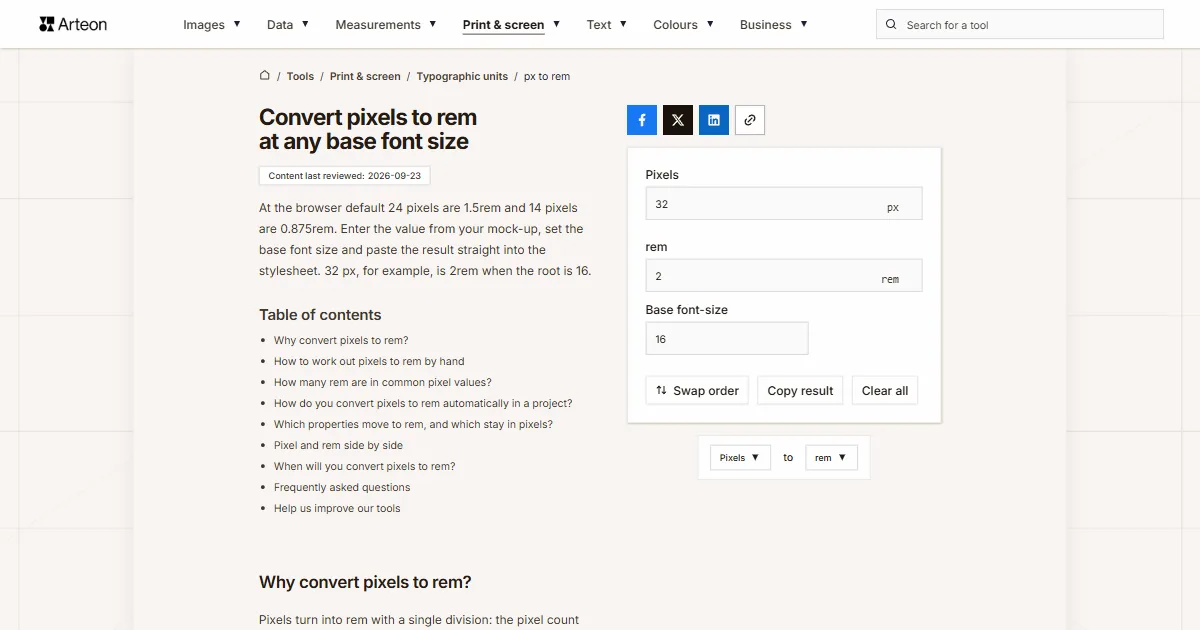
At the browser default 24 pixels are 1.5rem and 14 pixels are 0.875rem. Enter the value from your mock-up, set the base font size and paste the result straight into the stylesheet. 32 px, for example, is 2rem when the root is 16.
Why convert pixels to rem?
Pixels turn into rem with a single division: the pixel count divided by the base font size. At the browser default that base is 16px, so 24 pixels give 1.5rem and 14 pixels give 0.875rem. The rem unit refers to the text size of the html element, the root of the document[1].
The mock-up arrives with measurements in pixels, because that is how design software counts, and the stylesheet is written in rem so the layout answers the reader’s settings.
The result is given to four decimal places, because at a 16px base a single pixel is exactly 0.0625rem, and type sizes of 14 and 18 pixels come to 0.875 and 1.125rem.
Below you will find a table of 30 values at three bases, how to automate the conversion inside a project, and a rundown of CSS properties with a verdict on which of them to move to rem. The journey the other way is handled by the rem to pixels converter.
How to work out pixels to rem by hand
The formula holds one operation: rem = pixels ÷ base font size. It is the reverse of the multiplication that turns rem into pixels.
Take a 20px spacing value: at a base of 16 it comes to 20 ÷ 16 = 1.25rem. The same value at the 10px base from the 62.5% technique gives 2rem, because dividing by ten happens in your head.
Values from a mock-up can also come out as fractions: 18 pixels is 1.125rem, 30 pixels is 1.875rem and 22 pixels is 1.375rem. All three are exact, so you write them into the stylesheet as they are.
The em unit works the same way, only dividing by the font size of the parent instead of the root – that calculation is done by the pixels to em converter. If the measurement is headed for paper instead, the same file is handled by the pixels to inches converter.
How many rem are in common pixel values?
| Value in pixels | 16px base (default) | 10px base (62.5%) | 20px base (enlarged text) |
|---|---|---|---|
| 1 px | 0.0625 rem | 0.1 rem | 0.05 rem |
| 2 px | 0.125 rem | 0.2 rem | 0.1 rem |
| 4 px | 0.25 rem | 0.4 rem | 0.2 rem |
| 6 px | 0.375 rem | 0.6 rem | 0.3 rem |
| 8 px | 0.5 rem | 0.8 rem | 0.4 rem |
| 10 px | 0.625 rem | 1 rem | 0.5 rem |
| 12 px | 0.75 rem | 1.2 rem | 0.6 rem |
| 14 px | 0.875 rem | 1.4 rem | 0.7 rem |
| 16 px | 1 rem | 1.6 rem | 0.8 rem |
| 18 px | 1.125 rem | 1.8 rem | 0.9 rem |
| 20 px | 1.25 rem | 2 rem | 1 rem |
| 22 px | 1.375 rem | 2.2 rem | 1.1 rem |
| 24 px | 1.5 rem | 2.4 rem | 1.2 rem |
| 28 px | 1.75 rem | 2.8 rem | 1.4 rem |
| 30 px | 1.875 rem | 3 rem | 1.5 rem |
| 32 px | 2 rem | 3.2 rem | 1.6 rem |
| 36 px | 2.25 rem | 3.6 rem | 1.8 rem |
| 40 px | 2.5 rem | 4 rem | 2 rem |
| 44 px | 2.75 rem | 4.4 rem | 2.2 rem |
| 48 px | 3 rem | 4.8 rem | 2.4 rem |
| 56 px | 3.5 rem | 5.6 rem | 2.8 rem |
| 60 px | 3.75 rem | 6 rem | 3 rem |
| 64 px | 4 rem | 6.4 rem | 3.2 rem |
| 72 px | 4.5 rem | 7.2 rem | 3.6 rem |
| 80 px | 5 rem | 8 rem | 4 rem |
| 96 px | 6 rem | 9.6 rem | 4.8 rem |
| 128 px | 8 rem | 12.8 rem | 6.4 rem |
| 160 px | 10 rem | 16 rem | 8 rem |
| 192 px | 12 rem | 19.2 rem | 9.6 rem |
| 256 px | 16 rem | 25.6 rem | 12.8 rem |
How do you convert pixels to rem automatically in a project?
For a single value the converter above is enough. For a whole stylesheet the arithmetic moves into a tool that runs it every time the project builds.
In a preprocessor you write a function that divides the given number by the base. In Sass it looks like this: @function rem($px) { @return math.div($px, 16) * 1rem; }, and then a rule reads padding: rem(24) and produces 1.5rem. The base then lives in one place and changes once.
The second route works on a finished stylesheet and asks for no change in how you write. The postcss-pxtorem plugin, added to the build step, walks the output file and swaps pixels for rem against the base you set. In August 2026 the npm registry recorded more than 880,000 downloads of it[2].
The third route is CSS custom properties. You write --space-6: 1.5rem once in the stylesheet and refer to the name instead of the number. The conversion then happens a single time, while defining the scale, rather than at every rule.

Which properties move to rem, and which stay in pixels?
| CSS property | Move to rem? | Why |
|---|---|---|
| font-size | Yes | The heart of the whole exercise – type size should answer the browser setting |
| padding and margin | Yes | Space around text should grow with it, or larger type turns cramped |
| width of a text column | Yes | Line length is measured in characters, so width follows type size |
| line-height | No, keep it unitless | A bare multiplier such as 1.5 inherits correctly at every level of nesting |
| border-width | No | A hairline border should stay a hairline, whatever the type size |
| box-shadow | No | A shadow is a graphic effect with no bearing on text size |
| border-radius | Usually not | The radius describes the shape of an element, not its content |
| media query breakpoints | Yes, but in em | Inside a media query the browser counts from the default text size rather than the html element, so em behaves predictably[3] |
Pixel and rem side by side
| Property | px | rem |
|---|---|---|
| Point of reference | None, an absolute value | Font size of the html element |
| Default value | 1px = 1/96 inch | 1rem = 16px |
| Response to reader settings | Stays unchanged | Scales along with them |
| Where it is quoted | Mock-ups, design software, image files | Stylesheets, design systems |
| Typical use | Borders, shadows, hairlines | Type sizes, spacing, widths |
| Automation | Written out as a plain value | A preprocessor function or a build-step plugin |
When will you convert pixels to rem?
Turning a mock-up into code
The design gives 24px of spacing, the stylesheet is to receive 1.5rem.Setting up a project scale
Rather than converting at every rule, you define CSS custom properties or a preprocessor function once and refer to the names.Rewriting an old stylesheet
Migrating from pixels to rem, you convert type sizes and spacing while borders and shadows stay as they are.An accessibility check
Values written in rem grow with the text size the reader sets. WCAG 1.4.4 asks that text can be resized up to 200% without loss of content or function[4].
Convert other units to rem
Convert Pixels to other units
Sources
- CSS Values and Units Module Level 4 — W3C
- postcss-pxtorem — npm
- CSS values and units – length — MDN Web Docs
- Understanding SC 1.4.4: Resize Text (WCAG 2.2) — W3C
Every figure in the tables was computed from the unit definitions and checked arithmetically before publication. Historical values and the names of local units come from the sources listed above.
Content last reviewed: · written and checked by the Arteon team
Frequently asked questions
How many rem is 1 pixel?
At the default 16px base one pixel is 0.0625rem. At the 10px base from the 62.5% technique that same pixel gives 0.1rem, and at an enlarged 20px base it gives 0.05rem. The reverse direction, from rem to pixels, is handled by the rem to pixels converter.
How do I convert px to rem?
Divide the pixel count by the base font size. At the default 16px that gives 24 ÷ 16 = 1.5rem. The converter above performs the division for any base from 1 to 100px.
How many rem is 24px?
1.5rem at a 16px base, 2.4rem at a 10px base and 1.2rem at 20px.
How many rem is 14px?
0.875rem at the default 16px base. At a 10px base it comes to 1.4rem, and at 20px to 0.7rem.
How many rem is 20px?
1.25rem at a 16px base. At a 10px base it comes to a round 2rem, which is one argument for the 62.5% technique in projects with a large spacing scale.
How many rem is 12px?
0.75rem at a 16px base. At a 10px base it comes to 1.2rem, and at 20px to 0.6rem.
How many rem is 40px?
2.5rem at a 16px base, 4rem at a 10px base and 2rem at 20px.
How many rem is 80px?
5rem at the default 16px base. At a 10px base it comes to 8rem, and at 20px to 4rem.
Should I round the result in rem?
Values such as 0.875 or 1.875rem are written out as they are. The browser computes them exactly, whereas rounding to 0.88rem would shift the type size by a fraction of a pixel.
How do I convert pixels to rem automatically?
In a preprocessor you write a function that divides by the base and then type rem(24) instead of a number. On a finished stylesheet the postcss-pxtorem plugin does it in the build step. The third route is CSS custom properties with the scale defined once.
Should everything in a stylesheet move to rem?
Type sizes, spacing and text column widths – yes, because they should grow with the reader’s setting. Borders, shadows and hairlines stay in pixels, and line-height is written without a unit, as a bare multiplier. Spacing that should follow the local font size can use em instead, which the pixels to em converter calculates.
Which unit belongs in media queries?
Em. Inside a media query the browser resolves relative units against the default text size rather than the value set on the html element, so a breakpoint written in em behaves predictably even when the project uses the 62.5% technique.
Help us improve our tools
Have an idea for a feature, found a bug, or want to suggest another tool? Write to us.