Color Converter – Check All 37 Color Notations
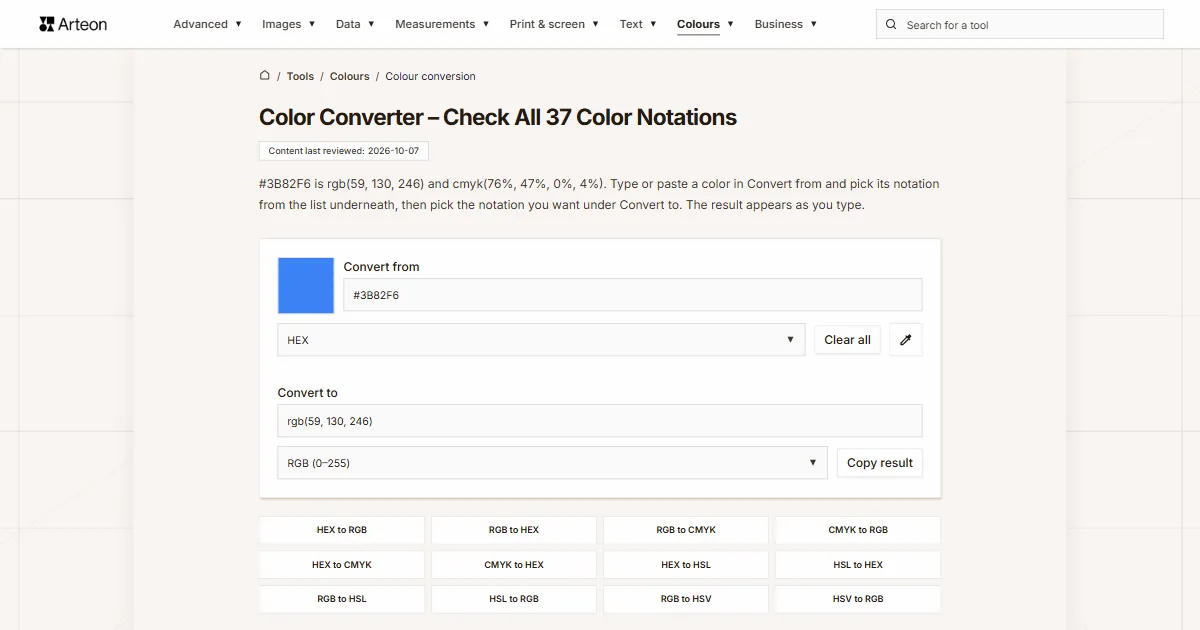
#3B82F6 is rgb(59, 130, 246) and cmyk(76%, 47%, 0%, 4%). Type or paste a color in Convert from and pick its notation from the list underneath, then pick the notation you want under Convert to. The result appears as you type.
How does this color converter work?
Apps store the same color in different ways. Figma and CSS take a hex code[1], the Colors dialog in Word and Excel shows three RGB numbers[2], a print shop asks for CMYK, and an Android app keeps the color in a single number with the opacity first[3]. This converter moves a color from one of these notations to another.
The lists under Convert from and Convert to hold the same 37 notations in six groups: Most used, CSS, For developers, Video and JPEG, Microsoft Office and CIE. You can type in either field, and the converter fills in the other one.
The field first reads your entry in the notation picked on its list. If the entry does not fit, the field looks for a notation that does, switches the list and says so in a line underneath. That happens after a short pause in typing, or straight away when you paste. Paste 3900150 into a field set to HEX, for example, and two lines appear: “We set the notation to Decimal number (RGB order).” and “This entry can also mean Office decimal number (VBA, Excel). Pick the right notation from the list below the field.” The second one tells you the same number gives a different color in another notation, so the choice is yours.
You can also pick a color without typing. The color swatch next to Convert from opens your system’s color picker. In Chrome, Edge and Opera on a computer there is also an eyedropper button, Pick a color from your screen, which samples any point on your screen, even outside the browser window[4]. Firefox, Safari and Chrome on Android do not give web pages this feature, so the button does not show there[4].
Clear all empties both fields, and Copy result copies whatever is in Convert to. Everything is calculated in your browser, so the colors you enter never reach our server.
What are the hex and decimal codes for red, gold and grey?
gray and grey, and treats cyan and magenta as other names for aqua and fuchsia[5]. The decimal column is the number Discord uses for role and embed colors, and CMYK is calculated without a color profile, as in CMYK (no color profile).| Color (CSS name) | HEX | RGB | Decimal | CMYK |
|---|---|---|---|---|
| black | #000000 | 0, 0, 0 | 0 | 0%, 0%, 0%, 100% |
| white | #FFFFFF | 255, 255, 255 | 16777215 | 0%, 0%, 0%, 0% |
| red | #FF0000 | 255, 0, 0 | 16711680 | 0%, 100%, 100%, 0% |
| green | #008000 | 0, 128, 0 | 32768 | 100%, 0%, 100%, 50% |
| lime | #00FF00 | 0, 255, 0 | 65280 | 100%, 0%, 100%, 0% |
| blue | #0000FF | 0, 0, 255 | 255 | 100%, 100%, 0%, 0% |
| navy | #000080 | 0, 0, 128 | 128 | 100%, 100%, 0%, 50% |
| yellow | #FFFF00 | 255, 255, 0 | 16776960 | 0%, 0%, 100%, 0% |
| gold | #FFD700 | 255, 215, 0 | 16766720 | 0%, 16%, 100%, 0% |
| orange | #FFA500 | 255, 165, 0 | 16753920 | 0%, 35%, 100%, 0% |
| brown | #A52A2A | 165, 42, 42 | 10824234 | 0%, 75%, 75%, 35% |
| maroon | #800000 | 128, 0, 0 | 8388608 | 0%, 100%, 100%, 50% |
| pink | #FFC0CB | 255, 192, 203 | 16761035 | 0%, 25%, 20%, 0% |
| purple | #800080 | 128, 0, 128 | 8388736 | 0%, 100%, 0%, 50% |
| violet | #EE82EE | 238, 130, 238 | 15631086 | 0%, 45%, 0%, 7% |
| magenta (fuchsia) | #FF00FF | 255, 0, 255 | 16711935 | 0%, 100%, 0%, 0% |
| grey (gray) | #808080 | 128, 128, 128 | 8421504 | 0%, 0%, 0%, 50% |
| silver | #C0C0C0 | 192, 192, 192 | 12632256 | 0%, 0%, 0%, 25% |
| beige | #F5F5DC | 245, 245, 220 | 16119260 | 0%, 0%, 10%, 4% |
| turquoise | #40E0D0 | 64, 224, 208 | 4251856 | 71%, 0%, 7%, 12% |
| teal | #008080 | 0, 128, 128 | 32896 | 100%, 0%, 0%, 50% |
| olive | #808000 | 128, 128, 0 | 8421376 | 0%, 0%, 100%, 50% |
| cyan (aqua) | #00FFFF | 0, 255, 255 | 65535 | 100%, 0%, 0%, 0% |
What colors are the US, UK and Australian flags in hex?
None of the three flags has a hex code in law, and each country pins its colors down in a different way.
United States
Federal Specification DDD-F-416E defines the colors with dyed silk samples from the Standard Color Card of America: White No. 70001, Old Glory Red No. 70180 and Old Glory Blue No. 70075. Several government websites list Pantone equivalents, PMS 193 C for the red and PMS 281 C for the blue[6]. Hex codes for the US flag are conversions of those Pantone colors, and Pantone Connect gives the current equivalents[7].
United Kingdom
The proclamation of 1801 names only the heraldic tinctures azure, argent and gules, that is blue, white and red[8]. Wikipedia gives Pantone 280 C and 186 C, which work out as #012169 and #C8102E[8]. In this converter that is rgb(1, 33, 105) and rgb(200, 16, 46).
Australia
The Department of the Prime Minister and Cabinet gives Pantone 280 for the blue and Pantone 185 for the red[9]. The Australian Government’s Style Manual for Authors, Editors and Printers lists RGB 0, 27, 105 (#001B69) and 229, 0, 39 (#E50027) with CMYK 100, 74, 0, 59 and 0, 100, 83, 10[10]. Type those hex codes into the converter and CMYK (no color profile) gives cmyk(100%, 74%, 0%, 59%) and cmyk(0%, 100%, 83%, 10%), the same numbers the Style Manual prints.
Both flags use Pantone 280 for the blue, yet the UK hex is #012169 and the Australian one is #001B69. A Pantone ink has no single screen color, so every conversion to hex is an approximation, and the two sources simply give different ones.
What is the difference between a color model, a color code and a color space?
A color model says what a color is made of. A screen mixes red, green and blue light, and the RGB model describes a color by how much of each it holds[11]. The CMYK model describes a printed color as percentages of four inks[12]. HSL and HSB turn the RGB numbers into hue, saturation and lightness, which people find easier to read and adjust by hand[5].
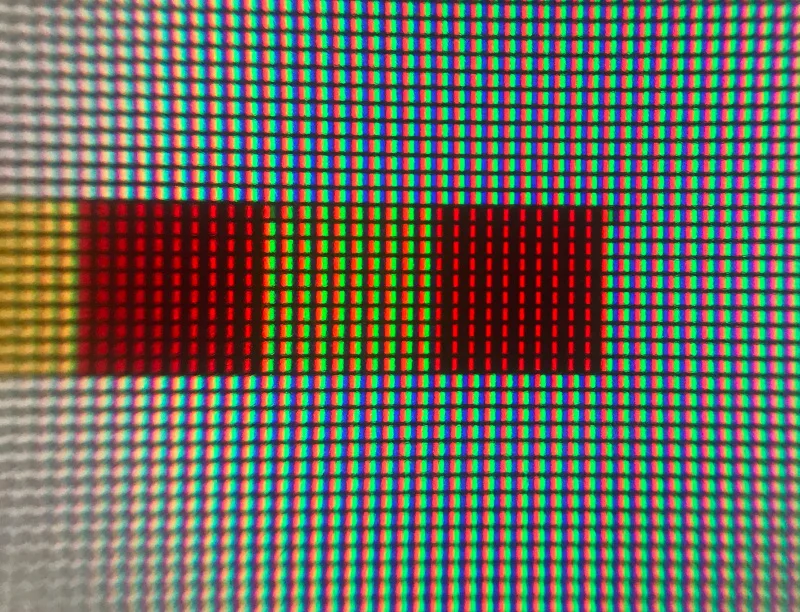

A color code, or notation, is the form in which a program stores the numbers of a model. #3B82F6, rgb(59, 130, 246) and the number 3900150 are three notations of one RGB color. The converter knows 37 of them, and they differ in their scale, in the order of the channels and in whether they can hold opacity.
A color space says which colors can be written down and exactly how they look. The web uses sRGB, which HP and Microsoft proposed in 1996[13]. Wide-gamut monitors show more colors, and CSS can describe them in spaces such as Display P3[5]. Lab, LCH, Oklab, OKLCH and XYZ do not depend on a screen at all. Lab covers the whole range of colors a person can see[5], so any color fits in these notations.
What does #3B82F6 look like in each of the 37 notations?
#3B82F6, in every notation on the converter’s lists, in list order. This color has no CSS name of its own, so the CSS name row shows the closest one. The converter calculated every value.| Notation on the list | Group | Color #3B82F6 |
|---|---|---|
| HEX | Most used | #3B82F6 |
| RGB (0–255) | Most used | rgb(59, 130, 246) |
| HSL | Most used | hsl(217.2, 91.2%, 59.8%) |
| HSB / HSV (Photoshop, Figma) | Most used | hsv(217.2, 76%, 96.5%) |
| CMYK (no color profile) | Most used | cmyk(76%, 47%, 0%, 4%) |
| CSS name | Most used | dodgerblue |
| RGB (space-separated syntax) | CSS | rgb(59 130 246) |
| RGB in percent | CSS | rgb(23.1% 51% 96.5%) |
| HWB | CSS | hwb(217.2 23.1% 3.5%) |
| OKLCH | CSS | oklch(62.31% 0.18801 259.81) |
| Oklab | CSS | oklab(62.31% -0.03325 -0.18505) |
| CIE Lab (D50 white, as in CSS) | CSS | lab(54.62 8.76 -65.79) |
| CIE LCH (D50 white, as in CSS) | CSS | lch(54.62 66.37 277.59) |
| Display P3 | CSS | color(display-p3 0.3047 0.5035 0.9338) |
| Adobe RGB (1998) | CSS | color(a98-rgb 0.3427 0.5057 0.9498) |
| ProPhoto RGB | CSS | color(prophoto-rgb 0.43812 0.43688 0.8984) |
| Rec. 2020 | CSS | color(rec2020 0.44191 0.53087 0.93257) |
| Linear sRGB | CSS | color(srgb-linear 0.04374 0.22323 0.92158) |
| RGB 0–1 (Unity, matplotlib) | For developers | 0.2314, 0.5098, 0.9647 |
| Android, XML color (opacity first) | For developers | #FF3B82F6 |
| Android, ARGB integer (Java, Kotlin) | For developers | 0xFF3B82F6 |
| Flutter, Jetpack Compose | For developers | Color(0xFF3B82F6) |
| UIColor (UIKit) | For developers | UIColor(red: 0.231, green: 0.51, blue: 0.965, alpha: 1) |
| SwiftUI | For developers | Color(red: 0.231, green: 0.51, blue: 0.965) |
| Decimal number (RGB order) | For developers | 3900150 |
| OpenCV HSV (hue 0–180) | For developers | 109, 194, 246 |
| HSV 0–1 (Python colorsys) | For developers | 0.6034, 0.7602, 0.9647 |
| RGB565 (Arduino, TFT displays) | For developers | 0x3C1E |
| YCbCr (JPEG, 0–255) | Video and JPEG | Y 122, Cb 198, Cr 83 |
| YCbCr BT.601 (SD video, 16–235) | Video and JPEG | Y 121, Cb 189, Cr 89 |
| YCbCr BT.709 (HD video, 16–235) | Video and JPEG | Y 122, Cb 186, Cr 92 |
| Office HSL (0–255 scale) | Microsoft Office | 154, 233, 153 |
| Office decimal number (VBA, Excel) | Microsoft Office | 16155195 |
| XYZ (D65 white) | CIE | color(xyz-d65 0.26419 0.23548 0.90345) |
| XYZ (D50 white) | CIE | color(xyz-d50 0.23691 0.22563 0.68038) |
| CIE xyY | CIE | x 0.18829, y 0.16782, Y 0.23548 |
| CIE Luv (D65 white) | CIE | L 55.63, u -25.62, v -103.14 |
What do HEX, RGB, HSL, HSB, CMYK and CSS names mean?
These notations sit in the Most used group. You meet them in graphics software, office suites and CSS.
HEX
A hex code writes the three RGB numbers in base 16, two characters per channel: red, green and blue. Each pair runs from 00 to FF, which is 0 to 255, so hex codes cover 16,777,216 colors. When both characters of every pair match, the code can be shortened to three characters, so #FF0 is #FFFF00[14].
In Photoshop you type a hex code into the # field of the Adobe Color Picker[15], in LibreOffice into the Hex # field of the Pick a Color dialog[16], and in GIMP 3.2 into the HTML notation field[17], which also accepts CSS color names[18]. The hex to RGB converter walks through the conversion step by step.
RGB (0–255)
RGB gives three numbers from 0 to 255: how much red, green and blue light a color holds. Three zeros make black and three 255s make white. LibreOffice has Red, Green and Blue fields with exactly that range[16], and so does the Custom tab of the Colors dialog in Word, Excel and PowerPoint[2]. In the converter you can separate the numbers with commas or spaces, and paste rgb(255, 215, 0) straight from a style sheet. Going the other way, from numbers to a hex code, is what the RGB to hex converter does.
HSL
HSL describes a color by hue, saturation and lightness. Hue is an angle on the color wheel in degrees, where 0 is red, 120 green and 240 blue, and saturation and lightness are percentages[5]. A lightness of 50% gives the purest color, while 0% and 100% always give black and white. CSS understands HSL, so you can paste the result straight into a style sheet. How HSL differs from HSB and from the Office scale is explained on the hex to HSL converter.
HSB / HSV (Photoshop, Figma)
HSB and HSV are two names for one model, introduced at PARC and NYIT in the mid-1970s and formally described by Alvy Ray Smith[19]. Hue works as in HSL, but the third number, brightness B or value V, gives the pure color at 100%, whereas in HSL a lightness of 100% gives white. Pure red #FF0000 is therefore hsv(0, 100%, 100%) in HSB and hsl(0, 100%, 50%) in HSL.
The Adobe Color Picker in Photoshop works this way, with hue as an angle from 0° to 360° and saturation and brightness in percent[15]. LibreOffice shows the same model as Hue, Saturation and Brightness, with hue from 0 to 359[16], and Figma calls it HSB[1]. The converter writes the result as hsv(…), and in the app you type just the three numbers. The RGB to HSV and HSV to RGB converters cover both directions.
CMYK (no color profile)
CMYK gives percentages of four printing inks: cyan, magenta, yellow and black. The K stands for key, the key plate that prints the black[12], which is why LibreOffice labels that field Key, next to Cyan, Magenta and Yellow[16]. Photoshop takes CMYK as percentages in its C, M, Y and K fields[15]. More worked examples are on the hex to CMYK and CMYK to RGB converters.
CSS name
CSS color names such as gold, navy or tomato ignore letter case[5]. The field also takes them with a space, so Royal Blue gives #4169E1. When a color has no name of its own, the result field shows the closest one and a line underneath says “This color has no CSS name of its own, so we show the closest one.” The UK flag red #C8102E gets crimson that way.
Which color notations does CSS support?
The CSS group gathers the remaining notations a browser understands in a style sheet[5].
RGB (space-separated syntax)
Newer CSS separates the numbers with spaces: rgb(59 130 246). The older comma syntax means the same[5], and the field accepts both.
RGB in percent
You can also give the channels as percentages, where 100% stands for 255, so rgb(100% 0% 0%) is pure red[5].
HWB
HWB describes a color by its hue plus how much white and black are mixed into it. The CSS specification calls it similar to HSL but often even easier for people to work with, and the model comes from Alvy Ray Smith in 1996[5]. Pure red with 50% white is hwb(0 50% 0%), which is #FF7F80.
OKLCH
OKLCH gives lightness L in percent, chroma C and hue H in degrees. It is calculated in Oklab, the color space Björn Ottosson published in December 2020[5]. Its L follows how light a color looks to the eye. In HSL pure blue and pure yellow share a lightness of 50%, although the yellow looks far lighter, while in OKLCH the blue has 45.2% and the yellow 96.8%[5].
That makes it easier to build a palette in OKLCH where colors with the same L really look equally light.
Oklab
Oklab is the same space as OKLCH, but instead of chroma and a hue angle it has two axes: a, from green to red, and b, from blue to yellow[5]. In practice a and b stay within ±0.5[5].
CIE Lab (D50 white, as in CSS)
Lab, defined by the CIE in 1976, describes a color by lightness L from 0 to 100 and two axes: a runs from green (negative) to red (positive), and b from blue (negative) to yellow (positive)[20]. In Photoshop the L field takes 0 to 100 and the a and b fields −128 to +127[15].
Lab values always depend on the chosen white. CSS uses D50 white and converts from the D65 white of sRGB with the Bradford transform[5], and this converter does the same. A tool that calculates Lab for D65 white will give different a and b values for the same color, and both results are correct.
CIE LCH (D50 white, as in CSS)
LCH is Lab written another way: lightness L stays, while chroma C and a hue angle H replace the a and b axes[5]. OKLCH relates to Oklab in the same way.
Display P3
The CSS specification calls Display P3 a space typical of current wide-gamut monitors[5]. In CSS you write it with color(display-p3 …) and three numbers from 0 to 1. Figma lets you set a file’s color profile to sRGB or Display P3[1]. Hex codes are always sRGB[5], so a color copied from a Display P3 file as hex can look different.
Adobe RGB (1998)
In CSS, Adobe RGB (1998) is called a98-rgb. Its green primary sits at x 0.21 and y 0.71 on the chromaticity diagram, against x 0.3 and y 0.6 in sRGB, so it holds more saturated greens and cyans[5]. Its transfer curve uses an exponent of 256/563, close to but not exactly 1/2.2[5]. Pure sRGB green #00FF00 is color(a98-rgb 0.565 1 0.2344) in it.
ProPhoto RGB
ProPhoto RGB was developed by Kodak and standardized by ISO as ROMM RGB. It uses D50 white, the same as Lab in CSS, and primaries that cannot be produced physically, and the CSS specification notes that digital photography uses it for archival versions of images[5]. In CSS you write it as color(prophoto-rgb …). The converter gives five decimal places here, because with four some 8-bit colors do not come back to the same RGB values.
Rec. 2020
Rec. 2020 is the space from Recommendation ITU-R BT.2020 for Ultra HD, 4K and 8K television, and the CSS specification points out that current displays cannot show its whole gamut[5]. A green outside sRGB, such as color(rec2020 0 1 0), stays exactly as it is in this notation, while hex shows the closest color, #00F272.
Linear sRGB
Linear sRGB has the same primaries and white as sRGB but no transfer curve, so the numbers grow in proportion to the amount of light[5]. Dark colors get very small numbers, which is why this notation needs more decimal places than sRGB to avoid visible banding in smooth gradients[5]. #3B82F6 is color(srgb-linear 0.04374 0.22323 0.92158) here, even though its sRGB red is 0.231.
How do you write a color in app code?
The For developers group gathers the notations you type into code: Unity, Android, Flutter, Swift, Python, LaTeX, the Discord API and Arduino displays.
RGB 0–1 (Unity, matplotlib)
Unity gives color components as numbers from 0 to 1[21], and so does matplotlib in Python[22]. In LaTeX, the xcolor package takes the rgb model as fractions from 0 to 1 and the RGB model as whole numbers from 0 to 255[23]. To turn a 0–255 value into a fraction, divide it by 255: 59 becomes 0.2314.
Android, XML color (opacity first)
In Android resource files a color starts with a hash and takes the form #RGB, #ARGB, #RRGGBB or #AARRGGBB[24]. The alpha comes first, unlike CSS, where an eight-digit code ends with the alpha[5]. The same string therefore means two different colors: #803B82F6 is #3B82F6 at about 50% opacity on Android, but the purple rgba(128, 59, 130, 0.96) in CSS. The field reads an eight-digit code according to the notation picked on its list: like CSS under HEX, and like Android under “Android, XML color (opacity first)”.
Android, ARGB integer (Java, Kotlin)
In Java and Kotlin code, Android has kept colors in a single 32-bit integer with the channels in A, R, G, B order since API level 1[3]. The documentation’s example is 0xff0000ff, an opaque blue[3]. With an alpha byte of FF the number turns negative in Java, because an int is signed, so 0xFF3B82F6 is -12877066. Under this notation the field takes both forms, and it reads a number without an alpha byte, such as 0x3B82F6, literally, so it gets 0 opacity, just as on Android.
Flutter, Jetpack Compose
Flutter builds a color from a hex number with the alpha first, such as Color(0xFF42A5F5), which its documentation shows next to Color.fromARGB(0xFF, 0x42, 0xA5, 0xF5)[25]. Jetpack Compose has a Color function that builds a color from an ARGB number[26], so Color(0xFF3B82F6) works in both without changes.
UIColor (UIKit)
UIColor in UIKit takes red, green, blue and alpha as fractions. Since iOS 10 it works in the extended sRGB space, so it does not clamp components below 0 or above 1[27]. The field also accepts components written as divisions, the way Swift code often has them: UIColor(red: 59/255, green: 130/255, blue: 246/255, alpha: 1) is #3B82F6.
SwiftUI
SwiftUI builds a color with Color(red:green:blue:opacity:) and calls the alpha opacity[28]. The converter adds opacity only when the color is partly transparent.
Decimal number (RGB order)
This notation packs the three channels into one number: red times 65,536 plus green times 256 plus blue[14]. Discord uses it. Bots and webhooks send an embed’s color as a decimal color field[29], and the API returns a role color in colors.primary_color, while the older color field is marked as deprecated[30]. In the app itself you set a role color under Server Settings, Roles, Role Color, either from the presets or with Custom Color, and a member shows the color of their highest role[31]. The UK flag red #C8102E is 13111342 in this notation.
OpenCV HSV (hue 0–180)
For 8-bit images OpenCV halves the hue so it fits in one byte, so hue runs from 0 to 180 here, while saturation and value run from 0 to 255[32]. The UK flag red is 175, 235, 200 in OpenCV, while its HSB hue is 350.2°.
HSV 0–1 (Python colorsys)
Python’s standard colorsys module returns hue, saturation and value as fractions from 0 to 1[33], including the hue that other notations give in degrees. A hue of 0.5 here means 180°, and the UK flag red is 0.9728, 0.92, 0.7843.
RGB565 (Arduino, TFT displays)
RGB565 packs a color into 16 bits: 5 bits of red, 6 of green and 5 of blue, with red in the most significant bits[34]. The Adafruit GFX library for Arduino color displays stores colors this way, with white as 0xFFFF and red as 0xF800[35]. Sixteen bits give 65,536 colors[35], so the result is the closest of them: #3B82F6 comes out as 0x3C1E and goes back as #3A82F7.
The converter rounds each component to the nearest level, like the UNORM format in Direct3D, where all ones mean the full value[36]. The color565() function in Adafruit GFX drops the lower bits instead[37], so its result can be one level lower in a component. With RGB565 (Arduino, TFT displays) picked on the list, the field takes 0xF800, #F800 and a decimal number such as 63488.
How do you convert RGB to YCbCr?
YCbCr splits a color into luma Y and two color differences: Cb, blue minus luma, and Cr, red minus luma[38]. JPEG files and digital video store color this way. The Video and JPEG group has three versions of this notation, which differ in channel weights and number range.
YCbCr (JPEG, 0–255)
The JPEG file format (JFIF) stores Y, Cb and Cr over the full range from 0 to 255. It weights red by 0.299, green by 0.587 and blue by 0.114, then rounds and clips the result to 0–255[39]. White is therefore Y 255, Cb 128, Cr 128 and pure red Y 76, Cb 85, Cr 255, because the formula gives Cr 255.5, which is clipped to 255.
YCbCr BT.601 (SD video, 16–235)
Recommendation ITU-R BT.601 for standard-definition television uses the same weights as JPEG but leaves headroom in the signal: luma takes codes 16 to 235 and the color differences 16 to 240, centered on 128[38]. Black is Y 16, Cb 128, Cr 128 here and white Y 235, Cb 128, Cr 128.
YCbCr BT.709 (HD video, 16–235)
Recommendation ITU-R BT.709 for HD television keeps the same code range but changes the weights to 0.2126 for red, 0.7152 for green and 0.0722 for blue[40]. Pure red is therefore Y 63, Cb 102, Cr 240 in BT.709 and Y 81, Cb 90, Cr 240 in BT.601, so a player that decodes HD footage as BT.601 shows slightly shifted colors.
Eight-bit YCbCr codes have fewer levels than RGB, and the 16–235 range fewer still, so a color converted there and back can return one or two levels off in a channel. The field takes three numbers with letters, such as Y 81, Cb 90, Cr 240, or bare numbers in the order Y, Cb, Cr.
How do you read a color from Word or Excel?
Office HSL (0–255 scale)
The Colors dialog in Word, Excel and PowerPoint has two color models on its Custom tab, RGB and HSL[2]. In HSL, Office counts Sat and Lum up to 255: Sat 255 is a fully saturated color, and Lum 255 gives white[2]. The converter reads Hue on the same scale. Such a coarse scale cannot hit every screen color, so #3B82F6 is 154, 233, 153 in Office, and those numbers converted back give #3C83F6.
Office decimal number (VBA, Excel)
The VBA RGB function returns a color as a single whole number[41], and an Excel cell’s fill is set through the Interior.Color property with that function[42]. In this number red sits in the low-order byte, as in the Windows COLORREF value[43], so the channels run in the opposite order to Decimal number (RGB order). The UK flag red is 3018952 in Excel and 13111342 in RGB order.
To check the fill of cell A1, run a macro with a single line, MsgBox Range("A1").Interior.Color. Paste the number from the message box into a field set to Office decimal number (VBA, Excel), and the converter turns it into hex, RGB or CMYK.
What are XYZ, xyY and Luv for?
XYZ is the color space the International Commission on Illumination (CIE) published in 1931 to link the visible spectrum to human color vision[44]. Lab is derived from it[20]. Y stands for luminance, and CSS scales it so that white has a Y of 1[5].
XYZ (D65 white)
color(xyz-d65 …) gives XYZ relative to D65 white, the white of sRGB and Display P3. CSS reads the shorter color(xyz …) the same way[5]. White #FFFFFF is color(xyz-d65 0.95046 1 1.08906) here.
XYZ (D50 white)
color(xyz-d50 …) gives XYZ relative to D50 white, from which CSS calculates Lab and LCH[5]. White is color(xyz-d50 0.9643 1 0.8251) here, so the same color has different X and Z values in the two XYZ notations.
CIE xyY
CIE xyY splits XYZ into chromaticity x and y and luminance Y, with x = X / (X + Y + Z) and y = Y / (X + Y + Z), and it is widely used to specify colors in practice[44]. The converter keeps Y on the 0 to 1 scale of the XYZ notation, so white #FFFFFF is x 0.3127, y 0.329, Y 1.
CIE Luv (D65 white)
CIELUV, or CIE 1976 L*u*v*, is a space the CIE adopted in 1976 as a simple-to-compute transformation of XYZ that aims at perceptual uniformity, and it is used in computer graphics that deals with colored lights[45]. The converter uses D65 white, the same as sRGB, so #FFFFFF is L 100, u 0, v 0 and pure red L 53.24, u 175.01, v 37.77.
How do you write a color with transparency?
Opacity, also called the alpha channel, says how much a color hides what is behind it: at 0 it is fully transparent, and at 1, or 100%, it is fully opaque[5]. In CSS you add it after a slash, rgb(59 130 246 / 50%), in the older syntax as a fourth number in rgba(59, 130, 246, 0.5), and in a hex code as the last two characters, as in #3B82F680[5]. RGBA is simply RGB with that fourth number.
The two alpha characters of an eight-digit hex code run from 00 to FF, which is 0 to 255, so 80 means 128 out of 255, or 50.2%. That is why RGB (space-separated syntax) shows #3B82F680 as rgb(59 130 246 / 0.502).
These notations cannot store opacity: CMYK (no color profile), CSS name, Decimal number (RGB order), OpenCV HSV (hue 0–180), RGB565 (Arduino, TFT displays), YCbCr (JPEG, 0–255), YCbCr BT.601 (SD video, 16–235), YCbCr BT.709 (HD video, 16–235), Office HSL (0–255 scale), Office decimal number (VBA, Excel), CIE xyY and CIE Luv (D65 white). With them, a line appears under the result, such as “CMYK (no color profile) cannot store opacity, so the result shows the color without transparency.”
The keyword transparent is transparent black in CSS, rgb(0 0 0 / 0%)[5], and the converter reads it the same way: transparent and rgba(0,0,0,0) both give #00000000.
Why does the CMYK from the converter differ from your print software?
Because the converter calculates CMYK without a color profile, with a formula the CSS specification calls naive. For firebrick, #B22222, it gives cmyk(0%, 81%, 81%, 30%), the same result the W3C shows[46]. That turns a screen color into four numbers, but it does not say how the color will come out on paper.
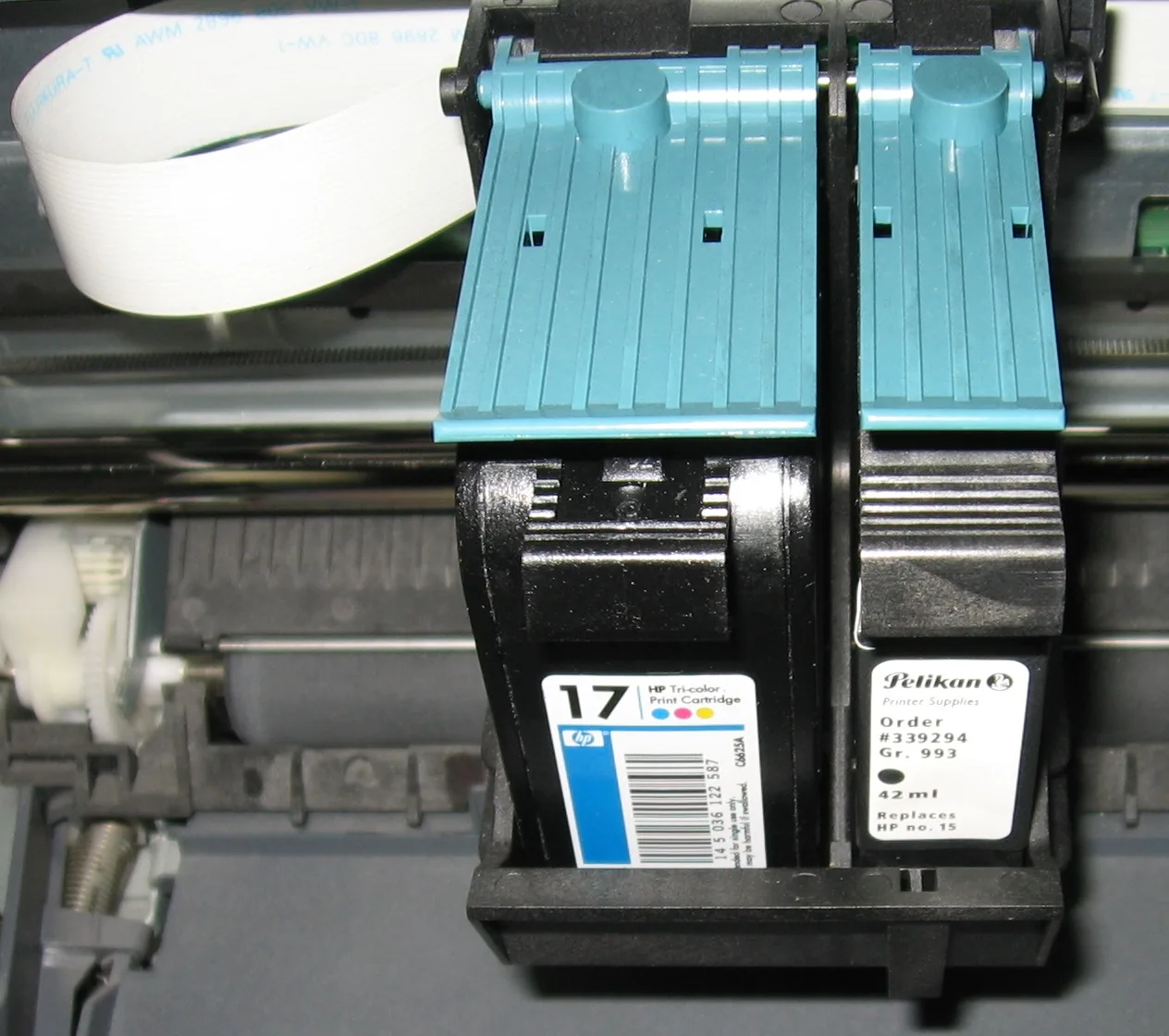

A print shop calculates CMYK with an ICC profile that describes its press, inks and paper. In the specification’s own example, the naive result differs from the printed color by 14.3 DeltaE 2000 units, which the W3C rates as a very visible difference[46]. The Union Jack shows the gap well: Wikipedia lists its blue as CMYK 100, 85, 5, 22[8], while the formula gives cmyk(99%, 69%, 0%, 59%) for the matching hex code.
In Photoshop, picking CMYK Color in the Mode submenu of the Image menu remaps colors to the CMYK working space[47]. LibreOffice shows CMYK fields in its Pick a Color dialog, but only to make entering values easier, because it prints in RGB[16]. So prepare a print file in CMYK with the profile your print shop gives you, and keep screen graphics in RGB or hex. The RGB to CMYK converter explains how to change a file’s mode step by step and which profiles printers use.
What happens to a color outside sRGB?
In OKLCH, Oklab, CIE Lab (D50 white, as in CSS), CIE LCH (D50 white, as in CSS), Display P3, Adobe RGB (1998), ProPhoto RGB, Rec. 2020, Linear sRGB, XYZ (D65 white), XYZ (D50 white), CIE xyY and CIE Luv (D65 white), the converter gives the color exactly, even when it lies outside sRGB. The other notations only cover sRGB, so for them the converter finds the closest color with the CSS Color 4 gamut-mapping method[5] and says so under the result, as in “This color lies outside the sRGB range, so HEX shows the closest color it can hold.”
Tailwind CSS is a common source of such colors. In version 4 its whole default palette moved from RGB to OKLCH to take advantage of the wider gamut of newer screens[48]. Its blue-500 is oklch(62.3% 0.214 259.815)[49]. That lies outside sRGB, and the closest sRGB color according to the converter is #2B7FFF. In version 3 blue-500 was #3b82f6[50], the color used in the converter’s examples.
Why doesn’t the converter give Pantone, RAL or NCS codes?
Because Pantone, RAL and NCS are physical ink and paint systems, and only their owners publish screen equivalents. RAL sells a digital library with RGB and Lab values for more than 2,500 colors from its fan decks[51]. Pantone gives the closest RGB, CMYK, HEX and Lab equivalents of its colors in the Pantone Connect app[7], and Microsoft points Office users there for RGB values to type into the Colors dialog[2]. NCS shows its colors on the NCS+ platform[52]. Photoshop dropped its last three Pantone color books with the October 2023 release[15].
To get RGB for a RAL or Pantone number, take the values from the owner’s library and type them into Convert from to see every other notation. For paint on a wall or a part ordered in a RAL color, choose from a physical fan deck. A screen gives off light while paint reflects it, so the same color looks different on a wall and on a monitor.
Which color formats does this converter accept?
| What you type | Notation under Convert from | Result in Convert to | How we read it |
|---|---|---|---|
| #38F | HEX | rgb(51, 136, 255) | A three-character code expands by repeating each character, as in CSS. |
| 3B82F6 | HEX | rgb(59, 130, 246) | The hash is optional, so a code copied from a brand guide without # works too. |
| color: #3B82F6; | HEX | rgb(59, 130, 246) | We read a whole line from a style sheet and skip the property name and the semicolon. |
| 16155195 | HEX | rgba(22, 21, 81, 0.58) | The HEX field reads eight digits as a code with opacity, and a line underneath suggests Office decimal number (VBA, Excel), in which this Excel number gives #3B82F6. |
| 59 130 246 | RGB (0–255) | rgb(59, 130, 246) | Three bare numbers read as RGB, and a line underneath also offers Office HSL (0–255 scale) and OpenCV HSV (hue 0–180). |
| 0.231 0.51 0.965 | RGB 0–1 (Unity, matplotlib) | rgb(59, 130, 246) | Three fractions read as RGB 0–1, the scale of Unity and matplotlib. |
| hsl(217, 91%, 60%) | HSL | rgb(60, 131, 246) | Whole percentages cannot hit every screen color, so the result is one level off #3B82F6. |
| H 217 S 76 B 96 | HSB / HSV (Photoshop, Figma) | rgb(59, 130, 245) | The field letters from the Photoshop color picker point to HSB. |
| C 17 | M 38 | Y 83 | K 22 | CMYK (no color profile) | rgb(165, 123, 34) | Some brand guides list colors like this: the letters name the inks and the bars separate the numbers. |
| 54.62 8.76 -65.79 | CIE Lab (D50 white, as in CSS) | rgb(59, 130, 246) | A negative number cannot be RGB, HSL or CMYK, so the three numbers read as L, a and b in Lab. |
| 0xFF3B82F6 | Android, ARGB integer (Java, Kotlin) | rgb(59, 130, 246) | The 0x prefix with eight characters is an ARGB number from Java or Kotlin, and a line underneath also offers HEX. |
| 0xF800 | RGB565 (Arduino, TFT displays) | rgb(255, 0, 0) | The 0x prefix with four characters is a 16-bit color from code, such as an Arduino display color constant, so the field switches to RGB565 (Arduino, TFT displays). |
| Y 81, Cb 90, Cr 240 | YCbCr (JPEG, 0–255) | rgb(238, 14, 14) | The letters Y, Cb and Cr point to YCbCr. The field picks the JPEG version, and a line underneath also offers YCbCr BT.601 (SD video, 16–235), where this entry gives #FE0000, and YCbCr BT.709 (HD video, 16–235). |
| color(srgb 0.231 0.51 0.965) | HEX | rgb(59, 130, 246) | color() with the srgb space has no entry of its own on the list, so the field stays on HEX and a line underneath says “We read this entry as a CSS color() function.” |
| reddish | HEX | The field stays empty. | The field only knows CSS color names, so for any other word it shows “We do not recognize this entry as a color. An example in HEX: #3B82F6.” |
Sources
- About color models — Figma Help Center
- Choosing colors in the Colors dialog box — Microsoft Support
- Color (android.graphics) — Android Developers
- EyeDropper API — MDN Web Docs
- CSS Color Module Level 4, Editor’s Draft — CSS Working Group, W3C
- Flag of the United States — Wikipedia
- Pantone Connect — Pantone
- Union Jack — Wikipedia
- Commercial use of the Australian National Flag (archived 15 November 2017) — Department of the Prime Minister and Cabinet
- Flag of Australia — Wikipedia
- RGB color model — Wikipedia
- CMYK color model — Wikipedia
- sRGB — Wikipedia
- Web colors — Wikipedia
- Choose colors in Adobe Photoshop (archived 22 July 2025) — Adobe
- Selecting a new color — LibreOffice Help
- GIMP 3.2.6 source code, libgimpwidgets/gimpcolorselection.c — GIMP, GNOME GitLab
- GIMP 3.2.6 source code, libgimpwidgets/gimpcolorhexentry.c — GIMP, GNOME GitLab
- HSL and HSV — Wikipedia
- CIELAB color space — Wikipedia
- Color — Unity Scripting Reference
- Specifying colors — Matplotlib
- Extending LaTeX’s color facilities: the xcolor package, v3.02 — Uwe Kern, CTAN
- More resource types: Color — Android Developers
- Color class — Flutter API
- androidx.compose.ui.graphics, Color — Android Developers
- UIColor init(red:green:blue:alpha:) — Apple Developer Documentation
- Color init(_:red:green:blue:opacity:) — Apple Developer Documentation
- Message: Embed Object — Discord Developer Portal
- Permissions: Role Object — Discord Developer Portal
- Discord Roles and Permissions (archived 8 January 2026) — Discord Support
- Color conversions — OpenCV
- colorsys: Conversions between color systems — Python documentation
- Working with 16-bit RGB — Microsoft Learn
- Adafruit GFX Graphics Library, Coordinate System and Units — Adafruit
- Data Conversion Rules, Direct3D — Microsoft Learn
- Adafruit_SPITFT.cpp, the color565 function — Adafruit, GitHub
- Recommendation ITU-R BT.601-7, items 2.5.1–2.5.3 — ITU
- Recommendation ITU-T T.871, JPEG File Interchange Format (JFIF), clause 7 — ITU
- Recommendation ITU-R BT.709-6, items 3.2–3.4 — ITU
- RGB function — Microsoft Learn
- Interior.Color property (Excel) — Microsoft Learn
- COLORREF — Microsoft Learn
- CIE 1931 color space — Wikipedia
- CIELUV — Wikipedia
- CSS Color Module Level 5, Editor’s Draft — CSS Working Group, W3C
- Convert an image to another color mode (archived 15 January 2026) — Adobe
- Tailwind CSS v4.0 — Tailwind Labs
- theme.css with the default Tailwind CSS 4.3.3 palette — Tailwind Labs, GitHub
- colors.js in Tailwind CSS 3.4.17 — Tailwind Labs, GitHub
- RAL Digital colour library — RAL
- NCS Colour — NCS Colour AB
- X11 color names — Wikipedia
The results in the tables were computed by this tool's own function and checked by an automated test before publication. The rules, standards and figures the text relies on come from the sources listed above.
Content last reviewed: · written and checked by the Arteon team
Frequently asked questions about color conversion
Why is darkgray lighter than gray?
Because the two names come from different systems. Sixteen CSS names, gray among them, come from the VGA palette by way of HTML, and most of the rest come from the X11 system[5]. In X11, gray had a value of 190 and darkgray 169, so it was darker. CSS took gray from HTML with a value of 128 (#808080) and darkgray from X11 (#A9A9A9), which is how darkgray ended up lighter[53]. Green is similar: in CSS green is the dark #008000, while the bright #00FF00, called green in X11, is lime.
How do I find the colors in a picture or a screenshot?
Upload it to the image color extractor, which pulls out up to 12 dominant colors with their hex codes. Then paste the code you want into Convert from to see it in every other notation.
How can I check that text in this color is readable?
The converter does not measure contrast, so enter your text and background colors in the color contrast checker. It calculates the contrast ratio and shows whether the pair meets WCAG 2.1 at levels AA and AAA.
Have a question or a suggestion?
If you spot a mistake in a result or miss a color notation, write to us.