Data Transfer Rate Converter – Check All 62 Units
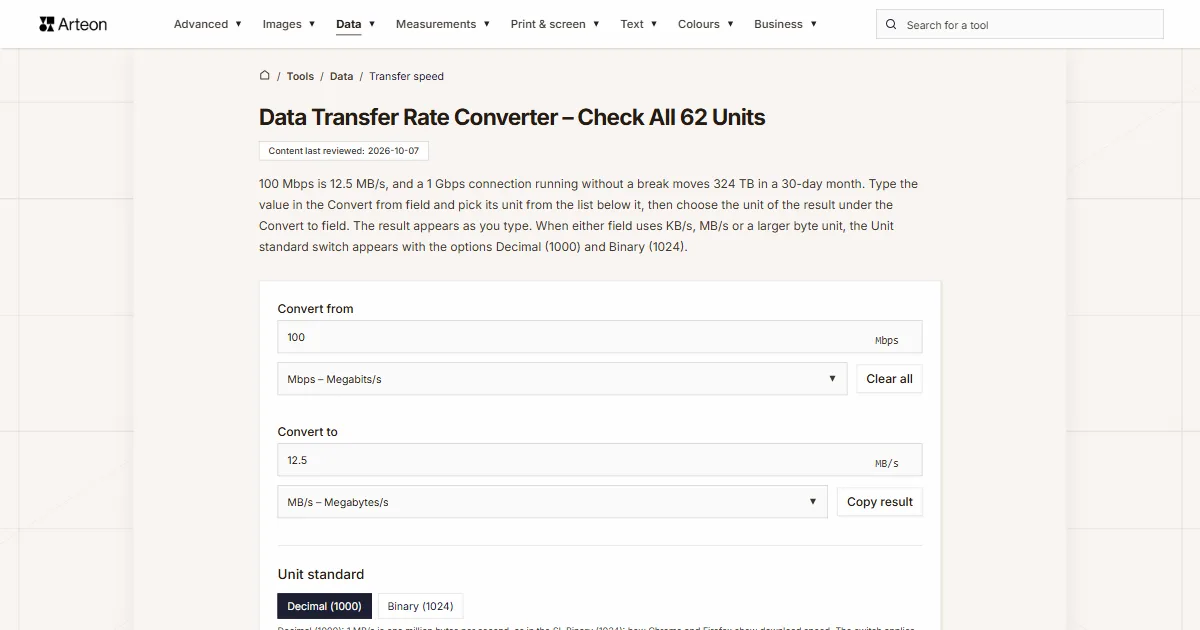
100 Mbps is 12.5 MB/s, and a 1 Gbps connection running without a break moves 324 TB in a 30-day month. Type the value in the Convert from field and pick its unit from the list below it, then choose the unit of the result under the Convert to field. The result appears as you type. When either field uses KB/s, MB/s or a larger byte unit, the Unit standard switch appears with the options Decimal (1000) and Binary (1024).
What do I need an internet speed converter for?
Data transfer rate tells you how much data passes through a connection or a port in a set amount of time. Devices and services give it in different units: your internet provider and router in megabits per second, your browser and the maker of an SSD in megabytes per second, and a mobile plan or a web host in gigabytes per month. To compare two such numbers you need both in the same unit, and that is what this converter does.
The units in the lists under the fields are sorted into groups: Bits per second, Binary bits per second, Bytes per second, Binary bytes per second, Bytes over longer periods and Links and ports (nominal rate). The converter turns each of them into any other. You can also type the value in the Convert to field, and the converter then works in the opposite direction.
What is the difference between Mbps and MB/s?
A lower-case b stands for bit, a single zero or one, and a capital B for byte. The Cambridge Dictionary defines a byte as a unit of computer information consisting of a group of usually eight bits[1]. That is why Mbps (megabits per second) and MB/s (megabytes per second) differ by a factor of 8, even though only one letter changes case. A connection at 80 Mbps moves at most 10 MB/s.
Broadband speeds often come as two numbers. The FCC writes 100/20 Mbps for 100 megabits per second of download and 20 of upload[2], and NBN Co in Australia describes its tiers the same way, for example 500/50 Mbps[3]. The first number is the download speed and the second the upload speed. The field holds one value at a time, so type 500 to convert the download and 50 to convert the upload. Ofcom in the UK writes the same unit as Mbit/s[4], and the field reads that spelling too.
Watch the capital letter in MBps, an abbreviation some product pages use for megabytes per second[5]. The field reads MBps as MB/s and Mbps as megabits, so 100 MBps is 800 Mbps, eight times as much as 100 Mbps.
If you only need to convert an amount of data without time, for example how many megabits a 5 MB file has, use the data size converter.
Why do some programs count in 1000s and others in 1024s?
The prefixes kilo, mega, giga, tera and peta come from the SI and stand for a thousand, a million, a billion, a trillion and a quadrillion. The SI Brochure of the International Bureau of Weights and Measures (BIPM) says so plainly: “The SI prefixes refer strictly to powers of 10. They should not be used to indicate powers of 2 (for example, one kilobit represents 1000 bits and not 1024 bits).” For powers of 2 the same brochure gives the prefixes kibi, mebi and gibi[6]. The International Electrotechnical Commission (IEC) approved their names and symbols in December 1998[7].
For data rates the decimal meaning applies: 1 kbps is 1,000 bits per second, not 1,024[5]. NIST notes that some designers of local area networks have used megabit per second to mean 1,048,576 bits per second, but all telecommunications engineers use it to mean a million bits per second[7]. That is why this converter always counts kbps, Mbps and Gbps in steps of 1000.
Bytes per second are counted both ways. Chrome and Firefox count download speed in steps of 1024 and still write KB/s or MB/s next to it[8][9]. In Chrome’s source code that text even has the internal name IDS_APP_KIBIBYTES_PER_SECOND, while the text you see on screen is KB/s[10]. The BitTorrent client Transmission, on the other hand, counts a kilobyte as 1,000 bytes[11].
The Unit standard switch decides how the converter counts the larger byte units, from KB/s and MB/s up to those per minute, hour, day, week and month. Decimal (1000) counts a megabyte as a million bytes, Binary (1024) as 1,048,576 bytes. For a number from your browser choose Binary (1024): 70 MB/s in the browser’s download list is then 587.203 Mbps, while Decimal (1000) turns the same number into 560 Mbps. Units with an “i”, such as KiB/s or Mibit/s, always count in steps of 1024, whatever the switch is set to.
How do I convert data transfer rate units?
Every conversion takes at most three steps. The first is the change between bits and bytes: divide by 8 to go from bits to bytes and multiply by 8 to go back. The second is the prefix: each step from k through M, G, T and P up to E is 1000 in the decimal standard and 1024 in the binary one. The third is time: a minute has 60 seconds, an hour 3,600 and a day 86,400[6]. A week is 7 days, or 604,800 seconds, while a month has 2,592,000 seconds in this converter, because we count it as 30 days.
Here is an example. How many gigabytes can you upload in an hour on a connection that just meets the FCC’s upload benchmark of 20 Mbps? Divided by 8, that is 2.5 MB/s. Over 3,600 seconds this adds up to 9,000 MB, or 9 GB per hour.
In Excel, the CONVERT function turns bits into bytes. It knows the information units "bit" and "byte" with decimal prefixes such as "M" and binary ones such as "Mi"[12]. Both sides count per second, so =CONVERT(A1,"Mbit","Mbyte") turns the Mbps in cell A1 into MB/s and =CONVERT(A1,"Mbit","Mibyte") into MiB/s. The function has no units for bytes per hour or per day[12], so add the time with a multiplication, which works the same in Excel, Google Sheets and LibreOffice Calc: =A1*3600/8/1000 turns Mbps into GB per hour, and =A1*8*1000/86400 turns GB per day into Mbps.
Which units does this converter cover?
| Symbol | Unit | Value in bits per second |
|---|---|---|
| bps | Bits/s | 1 bps |
| kbps | Kilobits/s | 1,000 bps |
| Mbps | Megabits/s | 1,000,000 bps |
| Gbps | Gigabits/s | 1,000,000,000 bps |
| Tbps | Terabits/s | 1,000,000,000,000 bps |
| Pbps | Petabits/s | 1,000,000,000,000,000 bps |
| Ebps | Exabits/s | 1,000,000,000,000,000,000 bps |
| Kibit/s | Kibibits/s | 1,024 bps |
| Mibit/s | Mebibits/s | 1,048,576 bps |
| Gibit/s | Gibibits/s | 1,073,741,824 bps |
| Tibit/s | Tebibits/s | 1,099,511,627,776 bps |
| Pibit/s | Pebibits/s | 1,125,899,906,842,624 bps |
| B/s | Bytes/s | 8 bps |
| KB/s | Kilobytes/s | 8,000 bps |
| MB/s | Megabytes/s | 8,000,000 bps |
| GB/s | Gigabytes/s | 8,000,000,000 bps |
| TB/s | Terabytes/s | 8,000,000,000,000 bps |
| PB/s | Petabytes/s | 8,000,000,000,000,000 bps |
| EB/s | Exabytes/s | 8,000,000,000,000,000,000 bps |
| KiB/s | Kibibytes/s | 8,192 bps |
| MiB/s | Mebibytes/s | 8,388,608 bps |
| GiB/s | Gibibytes/s | 8,589,934,592 bps |
| TiB/s | Tebibytes/s | 8,796,093,022,208 bps |
| PiB/s | Pebibytes/s | 9,007,199,254,740,992 bps |
| KB/min | Kilobytes per minute | 133.333 bps |
| MB/min | Megabytes per minute | 133,333.333 bps |
| GB/min | Gigabytes per minute | 133,333,333.333 bps |
| MB/h | Megabytes per hour | 2,222.222 bps |
| GB/h | Gigabytes per hour | 2,222,222.222 bps |
| TB/h | Terabytes per hour | 2,222,222,222.222 bps |
| MB/day | Megabytes per day | 92.593 bps |
| GB/day | Gigabytes per day | 92,592.593 bps |
| TB/day | Terabytes per day | 92,592,592.593 bps |
| GB/week | Gigabytes per week | 13,227.513 bps |
| GB/month | Gigabytes per month (30 days) | 3,086.42 bps |
| TB/month | Terabytes per month (30 days) | 3,086,419.753 bps |
How much data does a connection move per second, per hour and per month?
| Speed | Megabytes/s | Gigabytes per hour | Terabytes per month (30 days) |
|---|---|---|---|
| 10 Mbps | 1.25 MB/s | 4.5 GB/h | 3.24 TB/month |
| 30 Mbps | 3.75 MB/s | 13.5 GB/h | 9.72 TB/month |
| 100 Mbps | 12.5 MB/s | 45 GB/h | 32.4 TB/month |
| 300 Mbps | 37.5 MB/s | 135 GB/h | 97.2 TB/month |
| 500 Mbps | 62.5 MB/s | 225 GB/h | 162 TB/month |
| 1,000 Mbps | 125 MB/s | 450 GB/h | 324 TB/month |
| 10,000 Mbps | 1,250 MB/s | 4,500 GB/h | 3,240 TB/month |
How long does a download take at each speed?
| File size | 30 Mbps | 100 Mbps | 500 Mbps | 1 Gbps |
|---|---|---|---|---|
| 1 GB | 4 min 27 s | 1 min 20 s | 16 s | 8 s |
| 10 GB | 44 min | 13 min | 2 min 40 s | 1 min 20 s |
| 110 GB | 8 h 9 min | 2 h 27 min | 29 min | 15 min |
| 125 GB | 9 h 16 min | 2 h 47 min | 33 min | 17 min |
| 128 GB | 9 h 29 min | 2 h 51 min | 34 min | 17 min |
| 1 TB | 74 h 4 min | 22 h 13 min | 4 h 27 min | 2 h 13 min |
What average speed does a monthly data allowance need?
| Data per month | Average speed | Per day |
|---|---|---|
| 5 GB/month | 0.0154 Mbps | 0.167 GB/day |
| 10 GB/month | 0.0309 Mbps | 0.333 GB/day |
| 25 GB/month | 0.0772 Mbps | 0.833 GB/day |
| 50 GB/month | 0.154 Mbps | 1.667 GB/day |
| 100 GB/month | 0.309 Mbps | 3.333 GB/day |
| 250 GB/month | 0.772 Mbps | 8.333 GB/day |
| 583 GB/month | 1.799 Mbps | 19.433 GB/day |
| 1 TB/month | 3.086 Mbps | 33.333 GB/day |
| 5 TB/month | 15.432 Mbps | 166.667 GB/day |
| 20 TB/month | 61.728 Mbps | 666.667 GB/day |
Which entries does this converter understand?
| What you type | Unit at the Convert from field | Result in the Convert to field | How we read it |
|---|---|---|---|
| 100 | Mbps | 12.5 MB/s | A number without a unit counts in the unit set at the field. |
| 1,500 | Mbps | 187.5 MB/s | A comma between groups of three digits separates thousands, as it does in English, so we read one thousand five hundred megabits per second. |
| 7,450MB/s | MB/s | 7450 MB/s | This is how Samsung writes the read speed of an SSD, with no space before the unit. We read the comma as a thousands separator and set the list at the field to MB/s. |
| 100 MBps | MB/s | 100 MB/s | MBps with a capital B means megabytes per second, so the list at the field switches to MB/s. |
| 500 kB/s | KB/s | 0.5 MB/s | The field recognises kilobytes by the capital B and switches the list at the field to KB/s. |
| 500 kbit/s | kbps | 0.0625 MB/s | With bit or a lower-case b the list switches to kilobits, that is kbps. |
| 200 mb/s | Mbps | 25 MB/s | Lower-case letters alone do not show whether bits or bytes are meant, so the field keeps the kind of unit that is set, here bits. |
| 1.5 GB/s | GB/s | 1500 MB/s | A unit from the list typed with the number switches the list at the field to that unit, here GB/s. |
| 100 MiB/s | MiB/s | 104.858 MB/s | The letter i marks a binary unit, so the list at the field switches to MiB/s. |
| 10 GB/hr | GB/h | 2.778 MB/s | The field reads the abbreviation hr as h, and it recognises units per minute, day, week and month in the same way, such as GB/week. |
| 2 T1 | T1 | 0.386 MB/s | The field reads the name of a link from the list, typed after a number, as that many links, and switches the list at the field to T1. |
| 1 TB a month | TB/month | 0.386 MB/s | Words such as per hour or a month tell the field the time period, and it picks a unit from the Bytes over longer periods group. |
| 1 Gig | Mbps | 125 MB/s | The informal word Gig counts as a gigabit per second, so the field keeps Mbps and shows 1000. |
| 56k | Mbps | 0.007 MB/s | A single prefix letter scales the number in the unit of the field: 56k is 56 kbps, so the field shows 0.056 Mbps. |
| 9600 baud | Mbps | 0.0012 MB/s | The field counts a value in baud as bits per second, so it shows 0.0096 Mbps. |
| 9600 bits | bps | 0.0012 MB/s | Bits without a prefix right after the number are bits per second, so the list at the field switches to bps. |
| 2.5 GbE | Mbps | 312.5 MB/s | The name of an Ethernet port gives its speed in gigabits per second, so the field shows 2500 Mbps. |
| 1e3 | Mbps | 125 MB/s | Scientific notation, the way a spreadsheet shows large numbers, reads as 1000. |
| ½ | Mbps | 0.0625 MB/s | The fraction character counts as the fraction it shows. |
What do bps, kbps, Mbps, Gbps, Tbps, Pbps and Ebps mean?
These units are multiples of bits per second, and the speed of a home internet connection is usually given in megabits per second[5].
Bits per second (bps)
Bits per second is the smallest unit in the list. Speeds this low turn up in electronics. Arduino’s Serial.begin() takes the speed of the serial port in bits per second[15], and the list in the Serial Monitor runs from 300 to 2,000,000, with 9,600 as the default[16]. The same list includes 31,250, the speed of MIDI, which connects musical instruments[17]. The Adafruit Ultimate GPS Breakout also sends its data at 9600 baud by default[18].
9,600 bps is 9.6 kbps, which the converter shows in bytes as 1,200 B/s. A serial port sends more bits than the data itself contains, though: each character starts with a start bit and ends with a stop bit[19], and by default an Arduino sends 8 data bits with no parity bit and one stop bit, written as 8N1[15]. One byte of data therefore takes 10 bits, and at 9,600 bps 960 bytes of data arrive each second.
Kilobits per second (kbps)
Kilobits per second is the usual unit for the bit rate of audio. The MPEG-1 standard gives MP3 fourteen bit rates from 32 to 320 kbps, and an uncompressed audio CD runs at 1,411.2 kbps[20]. Spotify’s US help page puts music at about 24 kbps on the Low setting, about 96 kbps on Normal, about 160 kbps on High and about 320 kbps on Very high[21].
You can work out the average bit rate of a file from its size and length. The episode “The Happy Pod: Fat Bear Week returns” of the BBC’s Global News Podcast from 3 October 2026 lasts 1,670 seconds, and its MP3 file has 13,360,000 bytes, according to the podcast feed[22]. That is exactly 8,000 B/s, or 64 kbps.
YouTube’s help in English lists an internet connection of 500+ Kbps as a system requirement[23]. Telephone lines were measured in kilobits too: an ISDN Basic Rate Interface offers two B channels, or bearer channels, of 64 kbps each[24], which the list in this converter calls ISDN B for one channel and ISDN 2B for both together, and the V.90 standard, approved in September 1998, gave dial-up modems 56 kbps[25].
Devices on the Internet of Things also send data in kilobits per second. In the LoRaWAN band US902-928, which covers the USA and Canada, the data rates DR0 to DR4 run from 980 bps to 12,500 bps. The UK uses the EU863-870 plan, where DR0 to DR5 go from 250 to 5,470 bps[26]. The I²C bus moves 400 kbps in fast mode[27].
Music at 320 kbps flows at 40 KB/s, and an hour of it takes 0.144 GB. The kbps to Mbps converter has more conversions of this unit.
Megabits per second (Mbps)
Megabits per second is the unit providers use to sell home internet. In the US, the FCC raised its benchmark for fixed broadband on 14 March 2024 to 100 Mbps of download and 20 Mbps of upload, four times the 25/3 Mbps benchmark it set in 2015, and named 1 Gbps of download with 500 Mbps of upload as a long-term goal[2]. In the UK, Ofcom calls broadband decent from 10 Mbps of download and 1 Mbps of upload and superfast from 30 Mbps, and the average maximum download speed of UK home lines reached 285 Mbps in July 2025[4]. In Australia, NBN Co announced that from 14 September 2025 its Home Fast wholesale tier would go from 100/20 to 500/50 Mbps and Home Superfast from 250/25 to 750/50 Mbps[3].
Wi-Fi speeds are given in megabits too. Wi-Fi 6 reaches up to 1,201 Mbps per spatial stream in a 160 MHz channel[28], and Wi-Fi 7 up to 2,882 Mbps per stream in a 320 MHz channel[29]. Windows 11 lets you cap the bandwidth used for downloading updates: in Settings, go to Windows Update, then Advanced options and Delivery Optimization, and choose Absolute bandwidth limit, which takes the maximum in Mbps[30].
Megabits also measure older telephone lines and electronics. The T1 line, introduced in the US Bell System in 1962, carries 1.544 Mbps: 24 telephone channels of 64 kbps each plus 8 kbps of framing information[31]. The I²C bus moves 3.4 Mbps in high-speed mode[27], and Adafruit’s CAN Bus FeatherWing with the MCP2515 controller sends and receives messages at up to 1 Mbps[32].
500 Mbps is 62.5 MB/s, and if a program expects a limit in kilobytes, 10 Mbps is 1,250 KB/s. The Mbps to Gbps converter handles these conversions too.
Gigabits per second (Gbps)
A gigabit per second is a thousand megabits per second. Network ports and fast fibre lines are rated in gigabits. IEEE 802.3ab, ratified in 1999, defined Gigabit Ethernet over category 5, 5e or 6 cable, known as 1000BASE-T[33]. 10GBASE-T brought 10 Gbps to copper cable in 2006[34], and ports at 2.5 and 5 Gbps arrived with IEEE 802.3bz, approved on 22 September 2016[35]. TP-Link lists the data rates of its TX201 network card as 10 Mbps, 100 Mbps, 1 Gbps and 2.5 Gbps, and twice those figures in full-duplex mode, when the card sends and receives at the same time[36].
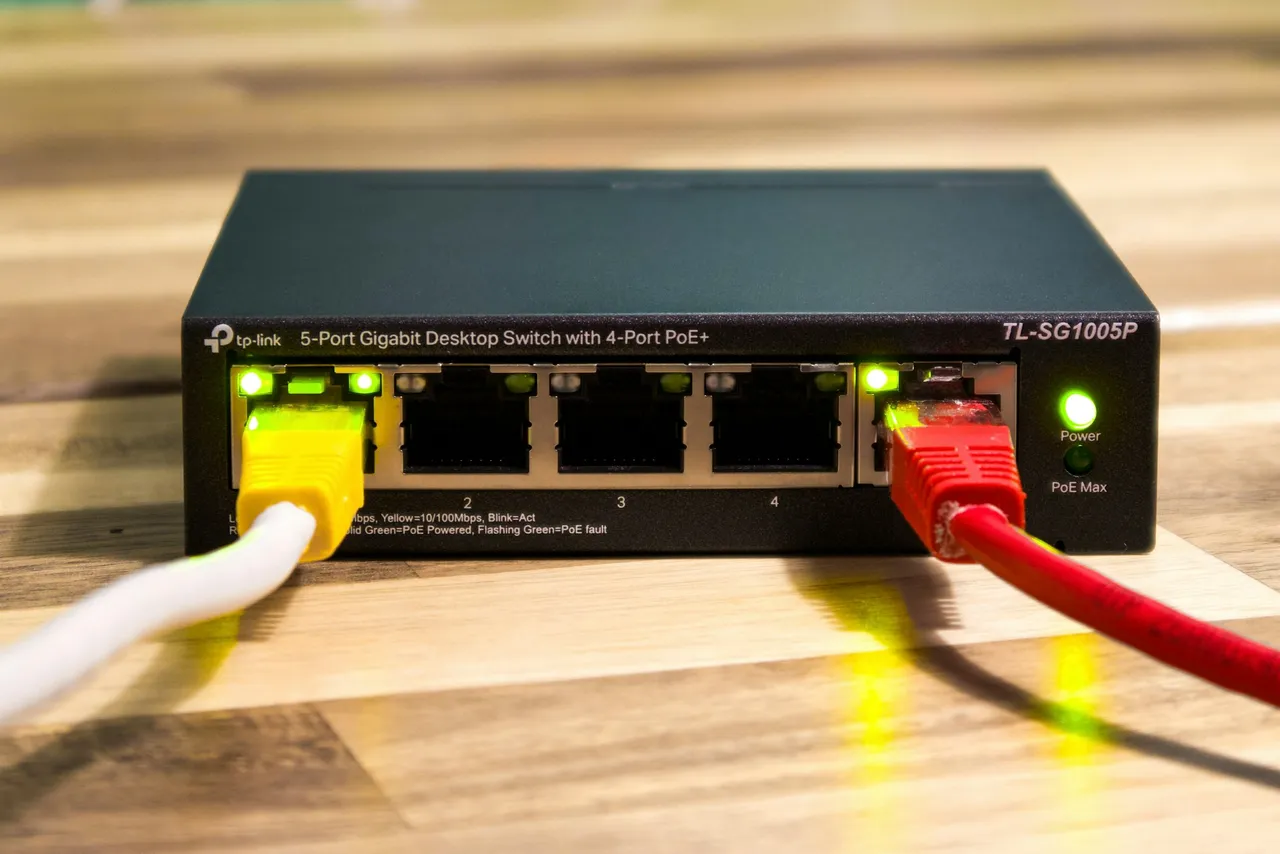
On GPON fibre networks the industry has settled on 2.488 Gbps downstream and 1.244 Gbps upstream, and a single fibre from the provider is split between many homes[37]. That is one reason why upload is often slower than download on fibre.
Gigabits per second also appear in the names of ports. USB-IF recommended the names SuperSpeed USB 5Gbps, 10Gbps and 20Gbps for the three speeds of USB 3.2[38], and in October 2022 it announced USB 80Gbps[39]. The number in the name is the line rate, and part of it goes to encoding: the converter turns 5 Gbps into 625 MB/s, but USB at 5 Gbps sends 10 bits for every byte, which leaves 500 MB/s for data before any other overhead[38].
A 2.5 Gbps port moves at most 312.5 MB/s. The Gbps to Mbps converter has more examples with ports and cables.
Terabits per second (Tbps)
A terabit per second is a thousand gigabits per second. Terabits measure traffic at internet exchanges and on backbone links between cities and countries. LINX, the London Internet Exchange, reported that traffic across its platforms peaked at over 10.841 Tbps in 2024, up from 9.229 Tbps in 2023[40]. Ofcom found that people in the UK used over 1.2 billion GB of mobile data each month in 2025[41]. Spread evenly over a 30-day month, that is an average of more than 3.704 Tbps.
The fastest Ethernet standards are close to a terabit: the IEEE approved 800 Gbps Ethernet on 16 February 2024, and the 802.3dj project covers 1.6 Tbps[42]. 1 Tbps is 125 GB/s. The Tbps to Gbps converter converts this unit into gigabits.
Petabits per second (Pbps)
A petabit per second is a thousand terabits per second. In 2025 a team at the Japanese institute NICT sent 1.02 Pbps over 1,808 km through an optical fibre with 19 cores[43]. In a commercially available fibre that meets the international standard, the same institute reached 430 Tbps in 2025, beating its own result of 402 Tbps from 2024[44].
The record of 1.02 Pbps equals 1,020 Tbps, and the Pbps to Tbps converter handles more conversions like this.
Exabits per second (Ebps)
An exabit per second is a thousand petabits per second, or 10¹⁸ bits per second[6]. The NICT laboratory record of 1.02 Pbps comes to just 0.00102 Ebps in this unit, and 1 Ebps equals 125,000 TB/s.
What are Kibit/s, Mibit/s, Gibit/s, Tibit/s and Pibit/s?
Kibibits per second (Kibit/s), mebibits per second (Mibit/s), gibibits per second (Gibit/s), tebibits per second (Tibit/s) and pebibits per second (Pibit/s) count bits like the decimal units, but each step of the prefix is 1024[7]. The name kibi is short for kilobinary[7].
You meet them in programs that count in powers of 2 and show the result in bits. The disk benchmark tool fio shows values in bits with unit_base=1[45], and when it counts in binary it writes them with the prefixes Ki, Mi or Gi in front of bit/s[46].
The gap between a binary and a decimal unit grows with each prefix: 1 Kibit/s is 1.024 kbps, 1 Mibit/s is 1.049 Mbps, 1 Gibit/s is 1.074 Gbps, 1 Tibit/s is 1.1 Tbps and 1 Pibit/s is already 1.126 Pbps. Mixing up Mibit/s and Mbps shifts the result by 4.9%: 100 Mibit/s is 104.858 Mbps.
What do B/s, KB/s, MB/s, GB/s, TB/s, PB/s and EB/s mean?
Programs that copy and download files show bytes per second, and makers give the speed of drives and ports in these units.
Bytes per second (B/s)
Bytes per second is the smallest unit in this group and the only one the Unit standard switch does not change, because a byte without a prefix has only one meaning. You see it on very slow downloads: Chrome shows B/s until the speed reaches 3 KiB/s, kilobytes up to 2 MiB/s and megabytes above that[8]. Firefox moves to the next unit as soon as the number would reach 999.5[9]. 800 B/s is 6,400 bps.
Kilobytes per second (KB/s)
The Cambridge Dictionary gives the kilobyte two meanings, 1,024 bytes and 1,000 bytes[47], and kilobytes per second carry both. Chrome writes the unit as KB/s[10], and Firefox in English shortens kilobyte to KB[48].
Kilobytes per second also appear in download limits. The Battle.net App limits the download rate for pre-release content to 1000 KB per second by default, and you change the limits in the Battle.net App Settings under Downloads, in the Download Limits section[49]. That limit equals 8 Mbps, so such content never downloads faster than that until you raise the limit.
Megabytes per second (MB/s)
Browsers and game stores show downloads in megabytes per second, and makers give the speed of drives in the same unit. Steam shows downloads in MB/s, but you can change that: click the Steam menu, choose Settings, open Downloads and turn on Display download rates in bits per second[50]. From then on Steam shows the speed in Mbps[51], and you can compare it directly with your broadband plan.
The SATA interface tops out at 600 MB/s[52]. Faster SSDs go in an M.2 slot: Samsung lists the 990 PRO with 2 TB at 7,450 MB/s read and 6,900 MB/s write[53]. You can paste a number like 7,450 into the field as it is, because in English the field reads a comma between groups of three digits as a thousands separator.
600 MB/s is 4,800 Mbps, and 7,450 MB/s is 59.6 Gbps. The MB/s to Mbps converter has more conversions.
Gigabytes per second (GB/s)
A gigabyte per second is a thousand megabytes per second in decimal counting. Apple gives the memory bandwidth of the chips in its MacBook Pro in GB/s: 153 GB/s for the M5, 307 GB/s for the M5 Pro and 460 or 614 GB/s for the M5 Max, depending on the version[54]. Thunderbolt 5 has an 80 Gbps connection, and storage data travels over a PCI Express link of 64 Gbps[55], which is 8 GB/s. For Thunderbolt 4, Intel gave storage speeds of up to 3,000 MB/s[56].
614 GB/s is 4,912 Gbps, and in kilobytes 8 GB/s is 8,000,000 KB/s.
Terabytes per second (TB/s)
A terabyte per second is a thousand gigabytes per second. Storage systems of supercomputers reach such speeds. The all-flash scratch file system of NERSC’s Perlmutter supercomputer reads at an aggregate 7.8 TB/s and writes at 6.6 TB/s. Each NVIDIA A100 GPU in the system has a memory bandwidth of 1,555 GB/s in the 40 GB version and 2,039 GB/s in the 80 GB version, and each GPU node has four network cards of 200 Gbps, or 25 GB/s, each[57].
7.8 TB/s is 62.4 Tbps, and 6.6 TB/s is 52.8 Tbps.
Petabytes per second (PB/s)
A petabyte per second is a thousand terabytes per second. Even the NICT laboratory record of 1.02 Pbps is only 0.128 PB/s in bytes, and 1 PB/s equals 8 Pbps.
Exabytes per second (EB/s)
An exabyte per second is a thousand petabytes per second and the largest decimal byte unit in the list. 1 EB/s equals 8 Ebps, or 1,000,000 TB/s.
What are KiB/s, MiB/s, GiB/s, TiB/s and PiB/s?
Kibibytes per second (KiB/s), mebibytes per second (MiB/s), gibibytes per second (GiB/s), tebibytes per second (TiB/s) and pebibytes per second (PiB/s) are the byte versions of the kibibits: each step of the prefix is 1024[7].
qBittorrent uses these units. In version 5.2.3 the Down Speed column shows the speed of each torrent[58], and the status bar at the bottom shows the total speed, a limit in square brackets if you have set one, and the amount downloaded in parentheses, for example 11.9 MiB/s (1.30 GiB)[59]. You enter limits in KiB/s: open the Tools menu, choose Options... and go to Speed, where the Global Rate Limits section holds the download and upload limits[60][61]. An upload limit of 10 Mbps equals 1,220.703 KiB/s, so enter 1220 there.
For mebibytes qBittorrent shows one decimal place and cuts off further digits without rounding[62][63]. Fio gives the speed in both systems at once in its normal output, for example bw=20.9MiB/s (21.9MB/s)[45]. You can paste the first value straight into the field: it sets MiB/s and shows 21.915 MB/s.
Makers state the capacity of drives and memory cards in decimal units, and according to Apple 1 GB is one billion bytes[64]. A program that counts in 1024s therefore shows fewer binary units, and speeds work the same way: 11.9 MiB/s is 12.478 MB/s or 99.824 Mbps, 1 GiB/s is 1.074 GB/s, 1 TiB/s is 8.796 Tbps and 1 PiB/s is 1.126 PB/s. In binary units, the 7.8 TB/s of Perlmutter’s file system is only 7.094 TiB/s.
How do I convert gigabytes per hour, per day, per week and per month?
The units in the Bytes over longer periods group tell you how much data passes in a minute, an hour, a day, a week or a month. They help with data usage, with the length of a backup and with the monthly traffic of a server.
Kilobytes, megabytes and gigabytes per minute (KB/min, MB/min, GB/min)
Minutes suit recordings and file copies. Uncompressed sound from an audio CD takes 10.584 MB per minute[20], and a 1 Gbps port moves at most 7.5 GB per minute. Kilobytes per minute fit slow devices: a GPS module sending at its default 9600 baud[18] moves at most 72 KB a minute.
Megabytes, gigabytes and terabytes per hour (MB/h, GB/h, TB/h)
Hours suit the data used by video. Netflix’s help gives the data used per hour on one device as up to 0.3 GB on the Low setting and up to 0.7 GB on Medium, and on High up to 1 GB in standard definition, up to 3 GB in HD and up to 7 GB in Ultra HD (4K)[65]. 7 GB/h averages 15.556 Mbps, and 0.3 GB/h averages 0.667 Mbps. Audio is easier to read in megabytes per hour: at the average rate of the BBC Global News Podcast episode, an hour of listening comes to 28.8 MB[22].
Hours are also handy for backups. A 500 GB backup to a NAS that should finish in 5 hours needs 100 GB per hour, or 222.222 Mbps, so a 100 Mbps network is not fast enough. Terabytes per hour help with larger backups: a 10 Gbps port moves at most 4.5 TB/h.
Megabytes, gigabytes and terabytes per day (MB/day, GB/day, TB/day)
Days suit traffic that never stops, such as the picture from a security camera. A camera that sends its picture at 4 Mbps uses 43.2 GB in a day. A 1 Gbps connection running at full speed all day moves 10.8 TB. Small devices are counted in megabytes per day: the GPS module at 9600 baud, sending without a break, moves at most 103.68 MB a day.
Gigabytes per week (GB/week)
Weeks are a handy way to split a monthly phone data plan. With a 30-day month, a 10 GB plan works out at 2.333 GB a week, and a 50 GB plan at 11.667 GB a week.
Gigabytes and terabytes per month (GB/month, TB/month)
Mobile plans count data in gigabytes per month, and web hosts and servers count traffic in terabytes per month. A fixed length of month is needed because calendar months have 28 to 31 days. With 30 days, 2 TB per month is 6.173 Mbps, while spread over 31 days it would be 5.974 Mbps. When you pick a unit per month, the line “A month counts as 30 days here.” appears under the fields.
The 583 GB that, according to Ofcom, an average fixed broadband connection in the UK carried in July 2025[4] equals an average of 1.799 Mbps.
How fast is USB, Ethernet or a T1 line in MB/s?
The “Links and ports (nominal rate)” group lists links and ports whose standard sets a fixed data rate. One unit is one link, so if you pick USB 2.0 under the Convert from field and type 1, MB/s shows 60 MB/s. It works the other way round too: 100 Mbps is 64.767 T1 lines.
The converter works from the nominal rate, the line rate given in the standard, so the Unit standard switch does not change it. Almost all countries outside the US, Canada and Japan used the E-carrier system instead, which built on the earlier American T-carrier[66]. ITU-T G.704 covers both E1 and the 44,736 kbps T3 level[67], and G.751 sets the 34,368 kbps rate of E3[68].
Backbone networks use SONET and SDH, which are essentially the same. SDH builds on STM-1 at 155.52 Mbps, which SONET calls OC-3, and faster circuits are multiples of it: four make STM-4 or OC-12, and so on up to STM-64 or OC-192. The wide-area version of 10 Gigabit Ethernet even runs at the same line rate as OC-192, 9,953,280 kbps[69].
Older computer ports are in the list as well. USB 1.x Full Speed signals at 12 Mbps, and USB 2.0 High Speed at 480 Mbps[38]. Fast Ethernet arrived in 1995 as IEEE 802.3u and runs at 100 Mbps, ten times the 10 Mbps of earlier Ethernet, and its 100BASE-TX variant became by far the most popular[70].
How many MB/s does each link in the list carry?
| Symbol | Unit | MB/s | Standard |
|---|---|---|---|
| 56k | 56 kbps, V.90 modem | 0.007 MB/s | ITU-T V.90 |
| ISDN B | 64 kbps, one B channel | 0.008 MB/s | ISDN BRI |
| ISDN 2B | 128 kbps, two B channels | 0.016 MB/s | ISDN BRI |
| T1 | 1.544 Mbps, DS1 | 0.193 MB/s | ITU-T G.704 |
| E1 | 2.048 Mbps, 32 channels of 64 kbps | 0.256 MB/s | ITU-T G.704 |
| E3 | 34.368 Mbps | 4.296 MB/s | ITU-T G.751 |
| T3 | 44.736 Mbps, DS3 | 5.592 MB/s | ITU-T G.704 |
| STM-1 | 155.52 Mbps, SONET OC-3 | 19.44 MB/s | ITU-T G.707 |
| STM-4 | 622.08 Mbps, SONET OC-12 | 77.76 MB/s | ITU-T G.707 |
| STM-16 | 2.48832 Gbps, SONET OC-48 | 311.04 MB/s | ITU-T G.707 |
| STM-64 | 9.95328 Gbps, SONET OC-192 | 1,244.16 MB/s | ITU-T G.707 |
| USB 1.1 | 12 Mbps, Full Speed | 1.5 MB/s | USB-IF |
| USB 2.0 | 480 Mbps, Hi-Speed | 60 MB/s | USB-IF |
| USB 3.2 Gen 1 | 5 Gbps, USB 3.0, USB 5Gbps | 625 MB/s | USB-IF |
| USB 3.2 Gen 2 | 10 Gbps, USB 3.1 Gen 2, USB 10Gbps | 1,250 MB/s | USB-IF |
| USB 3.2 Gen 2x2 | 20 Gbps, USB 20Gbps | 2,500 MB/s | USB-IF |
| USB4 | 40 Gbps, USB 40Gbps | 5,000 MB/s | USB-IF |
| USB4 v2 | 80 Gbps, USB 80Gbps | 10,000 MB/s | USB-IF |
| Thunderbolt 3 | 40 Gbps | 5,000 MB/s | Intel |
| Thunderbolt 4 | 40 Gbps | 5,000 MB/s | Intel |
| Thunderbolt 5 | 80 Gbps | 10,000 MB/s | Intel |
| Ethernet | 10 Mbps, 10BASE-T | 1.25 MB/s | IEEE 802.3 |
| Fast Ethernet | 100 Mbps, 100BASE-TX | 12.5 MB/s | IEEE 802.3 |
| Gigabit Ethernet | 1 Gbps, 1000BASE-T | 125 MB/s | IEEE 802.3 |
| 2.5GbE | 2.5 Gbps, 2.5GBASE-T | 312.5 MB/s | IEEE 802.3bz |
| 10GbE | 10 Gbps, 10GBASE-T | 1,250 MB/s | IEEE 802.3 |
Why are baud, GT/s and MT/s missing from the list?
These three units look like data transfer rates, but each of them counts something else. To convert them you need details of the connection itself.
Baud (Bd)
Baud is the unit of symbol rate, the number of symbol changes a signal makes per second[72]. A symbol can carry one bit or more: Gigabit Ethernet over copper, 1000BASE-T, works at 125 megabaud with five-level signalling called PAM-5[33], and a symbol with more than two states can stand for more than one bit[72]. When the signal has exactly two states, 0 and 1, baud and bits per second have the same value[72]. That is how a serial port works, which is why the Arduino IDE 2 shows the speed in the Serial Monitor as 9600 baud[73].
Gigatransfers per second (GT/s)
GT/s is used for PCI Express. From version 3.0 PCIe uses 128b/130b encoding, so one lane carries about 985 MB/s in version 3.0, 1,969 MB/s in 4.0 and 3,938 MB/s in 5.0[74]. An NVMe SSD in an M.2 slot uses up to four lanes[75], so its ceiling is about 3.938, 7.877 and 15.754 GB/s[74].
Megatransfers per second (MT/s)
MT/s is used for memory. A DDR5-5600 module is also labelled PC5-44800[76]: the number in the first name is 5,600 million transfers per second, and double data rate memory makes two transfers per clock cycle[77]. Each memory channel is 64 bits wide, that is 8 bytes[77], so the bandwidth is the number of transfers times 8 bytes: 5,600 × 8 = 44,800 MB/s, which gives the second name. Dual-channel mode doubles the bandwidth in theory[77], so two DDR5-5600 modules reach 89,600 MB/s.
Sources
- byte — Cambridge Dictionary
- FCC Increases Broadband Speed Benchmark, news release of 14 March 2024 — Federal Communications Commission
- NBN Co to accelerate higher speed tiers and launch multi-gigabit speeds in September 2025 — NBN Co
- Connected Nations 2025: UK report — Ofcom
- Data-rate units — Wikipedia
- The International System of Units (SI), 9th edition — Bureau International des Poids et Mesures
- Prefixes for binary multiples — National Institute of Standards and Technology
- Chromium source code: speed formatting (bytes_formatting.cc) — The Chromium Authors
- Firefox source code: DownloadUtils.sys.mjs — Mozilla
- Chromium interface strings (ui_strings.grd) — The Chromium Authors
- Transmission source code: speed units (utils.cc) — Transmission Project
- CONVERT function — Microsoft
- Forza Horizon 5, system requirements — Steam
- Starfield, system requirements — Steam
- Serial.begin() — Arduino
- Serial Monitor source code, main.go — Arduino
- MIDI — Wikipedia
- Adafruit Ultimate GPS Breakout, product page — Adafruit
- Universal asynchronous receiver-transmitter — Wikipedia
- MP3 — Wikipedia
- Audio quality — Spotify
- Global News Podcast, podcast feed (accessed 3 October 2026) — BBC
- System requirements & supported devices for YouTube — Google
- ISDN — Wikipedia
- Modem — Wikipedia
- RP002-1.0.3 LoRaWAN Regional Parameters — LoRa Alliance
- I²C — Wikipedia
- Wi-Fi 6 — Wikipedia
- Wi-Fi 7 — Wikipedia
- Delivery Optimization in Windows — Microsoft
- T-carrier — Wikipedia
- Adafruit CAN Bus FeatherWing - MCP2515, product page — Adafruit
- Gigabit Ethernet — Wikipedia
- 10 Gigabit Ethernet — Wikipedia
- IEEE P802.3bz 2.5/5GBASE-T Task Force — IEEE 802.3
- TX201 2.5 Gigabit PCIe Network Adapter, specifications — TP-Link
- Passive optical network — Wikipedia
- USB — Wikipedia
- USB-IF Announces Publication of New USB4 Specification to Enable USB 80Gbps Performance — USB Implementers Forum
- 2024 Year in Review — LINX
- Brits devour data at record levels as mobile networks race to improve 5G, news of 19 November 2025 — Ofcom
- Terabit Ethernet — Wikipedia
- World Record Achieved in Transmission Capacity and Distance: 1,808 km Transmission of 1.02 Petabits per Second — National Institute of Information and Communications Technology
- Novel Transmission Technique Enables World Record 430 Tb/s in a Commercially Available, International-Standard-Compliant Optical Fiber — National Institute of Information and Communications Technology
- fio – Flexible I/O tester, documentation — Jens Axboe
- fio source code, lib/num2str.c — Jens Axboe
- kilobyte — Cambridge Dictionary
- Firefox download window strings in English (downloadUtils.ftl) — Mozilla
- Slow Game Download — Blizzard Entertainment
- Steam client strings in English: steamui_english.json — SteamTracking
- Steam client strings in English: shared_english.json — SteamTracking
- SATA — Wikipedia
- 990 PRO PCIe 4.0 NVMe M.2 SSD 2TB, product page — Samsung
- MacBook Pro, tech specs — Apple
- Thunderbolt (interface) — Wikipedia
- Introducing Thunderbolt 4: Universal Cable Connectivity for Everyone (archived copy of 9 July 2020) — Intel
- Perlmutter Architecture — NERSC
- qBittorrent 5.2.3, file src/gui/transferlistmodel.cpp — qBittorrent
- qBittorrent 5.2.3, file src/gui/statusbar.cpp — qBittorrent
- qBittorrent 5.2.3, file src/gui/mainwindow.ui — qBittorrent
- qBittorrent 5.2.3, file src/gui/optionsdialog.ui — qBittorrent
- qBittorrent 5.2.3, file src/base/utils/misc.cpp — qBittorrent
- qBittorrent 5.2.3, file src/base/utils/string.cpp — qBittorrent
- How storage capacity is measured on Apple devices — Apple
- How to control how much data Netflix uses — Netflix
- E-carrier — Wikipedia
- G.704: Synchronous frame structures used at 1544, 6312, 2048, 8448 and 44 736 kbit/s hierarchical levels — International Telecommunication Union (ITU)
- G.751: Digital multiplex equipments operating at the third order bit rate of 34 368 kbit/s and the fourth order bit rate of 139 264 kbit/s and using positive justification — International Telecommunication Union (ITU)
- Synchronous optical networking — Wikipedia
- Fast Ethernet — Wikipedia
- V.90: A digital modem and analogue modem pair for use on the Public Switched Telephone Network (PSTN) at data signalling rates of up to 56 000 bit/s downstream and up to 33 600 bit/s upstream — International Telecommunication Union (ITU)
- Baud — Wikipedia
- Arduino IDE 2 interface strings, file en.json — Arduino
- PCI Express — Wikipedia
- M.2 — Wikipedia
- DDR5 SDRAM — Wikipedia
- Multi-channel memory architecture — Wikipedia
- Netflix-recommended internet speeds — Netflix
- Broadband Speed Guide — Federal Communications Commission
- Choose live encoder settings, bitrates, and resolutions — Google
- OBS Studio interface strings in English, file en-US.ini — OBS Project
- Ethernet frame — Wikipedia
- RFC 791: Internet Protocol — IETF
- RFC 9293: Transmission Control Protocol (TCP) — IETF
- RFC 7323: TCP Extensions for High Performance — IETF
- Bandwidth (computing) — Wikipedia
Every figure in the tables was computed from the unit definitions and checked arithmetically before publication. Historical values and the names of local units come from the sources listed above.
Content last reviewed: · written and checked by the Arteon team
Frequently asked questions about data transfer rates
How many Mbps do I need for 4K streaming?
It depends on whose advice you follow. Netflix recommends 15 Mbps or higher for UHD 4K, 5 Mbps for full HD 1080p and 3 Mbps for HD 720p[78]. YouTube recommends a sustained 20 Mbps for 4K[23]. The FCC’s guide lists 25 Mbps for Ultra HD 4K video and calls its numbers rough guidelines that are not based on its own surveys or experiments. The FCC figures assume one activity at a time[79], so two 4K streams at once need about twice as much.
What upload speed do I need to stream live on YouTube?
For 1080p at 60 frames per second in the H.264 codec, YouTube recommends 17 Mbps with 6 Mbps as the minimum, plus 128 kbps for stereo sound[80]. In OBS Studio you enter the picture’s rate in the Video Bitrate field in kbps[81], so 17 Mbps becomes 17,000 kbps. A connection that just meets the FCC’s upload benchmark of 20 Mbps leaves 3 Mbps for the sound and everything else at that setting.
How long does 1 GB of mobile data last?
It depends on what you do. According to Netflix’s help, the app gives you about 4 hours per GB on the Automatic setting and about 6 hours on Save Data, while Maximum Data can use 1 GB in 20 minutes or less[65]. Music on Spotify runs at about 96 kbps on the Normal setting[21], so 1 GB lasts about 23.1 hours.
Why does a speed test show less than my plan?
Part of the speed goes to data that the network itself sends. An Ethernet frame with the largest packet takes 1,538 bytes on the line, and the data fits in 1,500 of them[82]. Of those 1,500 bytes, the IPv4 and TCP headers take 20 each[83][84], which leaves 1,460 bytes for the file and about 949 Mbps on a gigabit port. When the connection uses timestamps, the TCP header grows by 12 bytes[85], and about 941 Mbps is left. Netflix suggests Fast.com for checking the speed on a phone, tablet or computer[78].
Is bandwidth the same as data transfer rate?
In computing it usually is. Bandwidth there means the maximum rate of data transfer across a given path[86], and Steam uses the word in this sense in its video player statistics, which show “Bandwidth Required (Mbps)”[51]. In electronics, radio and signal processing the same word means a range of frequencies measured in hertz, and the bit rate a channel reaches depends on that range and on the noise on the channel[86]. What this converter calculates is the amount of data per unit of time, so the data transfer rate.
How do I convert a yearly amount?
Divide it by the number of days in the year and type the result in GB/day. The converter has no unit per year, because a year can have 365 or 366 days, and for an entry such as 2 TB/yr the field shows a message that it doesn’t recognise the unit TB/yr. Dividing a yearly amount by 12 and typing it in GB/month gives an average that is too high, because 12 months of 30 days make only 360 days.
Do you have a question or a suggestion?
If you have found a mistake in one of the tables or have an idea for the converter, write to us.