Convert centimeters to pixels at any DPI
Enter a value in centimeters, set the DPI resolution, and read the result in pixels. The A4 width of 21 cm, for example, is 2,480 pixels at 300 DPI. At 96 DPI, 10 cm is 378 px.
Why convert centimeters to pixels?
A centimeter describes the physical size in which paper and print formats are given. A pixel, in turn, describes a single point on a phone, tablet, or laptop screen. To translate one into the other you have to know the DPI resolution, which tells you how many pixels fall on one inch.
This kind of conversion is done by designers preparing files for a print shop, photographers checking whether a photo is large enough for a specific print size, or designers working on banners, social media graphics, or elements of a website.
Further down the page you will find a conversion table for five resolutions, ready-made dimensions for popular formats (A4 sheets, 10×15 cm photos, and business cards), and short walkthroughs that show how to convert centimeters to pixels in Photoshop, Figma, Canva, and other design tools.

How does cm to px conversion work? Formula and example
The whole conversion comes down to one formula built on the fixed relationship between an inch and a centimeter: one inch equals exactly 2.54 cm. You simply multiply the number of centimeters by the chosen DPI resolution and divide the result by 2.54.
The complete formula looks like this: number of pixels = number of centimeters × DPI ÷ 2.54.
Example: you want to check how many pixels make up 7.5 cm at the print resolution of 300 DPI. You plug the values into the formula and get 7.5 × 300 ÷ 2.54, which equals about 886 pixels. At 96 DPI the same length gives only 284 pixels.
Do you already have a finished file and want to know its size on paper? That calculation belongs to the pixels to centimeters converter, which also covers camera and screen resolutions.
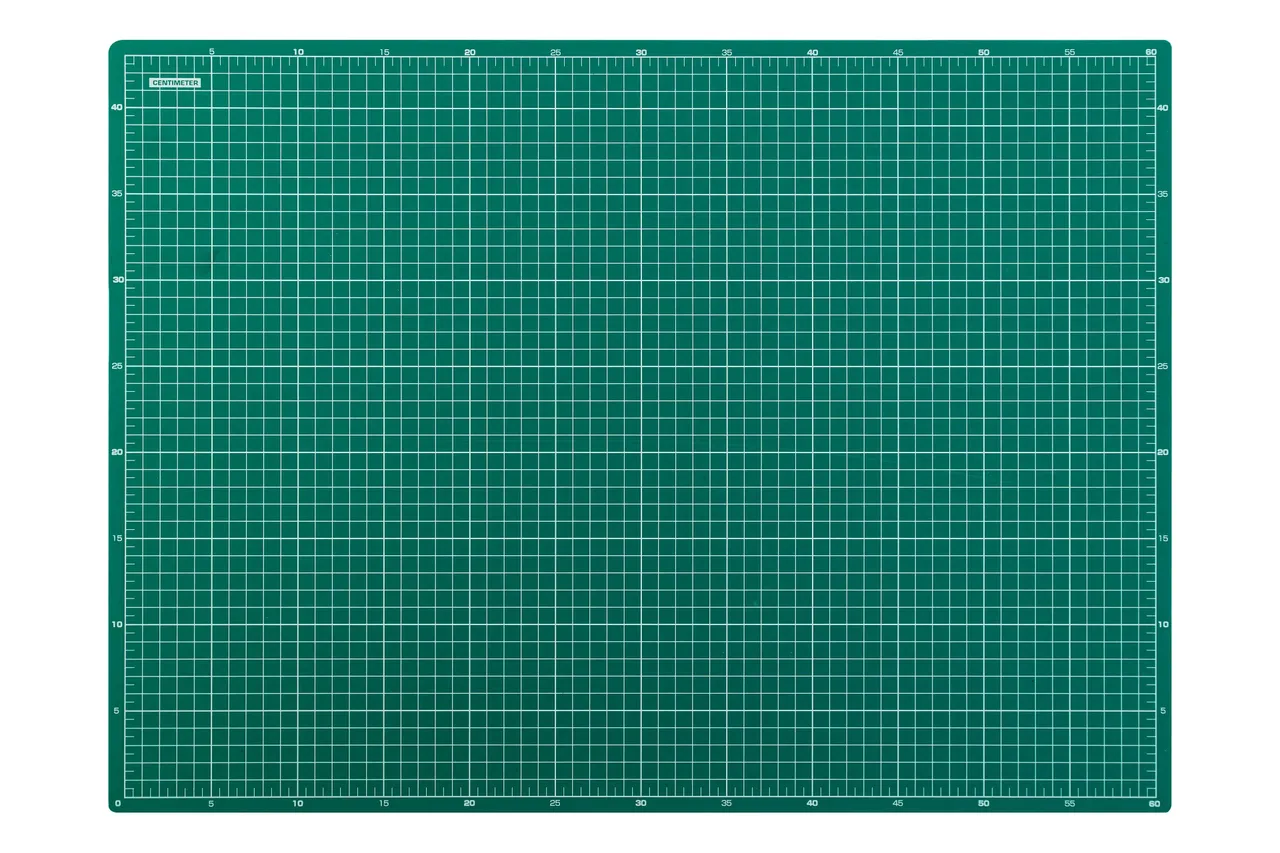
How many pixels do different centimeter values produce at different DPI values?
| Dimension | 72 DPI | 96 DPI | 150 DPI | 300 DPI | 600 DPI |
|---|---|---|---|---|---|
| 0.5 cm | 14 px | 19 px | 30 px | 59 px | 118 px |
| 1 cm | 28 px | 38 px | 59 px | 118 px | 236 px |
| 1.5 cm | 43 px | 57 px | 89 px | 177 px | 354 px |
| 2 cm | 57 px | 76 px | 118 px | 236 px | 472 px |
| 2.5 cm | 71 px | 94 px | 148 px | 295 px | 591 px |
| 3 cm | 85 px | 113 px | 177 px | 354 px | 709 px |
| 3.5 cm | 99 px | 132 px | 207 px | 413 px | 827 px |
| 4 cm | 113 px | 151 px | 236 px | 472 px | 945 px |
| 4.5 cm | 128 px | 170 px | 266 px | 531 px | 1,063 px |
| 5 cm | 142 px | 189 px | 295 px | 591 px | 1,181 px |
| 6 cm | 170 px | 227 px | 354 px | 709 px | 1,417 px |
| 7 cm | 198 px | 265 px | 413 px | 827 px | 1,654 px |
| 8 cm | 227 px | 302 px | 472 px | 945 px | 1,890 px |
| 9 cm | 255 px | 340 px | 531 px | 1,063 px | 2,126 px |
| 10 cm | 283 px | 378 px | 591 px | 1,181 px | 2,362 px |
| 12 cm | 340 px | 454 px | 709 px | 1,417 px | 2,835 px |
| 15 cm | 425 px | 567 px | 886 px | 1,772 px | 3,543 px |
| 20 cm | 567 px | 756 px | 1,181 px | 2,362 px | 4,724 px |
| 25 cm | 709 px | 945 px | 1,476 px | 2,953 px | 5,906 px |
| 30 cm | 850 px | 1,134 px | 1,772 px | 3,543 px | 7,087 px |
| 50 cm | 1,417 px | 1,890 px | 2,953 px | 5,906 px | 11,811 px |
| 100 cm | 2,835 px | 3,780 px | 5,906 px | 11,811 px | 23,622 px |
Physical formats and their dimensions in pixels
| Format | W × H (cm) | W × H (150 DPI) | W × H (300 DPI) |
|---|---|---|---|
| ISO A-series paper | |||
| A0 | 84.1 × 118.9 | 4,967 × 7,022 | 9,933 × 14,043 |
| A1 | 59.4 × 84.1 | 3,508 × 4,967 | 7,016 × 9,933 |
| A2 | 42.0 × 59.4 | 2,480 × 3,508 | 4,961 × 7,016 |
| A3 | 29.7 × 42.0 | 1,754 × 2,480 | 3,508 × 4,961 |
| A4 | 21.0 × 29.7 | 1,240 × 1,754 | 2,480 × 3,508 |
| A5 | 14.8 × 21.0 | 874 × 1,240 | 1,748 × 2,480 |
| A6 | 10.5 × 14.8 | 620 × 874 | 1,240 × 1,748 |
| A7 | 7.4 × 10.5 | 437 × 620 | 874 × 1,240 |
| US paper sizes | |||
| Letter (8.5 × 11 in) | 21.59 × 27.94 | 1,275 × 1,650 | 2,550 × 3,300 |
| Legal (8.5 × 14 in) | 21.59 × 35.56 | 1,275 × 2,100 | 2,550 × 4,200 |
| Tabloid / Ledger (11 × 17 in) | 27.94 × 43.18 | 1,650 × 2,550 | 3,300 × 5,100 |
| Photo prints | |||
| 4 × 6 in | 10.16 × 15.24 | 600 × 900 | 1,200 × 1,800 |
| 5 × 7 in | 12.70 × 17.78 | 750 × 1,050 | 1,500 × 2,100 |
| 8 × 10 in | 20.32 × 25.40 | 1,200 × 1,500 | 2,400 × 3,000 |
| 11 × 14 in | 27.94 × 35.56 | 1,650 × 2,100 | 3,300 × 4,200 |
| 16 × 20 in | 40.64 × 50.80 | 2,400 × 3,000 | 4,800 × 6,000 |
| Photo 10 × 15 cm | 10 × 15 | 591 × 886 | 1,181 × 1,772 |
| Photo 13 × 18 cm | 13 × 18 | 768 × 1,063 | 1,535 × 2,126 |
| Photo 20 × 30 cm | 20 × 30 | 1,181 × 1,772 | 2,362 × 3,543 |
| Business cards | |||
| US (3.5 × 2 in) | 8.89 × 5.08 | 525 × 300 | 1,050 × 600 |
| European (85 × 55 mm) | 8.5 × 5.5 | 502 × 325 | 1,004 × 650 |
| Japanese (91 × 55 mm) | 9.1 × 5.5 | 537 × 325 | 1,075 × 650 |
| Large-format advertising | |||
| Roll-up banner (85 × 200 cm) | 85 × 200 | 5,020 × 11,811 | 10,039 × 23,622 |
How much DPI do you actually need? Viewing distance decides
Three hundred DPI settled in as the default answer, yet it describes one specific case: material held in the hand, roughly at arm's length. The CSS standard defines its reference pixel through the visual angle from exactly that distance, about 28 inches.[2]
The further away the viewer stands, the fewer pixels have to land on an inch, because the eye stops separating neighboring points anyway. A billboard read from twenty meters looks right at 30 DPI, while the same file seen up close would look soft. Media at that scale have their sides given in meters: a 48-sheet poster is 6.096 × 3.048 m, which at 30 DPI comes to 7,200 × 3,600 pixels, and the meters to pixels converter runs that sum. So start from the question of how far away somebody will be standing.
The second matter concerns enlarging finished files. Raising the DPI in a graphics program adds pixels but no detail, because the program invents points from their neighbors. An 800 px wide file stretched to 3,000 px is almost four times as wide in pixels and carries exactly the same information, which shows in the soft edges. Resolution that is not in the original comes only from a new scan or a new photograph.
Which DPI applies to which material?
| Material | Viewing distance | Recommended DPI | 10 cm in pixels |
|---|---|---|---|
| Business cards, flyers | about 30 cm | 300–350 DPI | 1,181–1,378 px |
| Catalogs, books, albums | about 30 cm | 300 DPI | 1,181 px |
| Photo prints | about 30 cm | 300 DPI | 1,181 px |
| B2 and B1 posters | 1–2 m | 150–200 DPI | 591–787 px |
| Roll-ups and backdrops | 1–2 m | 150 DPI | 591 px |
| Advertising banners | 3–10 m | 100–120 DPI | 394–472 px |
| Mesh banners and billboards | over 20 m | 30–50 DPI | 118–197 px |
Comparison of centimeter and pixel units
| Property | Centimeter (cm) | Pixel (px) |
|---|---|---|
| Type of unit | Physical and tangible | Digital and screen-based |
| Dependence on the device | Always the same | Depends on DPI or PPI |
| Print at 300 DPI | 1 cm equals 118 px | 1 px equals 0.0085 cm |
| Screen at 96 DPI | 1 cm equals 37.8 px | 1 px equals 0.0265 cm |
| A4 format | 21 × 29.7 cm | 2,480 × 3,508 px (300 DPI) |
How to convert centimeters to pixels in popular programs?
Photoshop
In Adobe Photoshop you set the canvas dimensions in Image › Image Size. Pick Centimeters from the units dropdown, type the physical dimension and the target DPI in the Resolution field, and Photoshop will convert the value into pixels automatically. If you want the unit change to keep the pixel count of the file intact, uncheck the Resample option – you then change only the physical dimension while the pixels stay untouched.Illustrator
Adobe Illustrator works in the unit you chose when you created the document. You can change it under Edit › Preferences › Units – pick Pixels for screen projects or Centimeters for print materials. The resulting pixel count depends on the artboard resolution set at the start of the project. If you are working on a flyer in cm but the client asks for the file in px, the easiest approach is to copy the dimension from our converter and paste it into the Transform panel.Figma
Figma works only in pixels and has no DPI setting. That means whenever you design something in Figma that will later be printed in centimeters, you first have to translate the physical dimension into pixels at the target resolution. For example, a 10 × 15 cm flyer at 300 DPI becomes a 1,181 × 1,772 px frame – type that value when you create a new frame, then export at 1× scale so the dimensions stay true to the original.Canva
In Canva you click Custom size on the homepage and pick cm or mm under Units before typing the physical dimension. Canva converts the value into pixels automatically on export. If the file is going to a print shop, check the PDF Print option in the download dialog and turn on bleed and crop marks. Canva exports such files at 300 DPI by default, so the format table on this page matches what you receive at the output.Procreate
When you create a new Procreate canvas you can pick pixels, millimeters, centimeters, or inches as the unit. In the Custom Canvas tab set the dimension in cm and type 300 DPI if the illustration is going to print. Keep in mind that the higher the DPI and the larger the format, the fewer layers the app gives you.GIMP
In GIMP the dimensions live in Image › Scale Image. Open the unit list next to the width and height fields, pick centimeters, and type the target DPI into the X and Y resolution fields. GIMP then converts the physical size into pixels the same way Photoshop does, and you save the file through File › Export As, because the default save creates an XCF project.Word, Excel, PowerPoint
Microsoft 365 (Word, Excel, and PowerPoint) works in centimeters, and image dimensions live in the Size and Position panel. If you save a slide as a PNG or JPG, PowerPoint uses the standard 96 DPI, which means 1 cm equals about 38 px – that is when our converter helps you check whether the file is actually large enough for print.CSS and HTML
In CSS thecmunit is translated by the fixed formula1cm = 96px ÷ 2.54 ≈ 37.8px.[2] The value does not change with the screen – you always get the same result regardless of the device. In practice you usepx,rem, oremfor web interfaces and reservecmfor print stylesheets (@media print). Only then does the page layout actually mirror the physical dimensions of a sheet of paper.
What is converting centimeters to pixels good for?
Preparing files for a print shop
You can check that an A4 print sheet measures 2,480 × 3,508 px at 300 DPI, and that an A3 poster takes 3,508 × 4,961 px.Graphics for a website
If you designed a banner that measures 20 × 6 cm, you will see that at 96 DPI it comes to 756 × 227 px. That is precisely the size to drop into your website code or a CMS template.Business cards and brand assets
A European business card (8.5 × 5.5 cm) becomes 1,004 × 650 px at 300 DPI, while a US one (3.5 × 2 in) matches 1,050 × 600 px. A print shop may ask for a 3 mm bleed on every side, which comes to 35 px at 300 DPI — a figure you can work out in the mm to px converter.
Convert other units to Pixels
Convert Centimeters to other units
Sources
- ISO 216 – the international standard for A, B and C series paper sizes — Wikipedia
- CSS Values and Units Module Level 3 — W3C
Every figure in the tables was computed from the unit definitions and checked arithmetically before publication. Historical values and the names of local units come from the sources listed above.
Content last reviewed: · written and checked by the Arteon team
Frequently asked questions about cm to px conversion
How many pixels does 1 cm contain?
Everything depends on the resolution you choose. At the standard screen value of 96 DPI one centimeter equals about 38 pixels, while at the older 72 DPI used in earlier screen graphics it is only 28 pixels. In print at 300 DPI, the same centimeter already covers about 118 pixels.
How do you convert centimeters to pixels?
The easiest way is to type the number of centimeters into the converter field and pick the DPI you need – the result appears right away. If you would rather calculate by hand, use the formula: number of pixels = number of centimeters × DPI ÷ 2.54. For 5 cm at 300 DPI you get 5 × 300 ÷ 2.54, which equals about 591 pixels.
How many pixels does 5 cm contain?
At the standard screen resolution of 96 DPI five centimeters equal about 189 pixels. If you are preparing a graphic for 300 DPI print, the same length grows to 591 pixels, and at 600 DPI it reaches 1,181 pixels.
How many pixels does 7 cm contain?
Seven centimeters at 96 DPI equal about 265 pixels. In 300 DPI print the same length corresponds to 827 pixels, and at 600 DPI it gives 1,654 pixels.
How many pixels does 10 cm contain?
Ten centimeters match about 378 pixels at 96 DPI. In 300 DPI print the same 10 cm equal about 1,181 pixels, the short side of a 10 × 15 cm print at that density.
How many pixels does 20 cm contain?
Twenty centimeters equal 756 pixels on a 96 DPI screen and 2,362 pixels in 300 DPI print. If you design for a billboard where 30–72 DPI is enough, the same width drops to between 236 and 567 pixels.
How many pixels does A4 contain at 300 DPI?
An A4 sheet measures 21 × 29.7 cm, which at 300 DPI gives exactly 2,480 × 3,508 pixels. At 150 DPI the same dimensions become 1,240 × 1,754 pixels, while at the screen value of 96 DPI they are only 794 × 1,123 pixels.
How many pixels does a 10×15 cm photo contain?
A standard 10 × 15 cm photo print matches 1,181 × 1,772 pixels at 300 DPI. A camera file at least that large has enough pixels for 300 DPI at this print size.
How do you set centimeters to pixels in Photoshop or Canva?
In Photoshop open Image › Image Size, change the unit to centimeters, and type the dimensions together with the target DPI. In Canva click Custom size on the homepage, pick cm under Units, and enter the required dimension – the app will convert the file into pixels automatically on export. Detailed walkthroughs for Photoshop, Illustrator, Figma, Canva, and Procreate are in the section above.
What is the difference between DPI and PPI?
DPI (dots per inch) is the number of ink dots per inch of material and describes a printer. PPI (pixels per inch) is the number of pixels per inch of a screen and describes a monitor or display. In everyday work designers use both abbreviations interchangeably, but technically DPI is for print and PPI is for screens. The whole reverse direction is handled by the pixels to centimeters converter.
How much is 1 pixel in centimeters?
A single pixel on a standard 96 DPI screen measures about 0.0265 cm, and at the 300 DPI used for print only 0.0085 cm. To convert any pixel count into centimeters, divide it by the DPI value and multiply by 2.54. The whole reverse direction is handled by the pixels to centimeters converter.
How many pixels does a centimeter contain on a Retina screen?
Apple Retina displays place two or three device pixels in each unit of the interface grid. A graphic meant to be 1 cm wide at 96 DPI (38 px) therefore needs 76 px to stay sharp on a 2× screen, and Apple’s naming convention marks such files with the @2x suffix.
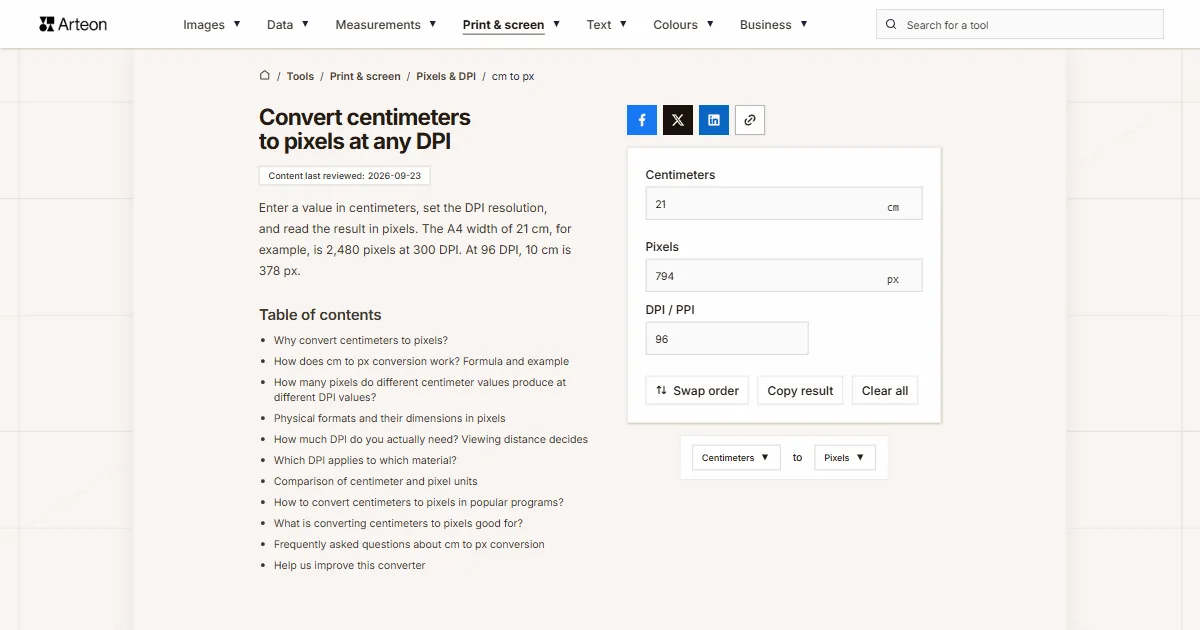
Help us improve this converter
Missing a format in the tables, spotted a calculation error, or want to suggest a new feature? Drop us a message – we read every email personally.