Convert em to pixels at any parent font size
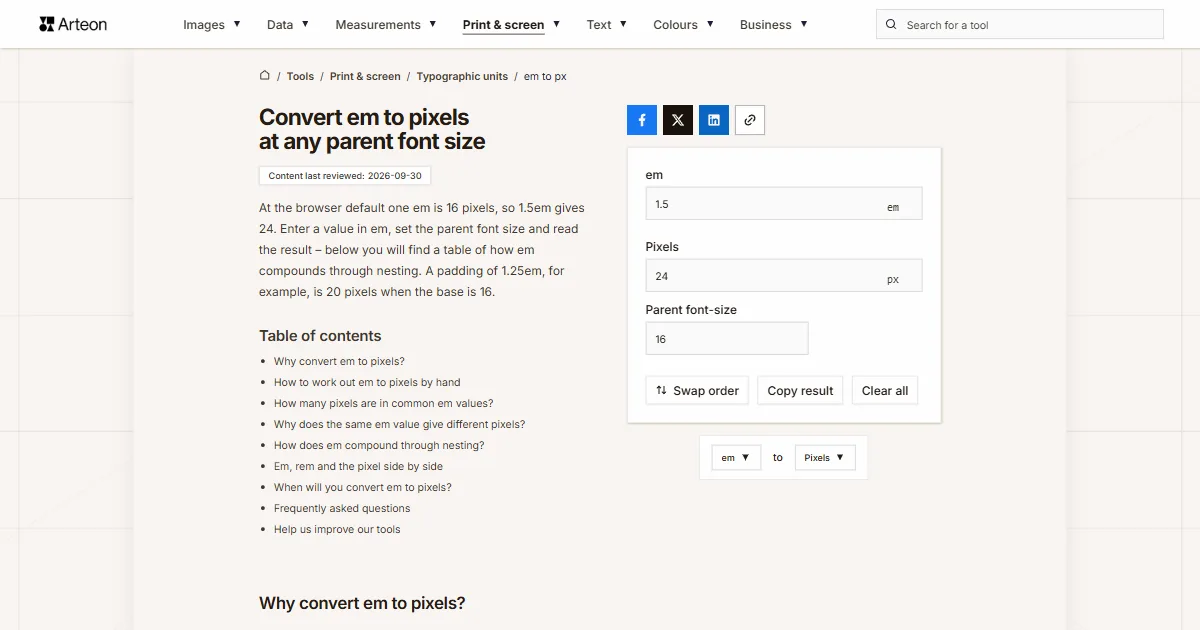
At the browser default one em is 16 pixels, so 1.5em gives 24. Enter a value in em, set the parent font size and read the result – below you will find a table of how em compounds through nesting. A padding of 1.25em, for example, is 20 pixels when the base is 16.
Why convert em to pixels?
Em turns into pixels with a single multiplication: the value in em times the parent font size. At the browser default the parent is 16px, so 1em gives 16 pixels and 1.5em gives 24. The unit refers to the text size of the enclosing element[1].
The conversion helps when you read someone else’s stylesheet and want to know what a 0.75em spacing actually measures. The answer depends on where in the document that spacing sits, and that is what sets em apart from the other relative units.
The parent does not have to be 16px. Inside a card it can be 14px, in a section heading 20px or more, which is why the field accepts anything from 1 to 200.
Below you will find a table of 26 values at three parent sizes, a table of how em compounds through nesting, and the rule for when to reach for em and when for rem. The conversion the other way is done by the pixels to em converter.
How to work out em to pixels by hand
The formula holds one operation: pixels = em × parent font size. The parent font size is the font-size of the element your element sits inside, and if nobody has changed it the browser uses 16px.
Take a 1.25em spacing value: at a 16px parent it comes to 1.25 × 16 = 20 pixels. The same value inside a card set in 14px gives 17.5 pixels, and in a 20px heading it grows to 25.
In the font-size property em refers to the parent, but in every other property of that same element – in padding, margin or width – it refers to the font size of that element[2]. An element with font-size: 1.5em and padding: 1em at a 16px parent has 24px type and 24px of padding.
The rem unit works the same way but always counts from the html element, which gives the same result anywhere in the document: that is the job of the rem to pixels converter. Those same 16 pixels are 12 typographic points in typesetting, which the points to pixels converter handles.

How many pixels are in common em values?
| Value in em | 16px parent (default) | 14px parent (card) | 20px parent (heading) |
|---|---|---|---|
| 0.25 em | 4 px | 3.5 px | 5 px |
| 0.375 em | 6 px | 5.25 px | 7.5 px |
| 0.5 em | 8 px | 7 px | 10 px |
| 0.625 em | 10 px | 8.75 px | 12.5 px |
| 0.75 em | 12 px | 10.5 px | 15 px |
| 0.8 em | 12.8 px | 11.2 px | 16 px |
| 0.875 em | 14 px | 12.25 px | 17.5 px |
| 1 em | 16 px | 14 px | 20 px |
| 1.125 em | 18 px | 15.75 px | 22.5 px |
| 1.25 em | 20 px | 17.5 px | 25 px |
| 1.375 em | 22 px | 19.25 px | 27.5 px |
| 1.5 em | 24 px | 21 px | 30 px |
| 1.625 em | 26 px | 22.75 px | 32.5 px |
| 1.75 em | 28 px | 24.5 px | 35 px |
| 1.875 em | 30 px | 26.25 px | 37.5 px |
| 2 em | 32 px | 28 px | 40 px |
| 2.25 em | 36 px | 31.5 px | 45 px |
| 2.5 em | 40 px | 35 px | 50 px |
| 2.75 em | 44 px | 38.5 px | 55 px |
| 3 em | 48 px | 42 px | 60 px |
| 3.5 em | 56 px | 49 px | 70 px |
| 4 em | 64 px | 56 px | 80 px |
| 4.5 em | 72 px | 63 px | 90 px |
| 5 em | 80 px | 70 px | 100 px |
| 6 em | 96 px | 84 px | 120 px |
| 8 em | 128 px | 112 px | 160 px |
Why does the same em value give different pixels?
Em is measured against the parent, and the parent has a parent of its own. When the same font-size: 1.25em repeats across successive levels of nesting, each level multiplies the result of the one before. After six levels, 16 pixels turn into more than 61.
You see it in nested lists, in menus with submenus and in comment threads, because the structure creates the levels on its own. The table below shows every step together with the arithmetic, so the origin of each number stays visible.
Hence the working rule: em suits anything that should follow the type size of its nearest context – the space around button text, a list indent, the width of a form field. For type sizes across a whole site rem does the job better, because it counts from the root of the document and gives the same value however deep the nesting goes.
If that predictability is what you are after, the conversion belongs to the rem to pixels converter, and writing a mock-up measurement in rem to the pixels to rem converter.
How does em compound through nesting?
| Nesting level | Parent size | Result at this level | Arithmetic |
|---|---|---|---|
| First | 16 px | 20 px | 16 × 1.25 |
| Second | 20 px | 25 px | 20 × 1.25 |
| Third | 25 px | 31.25 px | 25 × 1.25 |
| Fourth | 31.25 px | 39.06 px | 31.25 × 1.25 |
| Fifth | 39.06 px | 48.83 px | 39.06 × 1.25 |
| Sixth | 48.83 px | 61.04 px | 48.83 × 1.25 |
Em, rem and the pixel side by side
| Property | em | rem | px |
|---|---|---|---|
| Point of reference | Font size of the parent element | Font size of the html element | None, an absolute value |
| Default value | 1em = 16px | 1rem = 16px | 1px = 1/96 inch |
| Under nesting | Compounds at every level | Always the same value | Always the same value |
| Response to reader settings | Scales along | Scales along | Stays unchanged |
| Inside a media query | Counts from the default text size | Counts from the default text size | An absolute value |
| In email templates | Every tested client | About two thirds of clients | Every tested client |
| Typical use | Space around text, list indents | Type sizes and the spacing scale | Borders, shadows, hairlines |
When will you convert em to pixels?
Reading someone else’s stylesheet
You open a project written in em and want to know what a spacing actually measures. Enter the parent font size and read the pixels.Debugging a nested list
Text on the fourth level of a list has outgrown the plan. The compounding table shows what the same declaration gives at each level.Checking against a mock-up
The design says 24 pixels, the code says 1.5em. One multiplication tells you whether both numbers describe the same size.An email template
Convert other units to Pixels
Convert em to other units
Sources
- CSS Values and Units Module Level 4 — W3C
- font-size — MDN Web Docs
- CSS unit: em — Can I email
- CSS unit: rem — Can I email
Every figure in the tables was computed from the unit definitions and checked arithmetically before publication. Historical values and the names of local units come from the sources listed above.
Content last reviewed: · written and checked by the Arteon team
Frequently asked questions
How many pixels is 1em?
At the browser default 1em is 16 pixels. The figure comes from the parent font size, so inside a card set in 14px that same 1em gives 14 pixels, and in a 20px heading it gives 20.
How many pixels is 1.5em?
24 pixels at a 16px parent, 21 pixels at a 14px parent and 30 pixels at 20px.
How many pixels is 0.875em?
14 pixels at a 16px parent. At a 14px parent it is 12.25 pixels, and at 20px it is 17.5.
How many pixels is 2em?
32 pixels at a 16px parent, 28 pixels at 14px and 40 pixels at 20px.
What is the difference between em and rem?
Em refers to the parent font size, so values multiply as you nest: six levels of 1.25em turn 16 pixels into more than 61. Rem refers to the html element and gives the same result anywhere in the document, however deeply an element sits. To rewrite an em value in rem, the em to rem converter takes both the parent and the html font size into account.
When should I use em and when rem?
Em suits anything that should follow the type of its nearest context: the space around button text, a list indent, the width of a form field. Rem suits type sizes and the spacing scale across a whole site, because the result stays predictable.
Why is 1em sometimes 16 and sometimes 32 pixels?
Because the point of reference moves with the place in the document. A 1em value inside a 16px paragraph is 16 pixels, and inside a 32px heading it is 32. The converter above takes the parent size precisely so it can answer for one specific place.
Does em in padding work the same way as in font-size?
In the font-size property em refers to the parent. In every other property of that same element, padding and margin included, it refers to the font size of that element. An element with font-size: 1.5em at a 16px parent has 24px type, so its padding: 1em also gives 24 pixels.
How do I convert em to pixels in design software?
Figma, Photoshop and Illustrator give type sizes and element dimensions in pixels or points, not in em. Em appears only on the code side and in web tooling, so a mock-up measurement is converted separately – with this converter or in the Computed tab of the browser developer tools.
Does em work in email templates?
Yes, in every email client that has been tested. The rem unit is supported by around two thirds of clients and does not work in Outlook for Windows, which is why relative measurements in templates are written in em.
What is 1 pixel in em?
At a 16px parent one pixel is 0.0625em. The other way round, 12px is 0.75em and 14px is 0.875em. 20px is 1.25em, and 24px is 1.5em.
Does em affect accessibility?
Yes. Measurements written in em grow with the text size set in the browser, so the layout follows the reader’s setting. For type sizes across a whole site rem gives the same benefit with the advantage that it does not compound through nesting.
Help us improve our tools
Have an idea for a feature, found a bug, or want to suggest another tool? Write to us.