Convert rem to pixels at any base font size
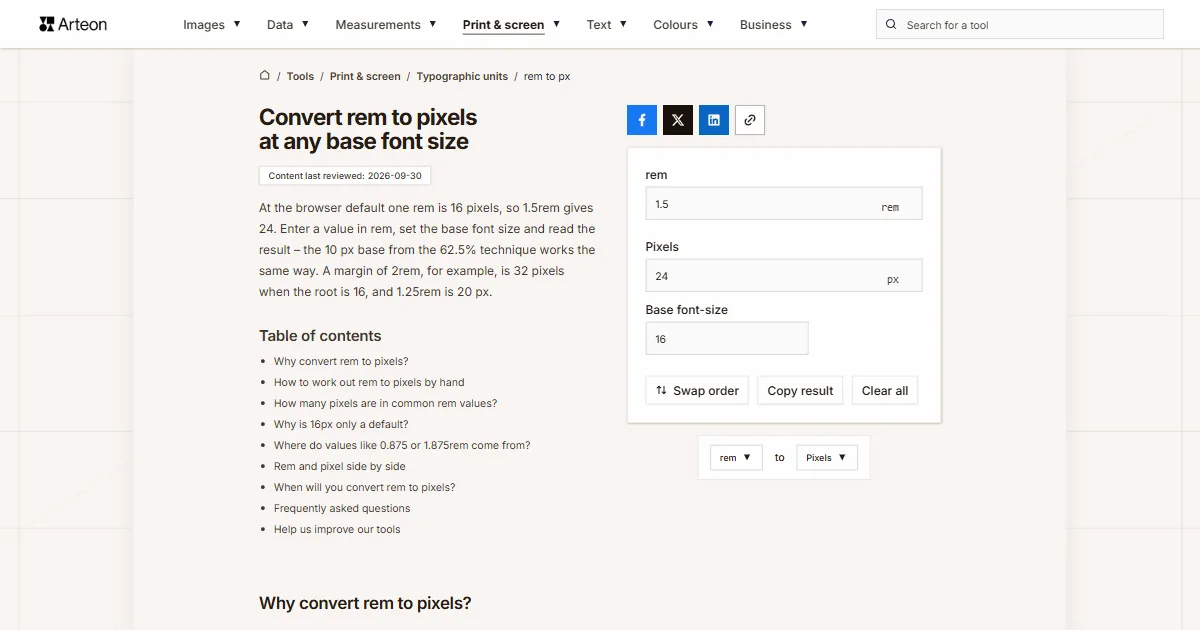
At the browser default one rem is 16 pixels, so 1.5rem gives 24. Enter a value in rem, set the base font size and read the result – the 10 px base from the 62.5% technique works the same way. A margin of 2rem, for example, is 32 pixels when the root is 16, and 1.25rem is 20 px.
Why convert rem to pixels?
Rem turns into pixels with a single multiplication: the value in rem times the base font size. At the browser default that base is 16px, so 1rem is 16 pixels and 1.5rem is 24. The unit refers to the text size of the html element, the root of the document – hence the name, root em[1].
The conversion helps when you work from a mock-up. The designer hands over pixel measurements, the stylesheet stores them in rem, and you want one number to check whether a 1.875rem heading really is the 30 pixels from the design.
The base does not have to be 16px. The 62.5% technique sets it to 10px, and a reader can raise it in their own browser settings, which is why the base font-size field accepts anything from 1 to 100.
Below you will find a table of 26 values at three bases, the full Tailwind CSS type scale, and an explanation of why 16 is only a default. The journey the other way is handled by the pixels to rem converter.
How to work out rem to pixels by hand
The formula holds one operation: pixels = rem × base font size. The base font size is the text size set on the html element, and if nobody has changed it the browser uses 16px.
Take a 1.25rem spacing value: at a 16px base it comes to 1.25 × 16 = 20 pixels. The same value at a 10px base gives 12.5 pixels, and for a reader who set 20px in their browser it grows to 25.
The 62.5% technique means writing html { font-size: 62.5% }, which yields a 10px base, because 62.5% of 16 is exactly 10. The arithmetic then happens in your head: 2.4rem is 24 pixels. One condition comes with it – body text needs a readable size back, for example 1.6rem, which gives 16 pixels, or the whole page ends up set in ten-pixel type.
The em unit works the same way but refers to the parent rather than the root of the document – that calculation is done by the em to pixels converter. Those same 16 pixels are 12 typographic points in typesetting, which the points to pixels converter handles.
How many pixels are in common rem values?
| Value in rem | 16px base (default) | 10px base (62.5%) | 20px base (enlarged text) |
|---|---|---|---|
| 0.25 rem | 4 px | 2.5 px | 5 px |
| 0.375 rem | 6 px | 3.75 px | 7.5 px |
| 0.5 rem | 8 px | 5 px | 10 px |
| 0.625 rem | 10 px | 6.25 px | 12.5 px |
| 0.75 rem | 12 px | 7.5 px | 15 px |
| 0.875 rem | 14 px | 8.75 px | 17.5 px |
| 1 rem | 16 px | 10 px | 20 px |
| 1.125 rem | 18 px | 11.25 px | 22.5 px |
| 1.25 rem | 20 px | 12.5 px | 25 px |
| 1.375 rem | 22 px | 13.75 px | 27.5 px |
| 1.5 rem | 24 px | 15 px | 30 px |
| 1.625 rem | 26 px | 16.25 px | 32.5 px |
| 1.75 rem | 28 px | 17.5 px | 35 px |
| 1.875 rem | 30 px | 18.75 px | 37.5 px |
| 2 rem | 32 px | 20 px | 40 px |
| 2.25 rem | 36 px | 22.5 px | 45 px |
| 2.5 rem | 40 px | 25 px | 50 px |
| 2.75 rem | 44 px | 27.5 px | 55 px |
| 3 rem | 48 px | 30 px | 60 px |
| 3.5 rem | 56 px | 35 px | 70 px |
| 3.75 rem | 60 px | 37.5 px | 75 px |
| 4 rem | 64 px | 40 px | 80 px |
| 4.5 rem | 72 px | 45 px | 90 px |
| 5 rem | 80 px | 50 px | 100 px |
| 6 rem | 96 px | 60 px | 120 px |
| 8 rem | 128 px | 80 px | 160 px |
Why is 16px only a default?
The figure 16 does not come from the CSS specification. It is the default text size a browser gives a document, and the reader can change it in their own settings. A reader with weaker eyesight can set 20 or 24px there and expects the page to follow.
That is the whole difference between rem and the pixel. An element written as font-size: 24px stays 24 pixels tall whatever the reader chose. The same element written as 1.5rem grows with the base: at 20px it gives 30 pixels, at 24px it gives 36.
Success criterion WCAG 1.4.4 requires text to be resizable up to 200% without loss of content or functionality[2]. A layout built on rem scales with the reader’s text-size setting across the entire interface at once.
Hence the practical split: put type sizes, spacing and column widths in rem, and keep the pixel where a measurement should stay fixed regardless of text – borders, shadows and hairlines.
Where do values like 0.875 or 1.875rem come from?
| Tailwind class | Value in rem | Pixels at a 16px base | Example use |
|---|---|---|---|
| text-xs | 0.75 rem | 12 px | Image caption, small label |
| text-sm | 0.875 rem | 14 px | Helper text, form field label |
| text-base | 1 rem | 16 px | Body copy, the reference value |
| text-lg | 1.125 rem | 18 px | Lead paragraph |
| text-xl | 1.25 rem | 20 px | Card heading |
| text-2xl | 1.5 rem | 24 px | Section heading |
| text-3xl | 1.875 rem | 30 px | Page subheading |
| text-4xl | 2.25 rem | 36 px | Page title |
| text-5xl | 3 rem | 48 px | Hero heading |
| text-6xl | 3.75 rem | 60 px | Large desktop heading |
| text-7xl | 4.5 rem | 72 px | Home page statement |
| text-8xl | 6 rem | 96 px | Decorative wordmark |
| text-9xl | 8 rem | 128 px | Figure in a statistics block |
Rem and pixel side by side
| Property | rem | px |
|---|---|---|
| Point of reference | Font size of the html element | None, an absolute value |
| Default value | 1rem = 16px | 1px = 1/96 inch |
| Response to reader settings | Scales along with them | Stays unchanged |
| Nested elements | No effect, always counts from the root | No effect |
| Typical use | Type sizes, spacing, widths | Borders, shadows, hairlines |
| In Tailwind CSS | The unit of the type and spacing scale | Any value in square brackets |
When will you convert rem to pixels?
Checking a mock-up
The design says a 30px heading, the code says 1.875rem. One multiplication tells you whether both numbers describe the same size.Reading someone else’s stylesheet
You open a project written in rem and want to know how large the spacing is. A 16px base turns 0.75rem into a familiar 12 pixels.An accessibility check
Set the base to 20px and see how much every element grows once a reader enlarges text in the browser.Working with the 62.5% technique
At a 10px base the values turn round: 2.4rem is 24 pixels. The converter takes that base exactly like the default one.
Convert other units to Pixels
Convert rem to other units
Sources
- CSS Values and Units Module Level 4 — W3C
- Understanding SC 1.4.4: Resize Text (WCAG 2.2) — W3C
- font-size – Typography — Tailwind CSS
Every figure in the tables was computed from the unit definitions and checked arithmetically before publication. Historical values and the names of local units come from the sources listed above.
Content last reviewed: · written and checked by the Arteon team
Frequently asked questions
How many pixels is 1rem?
At the browser default 1rem is 16 pixels. The value comes from the text size of the html element, so after setting html { font-size: 62.5% } that same 1rem gives 10 pixels, and for a reader with enlarged text it gives 20 or more. The opposite direction, from pixels to rem, is handled by the pixels to rem converter.
Is 1rem always 16px?
16px is the browser’s default text size, not a constant from the CSS specification. The reader changes it in their browser settings and the author changes it in the stylesheet. That is why the base font-size field accepts any value from 1 to 100px.
How many pixels is 1.5rem?
24 pixels at a 16px base, 15 pixels at a 10px base and 30 pixels at 20px. The value 1.5rem matches the text-2xl class in Tailwind CSS.
How many pixels is 1.25rem?
20 pixels at the default 16px base. That is the text-xl class in Tailwind CSS.
How many pixels is 0.875rem?
14 pixels at a 16px base. The value matches the text-sm class in Tailwind CSS.
How many pixels is 32rem?
512 pixels at a 16px base. A value of that size suits a column width or the maximum width of a container.
What is the 62.5% technique?
Writing html { font-size: 62.5% } sets the base to 10px, because 62.5% of 16 is exactly 10. The arithmetic then happens in your head: 2.4rem is 24 pixels. Body text needs a readable size back, for example 1.6rem, so the whole page does not end up in ten-pixel type. Going from pixels back to rem at that 10px base is handled by the pixels to rem converter.
What is the difference between rem and em?
Rem refers to the font size of the html element and gives the same result anywhere in the document, however deeply an element is nested. Em refers to the font size of the parent, so values compound as you nest. That is why rem suits type sizes: the result is predictable. Em values in pixels come from the em to pixels converter. To express a rem value in em, measured from a particular parent, use the rem to em converter.
Does Tailwind CSS use rem?
Yes. The default type scale is in rem: text-base is 1rem, text-2xl is 1.5rem and text-9xl is 8rem. The spacing scale works in the same unit, so changing the base font size shifts the whole layout at once.
When is a pixel the better choice than rem?
Wherever a measurement should stay fixed regardless of text size: borders, shadows, hairlines and individual graphic elements. Type sizes, spacing and column widths go in rem, so the layout answers the reader’s settings.
How does rem affect accessibility?
Success criterion WCAG 1.4.4 requires text to be resizable up to 200% without loss of content or functionality. A layout written in rem grows with the text size set in the browser, while values in pixels stay where they are.
What is 1 pixel in rem?
At a 16px base one pixel is 0.0625rem. The other way round, 12px is 0.75rem and 14px is 0.875rem. 20px is 1.25rem, and 24px is 1.5rem.
Help us improve our tools
Have an idea for a feature, found a bug, or want to suggest another tool? Write to us.