Free QR Code Generator Without Login or Registration
Enter a website address, vCard business card details, an email or a phone number, and the generator shows the QR code right away. Set the size, margin, colors and error correction level, then download a PNG or SVG file. Addresses without https:// and numbers with parentheses are fixed automatically.
For print, download the SVG file, which scales up without losing quality. Choose level Q or H when the code may get dirty or scratched.
Enter data to generate a QR code.
What is a QR code?
A QR code is a two-dimensional matrix barcode invented in 1994 at the Japanese company DENSO WAVE to label automobile parts[1]. The letters QR stand for quick response, because the code was designed for fast reading. According to DENSO WAVE, it could be read more than 10 times faster than other codes. After its release, the automotive industry used it in electronic kanban, a communication tool for production management[2].
A QR code is made of modules, the dark and light squares. There are 40 versions: version 1 has 21 × 21 modules, version 40 has 177 × 177, and each version adds 4 modules per side[3]. The generator picks the smallest version that fits your data. Since June 2000, the QR code has been defined by the international standard ISO/IEC 18004[4].
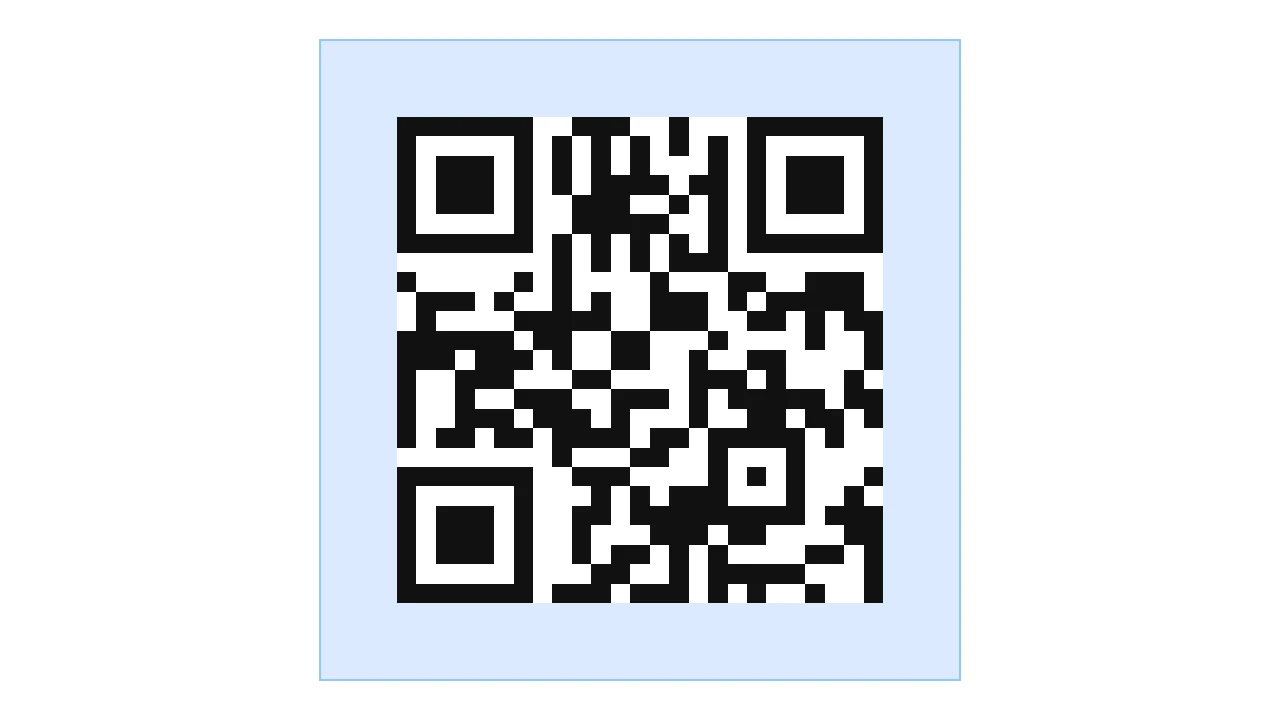
How do I make a QR code for free?
You can make a QR code in five steps. The preview updates on its own after every change to the data or settings.
- In the Data type field, choose URL address, Text, Business card (vCard), Email or Phone.
- Enter your data. A business card needs First name and Last name, and an email needs Email address. You can leave fields marked (optional) empty.
- In Size (px), choose an image width from 150 to 1000 px, and leave Margin (quiet zone) at 4.
- Set QR code color, Background color and Error correction level. By default, the code is black on a white background at level M.
- Click Download PNG or Download SVG. The buttons work once the preview shows a finished code.
The generator creates the code in your browser and does not send your data to a server. You do not need an account, and there is no limit on how many codes you make.
What does the generator save in the QR code?
| Data type | Example entry | Saved in the code |
|---|---|---|
| URL address | company.com/menu | https://company.com/menu |
| Text | Table 12, upstairs | Table 12, upstairs |
| Business card (vCard) | Emma Clark, Clark & Sons, Inc., +1 212 555 0123, hello@company.com, www.company.com | vCard 3.0 business card from BEGIN:VCARD to END:VCARD, full text in the next section |
| hello@company.com with the subject Table booking | mailto:hello@company.com?subject=Table%20booking | |
| Phone | +1 212 555 0123 | tel:+12125550123 |
How do I make a QR code with a vCard business card?
A business card code holds contact details in vCard 3.0, the electronic business card format described in RFC 2426. The generator requires First name and Last name because it builds the N and FN fields from them, and both fields are mandatory in every vCard 3.0[5]. Fields marked (optional) go into the code only when you fill them in. This is the text of the sample business card:
BEGIN:VCARD
VERSION:3.0
N:Clark;Emma;;;
FN:Emma Clark
ORG:Clark & Sons\, Inc.
TEL:+12125550123
EMAIL:hello@company.com
URL:https://www.company.com
END:VCARD
The generator keeps only the plus sign and digits from the phone number and adds https:// to the website. Every filled field makes the text longer, and more data needs more modules[3]. On a small business card, enter only the details the recipient will use. You can enter the same contact details in the email signature generator, which turns the phone number and website into clickable links.
How do I make a QR code for a website, email or phone number?
Website
Enter the address in the URL address field. If the address has no https://, the generator adds it, and it replaces spaces with %20. An email address typed into this field is saved as a mailto: link to a new message, and a phone number as a tel: link to a call.
The Email type requires the Email address field. The generator adds Subject (optional) and Body (optional) to the mailto: link, so the new message gets the subject and text you entered[6]. Separate several addresses with commas, and the generator removes the spaces between them.
Phone
In the Phone field, enter the number with the country code, for example +1 212 555 0123. Only the plus sign and digits stay in the code. A tel: link cannot contain spaces, and parentheses and hyphens only make the number easier to read and are not dialed[7]. An extension typed after the word ext. does not go into the code. If the entry contains no number, the preview shows the message: Enter the phone number in digits, ideally with the country code.
What can you type into the QR generator fields?
| What you type | Field | Saved in the code | What the generator changes |
|---|---|---|---|
| company.com/menu | URL address | https://company.com/menu | Adds https:// to the start of the address. |
| company.com/menu lunch.pdf | URL address | https://company.com/menu%20lunch.pdf | Replaces the space with %20. |
| hello@company.com | URL address | mailto:hello@company.com | Saves the email address as a link to a new message. |
| +1 212 555 0123 | URL address | tel:+12125550123 | Saves the number as a link to a call. |
| café-menu.com/lunch | URL address | https://xn--caf-menu-d1a.com/lunch | Saves the domain in Punycode, the xn-- form. |
| wa.me/+44 7700 900000 | URL address | https://wa.me/447700900000 | Removes the plus sign and spaces from the WhatsApp number. |
| +1 (212) 555-0123 ext. 21 | Phone | tel:+12125550123 | Removes spaces, parentheses, hyphens and the extension. |
| (212) 555-0123 | Phone | tel:2125550123 | Saves the number without +1. Add +1 if people calling from abroad may scan the code. |
| +44 (0)20 7946 0000 | Phone | tel:+442079460000 | Removes the (0) from the international number. |
| Clark & Sons, Inc. | Company (optional) | ORG:Clark & Sons\, Inc. | Puts a backslash before the comma. |
| www.company.com | Website (optional) | URL:https://www.company.com | Adds https:// to the start of the address. |
| john@company.com, anna@company.com | Email address | mailto:john@company.com,anna@company.com | Removes the space after the comma. |
| Hello, (new line) please book a table for Friday. | Body (optional) | mailto:hello@company.com?body=Hello%2C%0D%0Aplease%20book%20a%20table%20for%20Friday. | Saves the new line as %0D%0A and each space as %20. |
How many characters fit in a QR code?
| Error correction level | Lowercase letters a to z | Accented letters such as é or ñ | Digits only |
|---|---|---|---|
| L - Low (7%) | 2953 | 1476 | 7089 |
| M - Medium (15%) | 2331 | 1165 | 5596 |
| Q - High (25%) | 1663 | 831 | 3993 |
| H - Maximum (30%) | 1273 | 636 | 3057 |
How does address length change the size of a QR code?
| Address saved in the code | Characters | L | M | Q | H |
|---|---|---|---|---|---|
| https://company.com | 19 | 25 × 25 | 25 × 25 | 25 × 25 | 29 × 29 |
| https://www.company.com/menu | 28 | 25 × 25 | 29 × 29 | 29 × 29 | 33 × 33 |
| https://www.company.com/services/qr-code-business-cards | 55 | 33 × 33 | 33 × 33 | 37 × 37 | 41 × 41 |
| https://www.company.com/offers/summer-2026?utm_source=flyer&utm_medium=print&utm_campaign=holidays | 98 | 37 × 37 | 41 × 41 | 49 × 49 | 53 × 53 |
What QR code size should I choose for print?
| Size (px) | Print width at 300 DPI | Width of one module |
|---|---|---|
| 150 px | 1.27 cm (0.50 in) | 0.38 mm |
| 200 px | 1.69 cm (0.67 in) | 0.51 mm |
| 300 px | 2.54 cm (1.00 in) | 0.77 mm |
| 400 px | 3.39 cm (1.33 in) | 1.03 mm |
| 500 px | 4.23 cm (1.67 in) | 1.28 mm |
| 600 px | 5.08 cm (2.00 in) | 1.54 mm |
| 800 px | 6.77 cm (2.67 in) | 2.05 mm |
| 1000 px | 8.47 cm (3.33 in) | 2.57 mm |
How do I prepare a QR code for print?
For print, download the SVG file. It is a vector graphic, so the print shop can enlarge the code to poster size without blurred module edges. A PNG file is fine for a website, and for a document you will print, pick a size from the table above.
Leave the margin empty. A QR code needs a clear area four modules wide on every side, with nothing printed on it[13]. The generator sets this margin by default in Margin (quiet zone). Choose a smaller margin only when the design already leaves empty space around the code in the code’s background color.
Choose a dark code on a light background. DENSO WAVE recommends printing the code in black on white. QR code scanners use red light, so they cannot read a red code on a white background or a blue code on a green one[12]. Pick a color in the swatch or type it in the field next to it, including a HEX code without #. If the entry cannot be read as a color, the preview shows the message: We could not recognize the color. Enter a HEX code such as #1a1a1a, a CSS color name or an rgb() value. When the contrast between the colors drops below 3:1, the generator shows the warning: Contrast between colors is too low. The QR code may be difficult to scan. You can check the exact contrast of any color pair in the color contrast checker.
Error correction level sets how much of the data the code can restore after dirt or damage: about 7% at level L, 15% at M, 25% at Q and 30% at H. According to DENSO WAVE, level Q or H is used where the code gets dirty, such as in a factory, and level L in a clean environment with a large amount of data. Level M is the one most frequently selected[11], and the generator sets it by default.
How do I scan a QR code with a phone?
On iPhone and Pixel phones, the built-in camera reads the code without an extra app.
iPhone and iPad
- Open the Camera app from the Home Screen, Lock Screen or Control Center.
- Hold your device so that the QR code appears, then tap the link to open the content[14].
You can also open the scanner in Control Center with the Scan Code button. If it is not there, touch and hold the background of the screen, tap Add a Control and choose Scan Code[14].
Pixel phone with Android
- Open the Camera app and point it at the code so that the entire code shows on the screen. You do not need to take a picture.
- Wait a moment until the camera shows a bubble or link, then tap it[15].
If the camera does not recognize the code, check in its settings that Camera scan suggestions is turned on. You can also find the scanner in Quick Settings under the Scan QR code button. If the code still does not scan, Google suggests holding the phone steady, scanning in good light without shadows or glare, cleaning the lens and moving closer while keeping the entire square clearly on the screen[15]. On phones from other manufacturers, the option names may differ.
Sources
- QR code — Wikipedia
- History of QR Code — DENSO WAVE
- Information capacity and versions of the QR Code — DENSO WAVE
- QR Code Standardization — DENSO WAVE
- RFC 2426: vCard MIME Directory Profile — IETF
- RFC 6068: The 'mailto' URI Scheme — IETF
- RFC 3966: The tel URI for Telephone Numbers — IETF
- URIResultParser.java — ZXing (GitHub)
- How to use click to chat — WhatsApp Help Center
- RFC 3629: UTF-8, a transformation format of ISO 10646 — IETF
- Error Correction Feature — DENSO WAVE
- FAQ — DENSO WAVE
- Point for determining the code area — DENSO WAVE
- Scan a QR code with your iPhone or iPad — Apple
- Scan QR codes with your Pixel phone — Google
Every figure in the tables was computed from the unit definitions and checked arithmetically before publication. Historical values and the names of local units come from the sources listed above.
Content last reviewed: · written and checked by the Arteon team
Questions about the QR code generator
Does a QR code from the generator expire?
No. The generator saves the address, contact or text directly in the code pattern, with no redirect link in between. The code works for as long as the address in it works, and there is no scan limit.
How do I change the link in a printed QR code?
You cannot change the saved address, because it is part of the module pattern. A new address needs a new code and a new print. If the content will change, for example a menu or price list, save a permanent page address on your own domain in the code and update that page or set up a redirect on it.
How do I make a QR code for a menu or PDF file?
Upload the PDF to your website or to cloud storage with a public link, copy its address and paste it into the URL address field. The generator saves spaces in the file name as %20, but a short name such as menu.pdf gives a code with fewer modules. You can combine menu photos saved as JPG into one PDF file in the JPG to PDF converter, and photos in HEIC format in the HEIC to PDF converter.
Do you have to pay to use QR codes?
No. DENSO WAVE, the creator of the QR code, made its specification available and requires no application or fee, including for commercial use[12].

Help us improve our tools
Missing a data type you need, or does a code from the generator not scan on your phone? Write to us with the entry and settings, and we will check it in the generator.
Explore other useful tools


Meta title & description checker
Check title and description length in pixels. Live Google preview and optimization tips.

PNG to JPG
Convert PNG files to JPG in your browser. No file limits, no signup, no server uploads.

Favicon generator
Create a complete favicon.ico set for your website from one image. All required sizes, no login.

Color palette generator
Generate 17 palettes from one color: monochromatic, complementary, triadic and more. HEX codes.

WebP to JPG
Convert WebP files to universally compatible JPG. Works in every app and platform.

Color contrast checker
Check text and background contrast per WCAG 2.1 AA and AAA. Automatic color correction.
Free QR code generator
Create a QR code for a website, vCard business card or print. Export PNG and SVG, no registration.

Word & character counter
Count words, characters with and without spaces, sentences, paragraphs and the average sentence length.

Lorem Ipsum Generator
Free Lorem Ipsum generator — 8 text styles, paragraphs, sentences or words. Copy in one click.