Typographic Unit Converter – Check All 18 Units
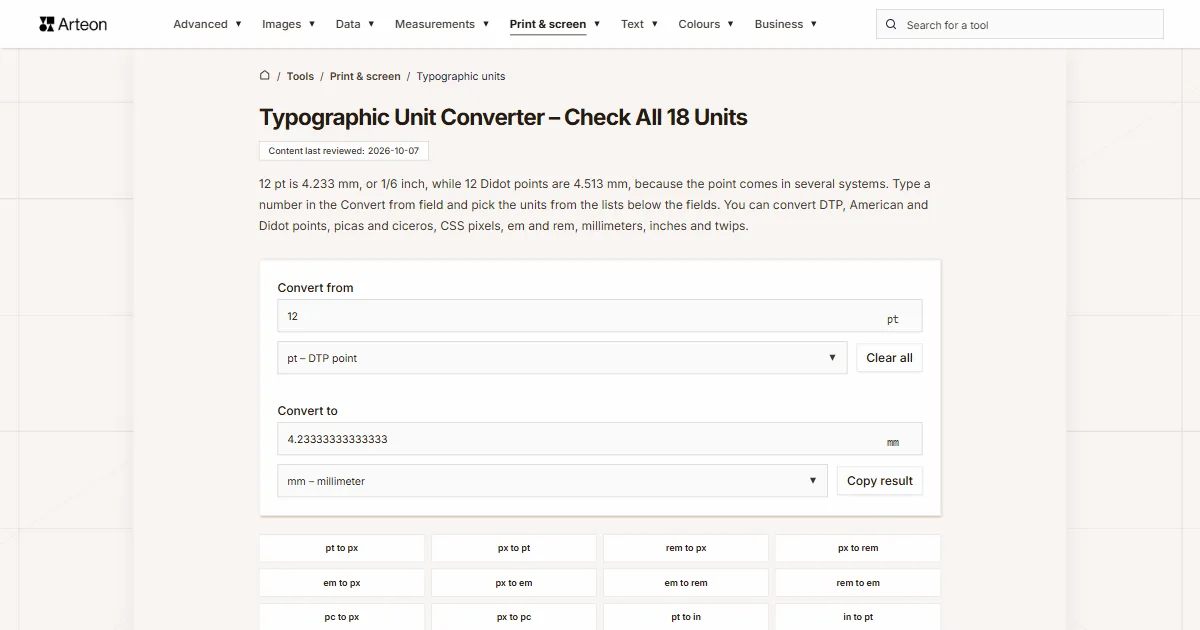
12 pt is 4.233 mm, or 1/6 inch, while 12 Didot points are 4.513 mm, because the point comes in several systems. Type a number in the Convert from field and pick the units from the lists below the fields. You can convert DTP, American and Didot points, picas and ciceros, CSS pixels, em and rem, millimeters, inches and twips.
How do I convert points to millimeters and inches?
Type a number in the Convert from field and pick its unit from the list below it, then pick the unit you want below the Convert to field. The converter starts with DTP points and millimeters. The result appears as you type and works both ways: type a number in the Convert to field and the converter fills in the first one.
Em and rem have no fixed size, so picking em brings up a Parent font-size field below the fields, and picking rem brings up a Base font-size field. Both start at 16 px, the usual default font size in browsers[1]. With any other unit, these fields stay hidden.
You can also type the unit with the number, such as “12 pt”, “3 pc” or “1.5em” pasted from a stylesheet, and the converter picks that unit for the field. Typing just “12 points” sets the DTP point and tells you there is more than one kind of point. The Copy result button copies the number from the Convert to field, and Clear all empties both fields.
How many millimeters is a point?
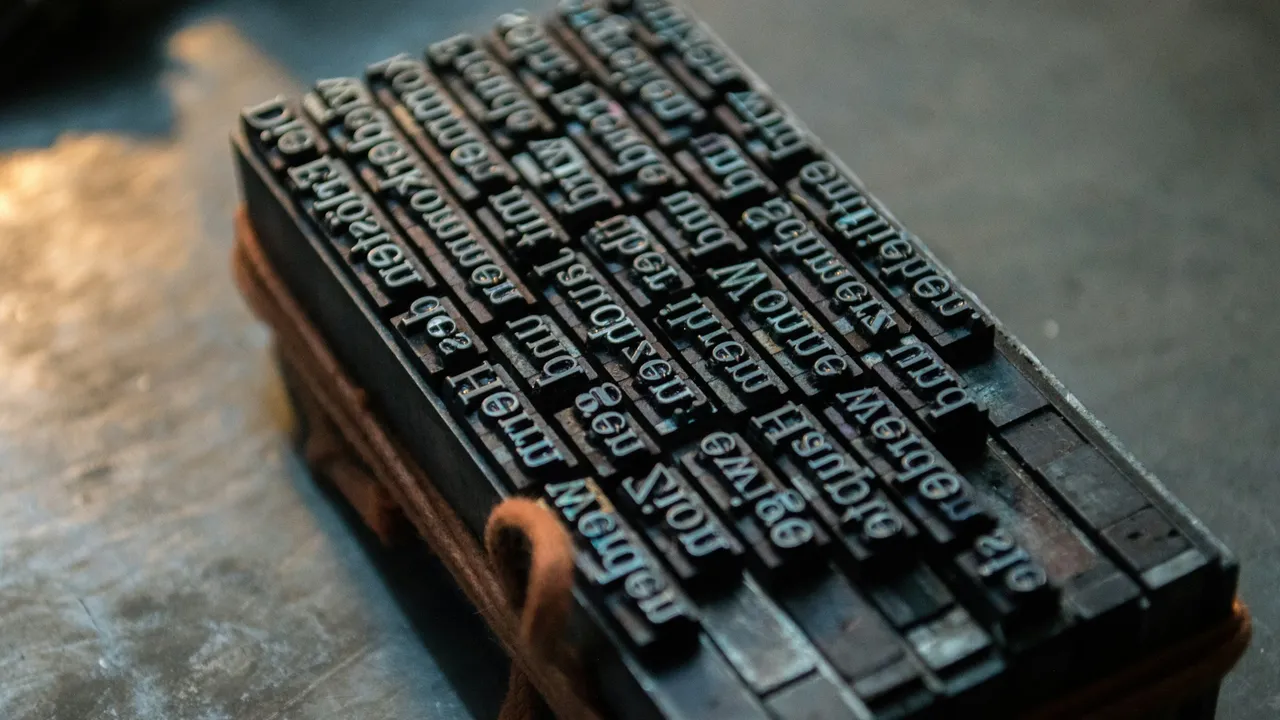
The point you use in Word, desktop publishing and CSS is exactly 1/72 inch[2], so one point is about 0.3528 mm. Word converts inches to points at the same 72 points per inch[3].
Before computers, printers in the United States worked with the American point system adopted by the type founders in 1886, which TeX still uses: 72.27 points to the inch[4], or about 0.3515 mm. Continental Europe used the larger Didot point, which the German standard DIN 16507 puts at 0.376065 mm[5]. The converter keeps each of these points, and two more Didot definitions, as separate units.
How big is a point in each system?
| Point | In millimeters | In DTP points | Points per inch |
|---|---|---|---|
| DTP point (pt) | 0.352778 | 1 | 72 |
| American point | 0.35146 | 0.996264 | 72.27 |
| Didot point (dd) | 0.376065 | 1.06601 | 67.5415 |
| Berthold point | 0.37594 | 1.06566 | 67.564 |
| new Didot point (nd) | 0.375 | 1.06299 | 67.7333 |
How big is a 12 pt font in millimeters and inches?
| Font size | In inches | In millimeters | In CSS pixels |
|---|---|---|---|
| 6 pt | 0.08333 | 2.117 | 8 |
| 8 pt | 0.1111 | 2.822 | 10.67 |
| 9 pt | 0.125 | 3.175 | 12 |
| 10 pt | 0.1389 | 3.528 | 13.33 |
| 11 pt | 0.1528 | 3.881 | 14.67 |
| 12 pt | 0.1667 | 4.233 | 16 |
| 14 pt | 0.1944 | 4.939 | 18.67 |
| 16 pt | 0.2222 | 5.644 | 21.33 |
| 18 pt | 0.25 | 6.35 | 24 |
| 24 pt | 0.3333 | 8.467 | 32 |
| 36 pt | 0.5 | 12.7 | 48 |
| 48 pt | 0.6667 | 16.93 | 64 |
| 72 pt | 1 | 25.4 | 96 |
What were the old names of type sizes?
| Name | American points | In millimeters | In DTP points |
|---|---|---|---|
| Brilliant | 4 | 1.406 | 3.985 |
| Pearl | 5 | 1.757 | 4.981 |
| Agate (US), Ruby (UK) | 5.5 | 1.933 | 5.479 |
| Nonpareil | 6 | 2.109 | 5.978 |
| Minion | 7 | 2.46 | 6.974 |
| Brevier | 8 | 2.812 | 7.97 |
| Bourgeois | 9 | 3.163 | 8.966 |
| Long Primer | 10 | 3.515 | 9.963 |
| Small Pica | 11 | 3.866 | 10.96 |
| Pica | 12 | 4.218 | 11.96 |
| English | 14 | 4.92 | 13.95 |
| Great Primer | 18 | 6.326 | 17.93 |
| Paragon | 20 | 7.029 | 19.93 |
| Double Pica | 24 | 8.435 | 23.91 |
| Double English | 28 | 9.841 | 27.9 |
| Double Great Primer | 36 | 12.65 | 35.87 |
Is a TeX point the same as a PostScript point?
No. In TeX and LaTeX, pt is the American point (72.27 per inch), while the 1/72 inch point of PostScript and Word is called bp, for “big point”[4]. A 12 pt font in LaTeX is 4.218 mm, and 12 pt in Word is 4.233 mm, a difference of about 0.4%.
TeX has units for the Didot system too: dd is the Didot point and cc the cicero, 12 dd. Knuth defines the Didot point by the ratio 1157 dd = 1238 pt[4], which gives 0.3760650 mm, the DIN value to seven digits. TeX also has the scaled point, sp: 65,536 sp make one TeX point.
How many pixels is 1 em or 1 rem?
In CSS, em is the font-size of the element it is used on, and rem is the em of the root element, html[2]. When nobody changes the font size, a browser usually uses 16 px, so 1 em and 1 rem are both 16 px[1], or 12 pt.
In the font-size property itself, em is based on the parent: with a 20 px parent, 1.5em is 30 px, while rem still follows the html element. The Parent font-size field takes 1 to 200 px and Base font-size takes 1 to 100 px, the same as on the em to px and rem to px pages.
A CSS pixel is always 1/96 inch, which is 0.75 pt[2]. For screen pixels at any DPI, use the pixels and DPI converter.
How many pixels and points are common rem values?
| Value | Pixels at 16 px | DTP points at 16 px | Pixels at 10 px |
|---|---|---|---|
| 0.75 rem | 12 | 9 | 7.5 |
| 0.875 rem | 14 | 10.5 | 8.75 |
| 1 rem | 16 | 12 | 10 |
| 1.25 rem | 20 | 15 | 12.5 |
| 1.5 rem | 24 | 18 | 15 |
| 2 rem | 32 | 24 | 20 |
| 3 rem | 48 | 36 | 30 |
What are the new Didot point, the quarter-millimeter and the twip?
The new Didot point (nd) is exactly 0.375 mm and the new cicero (nc) 12 nd, or 4.5 mm. ISO proposed this metric point in 1975, and pdfTeX has supported it since version 1.30.0[8].
Japanese and German standards chose a 1/4 mm module instead of a point[5]. CSS has it as the quarter-millimeter (Q), a fortieth of a centimeter[2], so a 16 Q font is 4 mm.
A twip is a twentieth of a DTP point, so an inch has 1,440 twips. The old Word format (.doc) stores margins and page sizes in twips[9], and in the XML of .docx files the same twentieth of a point is called dxa[10].
Which units does this converter know?
| Unit | In inches | In DTP points | Group on the list |
|---|---|---|---|
| DTP point (pt) | 0.0138889 | 1 | Most used |
| DTP pica (pc) | 0.166667 | 12 | Most used |
| CSS pixel (px) | 0.0104167 | 0.75 | Most used |
| em | 0.166667 | 12 | Most used |
| rem | 0.166667 | 12 | Most used |
| quarter-millimeter (Q) | 0.00984252 | 0.708661 | CSS |
| millimeter (mm) | 0.0393701 | 2.83465 | Most used |
| centimeter (cm) | 0.393701 | 28.3465 | Metric (SI) |
| inch (in) | 1 | 72 | Imperial and US customary |
| American point | 0.013837 | 0.996264 | American system (TeX) |
| American pica | 0.166044 | 11.9552 | American system (TeX) |
| Didot point (dd) | 0.0148057 | 1.06601 | Didot system |
| cicero (cc) | 0.177669 | 12.7921 | Didot system |
| Berthold point | 0.0148008 | 1.06566 | Didot system |
| Berthold cicero | 0.177609 | 12.7879 | Didot system |
| new Didot point (nd) | 0.0147638 | 1.06299 | Didot system |
| new cicero (nc) | 0.177165 | 12.7559 | Didot system |
| twip | 0.000694444 | 0.05 | Office file units |
What can you type in the Convert from field?
| What you type | Unit below the Convert from field | Result in the Convert to field | How we read it |
|---|---|---|---|
| 12 | DTP point (pt) | 4.23333333333333 mm | A number without a unit counts in the unit set below the field, here DTP points. |
| 10.5 | DTP point (pt) | 3.70416666666667 mm | The point is the decimal separator, so this is ten and a half points, like size 10.5 in Word. |
| 1,500 | DTP point (pt) | 529.166666666667 mm | A comma followed by three digits separates thousands, so the field holds fifteen hundred points. A line below the field says “Read as 1500. If you meant 1.5, type 1.5.” |
| 12 pt | DTP point (pt) | 4.23333333333333 mm | The pt symbol sets the DTP point, the point of Word and CSS. |
| 3 pc | DTP pica (pc) | 12.7 mm | The pc symbol sets the DTP pica. |
| 2 cc | cicero (cc) | 9.02556 mm | The TeX abbreviation cc sets the cicero. |
| 1.5em | em | 6.35 mm | A value pasted from a stylesheet sets em and counts with a 16 px parent font. |
| 72 bp | DTP point (pt) | 25.4 mm | The TeX big point is the DTP point, so 72 bp make an inch. |
| 1440 dxa | twip | 25.4 mm | The dxa unit from Word’s XML counts in twips. |
Sources
- font-size — MDN Web Docs
- CSS Values and Units Module Level 4, §6.1.1 and §6.2 — W3C
- Application.InchesToPoints method (Word) — Microsoft Learn
- The TeXbook, chapter 10 “Dimensions” — D. E. Knuth, CTAN
- Point (typography) — Wikipedia
- Change the font size — Microsoft Support
- Traditional point-size names — Wikipedia
- The pdfTeX user manual, appendix B — Hàn Thế Thành et al., CTAN
- [MS-DOC]: Example of a section — Microsoft Learn
- TableWidthUnitValues Enum (DocumentFormat.OpenXml.Wordprocessing) — Microsoft Learn
Every figure in the tables was computed from the unit definitions and checked arithmetically before publication. Historical values and the names of local units come from the sources listed above.
Content last reviewed: · written and checked by the Arteon team
Frequently asked questions about typographic units
What font size is one inch?
A point size of one inch is exactly 72 pt, and of one centimeter about 28.35 pt, which you enter in Word as 28.5.
Have a question or suggestion?
If a unit is missing or a result looks different from what your program shows, write to us. It helps most if you tell us the program and the values you see in it.