Convert inches to points
1 in is 72 pt in Word, InDesign and PDF files, 72.27 pt in TeX and 67.54 Didot points. Type a length in inches, as a decimal or a fraction such as 3/4, and the converter shows it in points as you type. Choose the kind of point with the Point type selector under the fields.
Why does an inch have exactly 72 points?
The point used by Word, desktop publishing programs and CSS was defined as 1/72 of an inch, which makes it 0.3528 mm[1]. The inch itself is 25.4 mm, and the inches to mm converter takes it into metric. The PDF format uses the same grid: its default unit for positions and page sizes is 1/72 inch[2].
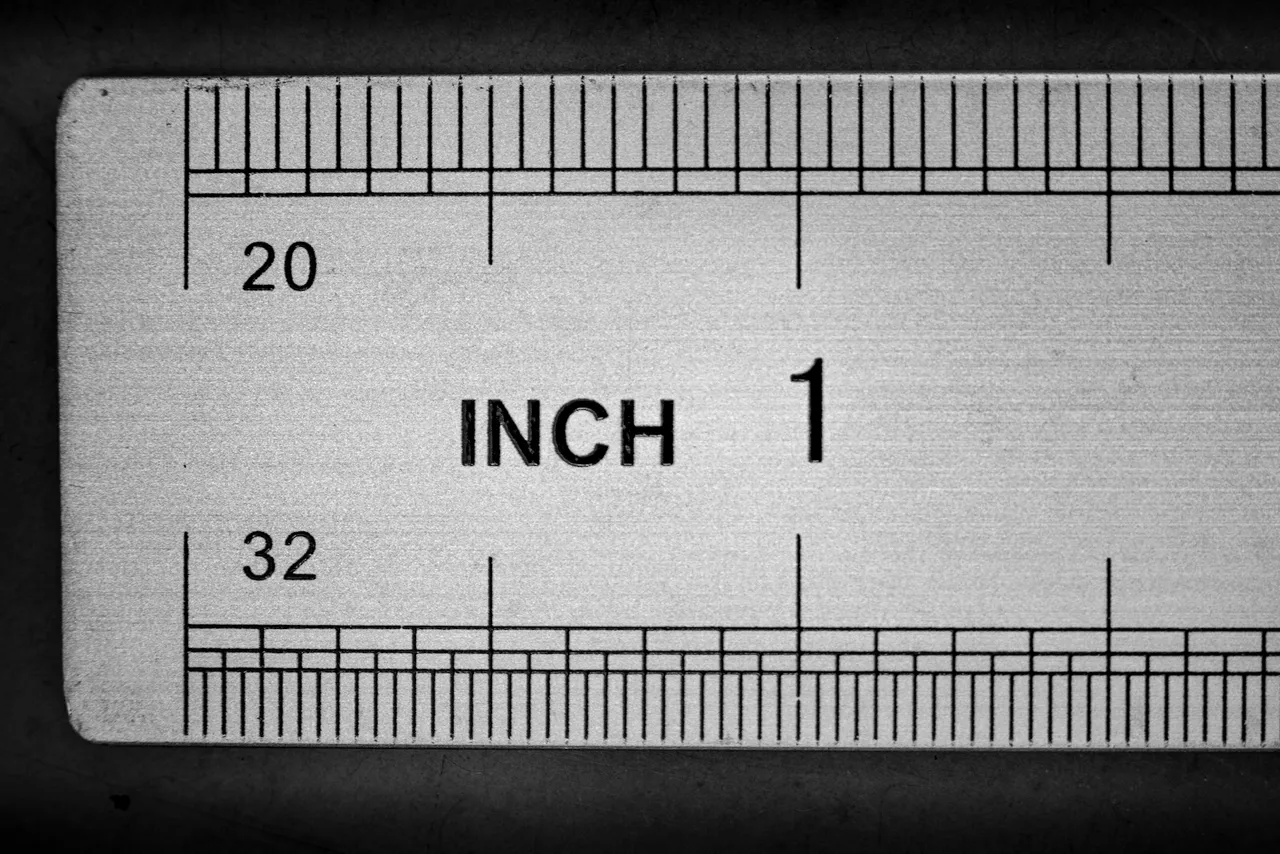
The number 72 divides evenly into halves, thirds, quarters, sixths, eighths and twelfths, so a quarter inch is 18 pt, a third 24 pt and an eighth 9 pt. The finer marks on an inch ruler give fractions of a point: 1/16 in is 4.5 pt and 1/32 in is 2.25 pt.
Twelve points make a pica, so an inch is also 6 picas, and the pica to px converter takes that unit on to the screen. For pixels at any DPI use the inches to px converter.
How do you convert inches to points? Formula and example
Multiply the inches by 72: pt = in × 72. A margin of 0.75 in is 0.75 × 72 = 54 pt, and a Letter page 8.5 in wide is 612 pt.
Word does the same multiplication internally. Its documentation shows paragraph spacing set with InchesToPoints(0.25), which gives 18 pt, and states 1 inch = 72 points[3].
With a TeX point in the selector the factor is 72.27, and with a Didot point it is 67.54, because the Didot point is longer. For the reverse direction, from a font size in points to inches, use the pt to inches converter.
How many points are in a given number of inches?
| Inches | Decimal | PostScript (DTP) | Printer's (TeX) | Didot |
|---|---|---|---|---|
| 1/32 in | 0.0313 in | 2.25 pt | 2.26 pt | 2.11 pt |
| 1/16 in | 0.0625 in | 4.5 pt | 4.52 pt | 4.22 pt |
| 1/10 in | 0.1 in | 7.2 pt | 7.23 pt | 6.75 pt |
| 1/8 in | 0.125 in | 9 pt | 9.03 pt | 8.44 pt |
| 1/4 in | 0.25 in | 18 pt | 18.07 pt | 16.89 pt |
| 1/3 in | 0.3333 in | 24 pt | 24.09 pt | 22.51 pt |
| 3/8 in | 0.375 in | 27 pt | 27.1 pt | 25.33 pt |
| 1/2 in | 0.5 in | 36 pt | 36.14 pt | 33.77 pt |
| 5/8 in | 0.625 in | 45 pt | 45.17 pt | 42.21 pt |
| 3/4 in | 0.75 in | 54 pt | 54.2 pt | 50.66 pt |
| 1 in | 1 in | 72 pt | 72.27 pt | 67.54 pt |
| 1 1/4 in | 1.25 in | 90 pt | 90.34 pt | 84.43 pt |
| 1 1/2 in | 1.5 in | 108 pt | 108.41 pt | 101.31 pt |
| 2 in | 2 in | 144 pt | 144.54 pt | 135.08 pt |
| 2 1/2 in | 2.5 in | 180 pt | 180.68 pt | 168.85 pt |
| 3 in | 3 in | 216 pt | 216.81 pt | 202.62 pt |
| 4 in | 4 in | 288 pt | 289.08 pt | 270.17 pt |
| 5 in | 5 in | 360 pt | 361.35 pt | 337.71 pt |
| 6 in | 6 in | 432 pt | 433.62 pt | 405.25 pt |
| 8 in | 8 in | 576 pt | 578.16 pt | 540.33 pt |
| 8 1/2 in | 8.5 in | 612 pt | 614.3 pt | 574.1 pt |
| 9 in | 9 in | 648 pt | 650.43 pt | 607.87 pt |
| 10 in | 10 in | 720 pt | 722.7 pt | 675.42 pt |
| 11 in | 11 in | 792 pt | 794.97 pt | 742.96 pt |
| 12 in | 12 in | 864 pt | 867.24 pt | 810.5 pt |
| 17 in | 17 in | 1,224 pt | 1,228.59 pt | 1,148.21 pt |
How many points are a book's trim size, margins and bleed?
| Value from KDP | Inches | Points |
|---|---|---|
| Trim size 5 × 8 | 5 × 8 in | 360 × 576 pt |
| Trim size 5.5 × 8.5 | 5.5 × 8.5 in | 396 × 612 pt |
| Trim size 6 × 9 | 6 × 9 in | 432 × 648 pt |
| 6 × 9 page with bleed | 6.125 × 9.25 in | 441 × 666 pt |
| Bleed | 0.125 in | 9 pt |
| Outside margin without bleed | 0.25 in | 18 pt |
| Outside margin with bleed | 0.375 in | 27 pt |
| Inside margin, 151 to 300 pages | 0.5 in | 36 pt |
| Inside margin, 301 to 500 pages | 0.625 in | 45 pt |
| Inside margin, 501 to 700 pages | 0.75 in | 54 pt |
Which entries does this converter accept?
| What you type | What the converter shows | Note |
|---|---|---|
| 1 | 72 pt | A plain number is read as inches, the unit of the field. |
| 0.5 | 36 pt | A decimal point marks the fraction of an inch. |
| 0,5 | 36 pt | A comma before a single digit is read as a decimal comma, the way European files write it. |
| 1" | 72 pt | The inch mark is dropped, because the field already counts in inches. |
| 1 in | 72 pt | The abbreviation is dropped in the same way. |
| 1/8 | 9 pt | A fraction from a ruler is calculated as a division. |
| 3/4 | 54 pt | Any fraction works, not only eighths and sixteenths. |
| 8 1/2 | 612 pt | A whole number followed by a fraction is read as a mixed number, here the width of a Letter page. |
| 8-1/2 | 612 pt | The hyphen between the whole number and the fraction, the way page sizes are often written in the US, reads like a space, so this is 8.5 inches. |
| 8½" | 612 pt | The ½ character and the inch mark together give the same 8.5 inches. |
| 6.125 | 441 pt | Three decimal places stay as they are, which matters for page sizes with bleed. A note under the field shows the other possible reading, 6125. |
| 25.4 mm | 72 pt | Millimetres become inches first, so 25.4 mm turns into 1 in, and a note under the field tells you so. |
| 2.54 cm | 72 pt | Centimetres are converted in the same way. |
| 96px | 72 pt | Pixels become inches at the CSS ratio of 96 px to the inch. |
| 6 pc | 72 pt | Picas become inches at 6 picas to the inch. |
Which point should you choose in the selector?
The Point type selector under the fields decides which point the result is in. PostScript (DTP) is the default and matches Word, InDesign, PDF files and CSS.
Printer's (TeX) gives 72.27 pt to the inch, the value TeX and LaTeX use for their unit pt[1]. Choose it when you set a length such as \textwidth in a LaTeX document: 6.5 in is 469.76 pt there, against 468 pt in the default setting.
Didot is the traditional continental European point of 0.376065 mm, which gives 67.54 points to the inch[1]. You need it only when a European printer or an old specification quotes sizes in Didot points or ciceros.
Convert other units to Points
Convert Inches to other units
Sources
- Point (typography) — Wikipedia
- Document management – Portable document format – Part 1: PDF 1.7 (ISO 32000-1:2008) — Adobe
- Application.InchesToPoints method (Word) — Microsoft Learn
- Set Trim Size, Bleed, and Margins — Kindle Direct Publishing
- CONVERT function — Microsoft Support
Every figure in the tables was computed from the unit definitions and checked arithmetically before publication. Historical values and the names of local units come from the sources listed above.
Content last reviewed: · written and checked by the Arteon team
Frequently asked questions about inches and points
How do I convert inches to points in Excel?
Multiply by 72 with =A2*72, or use =CONVERT(A2,"in","Picapt"). In the CONVERT function the point is "Picapt" or "Pica", while "pt" stands for a U.S. pint[5], so "pt" returns a wrong result without an error.
What does 1p6 mean in a layout program?
It is one pica and six points, a notation desktop programs use for lengths in picas[1]. A pica has 12 points, so 1p6 is 18 pt, which is a quarter of an inch.
Is a 1-inch margin the same in Word and in a PDF?
Yes. Both count 72 points to the inch, so a 1 in margin is 72 pt in the document and in the PDF made from it. Differences appear only when a file passes through TeX, where 1 in is 72.27 of its own points.
Help us improve our tools
Write to us if a page size, margin or fraction you need is missing from the tables, or if the field should accept another way of writing inches. We read every message.