Convert RGB values to HSL
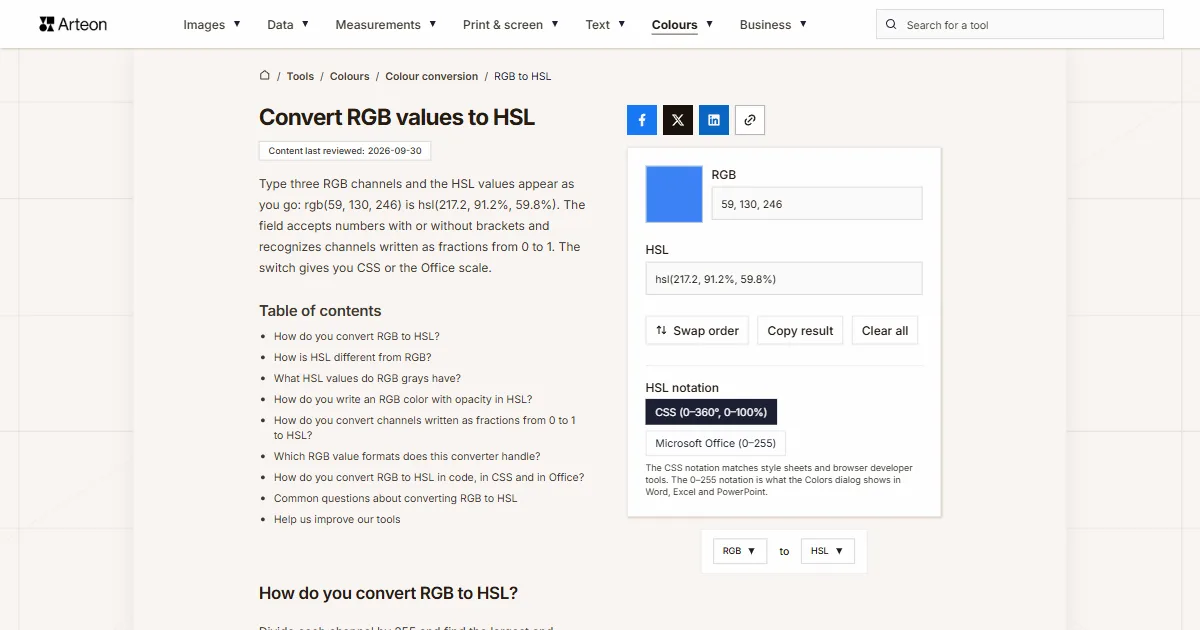
Type three RGB channels and the HSL values appear as you go: rgb(59, 130, 246) is hsl(217.2, 91.2%, 59.8%). The field accepts numbers with or without brackets and recognizes channels written as fractions from 0 to 1. The switch gives you CSS or the Office scale.
How do you convert RGB to HSL?
Divide each channel by 255 and find the largest and smallest of them. The lightness is the average of those two values. The saturation comes from the difference between them, and the hue from which channel is the strongest[1].
Formula: Δ = max − min, L = (max + min) ÷ 2, S = Δ ÷ (1 − |2L − 1|), and when red is the strongest channel, H = 60° × ((G − B) ÷ Δ).
Take rgb(239, 68, 68). Divided by 255, red has 0.937, and green and blue have 0.267 each. The average of 0.937 and 0.267 is 0.602, so the lightness is 60.2%. Their difference, 0.671, gives a saturation of 84.2%.
Green and blue are equal here, so the hue is exactly 0°. The whole color is hsl(0, 84.2%, 60.2%). When green is the strongest channel, the hue is counted from 120°, which is why rgb(34, 197, 94) gives hsl(142.1, 70.6%, 45.3%).
For HEX codes of these colors use the RGB to HEX converter, and to start from a code use the HEX to HSL converter.
How is HSL different from RGB?
RGB describes a color by the amounts of red, green and blue light a screen combines into a pixel. HSL describes the same color by its hue, the amount of color and its lightness. The CSS specification points out that RGB numbers make it hard to guess how to make a color lighter while keeping its hue[1].
Both notations cover the same sRGB space. A color given in CSS as HSL is converted to sRGB by the browser[1], which is why every HSL color can be written as three RGB channels and the other way round.
The model’s authors, George Joblove and Donald Greenberg, named its dimensions differently in 1978: hue, relative chroma and intensity[2]. The CSS specification calls them hue, saturation and lightness[1].
If your color is in another format, such as OKLCH, Lab or Android code, the color converter shows it in every format at once.
What HSL values do RGB grays have?
| RGB values | HEX code | HSL in CSS | HSL in Office (0–255) |
|---|---|---|---|
| 0, 0, 0 | #000000 | hsl(0, 0%, 0%) | 170, 0, 0 |
| 32, 32, 32 | #202020 | hsl(0, 0%, 12.5%) | 170, 0, 32 |
| 64, 64, 64 | #404040 | hsl(0, 0%, 25.1%) | 170, 0, 64 |
| 96, 96, 96 | #606060 | hsl(0, 0%, 37.6%) | 170, 0, 96 |
| 128, 128, 128 | #808080 | hsl(0, 0%, 50.2%) | 170, 0, 128 |
| 160, 160, 160 | #A0A0A0 | hsl(0, 0%, 62.7%) | 170, 0, 160 |
| 192, 192, 192 | #C0C0C0 | hsl(0, 0%, 75.3%) | 170, 0, 192 |
| 224, 224, 224 | #E0E0E0 | hsl(0, 0%, 87.8%) | 170, 0, 224 |
| 255, 255, 255 | #FFFFFF | hsl(0, 0%, 100%) | 170, 0, 255 |
How do you write an RGB color with opacity in HSL?
rgba() is the fourth number in hsla(). The table shows seven opacity values for rgb(59, 130, 246) together with the HEX code, where opacity takes the last two digits.| Opacity | rgba | hsla | HEX code |
|---|---|---|---|
| 100% | rgba(59, 130, 246, 1) | hsl(217.2, 91.2%, 59.8%) | #3B82F6 |
| 90% | rgba(59, 130, 246, 0.9) | hsla(217.2, 91.2%, 59.8%, 0.9) | #3B82F6E6 |
| 75% | rgba(59, 130, 246, 0.75) | hsla(217.2, 91.2%, 59.8%, 0.75) | #3B82F6BF |
| 50% | rgba(59, 130, 246, 0.5) | hsla(217.2, 91.2%, 59.8%, 0.5) | #3B82F680 |
| 25% | rgba(59, 130, 246, 0.25) | hsla(217.2, 91.2%, 59.8%, 0.25) | #3B82F640 |
| 10% | rgba(59, 130, 246, 0.1) | hsla(217.2, 91.2%, 59.8%, 0.1) | #3B82F61A |
| 0% | rgba(59, 130, 246, 0) | hsla(217.2, 91.2%, 59.8%, 0) | #3B82F600 |
hsl(), because full opacity is the default value.How do you convert channels written as fractions from 0 to 1 to HSL?
| 0–1 channels | HSL in CSS | HSL in Office (0–255) |
|---|---|---|
| 0.2314, 0.5098, 0.9647 | hsl(217.2, 91.2%, 59.8%) | 154, 233, 153 |
| 0.1333, 0.7725, 0.3686 | hsl(142.1, 70.6%, 45.3%) | 100, 180, 116 |
| 0.5, 0.5, 0.5 | hsl(0, 0%, 50.2%) | 170, 0, 128 |
| 1.0, 0, 0 | hsl(0, 100%, 50%) | 0, 255, 128 |
1, 0, 0 contains only whole numbers, so the converter reads it on the 0–255 scale. 1.0, 0, 0 signals fractions and gives full red.Which RGB value formats does this converter handle?
| What you type | Converter result | How we read it |
|---|---|---|
| rgb(59, 130, 246) | hsl(217.2, 91.2%, 59.8%) | The CSS notation with brackets is taken as it stands |
| 59 130 246 | hsl(217.2, 91.2%, 59.8%) | Three numbers separated by spaces are enough, brackets and commas are not needed |
| R: 59, G: 130, B: 246 | hsl(217.2, 91.2%, 59.8%) | Channel letters, the way brand guidelines write them, are skipped and we take the numbers alone |
| rgb(23.1%, 51%, 96.5%) | hsl(217.2, 91.2%, 59.8%) | Channels given as percentages are converted to the 0–255 scale for you |
| rgba(59, 130, 246, 0.5) | hsla(217.2, 91.2%, 59.8%, 0.5) | Opacity written with a decimal comma is carried into the hsla result |
| 0.2314, 0.5098, 0.9647 | hsl(217.2, 91.2%, 59.8%) | Channels written as fractions from 0 to 1 are recognised by the decimal part and scaled to 0–255 |
| [59, 130, 246] | hsl(217.2, 91.2%, 59.8%) | We read a NumPy array printed by Python, square brackets and all |
| background-color: rgb(59, 130, 246); | hsl(217.2, 91.2%, 59.8%) | Paste the whole line from a style sheet, we will pick the colour out of it |
| 300, -20, 128 | hsl(329.9, 100%, 50%) | Values outside the range are clamped just as a browser does: 300 down to 255, −20 up to 0 |
How do you convert RGB to HSL in code, in CSS and in Office?
Python, CSS and Office can all convert RGB to HSL on their own. Each of them writes the result in a different form, so here is how to read it in each case.
Python
colorsys.rgb_to_hls(r, g, b)takes channels from 0 to 1 and returns hue, lightness and saturation in that order[3]. For#3B82F6the hue is 0.6034. That is a fraction of a full turn, so multiplied by 360 it gives 217.2°.CSS
With the relative syntaxhsl(from rgb(59 130 246) h s calc(l + 10))the browser itself converts RGB to HSL and raises the lightness by 10 points[4]. We tested this syntax in Chromium 151.Office Colors dialog
Enter the channels with the RGB model selected, then switch Color model to HSL. The dialog shows hue, saturation and luminance on a scale from 0 to 255[5], which are the same numbers the converter gives in Microsoft Office (0–255) notation.
Convert other units to HSL
Convert RGB to other units
Sources
- CSS Color Module Level 4 — Converting sRGB Colors to HSL — W3C
- HSL and HSV — Wikipedia
- colorsys — Conversions between color systems — Python Software Foundation
- Using relative colors — MDN Web Docs
- Choosing colors in the Colors dialog box — Microsoft Support
Every figure in the tables was computed from the unit definitions and checked arithmetically before publication. Historical values and the names of local units come from the sources listed above.
Content last reviewed: · written and checked by the Arteon team
Common questions about converting RGB to HSL
Can I enter RGB channels as percentages?
Yes. The converter turns percentages into the 0–255 scale, so rgb(23.1%, 51%, 96.5%) gives the same result as rgb(59, 130, 246), which is hsl(217.2, 91.2%, 59.8%).
Why does getComputedStyle return rgb when I wrote hsl in CSS?
The browser converts an HSL color to sRGB when it computes the style, and it writes the computed value as rgb() or rgba()[1]. To see HSL again, convert that result here.
Why does Python’s colorsys use a different order from CSS?
The colorsys module calls this model HLS and returns lightness before saturation[3]. The values (0.6034, 0.598, 0.912) therefore mean a hue of 217.2°, a lightness of 59.8% and a saturation of 91.2%, written in CSS as hsl(217.2, 91.2%, 59.8%).
How do I convert HSL back to RGB?
Enter the value into the HSL to RGB converter. The Swap order button takes you there along with the current result.
Does a gray have a hue in HSL?
At 0% saturation the hue does not change the color[1], so the converter gives zero in CSS notation. The Office Colors dialog puts 170 in that place, and the color comes out the same.
How do I check whether an RGB color is readable on a background?
Paste the RGB values or the HSL result into the color contrast checker. It gives the contrast ratio along with the WCAG thresholds for text.
Help us improve our tools
Have an idea, found a bug, or want to suggest a feature? Drop us a message.