WebP to GIF converter
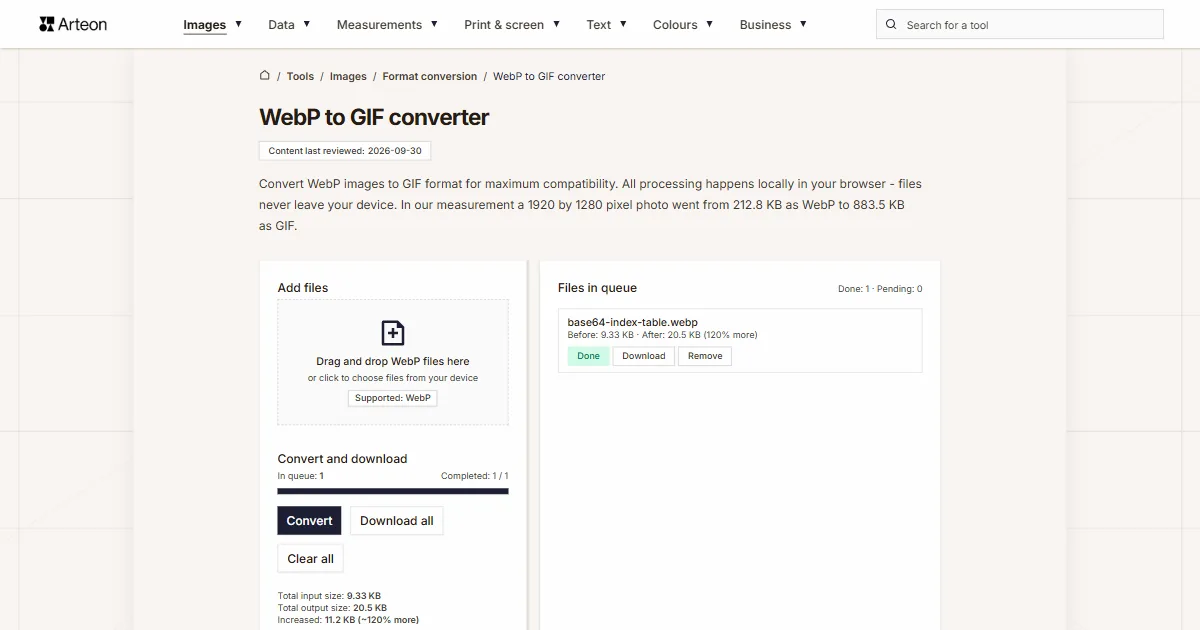
Convert WebP images to GIF format for maximum compatibility. All processing happens locally in your browser - files never leave your device. In our measurement a 1920 by 1280 pixel photo went from 212.8 KB as WebP to 883.5 KB as GIF.
Files in queue
Why convert WebP to GIF?
WebP (WebP) is a lossy image format supporting millions colors. It is widely used for web images with browser support in Chrome, Firefox, Safari 14+, Edge.
Converting WebP to GIF (Graphics Interchange Format) ensures universal compatibility across all platforms, browsers, and devices.
GIF supports alpha transparency, preserving any transparent areas in your image. As a lossless format, GIF preserves all image data without any quality degradation.
This converter processes everything locally in your browser – your files never leave your device. No uploads, no servers, no registration. Convert as many WebP files as you need, completely free.
How to convert WebP to GIF
Add your WebP file
Drag and drop your WebP image onto the converter area or click to browse your device. You can add multiple files at once for batch conversion.Click Convert
GIF has a fixed palette of 256 colours, so there is no quality slider. The converter fits the palette to the image and saves the first frame of an animated file.Download GIF
The Download button next to a file saves it on its own, and Download all packs all finished files into one ZIP archive. With a single finished file no archive is made, the file downloads directly.
How much does a file weigh before and after WebP to GIF conversion?
| Test file | Dimensions in pixels | WebP | GIF | Change |
|---|---|---|---|---|
| Landscape photo | 1920 × 1280 | 212.8 KB | 883.5 KB | 4.2 times larger |
| High-resolution camera photo | 4000 × 2667 | 615.4 KB | 2.99 MB | 5 times larger |
| Product photo on a light background | 1200 × 1200 | 237.2 KB | 752.7 KB | 3.2 times larger |
| Leaf macro with fine detail | 1600 × 2015 | 956.0 KB | 2.68 MB | 2.9 times larger |
| Screenshot with text | 1440 × 900 | 44.9 KB | 105.2 KB | 2.3 times larger |
| Logo with a transparent background | 1024 × 1024 | 19.2 KB | 40.5 KB | 2.1 times larger |
| Icon with transparency | 256 × 256 | 4.39 KB | 3.15 KB | 28 percent smaller |
| Text page, as from a scanner | 1654 × 2339 | 142.2 KB | 277.6 KB | 95 percent larger |
When should you convert WebP to GIF?
The image is going onto a website
Here what counts is the file weight with the quality kept. The MDN guide advises reaching for PNG with still images, and for newer formats when larger savings matter. Such a file will be prepared by the WebP to AVIF converter.A photo has to keep its full range of shades
A photograph carries hundreds of thousands of colours, while the palette holds 256 positions. When faithful tonal transitions matter to you, reach for the WebP to JPG converter.Newsletters and old programs
GIF is read by every email client and every graphics program of the last thirty years, including where WebP does not open at all.Simple graphics and icons
A diagram, icon or logo of a few colours fits in the 256-colour palette without loss and often comes out smaller than in WebP.
What makes this WebP to GIF converter different?
Complete privacy
Your WebP files are processed entirely in your browser. Nothing is uploaded to any server – your images stay on your device at all times.Many files at once
Add any number of WebP files, each up to 100 MB. The converter processes them one by one and shows the status of each.Size before and after
Next to every file you see the input and output size, and under the list the total for the whole queue, so you know at once how much a file grew or shrank.Download in one archive
The Download all button packs all finished files into one ZIP archive, so you do not have to approve a dozen downloads one after another.
WebP vs GIF – format comparison
| Feature | WebP | GIF |
|---|---|---|
| Lossy compression | ✓ | — |
| Lossless compression | ✓ | ✓ |
| Transparency (alpha channel) | ✓ | ✓ (no partial transparency) |
| Animation support | ✓ | ✓ |
| Web browser support | Chrome 32+, Firefox 65+, Edge 18+, Safari 14+ | All browsers |
| Color depth | 8-bit (16.7M) | 8-bit (256) |
| Metadata (EXIF) | ✓ | — |
Is GIF suitable for a web page?
Not for publishing on the web. GIF stores at most 256 colours and packs them with the LZW algorithm from the eighties. For a web page keep WebP or save the image as WebP or AVIF, because those formats give the lightest files in a browser.
GIF makes sense where compatibility with old programs and email clients matters: simple graphics, icons and newsletter material.
Convert other files to GIF
Convert WebP to other formats
Sources
- Image file type and format guide — MDN Web Docs
- Can I use: AVIF, WebP, HEIF — caniuse.com
The file sizes in the tables were measured by running finished images through this converter in a browser, and we report them the way the tool counts them. What the page says about either format rests on the sources listed above.
Content last reviewed: · written and checked by the Arteon team
Frequently asked questions about WebP to GIF conversion
Is converting WebP to GIF free?
Yes, this WebP to GIF converter is completely free with no limits. You can convert as many files as you need without registration or watermarks.
Does the converter upload my files to a server?
No. All processing happens locally in your browser using JavaScript and Canvas API. Your files never leave your device, ensuring complete privacy and security.
Will I lose quality when converting WebP to GIF?
With photos yes: GIF holds at most 256 colours, so smooth tonal transitions turn into bands. Flat-colour graphics, icons and diagrams fit in the palette without visible change.
Can I convert multiple WebP files at once?
Yes, the converter supports batch conversion. You can add multiple WebP files and convert them all to GIF simultaneously. Use the batch download option to save all converted files at once.
What is the maximum file size?
Each file may be up to 100 MB; a larger one stops on the list with a message that it is too large. The number of files in the queue is not limited, and large images take longer because the browser decodes them fully into memory.
Does the converter work on mobile devices?
Yes, the converter works on any device with a modern web browser, including smartphones and tablets. The interface adapts to your screen size for a comfortable experience on any device.
Is converting WebP to GIF safe for my files?
Yes. All conversion happens locally in your browser using the Canvas API. Files are never sent to any external server. When you close the page, data is automatically cleared.
Is GIF supported by all browsers?
Yes. Every current browser displays GIF: Chrome, Firefox, Safari, Edge and Opera, on desktop and on phones.
How do I download all files at once?
The Download all button packs the finished files into one ZIP archive named webp-gif.zip. With a single finished file no archive is made and the file downloads directly.
Help us improve our tools
Have an idea, found a bug, or want to suggest a feature? Drop us a message.
Explore other useful tools


Meta title & description checker
Check title and description length in pixels. Live Google preview and optimization tips.

PNG to JPG
Convert PNG files to JPG in your browser. No file limits, no signup, no server uploads.

Favicon generator
Create a complete favicon.ico set for your website from one image. All required sizes, no login.

Color palette generator
Generate 17 palettes from one color: monochromatic, complementary, triadic and more. HEX codes.

WebP to JPG
Convert WebP files to universally compatible JPG. Works in every app and platform.

Color contrast checker
Check text and background contrast per WCAG 2.1 AA and AAA. Automatic color correction.

Free QR code generator
Create a QR code for a website, vCard business card or print. Export PNG and SVG, no registration.

Word & character counter
Count words, characters with and without spaces, sentences, paragraphs and the average sentence length.

Lorem Ipsum Generator
Free Lorem Ipsum generator — 8 text styles, paragraphs, sentences or words. Copy in one click.