Turn PNG files into GIF in your own browser
Add your PNG files and download GIF files with their transparent background kept. In our measurement a logo with a transparent background went from 52.1 KB to 15.8 KB, because GIF stores at most 256 colours.
Files in queue
What is PNG and what is GIF?
PNG is a lossless format: it keeps every pixel of the image, stores full transparency and opens in every browser[1]. W3C approved the third edition of the specification on 24 June 2025. It describes lossless storage by the deflate method, 8 or 16 bits per colour channel, an alpha channel and APNG animation[2].
GIF is described by the GIF89a specification, which CompuServe published on 31 July 1990. In it an image has a colour table of at most 256 entries, transparency stored as a single entry of that table, and LZW compression[3].
Turning PNG into GIF helps when a program or a service takes that format and nothing else. The file comes out lighter, but not for free: the image loses colours, because millions of them come down to 256 at most.
How do you convert PNG to GIF?
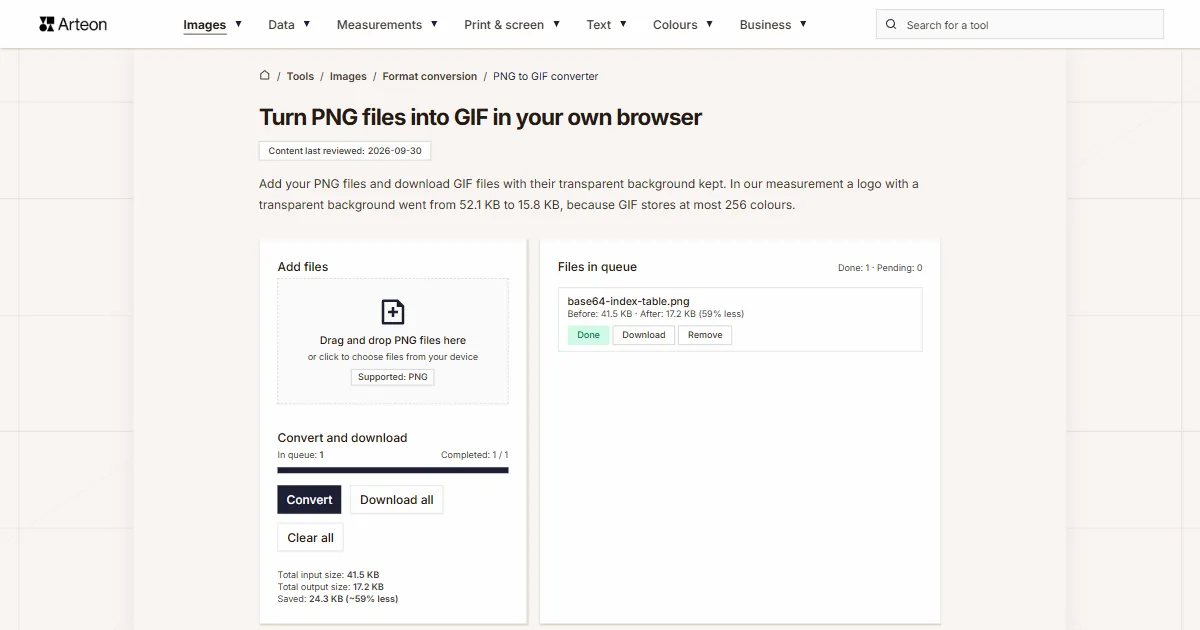
- Drag your files onto the Add files area, or click it to pick them from your disk. Any number of PNG files is fine, each up to 100 MB.
- Click Convert. Every finished file gets the Done status.
- Save one file with Download, or all of them with Download all, which packs several into a ZIP archive. Only the extension changes, to .gif.
The queue shows every file with its Before and After weight, the difference in percent, and the batch totals.
GIF has no quality setting, because it stores the image in a table of at most 256 colours, and the converter picks those colours from your file. When the image holds even one transparent pixel, one entry of that table goes to transparency.
Remove takes one file out of the queue, Clear all empties it.
Everything happens in your own browser: the PNG file is read by an image element, and the GIF is assembled by the gifenc library, which also runs in the browser.
How much does a file weigh before and after PNG to GIF conversion?
| Test file | Dimensions in pixels | PNG | GIF | Change |
|---|---|---|---|---|
| Landscape photo | 1920 × 1280 | 3.06 MB | 970.7 KB | 3.2 times smaller |
| High-resolution camera photo | 4000 × 2667 | 11.1 MB | 3.50 MB | 3.2 times smaller |
| Product photo on a light background | 1200 × 1200 | 2.12 MB | 766.7 KB | 2.8 times smaller |
| Leaf macro with fine detail | 1600 × 2015 | 6.52 MB | 2.79 MB | 2.3 times smaller |
| Screenshot with text | 1440 × 900 | 100.5 KB | 56.1 KB | 44 percent smaller |
| Logo with a transparent background | 1024 × 1024 | 52.1 KB | 15.8 KB | 3.3 times smaller |
| Icon with transparency | 256 × 256 | 6.57 KB | 1.68 KB | 3.9 times smaller |
| Text page, as from a scanner | 1654 × 2339 | 240.1 KB | 135.7 KB | 43 percent smaller |
Why is a GIF lighter than a PNG and still worse?
Every file went down in the measurement: the landscape photo at 1920 × 1280 pixels from 3.06 MB to 970.7 KB, which is 3.2 times smaller, and the screenshot with text came out 44 percent smaller. That saving does not come from better compression but from throwing colours away: PNG stores millions of them, GIF at most 256[3].
On a photograph you see it as banding across smooth gradients, a sky among them. The logo with a transparent background (1024 × 1024) came out 3.3 times smaller and the icon with transparency came out 3.9 times smaller. With graphics like those the loss is invisible, because they hold a few colours and fit the table with room to spare.
If you want a lighter file without losing colours, pick the PNG to WebP converter or the PNG to AVIF converter. The way back is the GIF to PNG converter, and you set smaller pixel dimensions in the Helios editor.
PNG versus GIF: how do the formats differ?
| Property | PNG | GIF |
|---|---|---|
| Colours in the file | millions | at most 256 |
| Transparency | yes, a full alpha channel | yes, but all or nothing |
| Storage | lossless, by the deflate method | lossless, by the LZW method |
| Bits per colour channel | 8 or 16 | 8, through a colour table |
| Animation in the file | yes, as APNG | yes, though the specification did not plan for it |
| Browser support | every version of every browser | every version of every browser |
Which PNG files does the converter take?
| The file you add | What the converter writes in GIF |
|---|---|
| A photo or graphic saved as PNG | a GIF at the same dimensions, with the colours brought down to 256 |
| A PNG with a transparent background | a GIF with a transparent background, because one entry of the colour table goes to transparency |
| A PNG with a semi-transparent shadow or glow | a GIF in which a pixel more than half opaque stays fully visible and a weaker one disappears |
| A PNG with 16 bits per colour channel | a GIF with colours from a table of 256 entries, because that is all the format holds |
| An animated PNG (APNG) | the first frame of the animation, and the queue carries a note: This file is animated, so only the first frame is saved. |
| A file with EXIF data, for example a rotated photo | a GIF with no EXIF data, but in the orientation stored in that data |
| A file larger than 100 MB | the message File is too large (max 100 MB). |
| A damaged file, or text with a .png extension | the Error status and the message Failed to load the image. |
What happens to transparency, colours and EXIF data?
GIF knows two states of opacity only: a pixel is visible or entirely transparent. Our converter therefore splits the scale in half at the value 127: a pixel above it stays fully visible, a weaker one disappears. A soft shadow under a graphic loses its smooth edge that way, while a transparent background comes out clean.
The GIF file is put together here by the gifenc library running in the browser, because a browser canvas does not write this format: asked for a GIF it hands back a PNG. The colours for the table are picked from your own image, so every file gets its own palette.
EXIF data does not reach the GIF file, and the orientation stored in that data is applied. An animation in GIF form is put together in an animation program, and a single frame out of a finished GIF comes from the GIF to PNG converter.
Convert other files to GIF
Convert PNG to other formats
Sources
- Image file type and format guide — MDN Web Docs
- Portable Network Graphics (PNG) Specification (Third Edition) — W3C
- Graphics Interchange Format Version 89a — CompuServe
The file sizes in the tables were measured by running finished images through this converter in a browser, and we report them the way the tool counts them. What the page says about either format rests on the sources listed above.
Content last reviewed: · written and checked by the Arteon team
Common questions about turning PNG into GIF
How do you turn PNG into GIF for free?
Drag your PNG files onto the Add files area, click Convert and save the result with Download all. The converter is free, needs no account, and your files stay on your own device.
Does GIF keep a transparent background?
Yes, a transparent background stays. GIF knows two states of opacity only, so a semi-transparent pixel either becomes fully visible or disappears: the line sits at half the scale.
Why does a photograph look worse as a GIF?
Because GIF holds at most 256 colours and a photograph has millions. Banding appears across smooth gradients, a sky among them. For photographs WebP, AVIF or JPG is the better pick.
Will the GIF be lighter than the PNG?
Every file went down in our measurement, for example the landscape photo came out 3.2 times smaller and the icon with transparency came out 3.9 times smaller. The weight drops mostly because colours are gone.
Will several PNG files make an animated GIF?
No, every PNG file gives its own single-frame GIF. An animation is put together in an animation program or a video editor, because the order and the timing of the frames have to be set by hand.
Can I convert many files at once?
Yes. The queue takes any number of files, each up to 100 MB, and you can add them in batches because it keeps the earlier ones. The Download all button packs the finished files into a single ZIP archive.
Why does a library write the GIF instead of the browser?
Because a browser canvas does not write this format: asked for a GIF it hands back a PNG. The file is therefore put together by the gifenc library running in your own browser.
Are the files uploaded to a server?
No. The PNG file is read by the browser on your own device, and the GIF is assembled by a library running in that same browser. Nothing of them is left once you close the page.
Have a question or a suggestion?
If a PNG file did not get through the converter, or the result looks different from what we describe, write to us.
Explore other useful tools


Meta title & description checker
Check title and description length in pixels. Live Google preview and optimization tips.

PNG to JPG
Convert PNG files to JPG in your browser. No file limits, no signup, no server uploads.

Favicon generator
Create a complete favicon.ico set for your website from one image. All required sizes, no login.

Color palette generator
Generate 17 palettes from one color: monochromatic, complementary, triadic and more. HEX codes.

WebP to JPG
Convert WebP files to universally compatible JPG. Works in every app and platform.

Color contrast checker
Check text and background contrast per WCAG 2.1 AA and AAA. Automatic color correction.

Free QR code generator
Create a QR code for a website, vCard business card or print. Export PNG and SVG, no registration.

Word & character counter
Count words, characters with and without spaces, sentences, paragraphs and the average sentence length.

Lorem Ipsum Generator
Free Lorem Ipsum generator — 8 text styles, paragraphs, sentences or words. Copy in one click.