Image to Base64 converter
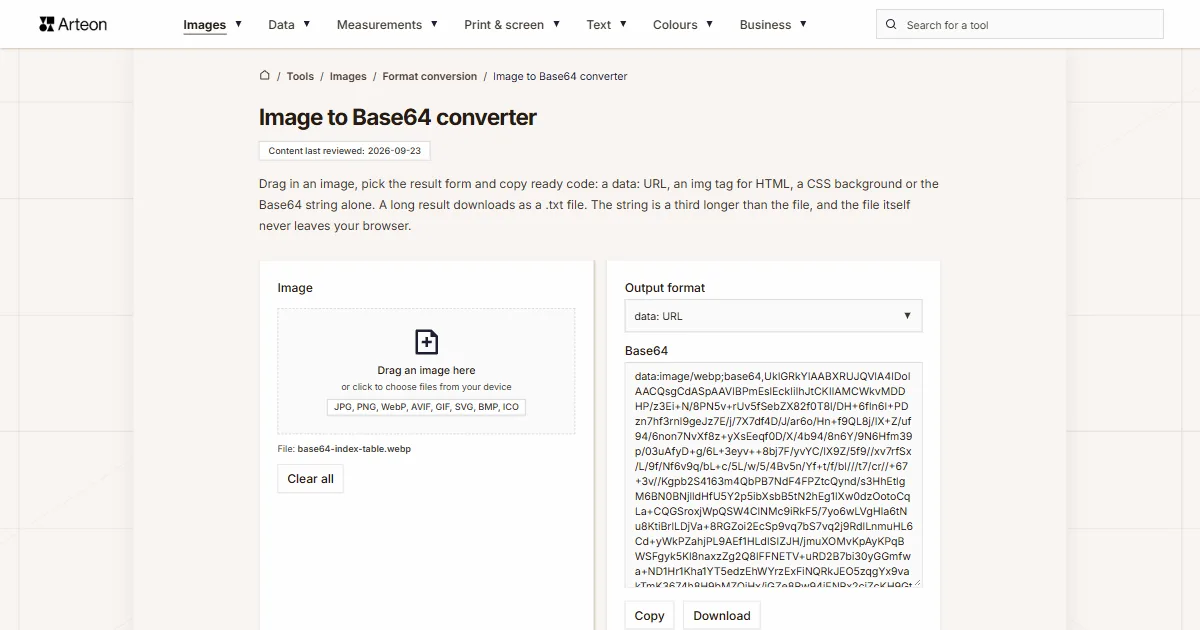
Drag in an image, pick the result form and copy ready code: a data: URL, an img tag for HTML, a CSS background or the Base64 string alone. A long result downloads as a .txt file. The string is a third longer than the file, and the file itself never leaves your browser.
What is an image written in Base64?
Base64 writes binary data, such as a JPG or PNG file, as a string of ordinary text characters. Every three bytes of the file become four characters from an alphabet of 64: upper and lower case letters, digits, the plus sign and the slash[1]. An image written this way goes straight into page code, a stylesheet or a JSON field, with no separate file on the server.
The string alone does not say it is an image. The data: URL, described in RFC 2397, does that by putting the file type in front of the string, for example data:image/png;base64,. The string itself starts after the comma[2]. The same URL works as an image in Markdown, written as , and the Markdown to HTML converter shows it in the preview. The alphabet and the opposite direction, from string to file, are covered by the Base64 to image converter.
How do you convert an image to Base64?
Drag a file onto the Image field, or click it and choose an image from your device. The Base64 field shows the result at once, in the form set on the Output format list. By default that is data: URL, the string preceded by the file type, for example data:image/jpeg;base64,.
You can change the list at any time without adding the image again. HTML <img> tag gives a ready element with the URL in the src attribute, CSS background (background-image) gives a declaration for a stylesheet rule, and Base64 string only keeps just the characters after the comma. The Copy button copies the result in the chosen form, and Download saves it as a text file, for example logo-base64.txt. Clear all empties the result field.
The tool encodes one file at a time and takes the first of several dropped files. A file that is not an image stops the encoding with the message Only image files are supported.
Which output form should you choose?
| Entry on the list | Start of the result | Characters | Where to paste it |
|---|---|---|---|
| data: URL | data:image/png;base64,iVBORw0KGgo… | 13,358 | the src attribute, a JSON field, an image in an OpenAI API request |
| HTML <img> tag | <img src="data:image/png;base64,…" alt=""> | 13,377 | page code or an email template |
| CSS background (background-image) | background-image: url("data:image/png;base64,…"); | 13,384 | a stylesheet rule, for example for a .logo class |
| Base64 string only | iVBORw0KGgo… | 13,336 | the data field in the Claude and Gemini APIs, which take the file type in a separate field |
Why is the string longer than the file, and when does Base64 pay off?
Text needs four characters for every three bytes, so the string is about a third longer than the file[1]. You can work out the length yourself: divide the bytes by three, round up and multiply by four. A 2,678 byte site icon gives 3,572 characters, and a 1,405,512 byte camera photo gives 1,874,016.
An embedded image is part of the file it sits in. The browser downloads an image from a stylesheet together with the stylesheet, so every change to the stylesheet downloads the image again. The same image pasted into five HTML pages travels with each of them separately. That is why Base64 suits icons and small graphics, while a photo for an article stays an ordinary file.
The browser limits the length: Chromium and Firefox accept data: URLs up to 512 MB, and Safari up to 2048 MB. Firefox moved that limit twice, from 256 KB to 32 MB in version 97 and to 512 MB in version 136[3]. Browsers do block opening data: URLs in the main window, because phishing pages were spread that way[3]. A string pasted into the address bar will not show the image, while the same string in a src attribute will.
Why does a Base64 image not show in Gmail?
Gmail does not display images written as data: URLs, neither in the browser nor in the iOS and Android apps. caniemail.com tested this in February 2020 and tested the browser version again in May 2024, with the same result[4]. Outlook for Windows versions 2007 to 2016 behave the same way.
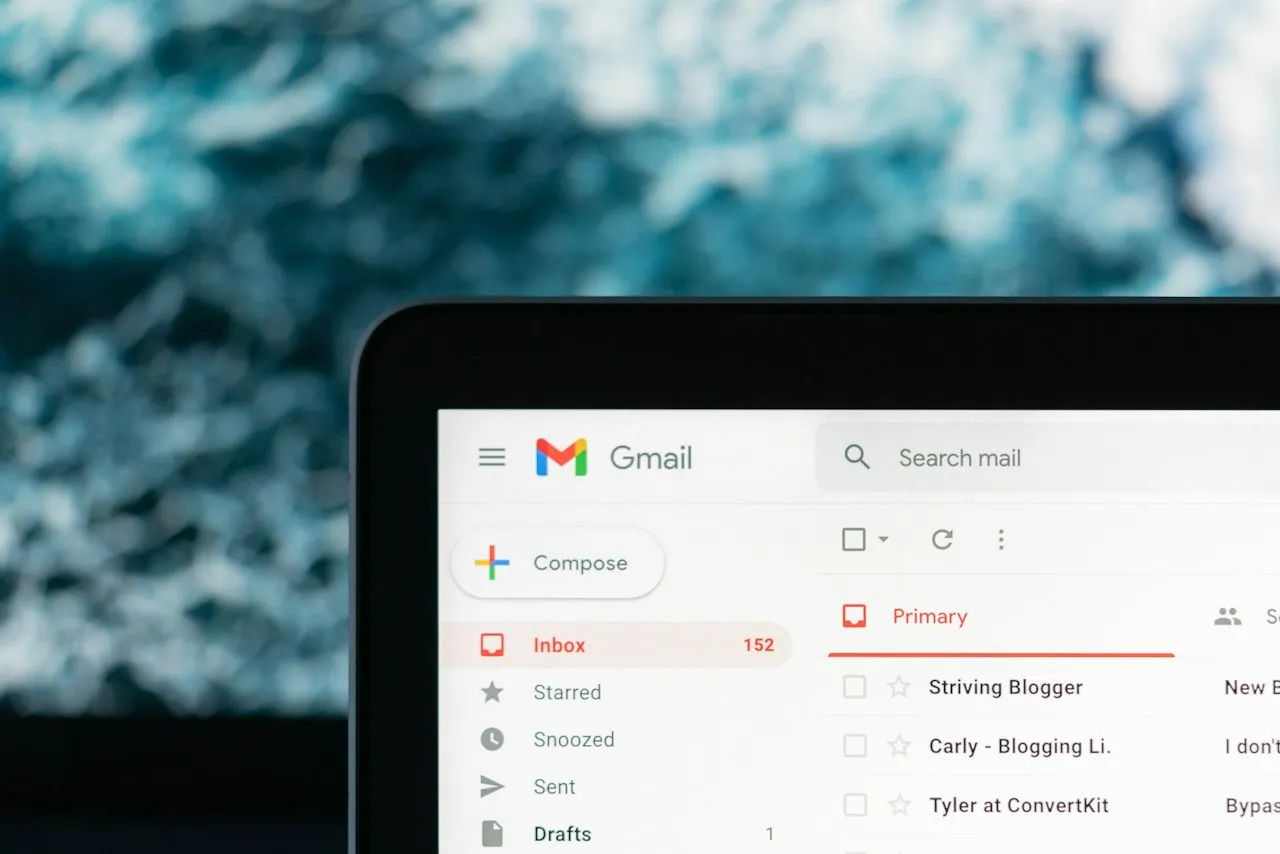
Put the logo in a signature or newsletter on a server as an ordinary file and use its address instead. The email signature generator works this way: the Avatar / logo (image URL) field takes the address of an image, not a Base64 string.
Which email clients show a Base64 image?
| Email client | Shows the image | When tested |
|---|---|---|
| Gmail in the browser | no | February 2020 and May 2024 |
| Gmail on iOS and Android | no | February 2020 |
| Outlook for Windows 2007–2016 | no | versions 2007, 2010, 2013 and 2016 |
| Outlook 2019 for Windows | partly, no GIF images | version 2019 |
| Windows Mail | no | February 2020 |
| Outlook.com | yes | February 2020 and January 2024 |
| Outlook for Mac | yes | versions 2016 and 16.80 |
| Apple Mail on macOS and iOS | yes | version 13 |
| Yahoo Mail | yes | February 2020 |
| AOL Mail | yes | February 2020 |
| Thunderbird | yes | February 2020 and version 68.4 |
| HEY | no | June 2020 |
In what form do AI model APIs take an image?
| API | Entry on the Output format list | Where to paste it | Limit |
|---|---|---|---|
| OpenAI | data: URL | the image_url field | 512 MB for the whole request |
| Anthropic Claude | Base64 string only | the data field, with the file type in media_type | 10 MB per image once encoded |
| Google Gemini | Base64 string only | the data field, with the file type in mime_type | 20 MB for the whole request |
Which files can you add?
| File you add | Start of the result | Downloaded text file |
|---|---|---|
| A photo with an upper case extension, IMG_1234.JPG | data:image/jpeg;base64,/9j/… | IMG_1234-base64.txt |
| A vector icon, icon.svg | data:image/svg+xml;base64,… | icon-base64.txt |
| A WebP graphic, banner.webp | data:image/webp;base64,UklGR… | banner-base64.txt |
| A screenshot saved without an extension, screenshot | data:image/png;base64,iVBORw0KGgo… | screenshot-base64.txt |
| A PNG image saved as image.txt | data:image/png;base64,iVBORw0KGgo… | image-base64.txt |
| Two files dropped at once, logo.png and IMG_1234.JPG | data:image/png;base64,iVBORw0KGgo… | logo-base64.txt |
| A name with an accented letter, café menu.png | data:image/png;base64,iVBORw0KGgo… | café menu-base64.txt |
What should you check before embedding an image?
Three things that decide whether the image works in code and keeps the page light.
1. Reduce the image dimensions
An icon saved at 512 px carries the same data even when the page shows it at 64 px, and every byte becomes one and a third characters in the string. Give the image its final size in the Helios editor before you encode it.2. Fill in the alternative text
The tag from the list has an emptyalt=""attribute. That marks a decorative image, which screen readers skip[9]. If the image carries meaning, such as a logo with a company name, type a short description between the quotes.3. Check the email client
Gmail and Outlook for Windows versions 2007 to 2016 will not show a Base64 image[4]. In a newsletter sent to a wide audience, use an image from an address on a server.
Convert JPG to other formats
Sources
- RFC 4648: The Base16, Base32, and Base64 Data Encodings — IETF
- RFC 2397: The "data" URL scheme — IETF
- Data URLs — MDN Web Docs
- Can I email… Base 64 image format — caniemail.com
- Images and vision — OpenAI
- Vision — Anthropic
- Image understanding — Google AI for Developers
- Portable Network Graphics (PNG) Specification (Third Edition) — W3C
- Decorative Images — W3C Web Accessibility Initiative
Every figure in the tables was computed from the unit definitions and checked arithmetically before publication. Historical values and the names of local units come from the sources listed above.
Content last reviewed: · written and checked by the Arteon team
Questions about encoding an image to Base64
Is my image sent to a server?
No. Your browser reads the file and writes it as a string in the same tab. The image stays on your device and leaves the tab's memory once you close it.
How do I get the Base64 string alone, without data:image?
Can I encode several images at once?
The tool encodes one file at a time and takes the first of several dropped files. Copy or download the result, then drag in the next image.
How large an image can be encoded?
The tool has no limit of its own, and the browser sets the ceiling: Chromium and Firefox accept data: URLs up to 512 MB, and Safari up to 2048 MB[3]. A 1.4 MB camera photo gives just under 2 MB of text, and the Download button saves a result like that as a .txt file.
Why does a Base64 image not display in Gmail?
Gmail does not show images written as data: URLs, neither in the browser nor in the iOS and Android apps, as caniemail.com tests confirmed[4]. Put the image on a server as a file and use its address in the src attribute.
What should go in the alt attribute?
Leave an empty alt="" on a decorative image, because screen readers will skip it[9]. For an image that carries meaning, write a short description of what it shows, such as the company name on a logo.
Why do I see a message that only image files are supported?
The tool accepts images only. It recognises them by the file type the browser reports and, when the file has no extension or the extension of another kind of file, by its first bytes. That is why a screenshot without an extension still encodes. A PDF, a text document or an archive stops the encoding, and the message appears below the Image field. To encode a page of a PDF, turn it into an image first with the PDF to PNG converter. An empty file of 0 bytes gets a different message, Failed to load the image.
How do I turn the string back into an image file?
Paste the string into the Base64 to image converter and press Decode. The converter shows a preview and saves the file with the correct extension.
Help us improve our tools
Have an idea, found a bug, or want to suggest a feature? Drop us a message.
Explore other useful tools


Meta title & description checker
Check title and description length in pixels. Live Google preview and optimization tips.

PNG to JPG
Convert PNG files to JPG in your browser. No file limits, no signup, no server uploads.

Favicon generator
Create a complete favicon.ico set for your website from one image. All required sizes, no login.

Color palette generator
Generate 17 palettes from one color: monochromatic, complementary, triadic and more. HEX codes.

WebP to JPG
Convert WebP files to universally compatible JPG. Works in every app and platform.

Color contrast checker
Check text and background contrast per WCAG 2.1 AA and AAA. Automatic color correction.

Free QR code generator
Create a QR code for a website, vCard business card or print. Export PNG and SVG, no registration.

Word & character counter
Count words, characters with and without spaces, sentences, paragraphs and the average sentence length.

Lorem Ipsum Generator
Free Lorem Ipsum generator — 8 text styles, paragraphs, sentences or words. Copy in one click.