Convert HSL to RGB values
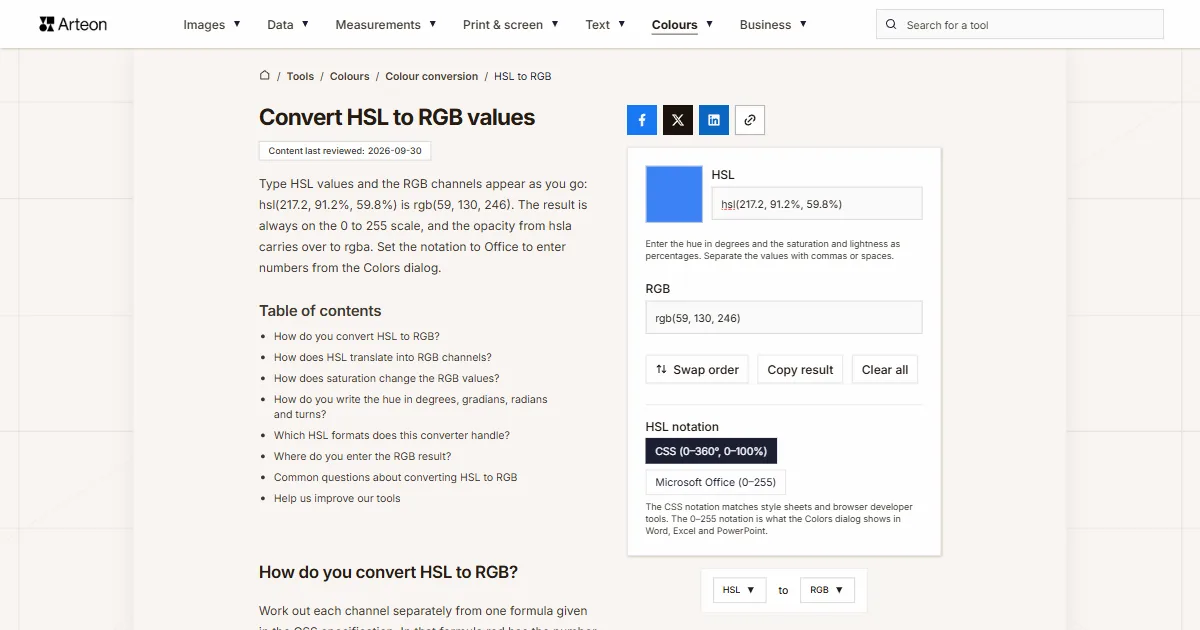
Type HSL values and the RGB channels appear as you go: hsl(217.2, 91.2%, 59.8%) is rgb(59, 130, 246). The result is always on the 0 to 255 scale, and the opacity from hsla carries over to rgba. Set the notation to Office to enter numbers from the Colors dialog.
Enter the hue in degrees and the saturation and lightness as percentages. Separate the values with commas or spaces.
How do you convert HSL to RGB?
Work out each channel separately from one formula given in the CSS specification. In that formula red has the number n equal to 0, green 8 and blue 4[1]. Saturation and lightness go in as fractions from 0 to 1.
Formula: k = (n + H ÷ 30) mod 12, a = S × min(L, 1 − L), channel = L − a × max(−1, min(k − 3, 9 − k, 1)).
Take hsl(0, 84.2%, 60.2%). A lightness of 0.602 and a saturation of 0.842 give a equal to 0.335. For red, k is 0, so the bracket gives −1 and the channel is 0.602 + 0.335, which is 0.937.
For green and blue the bracket gives 1. Both channels are therefore 0.602 − 0.335, which is 0.267. Multiplied by 255 and rounded, that comes to rgb(239, 68, 68). Chromium 151, where we tested it, gives the same result.
The HSL to HEX converter gives the HEX code of this color. The RGB to HSL converter takes RGB back to HSL.
How does HSL translate into RGB channels?
The hue decides the color on the wheel, that is, which RGB channels are strong and which are weak. At 0° red is the strongest channel, at 120° green and at 240° blue[1].
Saturation tells you how far apart the channels are. At 0% all three are equal and the color is gray. Lightness sets the level of all channels at once: at 0% each one is 0, at 100% each one is 255, and at 50% the color has its ordinary form[1].
CSS has two syntaxes for this notation. In the older one the values are separated by commas, and saturation and lightness need a percent sign. In the newer one spaces separate the values, opacity follows a slash, and saturation and lightness can be written without a percent sign[1]. The converter reads both, so hsl(217.2 91.2 59.8) gives the same result as hsl(217.2, 91.2%, 59.8%).
If your color is in another format, such as OKLCH, Lab or Android code, the color converter shows it in every format at once.
How does saturation change the RGB values?
hsl(217.2, 91.2%, 59.8%) drops in steps of 10 points, from 100% to 0%. Hue and lightness stay the same, so you can see the channels move closer together.| Saturation | HSL | RGB values |
|---|---|---|
| 100% | hsl(217.2, 100%, 59.8%) | 50, 128, 255 |
| 90% | hsl(217.2, 90%, 59.8%) | 60, 130, 245 |
| 80% | hsl(217.2, 80%, 59.8%) | 70, 133, 234 |
| 70% | hsl(217.2, 70%, 59.8%) | 81, 135, 224 |
| 60% | hsl(217.2, 60%, 59.8%) | 91, 138, 214 |
| 50% | hsl(217.2, 50%, 59.8%) | 101, 140, 204 |
| 40% | hsl(217.2, 40%, 59.8%) | 111, 143, 193 |
| 30% | hsl(217.2, 30%, 59.8%) | 122, 145, 183 |
| 20% | hsl(217.2, 20%, 59.8%) | 132, 148, 173 |
| 10% | hsl(217.2, 10%, 59.8%) | 142, 150, 163 |
| 0% | hsl(217.2, 0%, 59.8%) | 152, 152, 152 |
How do you write the hue in degrees, gradians, radians and turns?
| CSS notation | Angle in degrees | RGB values |
|---|---|---|
| hsl(90deg, 100%, 50%) | 90° | 128, 255, 0 |
| hsl(90, 100%, 50%) | 90° | 128, 255, 0 |
| hsl(100grad, 100%, 50%) | 90° | 128, 255, 0 |
| hsl(0.25turn, 100%, 50%) | 90° | 128, 255, 0 |
| hsl(1.5708rad, 100%, 50%) | 90.0002° | 127, 255, 0 |
| hsl(1.570796rad, 100%, 50%) | 89.99998° | 128, 255, 0 |
Which HSL formats does this converter handle?
| What you type | Converter result | How we read it |
|---|---|---|
| hsl(217.2, 91.2%, 59.8%) | rgb(59, 130, 246) | The CSS notation with commas is taken as it stands |
| H 217.2 S 91.2 L 59.8 | rgb(59, 130, 246) | Channel letters and missing percent signs are no trouble, we read the numbers in order |
| hsla(217.2, 91.2%, 59.8%, 0.5) | rgba(59, 130, 246, 0.5) | Opacity written with a decimal comma works too, and we carry it into the rgba result |
| hsl(0.25turn, 100%, 50%) | rgb(128, 255, 0) | A hue given in turns is converted to degrees for you: 0.25turn is 90° |
| hsl(-120, 100%, 50%) | rgb(0, 0, 255) | A negative hue is counted back from the end of the colour wheel, just as a browser does |
| hsl(0, 150%, 50%) | rgb(255, 0, 0) | Saturation above 100% is clamped to 100%, just as a browser does |
| color: hsl(217, 91%, 60%); | rgb(60, 131, 246) | Paste the whole line from a style sheet, we will pick the colour out of it |
| 154, 233, 153 | rgb(60, 131, 246) | Three numbers on the 0–255 scale, the Microsoft Office notation from the Colors dialog in Word and Excel — with the Notation switch set that way we read them just like percentages |
Where do you enter the RGB result?
Google Docs and the Office dialog take RGB values straight from the converter, while code often needs the result as fractions.
Google Docs, Sheets and Slides
In the toolbar, click Text color or another tool with color options, and under Custom click Add a custom color. In the window that opens you can enter the Hex code or the RGB values[3].Office Colors dialog
On the Custom tab, leave Color model on RGB and type the three numbers into the Red, Green and Blue boxes[4]. In our test in Office 2016 these boxes took values from 0 to 255.Python
colorsys.hls_to_rgb(h, l, s)takes lightness before saturation and all three values as fractions from 0 to 1[5]. The result is in fractions too, so multiply each channel by 255 to match the converter.JavaScript
The CSS specification includes a ready-madehslToRgb(hue, sat, light)function that takes the hue in degrees and saturation and lightness from 0 to 100[1]. It returns channels from 0 to 1, and the converter uses the same formula.
Convert other units to RGB
Convert HSL to other units
Sources
- CSS Color Module Level 4 — Converting HSL Colors to sRGB — W3C
- CSS Values and Units Module Level 4 — Angle Units — W3C
- Change the color of text, objects, and backgrounds — Google Docs Editors Help
- Choosing colors in the Colors dialog box — Microsoft Support
- colorsys — Conversions between color systems — Python Software Foundation
Every figure in the tables was computed from the unit definitions and checked arithmetically before publication. Historical values and the names of local units come from the sources listed above.
Content last reviewed: · written and checked by the Arteon team
Common questions about converting HSL to RGB
Why does the RGB result converted back give a slightly different HSL value?
RGB channels only take whole numbers, so several HSL values give the same color. hsl(217, 91%, 60%) gives rgb(60, 131, 246), and that color converted back is hsl(217.1, 91.2%, 60%). Both describe exactly the same color on screen.
How do I convert numbers from the Office Colors dialog to RGB?
Set the notation to Microsoft Office (0–255) and enter the three numbers from the dialog. The values 154, 233 and 153 give rgb(60, 131, 246), because the dialog calculates HSL on a scale from 0 to 255[4] and some precision is lost. Enter the numbers after switching, because the switch rewrites a color already in the field as the same color in the new notation.
Can I enter saturation and lightness without a percent sign?
Yes. The converter reads plain numbers the way the newer CSS syntax does, so 217.2 91.2 59.8 gives rgb(59, 130, 246)[1].
How do I get RGB channels as fractions from 0 to 1?
Convert the HSL value to a code with the HSL to HEX converter, then enter that code into the HEX to RGB converter with the switch set to 0–1. For hsl(217.2, 91.2%, 59.8%) you get 0.2314, 0.5098 and 0.9647.
Will the browser show the same color as the converter?
Yes. We tested this in Chromium 151 on all 16,777,216 colors: the HSL values given by our converters produced in the browser exactly the RGB channels we started from.
How do I set a color with transparency in RGB?
Add the opacity to the HSL value, for example hsla(217.2, 91.2%, 59.8%, 0.5). The converter gives rgba(59, 130, 246, 0.5), and the fourth number stays the same.
Help us improve our tools
Have an idea, found a bug, or want to suggest a feature? Drop us a message.