Free HTML to Markdown converter – with GFM tables
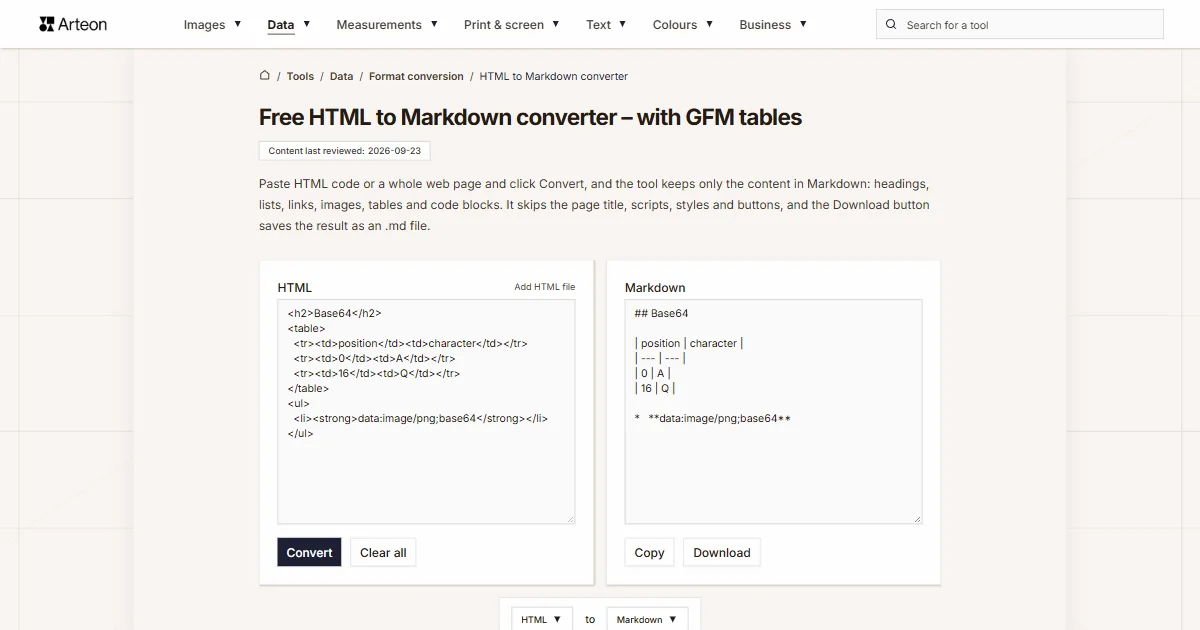
Paste HTML code or a whole web page and click Convert, and the tool keeps only the content in Markdown: headings, lists, links, images, tables and code blocks. It skips the page title, scripts, styles and buttons, and the Download button saves the result as an .md file.
What is HTML, and how does it differ from Markdown?
HTML (HyperText Markup Language) is the core markup language of the World Wide Web[1]. Every part of a page is written in it between an opening and a closing tag. A paragraph, for example, sits between <p> and </p>, and a tag can carry attributes with a class, a style or a link address.
Markdown writes the same document with plain characters. A heading gets a # at the start of the line, a bold phrase two asterisks on each side, and a link the form [text](address). The format’s author, John Gruber, states that Markdown’s syntax covers only what can be conveyed in plain text[2].
The whole conversion follows from that difference. The .md file receives the content and its structure, meaning headings, paragraphs, lists, links, images and tables. Colors, classes and column layouts are described by the page’s stylesheet (CSS), so they belong to the HTML side.

How do you convert HTML to Markdown?
Paste the code into the HTML field or add a file with the Add HTML file link, then click Convert. The Markdown text appears in the Markdown field. An <h2> tag becomes a line starting with ##, and <strong> becomes text wrapped in two asterisks on each side. A link gets the form [text](address), and an image the form . A numbered list starts from the value of its start attribute, and checkboxes from a task list become [x] and [ ].
You can also paste a whole page, head section included. The tool then skips the page title, metadata, scripts, stylesheets, buttons and form fields. It keeps the content of div, section and span blocks as plain text.
Tables reach the output as GitHub Flavored Markdown tables, including ones without a header row or with merged cells. You can copy the finished text with Copy or save it with Download as converted.md. For the reverse direction, from Markdown to page code, use the Markdown to HTML converter.
What does each HTML tag become in Markdown?
| HTML tag | Markdown output |
|---|---|
| <h1> to <h6> | # to ###### at the start of the line |
| <strong> and <b> | **text** |
| <em> and <i> | *text* |
| <del>, <s> and <strike> | ~~text~~ |
| <code> inside a sentence | `code` |
| <pre><code class="language-python"> | A code block opened with ```python |
| <pre> without <code> inside | A code block opened with ``` |
| <a href="address" title="title"> | [text](address "title") |
| <img src="address" alt="description"> |  |
| <ul> with <li> items | * item |
| <ol start="3"> with <li> items | 3. item, numbering from the start value |
| <li> with a checkbox | [x] task or [ ] task |
| <blockquote> | > quote |
| <br> | Two spaces at the end of the line |
| <hr> | * * * |
| <table> | A GFM table with a delimiter row |
| <div>, <section>, <span>, <u> and <mark> | Content only, without tags |
| <!-- comment --> | Skipped |
| <script>, <style>, <title>, <meta> and <link> | Skipped along with their content |
| <button>, <input>, <select> and <textarea> | Skipped along with their content |
| <svg> and <iframe> | Skipped along with their content |
| <sup> and <sub> | The tag stays, for example x<sup>2</sup> |
| Bold, italic and strikethrough in a style attribute, for example from Google Docs | **text**, *text* and ~~text~~ |
| <b> shown on the page as text | \<b>, which stays text |
How does the tool write tables with merged cells or no header row?
| Table in HTML | Markdown output | Reason |
|---|---|---|
| Only <td> cells | The first row becomes the header | A GFM table starts with a header row |
| Cell with colspan="2" | Text in the first column, an empty cell next to it | The row keeps the header’s column count |
| Cell with rowspan="2" | Text in the first row, an empty cell below it | The columns in the next row stay in place |
| A | character in cell content | \| | The GFM spec requires a backslash before it |
| <br> or several paragraphs in a cell | Lines of text separated by a <br> tag | A GFM cell accepts inline content only |
| <caption> | A paragraph above the table | The caption text stays in the file |
| align="center" or style="text-align: right" | :-: or --: in the delimiter row | Colons in the delimiter row set the column alignment |
| A table inside a cell of another table | The inner table in a single cell, with backslashes before | | The outer table keeps its rows |
How do you move a WordPress post into a Markdown file?
Three steps for a post written in the WordPress block editor.
1. Copy the post code
In the block editor press Ctrl + Shift + Alt + M, or ⇧ + ⌥ + ⌘ + M on a Mac. This shortcut switches the view from blocks to the code editor[5]. Select all of the post’s code and copy it.2. Convert the code to Markdown
Paste the code into the HTML field and click Convert. The tool skips block comments such as <!-- wp:paragraph --> and keeps the paragraph text. Save the result with the Download button.3. Add front matter and save the file
Jekyll requires a YAML front matter block to be the very first thing in the file, between triple-dashed lines[6]. Add the post title and date there. The meta title and description length checker shows whether the title fits in search results. Then check the syntax with the YAML to JSON converter, which shows a message when something is wrong. Obsidian stores notes as Markdown-formatted plain text files[7], so you can also drop the finished file into your notes folder.
Sources
- HTML Standard: Introduction, Background — WHATWG
- Markdown: Syntax — Daring Fireball (John Gruber)
- CommonMark Spec, version 0.31.2 — CommonMark
- GitHub Flavored Markdown Spec, version 0.29-gfm — GitHub
- Use keyboard shortcuts (Block Editor) — WordPress.org
- Front Matter — Jekyll
- How Obsidian stores data — Obsidian
- Introducing Markdown for Agents — Cloudflare
Every figure in the tables was computed from the unit definitions and checked arithmetically before publication. Historical values and the names of local units come from the sources listed above.
Content last reviewed: · written and checked by the Arteon team
Frequently asked questions about HTML to Markdown conversion
Why are there backslashes before asterisks and brackets in the output?
A backslash before a character makes Markdown treat that character as plain text. So \*asterisk\* displays as *asterisk* without italics, and snake\_case displays as snake_case. The CommonMark spec allows such a backslash before any ASCII punctuation character[3]. GitHub and Markdown editors display the characters themselves, without the backslashes. A backslash also goes before a < that opens a tag name and before an & that opens an entity name when they were plain text on the page, so \<b> displays as <b> rather than as bold text.
What happens to images stored in the code as Base64?
An image with a data: address goes into the Markdown with its whole Base64 string, as . You can save such an image as a separate file. The Base64 to image converter does that, and the .md file then only needs a short path to that file.
Do text color, classes and styles stay in the Markdown?
The file receives the content only, because Markdown describes the structure of the text while the stylesheet describes how the page looks. Bold, italic and strikethrough set in a style attribute are the exception, which is how Google Docs copies text: the tool turns them into **, * and ~~. A passage that has to keep its color can be written in the .md file as HTML tags. The CommonMark spec carries such raw HTML into the output unchanged[3].
What happens to a video embedded in an iframe?
The tool skips the iframe together with the video address. You can add a link to the video in the file by hand, in the form [video title](address).
Why do list items start with an asterisk and three spaces?
That is how turndown, the library this converter runs on, writes lists. The asterisk is one of the three bullet characters in the CommonMark spec, alongside the hyphen and the plus sign[3]. The same spec allows one to four spaces between the bullet and the text[3]. GitHub and every CommonMark-compliant program therefore display an ordinary bulleted list.
How many tokens does Markdown save when working with AI models?
Cloudflare measured it on one of its own blog posts. In HTML the post took 16,180 tokens[8]. Converted to Markdown, the same text took 3,150 tokens, which is 80 percent less[8]. According to the same post, the heading ## About Us alone takes roughly 3 tokens. Its HTML equivalent, with a class and an id, takes 12 to 15 tokens[8]. You can check the length of the finished text in words and characters with the word and character counter.
Is the pasted code sent to a server?
A script in your browser runs the conversion, so the pasted code and the added file stay on your computer. They are cleared from memory when you close the tab.
Help us improve our tools
Have an idea, found a bug, or want to suggest a feature? Drop us a message.
Explore other useful tools


Meta title & description checker
Check title and description length in pixels. Live Google preview and optimization tips.

PNG to JPG
Convert PNG files to JPG in your browser. No file limits, no signup, no server uploads.

Favicon generator
Create a complete favicon.ico set for your website from one image. All required sizes, no login.

Color palette generator
Generate 17 palettes from one color: monochromatic, complementary, triadic and more. HEX codes.

WebP to JPG
Convert WebP files to universally compatible JPG. Works in every app and platform.

Color contrast checker
Check text and background contrast per WCAG 2.1 AA and AAA. Automatic color correction.

Free QR code generator
Create a QR code for a website, vCard business card or print. Export PNG and SVG, no registration.

Word & character counter
Count words, characters with and without spaces, sentences, paragraphs and the average sentence length.

Lorem Ipsum Generator
Free Lorem Ipsum generator — 8 text styles, paragraphs, sentences or words. Copy in one click.