Convert kilobytes to kibibytes
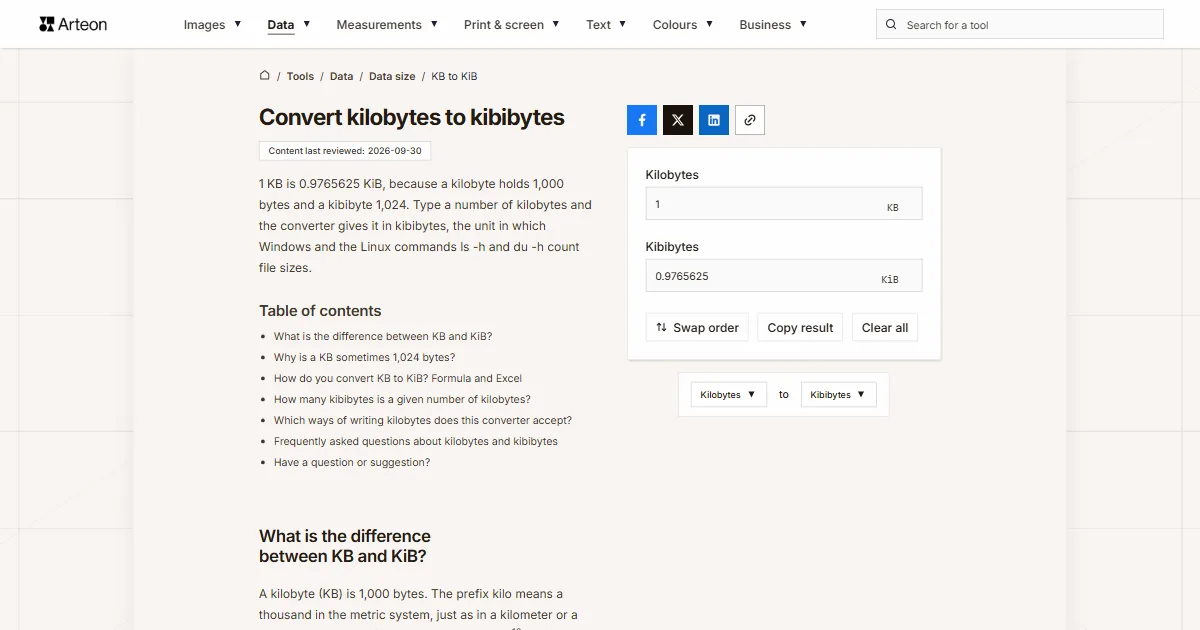
1 KB is 0.9765625 KiB, because a kilobyte holds 1,000 bytes and a kibibyte 1,024. Type a number of kilobytes and the converter gives it in kibibytes, the unit in which Windows and the Linux commands ls -h and du -h count file sizes.
What is the difference between KB and KiB?
A kilobyte (KB) is 1,000 bytes. The prefix kilo means a thousand in the metric system, just as in a kilometer or a kilogram. A kibibyte (KiB) is 1,024 bytes, or 210 B. The International Electrotechnical Commission (IEC) defined the binary prefixes kibi, mebi and gibi in 1999, so that a single symbol no longer had to mean two different numbers[1].
So a kibibyte is the bigger of the two, by 24 bytes or 2.4%[1]. The same number of bytes written in KiB therefore gives a slightly smaller figure than in KB. For a single file this matters when you have to stay under a limit to the byte, such as an upload form that takes attachments up to 500 KB.
Why is a KB sometimes 1,024 bytes?
Before the IEC standard, computing also used the word kilobyte for 1,024 bytes. JEDEC, the body that writes memory chip standards, still lists that meaning of kilo for memory sizes in its terms and definitions. Windows also counts file sizes in powers of 1,024 but labels the result KB[1]. File Explorer shows a file of 4,096 bytes as 4 KB, even though that is 4 KiB.
On Linux, ls -h, du -h and df -h count sizes in powers of 1,024 and add just a letter to the number, such as 4.0K. With the --si option the same commands count in powers of 1,000[2]. Newer versions of macOS show sizes in decimal units[3], so a kilobyte in Finder is 1,000 bytes.

How do you convert KB to KiB? Formula and Excel
Multiply the number of kilobytes by 1,000 to get bytes, then divide by 1,024. In short: KiB = KB × 0.9765625. A 500 KB file is 500 × 0.9765625 = 488.28125 KiB, and a 100 KB limit is 97.65625 KiB. The result always comes out 2.34% smaller than the number of kilobytes.
In Excel, type =CONVERT(A2,"kbyte","kibyte"). In this function the prefix “ki” stands for kibi, or 210, and “k” for the ordinary kilo[4].
To convert kibibytes back to kilobytes, use the KiB to KB converter. The same two standards for bigger units are compared in the MB to MiB converter and the GB to GiB converter, and kilobytes to megabytes in the KB to MB converter.
How many kibibytes is a given number of kilobytes?
| Kilobytes | Kibibytes |
|---|---|
| 1 KB | 0.9765625 KiB |
| 4 KB | 3.90625 KiB |
| 10 KB | 9.765625 KiB |
| 64 KB | 62.5 KiB |
| 100 KB | 97.65625 KiB |
| 128 KB | 125 KiB |
| 256 KB | 250 KiB |
| 500 KB | 488.28125 KiB |
| 512 KB | 500 KiB |
| 1,000 KB | 976.5625 KiB |
| 1,024 KB | 1,000 KiB |
| 2,048 KB | 2,000 KiB |
| 4,096 KB | 4,000 KiB |
| 10,000 KB | 9,765.625 KiB |
| 100,000 KB | 97,656.25 KiB |
| 1,000,000 KB | 976,562.5 KiB |
Which ways of writing kilobytes does this converter accept?
| What you type | What the converter shows | How we read it |
|---|---|---|
| 1.5 | 1.4648438 KiB | The point marks the decimal part, so the field holds one and a half kilobytes. |
| 1,500 | 1,464.84375 KiB | A comma before three digits groups thousands, so we count fifteen hundred kilobytes. A note under the field says how we read it, and if you meant one and a half, type 1.5. |
| 1,5 | 1.4648438 KiB | A comma before a single digit can only be a decimal comma, the way European spreadsheets write it, so we count one and a half kilobytes. |
| 1,000 | 976.5625 KiB | The comma separates thousands, so the field holds a thousand kilobytes. A note under the field says how we read it. |
| 2½ | 2.4414063 KiB | We add the ½ character copied from a document to the number in front of it. |
| 1e3 | 976.5625 KiB | We read spreadsheet scientific notation as it is: 1e3 means a thousand kilobytes. |
| 500kB | 488.28125 KiB | We drop the kB symbol stuck to the number, lowercase k included, and count the number alone. |
| 1 MB | 976.5625 KiB | A megabyte pasted into the kilobytes field is written in as 1000 KB, with a note under the field. |
| 4 KiB | 4 KiB | Kibibytes pasted into the kilobytes field are written in as 4.096 KB, so the result comes back to the same 4 KiB. |
| 4.00 KB (4,096 bytes) | 4 KiB | In a line from a file's Properties window, KB means kibibytes, so we take the byte count in brackets. The field holds 4.096 KB and the result is exactly 4 KiB. A note under the field says how we read the comma in 4,096. |
| 0.5 | 0.4882813 KiB | A number below one works too: half a kilobyte is 500 bytes. |
Convert Kilobytes to other units
Sources
- Binary prefix — Wikipedia
- Block size — GNU Coreutils
- How storage capacity is measured on Apple devices — Apple
- CONVERT function — Microsoft
- Metric prefix — Wikipedia
- Prefixes for binary multiples — National Institute of Standards and Technology
Every figure in the tables was computed from the unit definitions and checked arithmetically before publication. Historical values and the names of local units come from the sources listed above.
Content last reviewed: · written and checked by the Arteon team
Frequently asked questions about kilobytes and kibibytes
Is kB with a small k the same as KB?
Yes, both mean a kilobyte, or 1,000 bytes. The metric system writes the prefix kilo with a lowercase k, as in km or kg[5], so the correct symbol is kB. The capital K caught on in computing, and many programs write KB. The converter accepts both.
How does NIST define the kilobyte?
NIST, the US national measurement institute, keeps the metric prefix kilo for 103 and the binary prefix kibi (Ki) for 210. Its examples set 1 kbit at 1,000 bits against 1 Kibit at 1,024 bits, and 1 MB at 1,000,000 bytes against 1 MiB at 1,048,576 bytes[6]. By that rule a kilobyte is 1,000 bytes, and 1,024 bytes make a kibibyte.
Have a question or suggestion?
If you have spotted an error in the table or a value is missing, write to us.