BMP to PDF converter
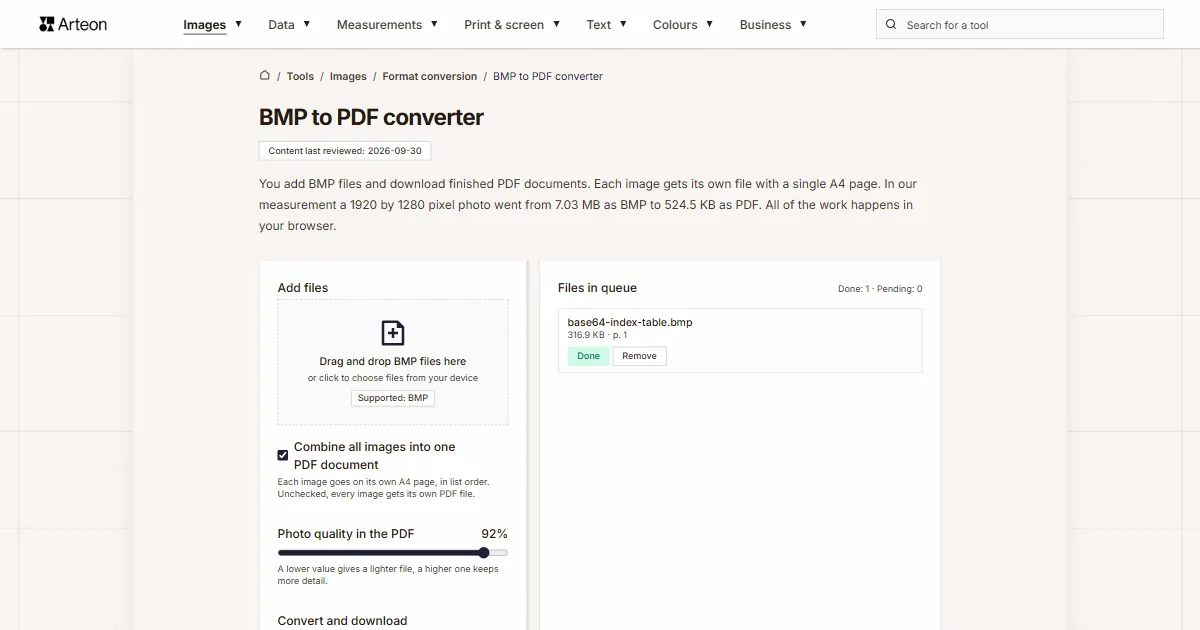
You add BMP files and download finished PDF documents. Each image gets its own file with a single A4 page. In our measurement a 1920 by 1280 pixel photo went from 7.03 MB as BMP to 524.5 KB as PDF. All of the work happens in your browser.
Files in queue
What is BMP and what is PDF?
A BMP file stores an image point by point. Every pixel gets its own place in the file and its own colour value, with nothing shortened. The format was created for OS/2 and later became part of the Windows family.[1] In its 24-bit variant a single pixel takes 24 bits, one byte each for red, green and blue. That gives 16.7 million shades.
PDF describes something else: a whole page together with its dimensions and everything standing on it. Adobe Systems created the format and released it on 15 June 1993.[2] Since July 2008 PDF has been an open international standard under the number ISO 32000-1, based on version 1.7 of the format.[2] The same document therefore lays out identically on every computer, phone and printer.
Our converter does both of those things in one step. It takes the image out of the BMP file and places it on an A4 page, and every added file comes out as its own PDF document with a single page.
How do you convert BMP to PDF?
Drag your BMP files onto the Add files box, or click that box and pick the images from your disk. You can add several files to the queue at once. Then press the Convert button.
You can save the finished documents one at a time with the Download button next to a queue row, or all at once with the Download all button. The Clear all button empties the whole queue, and the Remove label next to a row takes a single file out of it.
The column on the right is headed Files in queue. Next to each image it shows the weight of that image and its status: Pending, Processing…, Done or Error. A progress bar sits above the buttons, and above it the In queue line together with the Completed counter.
The document itself is built by jsPDF, a library written in JavaScript and run on your own computer.[3] Its name then stays in the metadata of the document: the Producer field of our files holds the entry jsPDF 4.2.1, with the creation date next to it.
A format switcher labelled BMP to PDF sits under the converter. Clicking either of the two formats opens a list, and picking from it takes you to the converter page for that pair. We have also gathered every pair from this group on the Format conversion subcategory page.
How much does a file weigh before and after BMP to PDF conversion?
| Test file | Dimensions in pixels | BMP | Change | |
|---|---|---|---|---|
| Landscape photo | 1920 × 1280 | 7.03 MB | 524.5 KB | 13.7 times smaller |
| Product photo on a light background | 1200 × 1200 | 4.12 MB | 439.6 KB | 9.6 times smaller |
| Screenshot with text | 1440 × 900 | 3.71 MB | 117.0 KB | 32.4 times smaller |
| Logo with a transparent background | 1024 × 1024 | 4.00 MB | 53.5 KB | 76.6 times smaller |
| Icon with transparency | 256 × 256 | 192.1 KB | 13.8 KB | 13.9 times smaller |
| Text page, as from a scanner | 1654 × 2339 | 11.1 MB | 350.7 KB | 32.3 times smaller |
Why does the PDF file weigh so much less than the BMP?
Let us start with the weight of the incoming file, because that one can be worked out before the image is even opened. A single pixel takes three bytes, and every row of the image is padded with zeros up to a full four bytes; Microsoft documentation gives a ready formula for it.[4] On top of that comes a 54-byte header, made of 14 bytes describing the file and 40 bytes describing the image.[1]
Let us follow that through on a photo measuring 3,000 by 2,000 pixels. One row is 3,000 pixels at three bytes each, which is 9,000 bytes, and at that width nothing needs padding. There are 2,000 rows, so the pixels alone take 18,000,000 bytes. With the header the file weighs 18,000,054 bytes, which is 17.2 MB in the notation the tool queue uses.
On its way into the document the image goes through one extra step. The browser canvas returns it as a JPEG at quality 0.92, and that JPEG is what enters the PDF file.[5] The scale for that quality ends at 1, so the converter works close to its upper end.
JPEG compression splits the image into blocks and records above all the detail that the eye picks out best. Recommendation ITU-T T.81 from September 1992 sets out the rules of that encoding.[6] The encoding is lossy, meaning part of the image data is replaced by an approximation of it.[7] That is where the whole difference in weight between the incoming file and the finished document comes from.
The pixel count stays untouched through all of this. We looked inside the finished files: the 3,000 by 2,000 pixel photo is stored there as an image of exactly those dimensions, under the DCTDecode filter and in the DeviceRGB colour space. When the same image needs to keep every piece of data pixel for pixel, the BMP to PNG converter will prepare it.
What page does the image get in the finished PDF file?
Every document from this converter has one page in A4 format. The ISO 216 standard gives that sheet the dimensions 210 by 297 millimetres, which is 8.27 by 11.69 inches, and the ratio of its sides is 1 to the square root of two.[8]
Inside the file the page is described in points, because that is the unit PDF works with. One point is one seventy-second of an inch. An A4 page therefore measures 595.28 points across and 841.89 points down, and those are exactly the two numbers we found in the MediaBox field of our documents.
Page orientation follows the shape of the image. A photo wider than it is tall produces a landscape page, and every other image leaves it portrait. A margin of 20 points is left around the image on each side, so on a portrait page the image gets an area of 555.28 by 801.89 points. The converter fits it into that area whole and centres it.
An image smaller than that area keeps its own size. Our 400 by 300 pixel file landed on the page as a rectangle of 400 by 300 points, which is 5.56 by 4.17 inches. That works out at exactly 72 points per inch, because an inch holds precisely that many points in the measure PDF uses.
For a reader in the United Kingdom, Ireland or Australia the A4 page matches the paper already in the office printer. In the United States and Canada the default sheet is Letter at 8.5 by 11 inches, that is 215.9 by 279.4 millimetres,[8] so a printer driver there scales the A4 page at the moment of printing. Picking Fit to page in the print dialog gives the same picture on the shorter Letter sheet.
How large is the image on an A4 page?
| Image | Size in pixels | Page orientation | Image on the page | Print resolution |
|---|---|---|---|---|
| Photo from a camera | 3,000 × 2,000 | landscape | 11.14 × 7.42 in | 269 dpi |
| Photo for a website | 1,280 × 850 | landscape | 11.14 × 7.40 in | 115 dpi |
| Scan of a book page | 1,200 × 1,600 | portrait | 7.71 × 10.28 in | 156 dpi |
| Screenshot of an interface | 1,200 × 630 | landscape | 11.14 × 5.85 in | 108 dpi |
| Graphic made of flat colour | 800 × 600 | landscape | 10.28 × 7.71 in | 78 dpi |
| Small graphic mark | 400 × 300 | landscape | 5.56 × 4.17 in | 72 dpi |
How does BMP differ from PDF?
| Property of the format | BMP | |
|---|---|---|
| What the file describes | One image made of pixels | A whole page together with its dimensions and contents |
| Compression | None at 24 bits per pixel, lossless RLE only at 4 and 8 bits | Depends on the embedded content; this converter stores the image as JPEG |
| Colour depth | 8, 16, 24 or 32 bits per pixel | 24 bits per pixel in the DeviceRGB space |
| Page dimensions | Follow from the pixel count and the density written in the header | Given directly in points; this converter sets A4 |
| Pages in the file | One image per file | One or more; this converter writes one |
| Origin | The OS/2 system, later the Windows family | Adobe Systems, 15 June 1993 |
| Standard | Described by Microsoft documentation | ISO 32000-1 since July 2008, ISO 32000-2 since July 2017 |
What does the converter do with a BMP file?
Seven things worth knowing before you drop a larger batch of images into the queue.
Every image comes out as its own document
Five files dropped into the queue at once produced five PDF documents, and each one took the name of its source file with a .pdf ending. The Download all button saves that whole set of five in a single click.The pixel count stays the same
A 3,000 by 2,000 pixel image reaches the finished document as a 3,000 by 2,000 pixel image. We read those values straight from the Width and Height fields inside the file. The way the image is stored changes, and its resolution stays as it was.The page is always A4
The MediaBox field of each of our documents gives 595.28 by 841.89 points on a portrait page and the same two numbers in reverse order on a landscape one. The converter matches the orientation to the shape of the image.The image is stored as JPEG
The browser canvas returns the image at quality 0.92, and the document keeps it under the DCTDecode filter in the DeviceRGB colour space. The file header carries the marking PDF-1.3, the version every PDF program reads.The page background comes out white
Before the image reaches the canvas the converter fills it with white and draws the photo on that background. When a file needs to keep a cut-out background, the BMP to PNG converter will prepare it, because PNG carries an alpha channel in every variant of its encoding.It accepts files with the .bmp extension
The queue takes files described as image/bmp, image/x-ms-bmp and image/x-bmp, along with any file ending in .bmp. With another format the message Add BMP files - other formats are skipped appears.Large images go through whole
We checked that with a file measuring 6,000 by 4,000 pixels, which weighed 68.7 MB as a BMP. It went through the queue and came out as a document of 2.88 MB, with the image still counting 6,000 by 4,000 pixels.
When to pick PDF and when another format?
The scan goes out by email or to an office
A PDF document opens the same way for the sender and the recipient, together with a fixed page size. This is the situation the converter was built for: you drop in a BMP scan and get a finished A4 sheet.The file goes straight to print
An A4 page goes into an office printer in the state you downloaded it. Our 3,000 by 2,000 pixel photo takes up 11.14 by 7.42 inches on that page, which works out at 269 points per inch.The image goes onto a website
Here a light file that the browser shows straight away in the content is what counts. Images like that are prepared by the BMP to WebP converter and the BMP to AVIF converter.You need the photo itself, without a page
When the file should stay an image while its weight drops, reach for the BMP to JPG converter. It writes the same frame into a picture file that every program and every browser opens.The image is made of flat areas of colour
Icons, diagrams and interface screenshots hold a few hundred colours, so they fit into a palette with room to spare. A light file is made from them by the BMP to GIF converter.The way back
You can pull an image out of a finished document with the PDF to PNG converter. A lighter file from the same page is produced by the PDF to JPG converter.
Convert other files to PDF
Convert BMP to other formats
Sources
- BMP file format — Wikipedia
- PDF — Wikipedia
- jsPDF, a library that builds PDF files in the browser — Parallax Agency
- Bitmap Storage — Microsoft Learn
- HTMLCanvasElement: toDataURL() method — MDN Web Docs
- Recommendation ITU-T T.81, September 1992 — International Telecommunication Union
- JPEG — Wikipedia
- Paper size — Wikipedia
- Image file type and format guide — MDN Web Docs
- Can I use: AVIF, WebP, HEIF — caniuse.com
The file sizes in the tables were measured by running finished images through this converter in a browser, and we report them the way the tool counts them. What the page says about either format rests on the sources listed above.
Content last reviewed: · written and checked by the Arteon team
Common questions about turning BMP into PDF
How many pages does a document from this converter have?
One. Every added BMP file comes out as its own PDF document with a single A4 page, and the name of the document repeats the name of the source file. Six images dropped into the queue at once gave us six files, weighing 1.46 MB together against 30.1 MB going in.
Do my files reach a server?
No. The page code loads the image in your browser, draws it on a canvas (Canvas API) and passes it from there to the jsPDF library, which also works locally. The file stays on your device for the whole time you work, and once the tab is closed it leaves the browser memory.
At what quality does the image reach the PDF file?
The browser canvas returns the image as a JPEG at quality 0.92 on a scale that ends at 1, and that JPEG is what we write into the document.[5] Inside the file the image sits under the DCTDecode filter, in the DeviceRGB colour space, with the pixel count carried over from the original one for one.
Why does the page come out portrait one time and landscape another?
The orientation follows the shape of the image. A photo wider than it is tall produces a landscape page, and every other image leaves it portrait. Our 1,200 by 1,600 pixel scan got a portrait page of 595.28 by 841.89 points, and the 3,000 by 2,000 pixel photo a landscape one with the same numbers in reverse order.
How large a file will the converter take?
We checked that with a 6,000 by 4,000 pixel image, which weighed 68.7 MB as an uncompressed BMP. It went through the queue and came out as a document of 2.88 MB. The upper boundary therefore depends on the memory of your device, because all of the work happens on it.
What happens when I add a file in another format?
The converter takes BMP files, and with another format it shows the message Add BMP files - other formats are skipped and leaves the queue empty. A JPG photo is turned into a document by the JPG to PDF converter, and a TIFF file by the TIFF to PDF converter.
Will the photo stay sharp once the page is printed?
That is decided by the pixel count of the image spread over the width it gets on paper. A 3,000 by 2,000 pixel photo takes 11.14 inches of width on the page, which gives 269 points per inch and is enough for a photographic print. A 1,200 by 630 pixel screenshot spreads over the same width and yields 108 points per inch, a level that reads clearly on office paper.
The page is A4 and my printer takes Letter. What then?
Every document from this converter carries an A4 page of 8.27 by 11.69 inches, while the Letter sheet measures 8.5 by 11 inches.[8] Letter is wider by 0.23 inches and shorter by 0.69 inches, so the Fit to page option in the print dialog puts the whole picture on the shorter sheet with a slightly wider white edge at the sides.
Help us improve our tools
Do you have an idea for a new feature, have you found a bug or would you like to suggest another tool? Write to us.
Check out our other useful tools


Meta title & description checker
Check title and description length in pixels. Live Google preview and optimization tips.

PNG to JPG
Convert PNG files to JPG in your browser. No file limits, no signup, no server uploads.

Favicon generator
Create a complete favicon.ico set for your website from one image. All required sizes, no login.

Color palette generator
Generate 17 palettes from one color: monochromatic, complementary, triadic and more. HEX codes.

WebP to JPG
Convert WebP files to universally compatible JPG. Works in every app and platform.

Color contrast checker
Check text and background contrast per WCAG 2.1 AA and AAA. Automatic color correction.

Free QR code generator
Create a QR code for a website, vCard business card or print. Export PNG and SVG, no registration.

Word & character counter
Count words, characters with and without spaces, sentences, paragraphs and the average sentence length.

Lorem Ipsum Generator
Free Lorem Ipsum generator — 8 text styles, paragraphs, sentences or words. Copy in one click.