BMP to JPG converter
You add your BMP files, set the quality and download the finished JPG images. In our measurement a 1920 by 1280 pixel photo went from 7.03 MB as BMP to 370.3 KB as JPG. All the work happens inside your browser.
Files in queue
What is BMP and what is JPG?
BMP is a way of writing an image where every point sits in the file separately, exactly as it is meant to appear on screen. The format was built for OS/2 and later moved into the Windows interface. It carries its own lossless RLE compression, although using it is optional and most programs leave it aside. Colour depth runs from 1 to 32 bits per pixel, and that last one also carries an alpha channel, meaning transparency.[1]
Microsoft describes the shape of such a file plainly: first comes a header with the file size and the offset where the image begins, then a second header with the dimensions and the number of bits per pixel, then an optional colour table, and at the end the raw array of points.[2]
JPG comes from a different idea. The name is the abbreviation of the Joint Photographic Experts Group, and the way of writing is set out in Recommendation ITU-T T.81, approved in September 1992.[3] The .jpg and .jpeg extensions mean exactly the same format; the shorter one caught on because systems before Windows 95 allowed only three characters after the dot.
The writing itself runs in several steps. The image is split into blocks of 8 by 8 pixels, a discrete cosine transform runs on each block, and the result passes through quantisation. Quantisation is where the loss of data happens. Separately, the resolution of the colour channels is reduced, which is called chroma subsampling.[4]
Every pixel in a finished JPG file is described by three colour components of eight bits each: red, green and blue. This format carries no alpha channel, and every browser version reads it.[5]
How do you convert BMP to JPG?
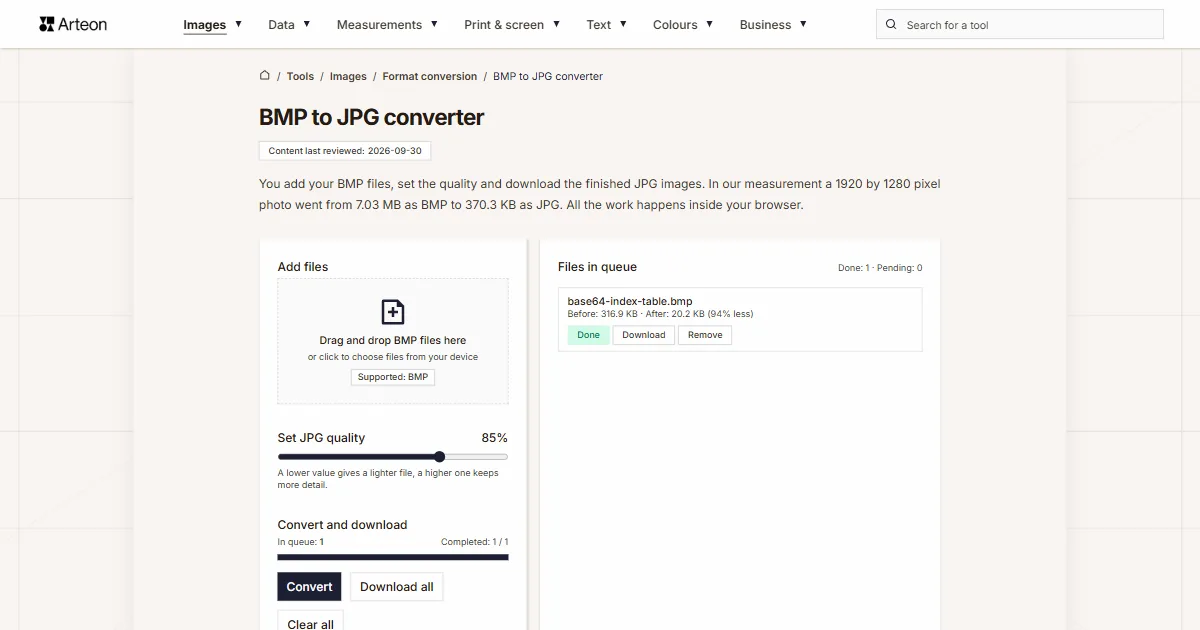
Drag your BMP files onto the Add files area, or click it and pick the images from your drive. The Set JPG quality slider takes values from 60 to 95 per cent and sits on 85 by default. Then press the Convert button.
You can download the finished images one at a time with the Download button on a queue row, or all together with Download all. The Clear all button empties the queue, and the Remove label on a row takes a single file out of it.
In the queue on the right, every file shows its weight before and after the conversion along with the difference in per cent. The same summary for the whole batch sits under the buttons, on the Saved line.
The browser itself does the writing. The image first goes onto the page canvas, the canvas element, and from there into a JPG file. This happens on your own device, so the file stays with you from the first click to the end of the work.
Under the converter sits a format switch reading BMP to JPG. Clicking either of the two formats opens a list, and picking from it takes you to the converter page for that pair. Every pair in this group is also gathered on the Format conversion page.
How much does a file weigh before and after BMP to JPG conversion?
| Test file | Dimensions in pixels | BMP | JPG | Change |
|---|---|---|---|---|
| Landscape photo | 1920 × 1280 | 7.03 MB | 370.3 KB | 19.4 times smaller |
| Product photo on a light background | 1200 × 1200 | 4.12 MB | 319.7 KB | 13.2 times smaller |
| Screenshot with text | 1440 × 900 | 3.71 MB | 90.4 KB | 42 times smaller |
| Logo with a transparent background | 1024 × 1024 | 4.00 MB | 37.8 KB | 108.4 times smaller |
| Icon with transparency | 256 × 256 | 192.1 KB | 8.62 KB | 22.3 times smaller |
| Text page, as from a scanner | 1654 × 2339 | 11.1 MB | 287.9 KB | 39.4 times smaller |
Why does a JPG file weigh so much less than a BMP?
Because the weight of a BMP file follows from the dimensions of the image alone. In the 24-bit variant every pixel takes three bytes, and every row is padded with zeros up to a full four bytes; the Microsoft documentation gives a ready formula for it.[6] On top of that come 54 bytes of header. This arithmetic looks the same for every image, whatever the photo happens to show.
Let us follow it on a photo measuring 3000 by 2000 pixels. One row holds 3000 pixels at three bytes each, which makes 9000 bytes. At that width nothing needs padding. There are 2000 rows, so the pixels alone take 18,000,000 bytes. Together with the header the file weighs 18,000,054 bytes, which is 17.2 MB in the notation the summary inside the tool uses.
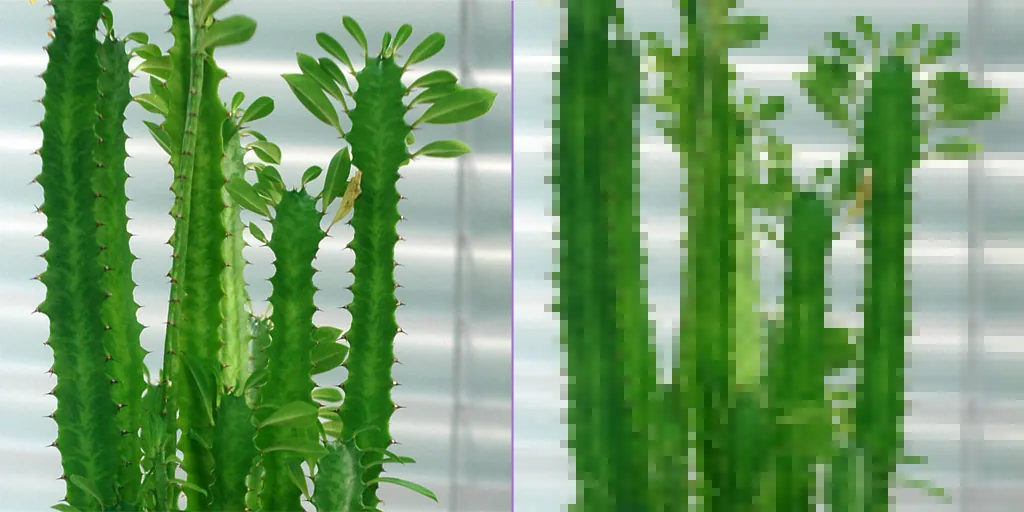
JPG approaches the same image differently. The encoder compares neighbouring points and leaves out the small differences between them. The quality slider sets that very threshold. The MDN documentation describes this value as a number between 0 and 1, handed to the encoder together with the image.[7] The higher you set the slider, the more detail stays in the file and the more the file weighs.
The Saved line then appears under the buttons, carrying the number of megabytes and the percentage the file has shed.
What does the quality slider change when writing to JPG?
| Image | Size in pixels | Quality 60% | Quality 85% | Quality 95% |
|---|---|---|---|---|
| Landscape photo | 1920 × 1280 | 202.3 KB | 370.3 KB | 689.9 KB |
| Product photo on a light background | 1200 × 1200 | 179.0 KB | 319.7 KB | 549.7 KB |
| Screenshot with text | 1440 × 900 | 59.0 KB | 90.4 KB | 134.1 KB |
| Logo with a transparent background | 1024 × 1024 | 24.4 KB | 37.8 KB | 62.7 KB |
| Icon with transparency | 256 × 256 | 5.94 KB | 8.62 KB | 12.4 KB |
| Text page, as from a scanner | 1654 × 2339 | 200.6 KB | 287.9 KB | 398.9 KB |
What does the converter do with a BMP file?
Eight things worth knowing before you drop a larger batch of images into the queue.
It reads six BMP variants
We checked them one by one: 24-bit with rows from the bottom, 24-bit with rows from the top, 8-bit with a palette, 32-bit, RLE-compressed and the old one with the twelve-byte OS/2 header. The tool read every one of those files with the right colours and the right orientation.The pixel count stays the same
A 3000 by 2000 pixel image comes out as a JPG measuring 3000 by 2000 pixels. Only the way of writing changes, while the frame and the resolution are left untouched.Transparency gets a white background
The JPG format describes every pixel as fully opaque, so a cut-out background is filled with white. We checked this on a 32-bit file with a version 5 header and an alpha mask: a fully transparent corner came out white, and an area at half opacity in #1f4e5f came out as #8fa6ae, that same colour mixed half and half with white.The writing always runs in baseline mode
We looked inside the header of the finished files at three slider settings, from 60 to 95 per cent. Every time the converter wrote the image in baseline mode, the one a graphics program draws in rows from the top. The resolution of the colour channels is halved both vertically and horizontally, while the brightness channel keeps its full resolution.The result carries an sRGB colour profile
Every finished file holds an sRGB profile of 456 bytes, so the colours look the same in a browser and in a graphics program. The image itself passes through the browser canvas, so what reaches the result is the image together with the colour profile, while the camera data (EXIF) stays in the source file. We checked this on files from three slider settings.The writing takes a fraction of a second
The encoder runs on your own computer, so the time depends on its power. In our measurement six files weighing 30.1 MB together passed through the converter in 1.4 seconds. Files from the queue go one after another, and the bar above the buttons shows how many of them are already finished.Single files up to 100 MB
That is what the converter takes from one file. Above that size, the message reads File is too large (max 100 MB). An uncompressed BMP of roughly 5900 by 5900 pixels fits inside that limit.Very large images are fitted to the canvas
The browser canvas holds 16,384 pixels per side and around 268 million pixels in total. An image beyond that limit is scaled down proportionally by the tool, so that all of it fits into the result.
When should you pick JPG and when another format?
The file goes by email or into a form
Practically every program and every service reads JPG today, and at a weight of around one megabyte it fits inside an attachment limit. It is the safest pick when you have no idea what the recipient will open the file with.The image goes onto a web page
Here every kilobyte counts, and for the same look of the image AVIF weighs even less. That file comes from the BMP to AVIF converter, while older browsers are served by the BMP to WebP converter.The file still goes back for editing
Each further opening and saving in a lossy format settles on the image, so a working file is better kept in a lossless one. The BMP to PNG converter will make it.The image holds text or sharp edges
Blocks of 8 by 8 pixels show up most on letters and on flat areas with a clear border. A screenshot, a chart or a logo keeps its sharpness in a file from the BMP to PNG converter, and a transparent background keeps its transparency.The image goes to print
Print shops and digital archives work on TIFF, because that format writes pixel values in full and carries them between programs without any processing. The BMP to TIFF converter makes such a file. The result then holds four bytes per pixel against three in BMP, so a 3000 by 2000 pixel photo grows from 17.2 MB to 22.9 MB.The scan goes to an office or an archive
A scanned page is easier to send as a PDF than as an image. The BMP to PDF converter will make one: it lays every image on a separate A4 page, matching the orientation to the proportions of the file.The way back
You can save a finished JPG photo as an uncompressed bitmap with the JPG to BMP converter. It is the same pair of formats, only reversed.
Convert other files to JPG
Convert BMP to other formats
Sources
- BMP file format — Wikipedia
- Bitmap Storage — Microsoft Learn
- Recommendation ITU-T T.81, September 1992 — International Telecommunication Union
- JPEG — Wikipedia
- Image file type and format guide — MDN Web Docs
- BITMAPINFOHEADER — Microsoft Learn
- HTMLCanvasElement: toBlob() method — MDN Web Docs
The file sizes in the tables were measured by running finished images through this converter in a browser, and we report them the way the tool counts them. What the page says about either format rests on the sources listed above.
Content last reviewed: · written and checked by the Arteon team
Common questions about converting BMP to JPG
How much space will I save converting BMP to JPG?
In our measurement, at the default slider setting the files came out 13 to 108 times lighter. The more smooth surfaces the image holds, the bigger the difference.
Will I lose quality converting BMP to JPG?
Writing to JPG is lossy, meaning the encoder drops part of the detail to bring the weight down. At the default 85 per cent the difference shows only under strong magnification.
Which slider setting should I pick?
Leave it at 85 per cent if the file is going onto a web page, into an email or into a form. At 60 per cent the camera photograph comes down to 202.3 KB, and that setting suits thumbnails and previews. At 95 per cent the file keeps the most detail, and that is the value for photos that will still be viewed enlarged.
Do my files go to a server?
No. The page code in your browser loads the image, draws it on the canvas (the Canvas API) and writes it from there as a JPG. The file stays on your device for the whole time you work, and once you close the tab it leaves the browser memory.
What happens to transparency from a 32-bit BMP?
Transparent areas get a white background, because the JPG format describes every pixel as fully opaque. We checked this on a file with a version 5 header and an alpha mask: the transparent corner came out white. If the transparency is meant to stay, use the BMP to PNG converter.
How many files can I convert at once?
You can add as many files to the queue as you like, and the tool works through them one by one while showing the progress above the buttons. A single file can weigh up to 100 MB, and the total number of files depends on the memory of your device. Six files weighing 30.1 MB together passed through our converter in 1.4 seconds.
Will the camera data, meaning EXIF, stay in the JPG file?
The JPG format carries such data in a separate file segment, and here it stays in the source file: the image passes through the browser canvas, so what reaches the result is the image itself together with the sRGB colour profile. We checked finished files from three slider settings and the list of EXIF fields was empty in each one. When you want the date, the camera model and the coordinates gone from a photo, this conversion does it along the way.
Will a JPG file open on every device?
Yes. The MDN guide lists JPG as a format read by every version of Chrome, Edge, Firefox, Opera and Safari, and beyond browsers practically every graphics program, phone and digital photo frame handles it. Of the whole family of image formats it is the safest pick when sending to an unknown recipient.
Help us improve our tools
Got an idea for a new feature, found a bug or want to suggest another tool? Write to us.
Explore other useful tools


Meta title & description checker
Check title and description length in pixels. Live Google preview and optimization tips.

PNG to JPG
Convert PNG files to JPG in your browser. No file limits, no signup, no server uploads.

Favicon generator
Create a complete favicon.ico set for your website from one image. All required sizes, no login.

Color palette generator
Generate 17 palettes from one color: monochromatic, complementary, triadic and more. HEX codes.

WebP to JPG
Convert WebP files to universally compatible JPG. Works in every app and platform.

Color contrast checker
Check text and background contrast per WCAG 2.1 AA and AAA. Automatic color correction.

Free QR code generator
Create a QR code for a website, vCard business card or print. Export PNG and SVG, no registration.

Word & character counter
Count words, characters with and without spaces, sentences, paragraphs and the average sentence length.

Lorem Ipsum Generator
Free Lorem Ipsum generator — 8 text styles, paragraphs, sentences or words. Copy in one click.