Convert petabytes to terabytes
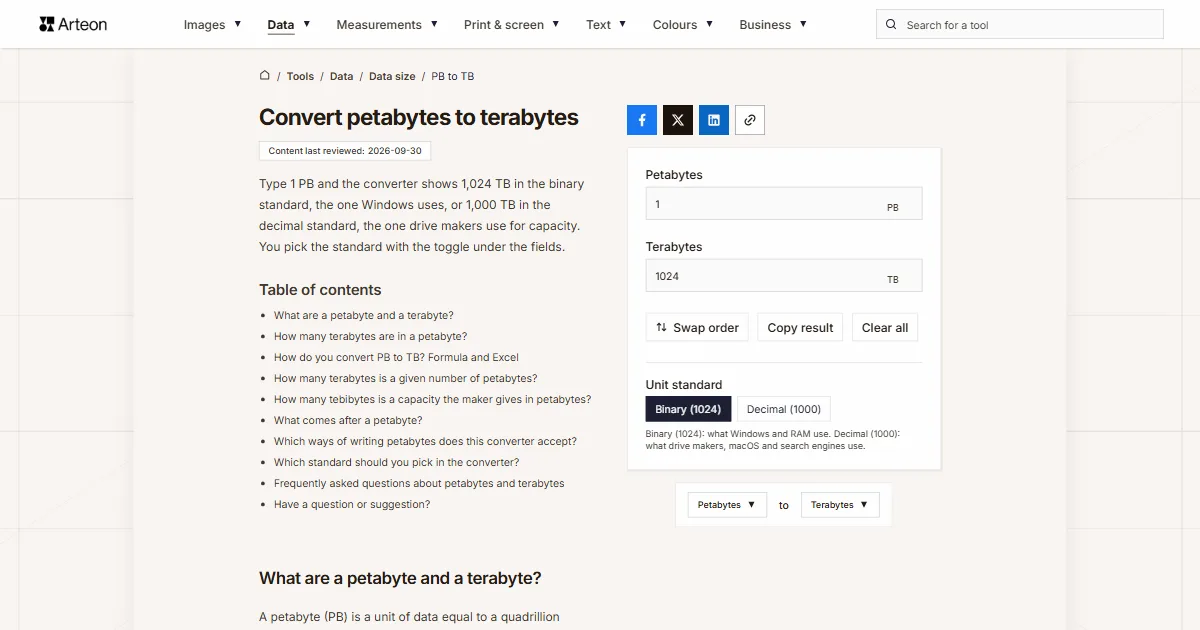
Type 1 PB and the converter shows 1,024 TB in the binary standard, the one Windows uses, or 1,000 TB in the decimal standard, the one drive makers use for capacity. You pick the standard with the toggle under the fields.
What are a petabyte and a terabyte?
A petabyte (PB) is a unit of data equal to a quadrillion bytes, or 1015 B. A terabyte (TB) holds a trillion bytes, or 1012 B, so a thousand terabytes fit in one petabyte. Each unit also has a twin counted in powers of two, with its own name: the pebibyte (PiB) of 250 bytes and the tebibyte (TiB) of 240 bytes[1].
Windows counts capacity in powers of two but labels the result with decimal symbols such as MB and GB[2]. That is why the converter lets you choose which of the two definitions you are converting.
How many terabytes are in a petabyte?
A petabyte has 1,024 terabytes in the binary standard and 1,000 terabytes in the decimal one. The conversion is a single multiplication: you multiply the number of petabytes by 1,024 or by 1,000. The number 1,024 is 2 to the power of 10, the power of two closest to a thousand, which is why computing uses it in place of a thousand.
Both results are in use because different people count differently. Storage makers give capacity in decimal, so 1 TB on a box means a trillion bytes, and newer versions of macOS and iOS count the same way[3]. Windows counts in binary, so it describes the same number of bytes with fewer terabytes.
Take 2.5 PB. In binary it comes to 2,560 TB, in decimal to 2,500 TB. The 60 TB gap is as much as three 20 TB drives hold, so check where a figure comes from before you convert it and set the converter to the same standard.
How do you convert PB to TB? Formula and Excel
The formula comes in two versions, one for each standard:
- binary: TB = PB × 1,024,
- decimal: TB = PB × 1,000.
Take a storage array sold as 1.2 PB. In the binary standard that is 1,228.8 TB, and in the decimal one 1,200 TB.
In Excel the CONVERT function handles bytes with prefixes. The formula =CONVERT(A2,"Pbyte","Tbyte") counts in decimal, and =CONVERT(A2,"Pibyte","Tibyte") in binary[4].
To go the other way, use the TB to PB converter, which also shows how many drives and tapes make up a petabyte. The data size converter gives a result in gigabytes and covers any other pair of units, from bytes to petabytes.
How many terabytes is a given number of petabytes?
| Petabytes | Binary (1024) | Decimal (1000) |
|---|---|---|
| 0.001 PB | 1.024 TB | 1 TB |
| 0.01 PB | 10.24 TB | 10 TB |
| 0.1 PB | 102.4 TB | 100 TB |
| 0.25 PB | 256 TB | 250 TB |
| 0.5 PB | 512 TB | 500 TB |
| 1 PB | 1,024 TB | 1,000 TB |
| 1.1 PB | 1,126.4 TB | 1,100 TB |
| 1.2 PB | 1,228.8 TB | 1,200 TB |
| 1.5 PB | 1,536 TB | 1,500 TB |
| 1.6 PB | 1,638.4 TB | 1,600 TB |
| 2 PB | 2,048 TB | 2,000 TB |
| 2.5 PB | 2,560 TB | 2,500 TB |
| 3 PB | 3,072 TB | 3,000 TB |
| 4 PB | 4,096 TB | 4,000 TB |
| 5 PB | 5,120 TB | 5,000 TB |
| 10 PB | 10,240 TB | 10,000 TB |
| 20 PB | 20,480 TB | 20,000 TB |
| 50 PB | 51,200 TB | 50,000 TB |
| 100 PB | 102,400 TB | 100,000 TB |
| 1,000 PB | 1,024,000 TB | 1,000,000 TB |
How many tebibytes is a capacity the maker gives in petabytes?
| Capacity from the maker | Terabytes (TB) | Tebibytes (TiB) | Pebibytes (PiB) |
|---|---|---|---|
| 0.5 PB | 500 TB | 454.747 TiB | 0.4441 PiB |
| 1 PB | 1,000 TB | 909.495 TiB | 0.8882 PiB |
| 2 PB | 2,000 TB | 1,818.989 TiB | 1.7764 PiB |
| 5 PB | 5,000 TB | 4,547.474 TiB | 4.4409 PiB |
| 10 PB | 10,000 TB | 9,094.947 TiB | 8.8818 PiB |
What comes after a petabyte?
| Unit | In bytes | In terabytes | SI prefix since |
|---|---|---|---|
| petabyte (PB) | 10¹⁵ B | 10³ TB | 1975 |
| exabyte (EB) | 10¹⁸ B | 10⁶ TB | 1975 |
| zettabyte (ZB) | 10²¹ B | 10⁹ TB | 1991 |
| yottabyte (YB) | 10²⁴ B | 10¹² TB | 1991 |
| ronnabyte (RB) | 10²⁷ B | 10¹⁵ TB | 2022 |
| quettabyte (QB) | 10³⁰ B | 10¹⁸ TB | 2022 |
Which ways of writing petabytes does this converter accept?
| What you type | What the converter shows | How we read it |
|---|---|---|
| 1.5 | 1536 TB | The point marks the decimal part, so the field holds one and a half petabytes |
| 1,500 | 1536000 TB | A comma before three digits groups thousands, so we count fifteen hundred petabytes. A note under the field says how we read it, and if you meant one and a half, type 1.5 |
| 1,5 | 1536 TB | A comma before a single digit can only be a decimal comma, the way European spreadsheets write it, so we count one and a half petabytes |
| 12,500 | 12800000 TB | The comma separates thousands, so the field holds twelve thousand five hundred. A note under the field shows the other possible reading, 12.5. |
| 2½ | 2560 TB | We add the ½ character copied from a document to the number in front of it |
| 2.5e-3 | 2.56 TB | We read spreadsheet scientific notation as it is: 2.5e-3 means 0.0025 petabytes |
| Raw capacity: 1.2 PB | 1228.8 TB | A whole line copied from an array's data sheet works too, because we take the number right before the unit symbol |
| 2 TB | 2 TB | Terabytes pasted into the petabytes field are written in as 0.00195313 PB, with a note under the field, so the result is the same 2 TB |
| 1,000,204,886,016 bytes | 0.9097 TB | A byte count from the disk Properties window is first converted to petabytes (0.00088836 PB) and then to terabytes |
| LTO-9 18 TB | 18 TB | The digit in the tape name does not join the number: we take the 18 TB right before the unit and write it into the field as 0.0175781 PB |
Which standard should you pick in the converter?
You set the standard with the Unit standard toggle under the fields. Pick it based on where the number comes from.
Capacity from a quote or a data sheet
Choose Decimal (1000). Drive, array and tape makers state capacity in decimal, so 1 PB in their documents means 1,000 TB.A figure from File Explorer in Windows
Choose Binary (1024). That is how File Explorer counts, so the result will match what you see on screen.A figure from Finder on a Mac
Choose Decimal (1000). Newer versions of macOS show capacity in decimal, the same way drive makers do.
Convert other units to Terabytes
Convert Petabytes to other units
Sources
- Byte — Wikipedia
- Binary prefix — Wikipedia
- How storage capacity is measured on Apple devices — Apple
- CONVERT function — Microsoft
- What Is the Memory Capacity of the Human Brain? — Scientific American
- SI prefixes — Bureau International des Poids et Mesures
- Resolution 3 of the 27th CGPM (2022): On the extension of the range of SI prefixes — Bureau International des Poids et Mesures
- Orion — Oak Ridge Leadership Computing Facility
Every figure in the tables was computed from the unit definitions and checked arithmetically before publication. Historical values and the names of local units come from the sources listed above.
Content last reviewed: · written and checked by the Arteon team
Frequently asked questions about petabytes and terabytes
What is a brontobyte?
Brontobyte is a name that circulates online for the step after the yottabyte. It is not a unit of the SI or of any IEC standard. Since 2022 the official steps after the yottabyte have been the units with the prefixes ronna (RB) and quetta (QB)[7]. The data unit converter converts both.
Does 1 PB of storage actually exist?
Yes, in disk arrays and tape libraries that join many drives into one pool. The Orion file system at Oak Ridge National Laboratory, which serves the Frontier supercomputer, has room for up to 700 PB of data[8], or 700,000 TB in decimal. With 20 TB drives, 1,000 TB takes fifty of them. The figures for other drives and for LTO tapes are in the TB to PB converter.
Have a question or suggestion?
If you have spotted an error in a table or a capacity is missing, write to us.