Convert Gbps to Mbps
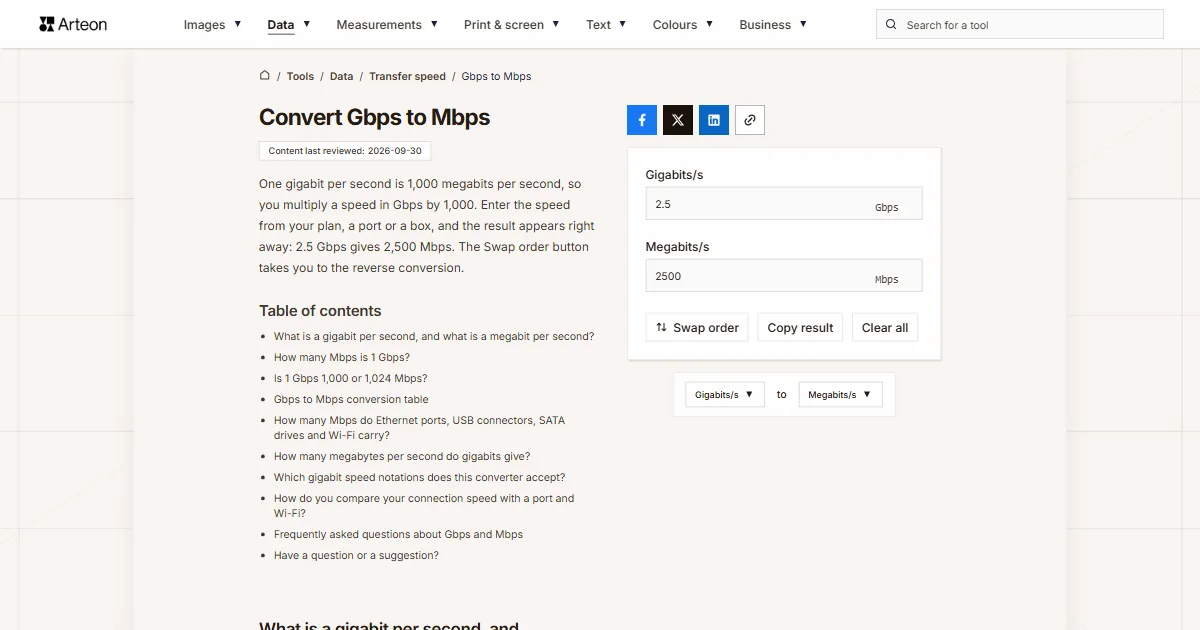
One gigabit per second is 1,000 megabits per second, so you multiply a speed in Gbps by 1,000. Enter the speed from your plan, a port or a box, and the result appears right away: 2.5 Gbps gives 2,500 Mbps. The Swap order button takes you to the reverse conversion.
What is a gigabit per second, and what is a megabit per second?
A gigabit per second, written Gbps, is a unit of data rate: the number of bits a connection, a port or a cable carries in one second. A bit is the smallest piece of information, a single zero or one. The prefix giga means one billion, so 1 Gbps is a billion bits every second.
A megabit per second, or Mbps, stands for one million bits every second. A thousand megabits make up one gigabit. You will also see the same pair written as Gb/s and Mb/s or as Gbit/s and Mbit/s, and each of these forms means exactly the same thing.
A lowercase b in the symbol stands for bits and an uppercase B for bytes. A byte has eight bits, so 1 GB/s carries eight times as much data as 1 Gbps.
How many Mbps is 1 Gbps?
One gigabit per second is 1,000 megabits per second. To convert Gbps to Mbps, multiply the number of gigabits by 1,000: Mbps = Gbps × 1,000.
Speeds below one gigabit work the same way. A speed of 0.5 Gbps is 500 Mbps, and 0.1 Gbps is 100 Mbps. In your head, move the decimal point three places right and add zeros as needed.
The conversion helps when your plan states the speed in gigabits and a speed test reports megabits. The Mbps to Gbps converter turns megabits back into gigabits.
Is 1 Gbps 1,000 or 1,024 Mbps?
A gigabit per second has 1,000 megabits per second. The prefixes giga and mega come from the International System of Units and mean the same with bits per second as with any other unit: a billion and a million. The SI Brochure from the BIPM, the international bureau that maintains the system, says so directly: “one kilobit represents 1000 bits and not 1024 bits”[2].
The number 1,024 belongs to the binary prefixes, which have their own names and symbols. A gibibit per second, written Gibit/s, is 1,024 mebibits per second, or Mibit/s[3]. NIST, the US National Institute of Standards and Technology, also explains how 1,024 found its way into networking. Some designers of local area networks used a megabit per second to mean 1,048,576 bits, while all telecommunications engineers use it to mean one million bits[3].
This converter calculates in decimal, so 1 Gbps always gives 1,000 Mbps here.
Gbps to Mbps conversion table
| Speed in Gbps | Same speed in Mbps |
|---|---|
| 0.1 Gbps | 100 Mbps |
| 0.25 Gbps | 250 Mbps |
| 0.48 Gbps | 480 Mbps |
| 0.5 Gbps | 500 Mbps |
| 1 Gbps | 1,000 Mbps |
| 1.1 Gbps | 1,100 Mbps |
| 1.2 Gbps | 1,200 Mbps |
| 1.25 Gbps | 1,250 Mbps |
| 1.3 Gbps | 1,300 Mbps |
| 1.5 Gbps | 1,500 Mbps |
| 1.8 Gbps | 1,800 Mbps |
| 2 Gbps | 2,000 Mbps |
| 2.1 Gbps | 2,100 Mbps |
| 2.4 Gbps | 2,400 Mbps |
| 2.5 Gbps | 2,500 Mbps |
| 3 Gbps | 3,000 Mbps |
| 3.6 Gbps | 3,600 Mbps |
| 4 Gbps | 4,000 Mbps |
| 4.8 Gbps | 4,800 Mbps |
| 5 Gbps | 5,000 Mbps |
| 6 Gbps | 6,000 Mbps |
| 8 Gbps | 8,000 Mbps |
| 9.6 Gbps | 9,600 Mbps |
| 10 Gbps | 10,000 Mbps |
| 20 Gbps | 20,000 Mbps |
| 25 Gbps | 25,000 Mbps |
| 40 Gbps | 40,000 Mbps |
| 50 Gbps | 50,000 Mbps |
| 64 Gbps | 64,000 Mbps |
| 80 Gbps | 80,000 Mbps |
| 100 Gbps | 100,000 Mbps |
| 1,000 Gbps | 1,000,000 Mbps |
How many Mbps do Ethernet ports, USB connectors, SATA drives and Wi-Fi carry?
| Port, connector or standard | In Gbps | Same speed in Mbps |
|---|---|---|
| Fast Ethernet, an older network port | 0.1 Gbps | 100 Mbps |
| Gigabit Ethernet, the port on a router and a computer | 1 Gbps | 1,000 Mbps |
| 2.5GBASE-T, a multi-gigabit port | 2.5 Gbps | 2,500 Mbps |
| 5GBASE-T, a multi-gigabit port | 5 Gbps | 5,000 Mbps |
| 10 Gigabit Ethernet, including the 10GBASE-T port | 10 Gbps | 10,000 Mbps |
| USB 2.0 | 0.48 Gbps | 480 Mbps |
| USB 5Gbps, formerly USB 3.0 | 5 Gbps | 5,000 Mbps |
| USB 10Gbps | 10 Gbps | 10,000 Mbps |
| USB 20Gbps | 20 Gbps | 20,000 Mbps |
| USB 40Gbps | 40 Gbps | 40,000 Mbps |
| USB 80Gbps | 80 Gbps | 80,000 Mbps |
| USB 80Gbps in asymmetric mode, one direction | 120 Gbps | 120,000 Mbps |
| SATA I, a drive connector | 1.5 Gbps | 1,500 Mbps |
| SATA II | 3 Gbps | 3,000 Mbps |
| SATA III | 6 Gbps | 6,000 Mbps |
| Wi-Fi 6, top link rate with two spatial streams on an 80 MHz channel | 1.201 Gbps | 1,201 Mbps |
| Wi-Fi 6, top link rate with two spatial streams on a 160 MHz channel | 2.402 Gbps | 2,402 Mbps |
| Wi-Fi 7, top link rate with two spatial streams on a 320 MHz channel | 5.764 Gbps | 5,764 Mbps |
How many megabytes per second do gigabits give?
| Speed | In Mbps | In MB/s |
|---|---|---|
| 1 Gbps | 1,000 Mbps | 125 MB/s |
| 2.5 Gbps | 2,500 Mbps | 312.5 MB/s |
| 5 Gbps | 5,000 Mbps | 625 MB/s |
| 10 Gbps | 10,000 Mbps | 1,250 MB/s |
| 20 Gbps | 20,000 Mbps | 2,500 MB/s |
| 40 Gbps | 40,000 Mbps | 5,000 MB/s |
Which gigabit speed notations does this converter accept?
| What you type | What the converter shows | How we read it |
|---|---|---|
| 2.5 | 2500 Mbps | A number on its own is a speed in gigabits per second, so we multiply it by 1,000 straight away. |
| 2,5 | 2500 Mbps | A comma before a single digit is a decimal comma, as in German or French notation, so this is two and a half gigabits. |
| 10 Gbps | 10000 Mbps | A unit pasted together with the number does no harm: we take the number and skip the unit. |
| 2,500 Mbps | 2500 Mbps | A comma before three digits separates thousands, so the field stores 2.5 Gbps and a note under it explains the change. |
| 1.25 GB/s | 10000 Mbps | An uppercase B stands for bytes, and a byte has eight bits, so the field stores this speed as 10 Gbps. |
| 2.500 Mbit/s | 2.5 Mbps | On this English page, a dot before three digits is a decimal point, as in 2.5, so the field stores 0.0025 Gbps. A note under the field shows the other possible reading, 2500. Type two and a half thousand as 2500. |
| 1 Gbit | 1000 Mbps | A unit without “/s” is read as gigabits per second, because this field measures connection speed. |
| 2.5 GbE | 2500 Mbps | We read the port name 2.5 GbE as 2.5 Gbps, because that is the speed of a port with this name. |
| 5 Gbps (USB 3.2 Gen 1) | 5000 Mbps | We skip the numbers in the standard name in brackets and take only the speed that stands before the unit. |
| Download 941.2 Mbps | 941.2 Mbps | A speed test result copied with its label: we take the number before the unit and store it in the field as 0.9412 Gbps. |
| 1 gbps to mbps | 1000 Mbps | A query copied from a search engine: the unit without a number is the one you convert to, so the field keeps 1 Gbps. |
| 1 Gibit/s | 1073.742 Mbps | A gibibit is a binary unit, larger than a gigabit, so the field stores this speed as 1.073742 Gbps. |
| 0.0005 | 0.5 Mbps | Even a tiny value comes out exactly: half a megabit per second, with no rounding to zero. |
How do you compare your connection speed with a port and Wi-Fi?
Your plan, the network port and your phone each state a speed on their own, some in gigabits and some in megabits. The steps take you from the number in your plan to the value you will see in a speed test and in a download window.
Convert the speed in your plan to megabits
Type the number from your plan or your bill into the field. A 1 Gbps connection gives 1,000 Mbps, and a 2 Gbps connection gives 2,000 Mbps.Check how much the port can carry
A port carries at most the speed in its name. With a 2 Gbps connection, a Gigabit Ethernet port carries 1,000 Mbps. The whole connection only fits through a 2.5GBASE-T port, which carries 2,500 Mbps.Check the Wi-Fi link rate
The Wi-Fi link rate is the radio speed between your device and the router. With Wi-Fi 6 and two spatial streams on an 80 MHz channel, it reaches at most 1,201 Mbps[10]. Over such a link, a 2 Gbps connection delivers at most 1,201 Mbps.Subtract the headers before you judge a speed test
A speed test measures only the data, while every frame also carries headers. On a 1 Gbps port, the test result is therefore at most 949 Mbps, and at most 941 Mbps when the connection uses TCP timestamps.Convert megabits to megabytes
A download window shows speed in bytes. Take the number from the second field to the Mbps to MB/s converter, and you get the value in the same form your browser shows.
Convert other units to Megabits/s
Convert Gigabits/s to other units
Sources
- USB — Wikipedia
- The International System of Units (SI), 9th edition — Bureau International des Poids et Mesures
- Prefixes for binary multiples — National Institute of Standards and Technology
- CRS309-1G-8S+IN — MikroTik
- Gigabit Ethernet — Wikipedia
- IEEE P802.3bz 2.5/5GBASE-T Task Force — IEEE 802.3 Ethernet Working Group
- 10 Gigabit Ethernet — Wikipedia
- SATA — Wikipedia
- USB-IF Announces Publication of New USB4 Specification to Enable USB 80Gbps Performance — USB Implementers Forum
- Wi-Fi 6 — Wikipedia
- Wi-Fi 7 — Wikipedia
- SupTronics X1501 Dual Ethernet & Dual NVMe I/O Board for CM5 — The Pi Hut
- Ethernet frame — Wikipedia
- RFC 791: Internet Protocol — Internet Engineering Task Force
- RFC 7323: TCP Extensions for High Performance — Internet Engineering Task Force
- Wi-Fi classes explained — Keenetic
Every figure in the tables was computed from the unit definitions and checked arithmetically before publication. Historical values and the names of local units come from the sources listed above.
Content last reviewed: · written and checked by the Arteon team
Frequently asked questions about Gbps and Mbps
Why does a speed test on a 1 Gbps connection show about 940 Mbps?
A speed test counts only the file data, while the cable also carries headers that get the data to the right computer. An Ethernet frame takes up 1,538 bytes on the wire, and the data fits into 1,500 of them[13]. The frame alone brings the data rate down to 975 Mbps. Of those 1,500 bytes, 20 go to the IP header[14] and another 20 to the TCP header. When the connection uses timestamps, the TCP header grows by 12 bytes[15]. That leaves 1,448 bytes of file data out of 1,538, or 94.15%. On a 1 Gbps connection this gives 941 Mbps, and on a 100 Mbps port it gives 94 Mbps.
How many Mbps does a router labeled AX3000 or AX1800 give?
The number in a router's class name is the rounded sum of the top link rates in its two bands. Keenetic, a router maker, breaks AX3000 down into 2,402 Mbps in the 5 GHz band and 574 Mbps in the 2.4 GHz band. AX1800 breaks down the same way into 1,201 and 574 Mbps[16]. The same maker points out that older devices, or devices with fewer spatial streams, connect at lower speeds.
How many Mbps are in a terabit per second?
One million. A terabit per second is 1,000 Gbps, and each gigabit is 1,000 Mbps, so 1 Tbps gives 1,000,000 Mbps[2].
Have a question or a suggestion?
Write to us if you need another transmission unit converted or you spot a value in the tables worth correcting.