Convert a HEX code to HSL
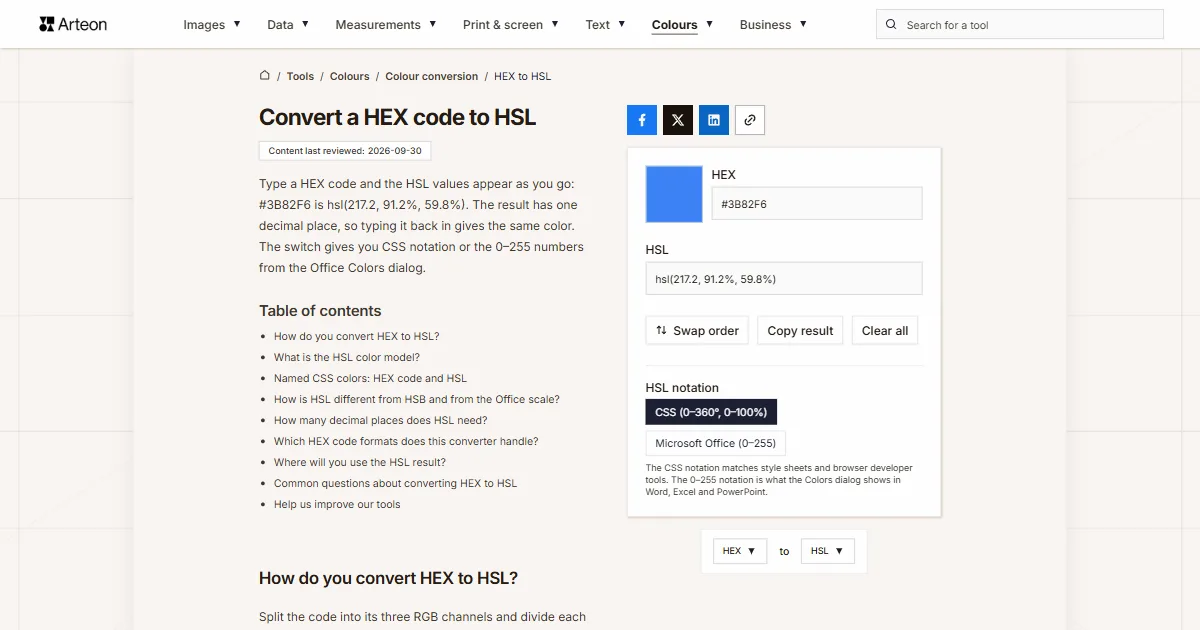
Type a HEX code and the HSL values appear as you go: #3B82F6 is hsl(217.2, 91.2%, 59.8%). The result has one decimal place, so typing it back in gives the same color. The switch gives you CSS notation or the 0–255 numbers from the Office Colors dialog.
How do you convert HEX to HSL?
Split the code into its three RGB channels and divide each one by 255. The largest and smallest channels give you the lightness and saturation, and the channel with the highest value sets the hue on the color wheel[1].
Formula: L = (max + min) ÷ 2, S = (max − L) ÷ min(L, 1 − L), and H is an angle counted from the channel with the highest value.
Take #3B82F6. The channels are 59, 130 and 246. Divided by 255, they give 0.231, 0.510 and 0.965. The average of the largest and smallest channel is 0.598, so the lightness is 59.8%. The saturation formula gives 91.2%.
Blue is the strongest channel, so the hue calculation starts at 240 degrees. Red is weaker than green, so 22.8 degrees come off and the hue is 217.2°. The whole color written in CSS is hsl(217.2, 91.2%, 59.8%).
The HEX to RGB converter covers the first step on its own, and the RGB to HSL converter starts straight from RGB values.
What is the HSL color model?
HSL describes a color with three values. Hue is an angle on the color wheel, where 0° is red, 120° is green and 240° is blue. Saturation tells you how much color there is, so 0% gives a gray and 100% gives the full color. Lightness is 0% for black and 100% for white, and an ordinary color sits at 50%[1].
The CSS specification explains what the notation is for. RGB numbers make it hard to guess how to get a lighter version of the same color, while in HSL you change a single value[1].
George Joblove and Donald Greenberg described the model in the August 1978 issue of Computer Graphics, alongside Alvy Ray Smith’s HSV model[2]. It came to CSS with CSS Color Module Level 3, which became a W3C Recommendation on June 7, 2011[3].
If your color is in another format, such as OKLCH, Lab or Android code, the color converter shows it in every format at once.
Named CSS colors: HEX code and HSL
| CSS name | HEX code | HSL in CSS | HSL in Office (0–255) |
|---|---|---|---|
| black | #000000 | hsl(0, 0%, 0%) | 170, 0, 0 |
| white | #FFFFFF | hsl(0, 0%, 100%) | 170, 0, 255 |
| red | #FF0000 | hsl(0, 100%, 50%) | 0, 255, 128 |
| lime | #00FF00 | hsl(120, 100%, 50%) | 85, 255, 128 |
| blue | #0000FF | hsl(240, 100%, 50%) | 170, 255, 128 |
| yellow | #FFFF00 | hsl(60, 100%, 50%) | 42, 255, 128 |
| aqua | #00FFFF | hsl(180, 100%, 50%) | 127, 255, 128 |
| fuchsia | #FF00FF | hsl(300, 100%, 50%) | 213, 255, 128 |
| silver | #C0C0C0 | hsl(0, 0%, 75.3%) | 170, 0, 192 |
| gray | #808080 | hsl(0, 0%, 50.2%) | 170, 0, 128 |
| maroon | #800000 | hsl(0, 100%, 25.1%) | 0, 255, 64 |
| olive | #808000 | hsl(60, 100%, 25.1%) | 42, 255, 64 |
| green | #008000 | hsl(120, 100%, 25.1%) | 85, 255, 64 |
| purple | #800080 | hsl(300, 100%, 25.1%) | 213, 255, 64 |
| teal | #008080 | hsl(180, 100%, 25.1%) | 127, 255, 64 |
| navy | #000080 | hsl(240, 100%, 25.1%) | 170, 255, 64 |
| orange | #FFA500 | hsl(38.8, 100%, 50%) | 27, 255, 128 |
| rebeccapurple | #663399 | hsl(270, 50%, 40%) | 191, 128, 102 |
How is HSL different from HSB and from the Office scale?
| HEX code | HSL in CSS | HSB | HSL in Office (0–255) |
|---|---|---|---|
| #3B82F6 | hsl(217.2, 91.2%, 59.8%) | 217.2°; 76%; 96.5% | 154, 233, 153 |
| #EF4444 | hsl(0, 84.2%, 60.2%) | 0°; 71.5%; 93.7% | 0, 215, 154 |
| #22C55E | hsl(142.1, 70.6%, 45.3%) | 142.1°; 82.7%; 77.3% | 100, 180, 116 |
| #F59E0B | hsl(37.7, 92.1%, 50.2%) | 37.7°; 95.5%; 96.1% | 26, 235, 128 |
| #8B5CF6 | hsl(258.3, 89.5%, 66.3%) | 258.3°; 62.6%; 96.5% | 183, 228, 169 |
| #1E293B | hsl(217.2, 32.6%, 17.5%) | 217.2°; 49.2%; 23.1% | 154, 83, 45 |
| #FAFAFA | hsl(0, 0%, 98%) | 0°; 0%; 98% | 170, 0, 250 |
| #333333 | hsl(0, 0%, 20%) | 0°; 0%; 20% | 170, 0, 51 |
How many decimal places does HSL need?
| HEX code | Converter result | Same values rounded | Color from the rounded values |
|---|---|---|---|
| #3B82F6 | hsl(217.2, 91.2%, 59.8%) | hsl(217, 91%, 60%) | #3C83F6 |
| #EF4444 | hsl(0, 84.2%, 60.2%) | hsl(0, 84%, 60%) | #EF4343 |
| #22C55E | hsl(142.1, 70.6%, 45.3%) | hsl(142, 71%, 45%) | #21C45D |
| #F59E0B | hsl(37.7, 92.1%, 50.2%) | hsl(38, 92%, 50%) | #F59F0A |
| #8B5CF6 | hsl(258.3, 89.5%, 66.3%) | hsl(258, 90%, 66%) | #895AF6 |
| #1E293B | hsl(217.2, 32.6%, 17.5%) | hsl(217, 33%, 18%) | #1F2A3D |
style.color and read it back with getComputedStyle.Which HEX code formats does this converter handle?
| What you type | Converter result | How we read it |
|---|---|---|
| #3B82F6 | hsl(217.2, 91.2%, 59.8%) | A code with the hash, exactly as it sits in a style sheet |
| 3b82f6 | hsl(217.2, 91.2%, 59.8%) | The hash is optional, and lowercase letters read the same as capitals |
| #38F | hsl(215, 100%, 60%) | We expand the three-character shorthand ourselves: #38F reads as #3388FF |
| #3B82F680 | hsla(217.2, 91.2%, 59.8%, 0.5) | The last two characters are opacity — we carry them over and give the result as hsla |
| color: #3B82F6; | hsl(217.2, 91.2%, 59.8%) | Paste the whole line from a style sheet or the browser tools, we will pick the code out of it |
| "#3B82F6" | hsl(217.2, 91.2%, 59.8%) | Quotation marks from a JSON file or from JavaScript are skipped and we read the code alone |
| ##3B82F6 | hsl(217.2, 91.2%, 59.8%) | A double hash, the kind you get pasting next to one already typed, breaks nothing |
| #EF4444 | 0, 215, 154 | With the Notation switch set to Microsoft Office the result comes on the 0–255 scale, the one the Colors dialog in Word and Excel uses |
Where will you use the HSL result?
Style sheets and browsers work with CSS notation, and Office programs work with the 0–255 scale, so set the switch to the right notation before you copy the result.
CSS style sheet
Paste the result as a property value, for examplecolor: hsl(217.2, 91.2%, 59.8%);. CSS also takes the space-separated form with opacity after a slash,hsl(217.2 91.2% 59.8% / 50%)[1].Figma
Select the layer and click the fill swatch in the Fill section of the right sidebar. Under the hue and opacity sliders, open the list of color models and choose HSL[4].PowerPoint, Word and Excel
Select a shape, click Shape Fill and choose More Fill Colors[6]. On the Custom tab, set Color model to HSL and type the three Office numbers into the Hue, Sat and Lum boxes.Chrome
Right-click the element and choose Inspect. In the styles pane, shift-click the color swatch and pickhsl(X X X / X)from the list that opens[7]. The value in the pane then switches to HSL.
Convert other units to HSL
Convert HEX to other units
Sources
- CSS Color Module Level 4 — HSL Colors: hsl() and hsla() functions — W3C
- HSL and HSV — Wikipedia
- CSS Color Module Level 3 — HSL color values — W3C
- Update fills using the color picker — Figma Help Center
- Choosing colors in the Colors dialog box — Microsoft Support
- Change the colors in a text box or shape — Microsoft Support
- Inspect and debug HD and non-HD colors with the Color Picker — Chrome for Developers
Every figure in the tables was computed from the unit definitions and checked arithmetically before publication. Historical values and the names of local units come from the sources listed above.
Content last reviewed: · written and checked by the Arteon team
Common questions about converting HEX to HSL
Which HSL notation should I choose in the converter?
Choose CSS for style sheets and browser developer tools. Choose Microsoft Office (0–255) when you copy the color into the Colors dialog in Word, Excel or PowerPoint, because each of the three values there runs from 0 to 255[5].
Why does a color typed into Office come back with a different HEX code?
The Colors dialog calculates HSL in whole numbers on a 0–255 scale, so some precision is lost. We checked this in Office 2016: #3B82F6 shows up as 154, 233 and 153, and those three numbers typed back in give #3C83F6. The converter uses the same algorithm, so it shows you exactly the color you will see in the program. To enter numbers read from the dialog, use the HSL to HEX converter with the Office notation.
How do I write an HSL color with transparency?
Enter an eight-character code such as #3B82F680. The converter then gives hsla(217.2, 91.2%, 59.8%, 0.5), where the fourth number is the opacity from 0 to 1[1]. The Office notation gives only the three numbers for hue, saturation and luminance.
Why do yellow and blue have the same lightness in HSL?
HSL lightness is the average of the strongest and weakest channel, so it does not match how light a color looks to the eye. The CSS specification uses exactly this example: hsl(60 100% 50%) and hsl(240 100% 50%) both have 50%, yet the yellow looks much lighter[1].
How do I make a lighter shade of a color in HSL?
Keep the hue and saturation as they are and raise only the lightness. hsl(217.2, 91.2%, 59.8%) at 70% lightness gives #6DA2F8. A ready-made lightness scale and conversion of any HSL value to a code are on the HSL to HEX converter.
Does a color in HSL have the same contrast as in HEX?
Yes, because both notations describe the same color and contrast depends on the color. Paste the result into the color contrast checker, which accepts HSL the same way it accepts a HEX code.
Help us improve our tools
Have an idea, found a bug, or want to suggest a feature? Drop us a message.