Free JSON to XML converter
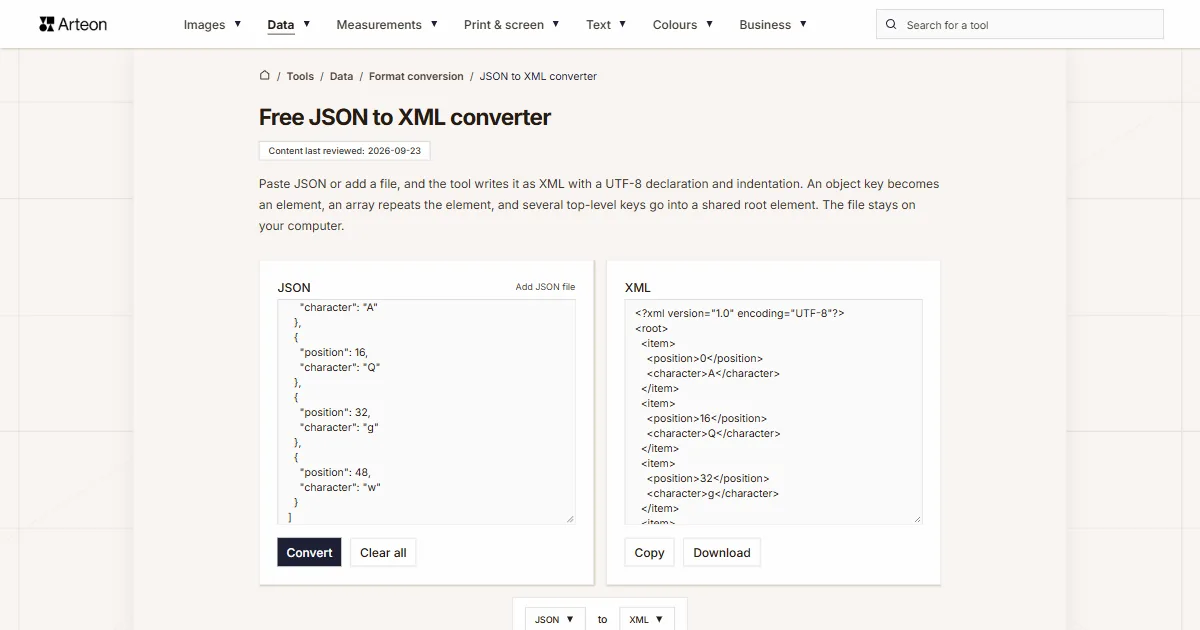
Paste JSON or add a file, and the tool writes it as XML with a UTF-8 declaration and indentation. An object key becomes an element, an array repeats the element, and several top-level keys go into a shared root element. The file stays on your computer.
What is JSON, and what is XML?
JSON (JavaScript Object Notation) stores data in objects and arrays. In an object every value has a name, and an array keeps its values in a fixed order. According to RFC 8259, a JSON text can consist of any single value, for example a lone number, and a name in an object can be any string[1].
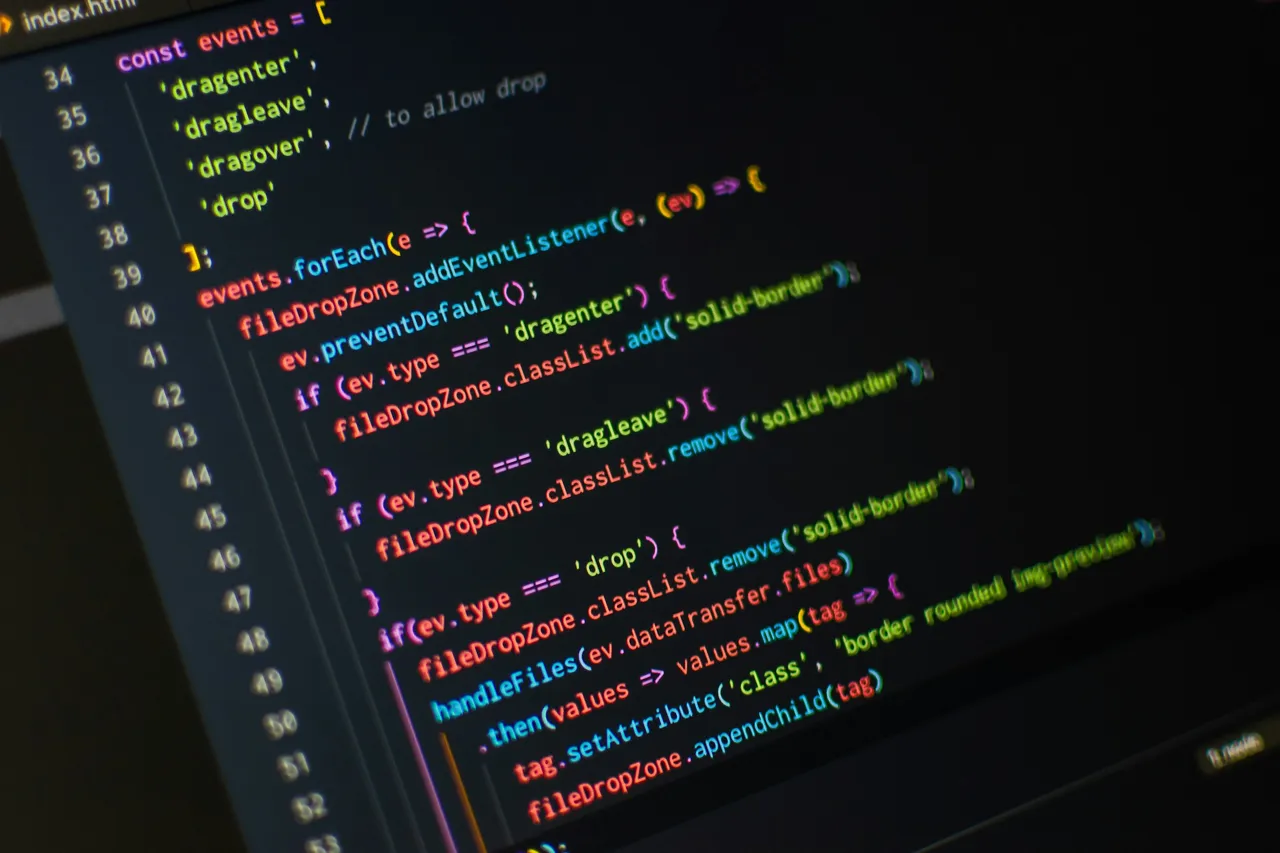
["dragenter", "dragleave", "dragover", "drop"]. Photo: Pankaj Patel, Unsplash.XML (Extensible Markup Language) holds data in elements with opening and closing tags. The specification from the W3C (World Wide Web Consortium) sets two conditions that matter when you convert from JSON. A document has exactly one root element, and an element name cannot start with a digit, among other characters[2].
The converter meets both conditions: it sets the root element of the document and checks every key before it writes the key as an element name.
How do you convert JSON to XML?
Paste JSON into the JSON field, or click the Add JSON file link above the field and choose a file. The field accepts an object, an array or a single value. After you click Convert, the XML document appears in the XML field. The Copy button copies the result, and the Download button saves the file converted.xml.
The result starts with the declaration <?xml version="1.0" encoding="UTF-8"?>. An object key becomes the element name and its value the element content, so {"city": "Boston"} gives <city>Boston</city>. Numbers and booleans go into the element as text, which is why {"age": 30} gives <age>30</age>. An array under a key repeats the element named after that key, for example <list>1</list><list>2</list>.
A single top-level key becomes the root element. Several keys, an array or a single value go into a <root> element, because XML requires exactly one root element[2]. Entries of an array without a name of its own get <item> elements, and null gives an empty element.
How does the converter handle keys, attributes and special characters?
A JSON key can be any string, including one with a space or with a digit at the start. An XML element name follows character rules: the XML 1.0 specification rules out a digit, a full stop and a hyphen at its start[2]. The converter replaces every disallowed character with an underscore and adds an underscore in front of a name that starts with such a character. The key "first name" therefore gives the element <first_name>, and the key "2024" gives the element <_2024>. Accented letters such as é stay unchanged, because they belong to the character ranges allowed in names.
A colon in an XML name marks a namespace prefix, and the Namespaces in XML specification requires every such prefix to be declared[3]. The converter keeps the colon when the same object or a parent object holds an @xmlns key with that prefix, for example "@xmlns:soap". In all other keys, the colon also turns into an underscore.
You write an attribute in JSON as a key with the @ prefix, and the element text as the #text key. The object {"product": {"@sku": "A-17", "name": "Lamp"}} gives the element <product sku="A-17"> with the element <name>Lamp</name> inside. The Json.NET library for .NET marks attributes the same way[4]. The XML to JSON converter produces exactly this notation, so its output turns back into XML with the same attributes.
The converter writes the characters &, <, >, quotation marks and apostrophes in values as entities, for example Smith & Sons as Smith & Sons[2]. It removes from values the control characters that XML 1.0 does not allow in a document.
&, < and >, and the XML to JSON converter turns them back into plain characters. Photo: Alexander Sinn, Unsplash.What does each JSON value look like in XML?
| JSON value | JSON example | XML result |
|---|---|---|
| Object with one key | {"city": "Boston"} | <city>Boston</city> |
| Object with several keys | {"name": "Anna", "age": 30} | <root><name>Anna</name><age>30</age></root> |
| Nested object | {"customer": {"address": {"city": "Seattle"}}} | <customer><address><city>Seattle</city></address></customer> |
| Array under a key | {"list": [1, 2]} | <root><list>1</list><list>2</list></root> |
| Top-level array | [1, 2] | <root><item>1</item><item>2</item></root> |
| Array of objects | [{"a": 1}, {"a": 2}] | <root><item><a>1</a></item><item><a>2</a></item></root> |
| Array inside an array | {"r": {"m": [[1, 2], [3]]}} | <r><m><item>1</item><item>2</item></m><m><item>3</item></m></r> |
| Empty array | {"r": {"tags": []}} | <r><tags></tags></r> |
| Number and boolean | {"r": {"quantity": 3, "active": true}} | <r><quantity>3</quantity><active>true</active></r> |
| Number larger than 9,007,199,254,740,991 | {"id": 12345678901234567890} | <id>12345678901234567890</id> |
| null | {"r": {"notes": null}} | <r><notes></notes></r> |
| Attribute and text | {"price": {"@currency": "USD", "#text": "19.99"}} | <price currency="USD">19.99</price> |
| Ampersand in text | {"company": "Smith & Sons"} | <company>Smith & Sons</company> |
| Single number | 42 | <root>42</root> |
| Empty object | {} | <root></root> |
How does the converter fix keys that XML does not accept as names?
| JSON key | XML name | Rule |
|---|---|---|
| "first name" | first_name | A space turns into an underscore |
| "2024" | _2024 | A digit cannot start a name |
| "-code" | _-code | A hyphen cannot start a name |
| ".extension" | _.extension | A full stop cannot start a name |
| "price.net" | price.net | A full stop inside a name is allowed |
| "price/net" | price_net | A slash turns into an underscore |
| "a<b" | a_b | A less-than sign turns into an underscore |
| "" (empty key) | _ | A name needs at least one character |
| "café" | café | Accented letters are allowed |
| "a:b" without an xmlns declaration | a_b | An undeclared prefix turns into an underscore |
| "soap:Body" with "@xmlns:soap" | soap:Body | A declared prefix stays |
How do this converter and the fn:json-to-xml function write the same JSON?
| Part of the data | This converter | W3C fn:json-to-xml |
|---|---|---|
| Top-level object | <root> with several keys | <map xmlns="http://www.w3.org/2005/xpath-functions"> |
| Key with a string | <city>Boston</city> | <string key="city">Boston</string> |
| Number | <age>30</age> | <number key="age">30</number> |
| Boolean | <active>true</active> | <boolean key="active">true</boolean> |
| null | <notes></notes> | <null key="notes"/> |
| Array under a key | <list>1</list><list>2</list> | <array key="list"><number>1</number><number>2</number></array> |
| Nested object | <address><city>Seattle</city></address> | <map key="address"><string key="city">Seattle</string></map> |
| Key with the @ prefix | <price currency="USD"> | <string key="@currency">USD</string> |
How do you match the result to the schema a program requires?
Correct syntax is the first condition. A program that accepts XML according to an XSD schema also checks the element names, the namespace and the order of elements.
Give the keys the names from the schema
The schema lists the elements that the program accepts. Arrange the JSON so that every key has exactly the element name from the schema, because the converter copies the key into the element name and changes only the characters that XML does not allow. If you have a sample file that matches the schema, convert it with the XML to JSON converter and you get JSON with the right key names, ready to fill in.Add the namespace declaration
When the schema has a namespace, add the key"@xmlns"with its address to the object of the root element. The converter writes it in the opening tag as the xmlns attribute, which covers that element and every element inside it[3].Put the keys in the order from the schema
A sequence group in an XSD schema requires the elements in the order in which the schema lists them[6]. The converter writes elements in the order of the JSON keys, so arrange the keys the same way. The browser puts keys made only of digits before all other keys, so where order matters, give such a key a name that starts with a letter.
Convert JSON to other formats
Sources
- RFC 8259: The JavaScript Object Notation (JSON) Data Interchange Format — IETF
- Extensible Markup Language (XML) 1.0 (Fifth Edition) — W3C
- Namespaces in XML 1.0 (Third Edition) — W3C
- Converting between JSON and XML — Newtonsoft (Json.NET)
- XPath and XQuery Functions and Operators 3.1 — W3C
- W3C XML Schema Definition Language (XSD) 1.1 Part 1: Structures — W3C
- Sitemaps XML format — sitemaps.org
- Build and submit a sitemap — Google Search Central
- W3C XML Schema Definition Language (XSD) 1.1 Part 2: Datatypes — W3C
Every figure in the tables was computed from the unit definitions and checked arithmetically before publication. Historical values and the names of local units come from the sources listed above.
Content last reviewed: · written and checked by the Arteon team
Frequently asked questions about converting JSON to XML
How do you give the root element a name of your choice?
Wrap the data in an object with one key that has the name you need. Write the array [{"id": 1}, {"id": 2}] as {"orders": {"order": [{"id": 1}, {"id": 2}]}}. The converter then writes the root element orders with two order elements inside.
Can the result serve as an XML sitemap?
Yes, when the JSON follows the sitemap protocol. Put the pages under an urlset key with "@xmlns": "http://www.sitemaps.org/schemas/sitemap/0.9" and give each page an object with a loc key inside a url array[7]. The converter writes the UTF-8 declaration and turns & in page addresses into &, as the protocol requires. Google accepts up to 50,000 URLs in a single sitemap[8].
Does XML keep the value types from JSON?
In the document itself, the number 30 and the string "30" give the same element <age>30</age>. Only an XSD schema records the type of a value, with types such as decimal and boolean[9]. The other option is the fn:json-to-xml notation, where a number sits in a number element and a string in a string element[5].
How do you convert a spreadsheet table to XML?
Save the sheet as a CSV file and convert it to JSON with the CSV to JSON converter. Paste the result into the JSON field on this page. The array of records goes into the root element, each record into an item element, and column headers with spaces get underscores, for example <Full_name>.
Why do I get a JSON error message?
The JSON field accepts text that follows RFC 8259, where names and strings sit in double quotation marks[1]. Single quotes, for example {'a': 1}, cause an error message, and so does a comma after the last value in an object. Turn a YAML file into JSON first with the YAML to JSON converter, and convert an XML file to JSON with the XML to JSON converter.
Is the pasted JSON sent to a server?
No. The JSON.parse function built into your browser reads the JSON, and the browser creates the XML document in the same tab. A file you add stays on your computer.
How large a JSON file can the converter handle?
The memory of your browser sets the size limit. In our test in the Chromium browser, we converted 1.8 MB of JSON. It held 20,000 records, and the conversion to XML took less than half a second. The converter also writes JSON nested 3,000 levels deep.
Help us improve our tools
Have an idea, found a bug, or want to suggest a feature? Drop us a message.
Explore other useful tools


Meta title & description checker
Check title and description length in pixels. Live Google preview and optimization tips.

PNG to JPG
Convert PNG files to JPG in your browser. No file limits, no signup, no server uploads.

Favicon generator
Create a complete favicon.ico set for your website from one image. All required sizes, no login.

Color palette generator
Generate 17 palettes from one color: monochromatic, complementary, triadic and more. HEX codes.

WebP to JPG
Convert WebP files to universally compatible JPG. Works in every app and platform.

Color contrast checker
Check text and background contrast per WCAG 2.1 AA and AAA. Automatic color correction.

Free QR code generator
Create a QR code for a website, vCard business card or print. Export PNG and SVG, no registration.

Word & character counter
Count words, characters with and without spaces, sentences, paragraphs and the average sentence length.

Lorem Ipsum Generator
Free Lorem Ipsum generator — 8 text styles, paragraphs, sentences or words. Copy in one click.