Convert terabytes to petabytes
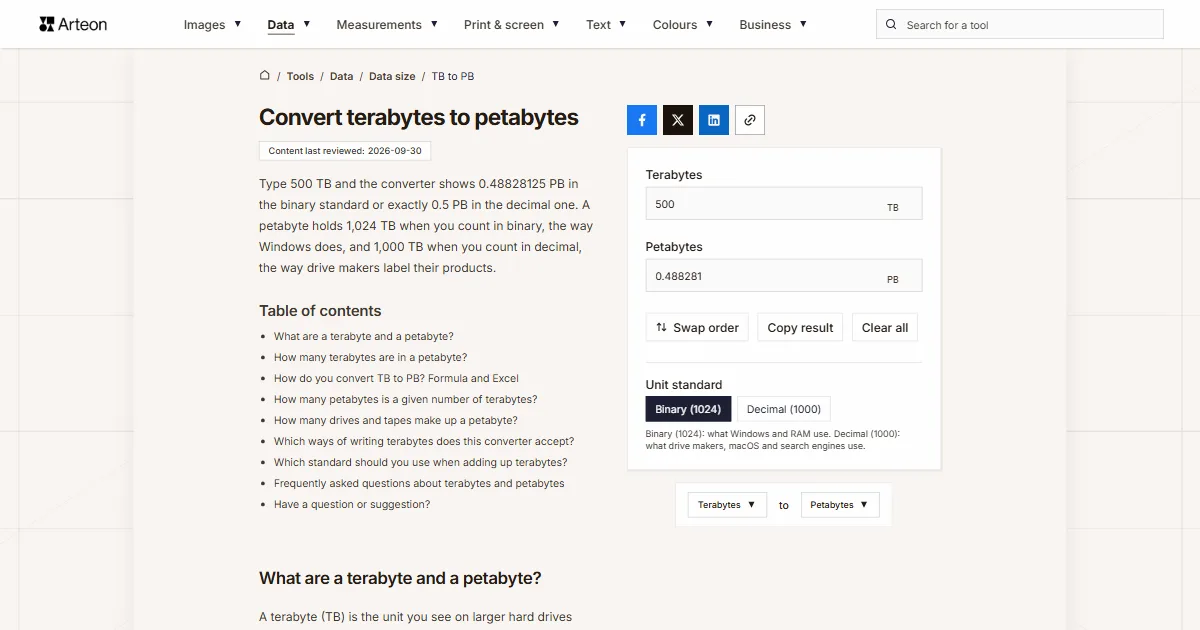
Type 500 TB and the converter shows 0.48828125 PB in the binary standard or exactly 0.5 PB in the decimal one. A petabyte holds 1,024 TB when you count in binary, the way Windows does, and 1,000 TB when you count in decimal, the way drive makers label their products.
What are a terabyte and a petabyte?
A terabyte (TB) is the unit you see on larger hard drives and SSDs. It stands for a trillion bytes, or 1012 B. A petabyte (PB) is the next step up and a thousand times bigger: a quadrillion bytes, or 1015 B. Both also have a version counted in powers of two, with its own name and symbol: the tebibyte (TiB) of 240 bytes and the pebibyte (PiB) of 250 bytes[1].
In everyday use the binary versions rarely go by their own names. Windows counts in powers of two but labels the result with the decimal symbols, such as MB and GB, when it shows disk capacity and file sizes[2]. That is why the converter lets you pick which of the two definitions you are working with.
How many terabytes are in a petabyte?
A petabyte is 1,024 terabytes in the binary standard and 1,000 terabytes in the decimal one. To turn terabytes into petabytes, you divide by 1,024 or by 1,000.
So one terabyte is 0.0009765625 PB in binary and 0.001 PB in decimal. The gap becomes clear at a thousand terabytes: binary gives 0.9765625 PB, while decimal gives exactly 1 PB. With 100 TB you get 0.09765625 PB in binary and 0.1 PB in decimal, so only the decimal standard turns 100 TB into a clean tenth of a petabyte.
Pick the standard based on where your numbers come from. Capacities printed on drive boxes and data sheets are decimal, because storage makers count 1 TB as a trillion bytes[3]. Folder sizes read from File Explorer in Windows are binary, so for those switch to Binary (1024). A binary terabyte is also 10.0% bigger than a decimal one[2], so only add up figures from both sources after you bring them to the same standard.

How do you convert TB to PB? Formula and Excel
The formula comes in two versions, one for each standard:
- binary: PB = TB ÷ 1,024,
- decimal: PB = TB ÷ 1,000.
Say you buy ten 24 TB drives for a backup server. The makers quote their capacity in decimal, so together they give 240 TB, or 0.24 PB. If File Explorer on a Windows file server reports 500 TB of data, the binary result is 0.48828125 PB.
In Excel the CONVERT function handles both cases. Use =CONVERT(A2,"Tbyte","Pbyte") for the decimal standard and =CONVERT(A2,"Tibyte","Pibyte") for the binary one[4]. Excel marks binary units with the IEC prefixes, which is why the second formula uses “Tibyte” and “Pibyte”.
To go the other way, use the PB to TB converter. Smaller capacities are handled by the GB to TB converter, and any other pair of units by the data size converter.
How many petabytes is a given number of terabytes?
| Terabytes | Binary (1024) | Decimal (1000) |
|---|---|---|
| 1 TB | 0.0009765625 PB | 0.001 PB |
| 10 TB | 0.009765625 PB | 0.01 PB |
| 18 TB | 0.017578125 PB | 0.018 PB |
| 24 TB | 0.0234375 PB | 0.024 PB |
| 50 TB | 0.048828125 PB | 0.05 PB |
| 100 TB | 0.09765625 PB | 0.1 PB |
| 200 TB | 0.1953125 PB | 0.2 PB |
| 250 TB | 0.244140625 PB | 0.25 PB |
| 500 TB | 0.48828125 PB | 0.5 PB |
| 512 TB | 0.5 PB | 0.512 PB |
| 1,000 TB | 0.9765625 PB | 1 PB |
| 1,024 TB | 1 PB | 1.024 PB |
| 1,500 TB | 1.46484375 PB | 1.5 PB |
| 2,000 TB | 1.953125 PB | 2 PB |
| 2,048 TB | 2 PB | 2.048 PB |
| 2,500 TB | 2.44140625 PB | 2.5 PB |
| 5,000 TB | 4.8828125 PB | 5 PB |
| 10,000 TB | 9.765625 PB | 10 PB |
| 100,000 TB | 97.65625 PB | 100 PB |
How many drives and tapes make up a petabyte?
| Storage unit | For 1 PB in decimal | For 1 PB in binary |
|---|---|---|
| 4 TB drive | 250 | 282 |
| 8 TB drive | 125 | 141 |
| 12 TB drive | 84 | 94 |
| 16 TB drive | 63 | 71 |
| 20 TB drive | 50 | 57 |
| 24 TB drive | 42 | 47 |
| 30 TB drive | 34 | 38 |
| LTO-8 tape (12 TB) | 84 | 94 |
| LTO-9 tape (18 TB) | 56 | 63 |
| LTO-10 tape (30 TB) | 34 | 38 |
| LTO-10 tape (40 TB) | 25 | 29 |
Which ways of writing terabytes does this converter accept?
| What you type | What the converter shows | How we read it |
|---|---|---|
| 1.5 | 0.001465 PB | The point marks the decimal part, so the field holds one and a half terabytes |
| 1,500 | 1.464844 PB | A comma before three digits groups thousands, so we count fifteen hundred terabytes. A note under the field says how we read it, and if you meant one and a half, type 1.5 |
| 1,5 | 0.001465 PB | A comma before a single digit can only be a decimal comma, the way European spreadsheets write it, so we count one and a half terabytes |
| 12,500 | 12.207031 PB | The comma separates thousands, so the field holds twelve thousand five hundred. A note under the field shows the other possible reading, 12.5. |
| 12 500 | 12.207031 PB | We skip a space between thousands too, as used in the SI style of writing numbers |
| 1,234.5 | 1.205566 PB | A comma for thousands and a point for decimals together give one thousand two hundred thirty-four and a half |
| 2½ | 0.002441 PB | We add the ½ character copied from a document to the number in front of it |
| 1e3 | 0.976563 PB | We read spreadsheet scientific notation as it is: 1e3 means a thousand terabytes |
| 500 GB | 0.0004768 PB | Gigabytes pasted into the terabytes field are written in as 0.488281 TB, with a note under the field |
| 1.5 PB | 1.5 PB | Petabytes pasted into the terabytes field are written in as 1536 TB, so the result is the same 1.5 PB |
| 1,000,204,886,016 bytes | 0.0008884 PB | A byte count from the disk Properties window is first converted to terabytes (0.909681 TB) and then to petabytes |
| LTO-9 18 TB | 0.017578 PB | The digit in the tape name does not join the number: we take the 18 right before the unit |
Which standard should you use when adding up terabytes?
You set the standard with the Unit standard toggle under the fields. Choose it based on where your numbers come from.
Capacities from drive or tape labels
Choose Decimal (1000). The label gives capacity in decimal, so eight 24 TB drives make 192 TB, or 0.192 PB.Folder sizes from File Explorer
Choose Binary (1024). File Explorer counts in powers of two, so convert its figures with the same standard.A report that gives capacity in TiB
Choose Binary (1024). TiB stands for tebibyte, a terabyte counted in powers of two, and that is exactly the unit the converter uses in this mode.
Convert other units to Petabytes
Convert Terabytes to other units
Sources
- Byte — Wikipedia
- Binary prefix — Wikipedia
- How storage capacity is measured on Apple devices — Apple
- CONVERT function — Microsoft
- Linear Tape-Open — Wikipedia
Every figure in the tables was computed from the unit definitions and checked arithmetically before publication. Historical values and the names of local units come from the sources listed above.
Content last reviewed: · written and checked by the Arteon team
Frequently asked questions about terabytes and petabytes
Why does a 1 PB storage array show less than 1 PB in Windows?
The maker counts in decimal, so 1 PB means 1015 bytes. Windows divides the same number of bytes by powers of 1,024, which gives about 909.5 TB. The PB to TB converter lists this difference for five capacities.
Does compression change how many LTO tapes you need?
It can lower the number, but only for data that still compresses. The compressed capacity on a tape label assumes a 2.5 : 1 ratio, and for files that are already compressed, such as ZIP archives, JPEG photos or MPEG video, the ratio drops close to 1 : 1[5]. That is why the storage table counts native capacity.
Have a question or suggestion?
If you have spotted an error in a table or a storage unit is missing, write to us.