AVIF to TIFF converter
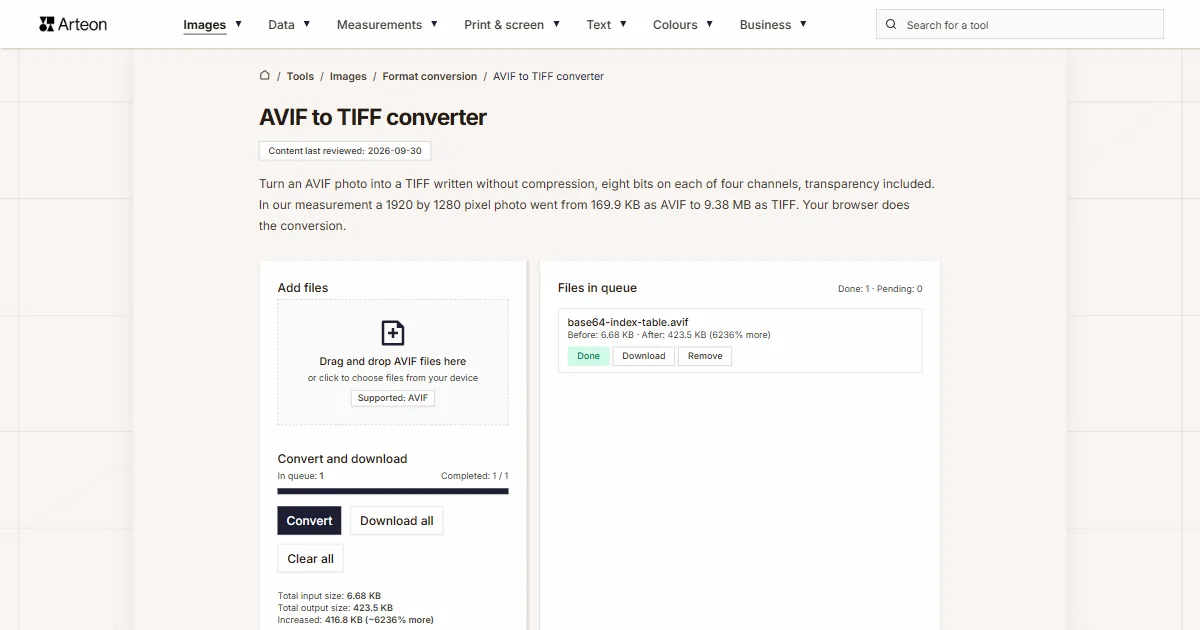
Turn an AVIF photo into a TIFF written without compression, eight bits on each of four channels, transparency included. In our measurement a 1920 by 1280 pixel photo went from 169.9 KB as AVIF to 9.38 MB as TIFF. Your browser does the conversion.
Files in queue
What is AVIF, and what is TIFF?
AVIF stands for AV1 Image File Format, a photo format built on the AV1 video codec. The Alliance for Open Media publishes the specification, and it covers lossy as well as lossless coding, depths of 8, 10 and 12 bits per channel, transparency and animated sequences.[1] You meet this format mostly on web pages, because it was designed to keep a good-looking photo small.
TIFF stands for Tagged Image File Format. A file of this kind is a set of tags describing the picture: its dimensions, how many channels it has, how many bits each channel uses and how the pixel data is stored. Revision 6.0, dated 3 June 1992, allows data to sit uncompressed and also allows PackBits, LZW and JPEG compression.[2]
The format itself is older. Aldus created it in 1986 together with Microsoft and Hewlett-Packard for PostScript printing and for PageMaker, and Adobe took over the rights later. In desktop publishing TIFF has been the standard ever since.[3]
Converting one into the other therefore takes you from a file designed for the browser to a file designed for the design studio and the print shop.
What comes out of an AVIF to TIFF conversion?
The converter decodes the AVIF file inside your browser and writes a TIFF whose pixel data sits there without compression. Every pixel takes four bytes: one each for the red, green and blue channel, plus one for transparency. The picture therefore reaches the new file pixel for pixel, with no second round of lossy compression.
The output size follows from the pixel dimensions and from nothing else. A 4000 × 3000 photo takes exactly 48,001,000 bytes. The summary under the converter buttons reports that as 45.8 MB. The same figure comes out however much the incoming AVIF file weighed.
So the file grows against its source, and that growth is the whole point of the operation. You get the full pixel data in a format that Adobe Photoshop, GIMP, Affinity, Capture One and prepress software all open.
How much does a file weigh before and after AVIF to TIFF conversion?
| Test file | Dimensions in pixels | AVIF | TIFF | Change |
|---|---|---|---|---|
| Landscape photo | 1920 × 1280 | 169.9 KB | 9.38 MB | 56.5 times larger |
| High-resolution camera photo | 4000 × 2667 | 496.5 KB | 40.7 MB | 83.9 times larger |
| Product photo on a light background | 1200 × 1200 | 165.0 KB | 5.49 MB | 34.1 times larger |
| Leaf macro with fine detail | 1600 × 2015 | 516.2 KB | 12.3 MB | 24.4 times larger |
| Screenshot with text | 1440 × 900 | 41.4 KB | 4.94 MB | 122.3 times larger |
| Logo with a transparent background | 1024 × 1024 | 12.8 KB | 4.00 MB | 320.6 times larger |
| Icon with transparency | 256 × 256 | 3.56 KB | 257.0 KB | 72.1 times larger |
| Text page, as from a scanner | 1654 × 2339 | 82.2 KB | 14.8 MB | 183.9 times larger |
How large is the TIFF file after conversion?
The formula is short. Multiply the width by the height, multiply that by four bytes, then add a thousand bytes for the header that holds the tags describing the file.
width in pixels × height in pixels × 4 B + 1000 B = TIFF file size
Let us walk it through on a camera photo measuring 4000 by 3000 pixels. First count the pixels themselves: 4000 times 3000 gives 12,000,000. Multiply that by four bytes and you get 48,000,000 bytes. Add the thousand-byte header and the finished file comes to 48,001,000 bytes.
The header is always a thousand bytes, whatever the size of the photo. On large images the file size is therefore set by the pixel count alone, and you can read that off your own file properties.
When you want a smaller file, the same picture also converts to PNG or to JPG. The journey back is handled by the TIFF to AVIF converter.
How large is a TIFF at common resolutions?
| Image dimensions | Pixel count | Size in bytes | TIFF file size |
|---|---|---|---|
| 800 × 600 | 480,000 | 1,921,000 | 1.83 MB |
| 1024 × 768 | 786,432 | 3,146,728 | 3.00 MB |
| 1280 × 720 | 921,600 | 3,687,400 | 3.52 MB |
| 1600 × 1200 | 1,920,000 | 7,681,000 | 7.33 MB |
| 1920 × 1080 | 2,073,600 | 8,295,400 | 7.91 MB |
| 2048 × 1536 | 3,145,728 | 12,583,912 | 12.0 MB |
| 2560 × 1440 | 3,686,400 | 14,746,600 | 14.1 MB |
| 3000 × 2000 | 6,000,000 | 24,001,000 | 22.9 MB |
| 3840 × 2160 | 8,294,400 | 33,178,600 | 31.6 MB |
| 4000 × 3000 | 12,000,000 | 48,001,000 | 45.8 MB |
| 4032 × 3024 | 12,192,768 | 48,772,072 | 46.5 MB |
| 5472 × 3648 | 19,961,856 | 79,848,424 | 76.1 MB |
| 6000 × 4000 | 24,000,000 | 96,001,000 | 91.6 MB |
| 8000 × 6000 | 48,000,000 | 192,001,000 | 183.1 MB |
How large is a TIFF for print formats at 300 DPI?
| Format | Pixel dimensions | Pixel count | TIFF file size |
|---|---|---|---|
| 4 × 6 in | 1200 × 1800 | 2,160,000 | 8.24 MB |
| 5 × 7 in | 1500 × 2100 | 3,150,000 | 12.0 MB |
| 8 × 10 in | 2400 × 3000 | 7,200,000 | 27.5 MB |
| Letter, 8.5 × 11 in | 2550 × 3300 | 8,415,000 | 32.1 MB |
| A4, 210 × 297 mm | 2480 × 3508 | 8,699,840 | 33.2 MB |
| Tabloid, 11 × 17 in | 3300 × 5100 | 16,830,000 | 64.2 MB |
AVIF and TIFF — how do they differ?
| Property | AVIF | TIFF |
|---|---|---|
| Full name | AV1 Image File Format | Tagged Image File Format |
| Who publishes the specification | Alliance for Open Media | Adobe, previously Aldus |
| Year of the first version | 2019 | 1986, revision 6.0 in 1992 |
| How pixel data is stored | Lossy or lossless compression | Uncompressed, PackBits, LZW or JPEG |
| Colour depth | 8, 10 and 12 bits per channel | 8 bits per channel in a file from this converter |
| Transparency | Yes | Yes |
| Animation | Yes | No |
| Browser support | Chrome 85+, Firefox 93+, Edge 121+, Safari 16.4+ | Safari |
| Where it is typically used | Photos on web pages | Desktop publishing, print, archiving |
How do you convert AVIF to TIFF?
Add your AVIF files
Drag your photos onto the Add files area, or click it and pick files from your device. You can hand over a whole batch at once — the converter lines it up on the right, under the Files in queue heading.Click Convert
The Convert button sits in the Convert and download section. A progress bar shows how many files are finished, and every row in the queue carries its own status: Pending, then Processing, then Done.Download the TIFF files
Save a single file with the Download button next to its name, or the whole batch with Download all. Underneath the buttons you will see Total input size and Total output size.
What to keep in mind when converting AVIF to TIFF
Four things that describe how the converter behaves on a larger batch of photos:
Up to 100 MB per file
The converter accepts AVIF files of up to 100 MB. A heavier file stops with the message File is too large (max 100 MB), so you know straight away where it stood.Transparency stays
Transparent areas from the AVIF photo move into the fourth channel of the TIFF file. We checked this on an image with a half-transparent field: the values come out of the conversion exactly as they went in.Pixel dimensions stay
A photo keeps its pixel dimensions up to 16,384 pixels on a side and up to 268 million pixels in area. Above that threshold the converter writes the image at proportionally reduced dimensions.Your files stay with you
The whole conversion runs in code your browser executes on your own machine. The photos stay on your disk, so material covered by a non-disclosure agreement can go through this converter too.
Convert other files to TIFF
Convert AVIF to other formats
Sources
- AV1 Image File Format (AVIF), version 1.2.0 — Alliance for Open Media
- TIFF Revision 6.0, 3 June 1992 — Adobe Developers Association
- TIFF — Wikipedia
- Image file type and format guide — MDN Web Docs
- Can I use: AVIF, WebP, HEIF — caniuse.com
The file sizes in the tables were measured by running finished images through this converter in a browser, and we report them the way the tool counts them. What the page says about either format rests on the sources listed above.
Content last reviewed: · written and checked by the Arteon team
Common questions about converting AVIF to TIFF
Why is the TIFF file heavier than the AVIF file?
AVIF describes a photo as a compressed stream of data, while the TIFF from this converter keeps every pixel separately and without compression. Each pixel takes four bytes there, and a thousand-byte header comes on top. That makes the output size fixed and predictable: a 4000 × 3000 photo always gives 48,001,000 bytes.
Is AVIF to TIFF conversion lossless?
Yes. Once the AVIF file has been decoded, the converter writes the pixel values into the TIFF with no further compression, byte for byte. We checked this by reading the finished file back and comparing it against the data that went in.
What compression does the TIFF from this converter use?
The pixel data sits there uncompressed, as RGBA at 8 bits per channel, in a single strip. Every program that reads TIFF opens such a file, because handling uncompressed data is part of the format baseline.
Does transparency from the AVIF file survive in TIFF?
Yes. The fourth channel of the TIFF file carries transparency and is marked as unassociated alpha, meaning the colour components are stored independently of the opacity. That matters for cut-out graphics, product photos for a layout being one common case.
How many AVIF files can I convert at once?
As many as you put in the queue — the converter walks through them one after another and shows progress on the bar. Each file may weigh up to 100 MB, and the counter above the bar tells you how many entries are already finished.
Where does the conversion of my photos happen?
On your own device. Decoding the AVIF and writing the TIFF is done by code your browser executes, and the files stay on your disk throughout. Once you close the tab, the browser releases the memory that held the finished results.
Which programs open a TIFF file?
TIFF is read by Adobe Photoshop, Adobe InDesign, GIMP, Affinity, Capture One, IrfanView and prepress software. The format has been a desktop publishing standard since the eighties, so support for it is close to universal among graphics tools.
Will a browser display the finished TIFF file?
Safari displays TIFF, and in other browsers you download the file and open it in a graphics program. The format was made for layout and print, so its home is the desktop and a graphics program.
How do I get from TIFF back to AVIF?
The journey back is handled by the TIFF to AVIF converter. It works on the same principle: the file stays on your computer, and a quality slider lets you steer the output.
Does the converter work on a phone?
Yes. The converter opens on any device with a modern browser and the layout adapts to the screen width. On a phone, keep an eye on free memory: a 4000 × 3000 file takes close to 46 MB of it.
Help us improve our tools
Have an idea, found a bug, or want to suggest a feature? Drop us a message.
Explore other useful tools


Meta title & description checker
Check title and description length in pixels. Live Google preview and optimization tips.

PNG to JPG
Convert PNG files to JPG in your browser. No file limits, no signup, no server uploads.

Favicon generator
Create a complete favicon.ico set for your website from one image. All required sizes, no login.

Color palette generator
Generate 17 palettes from one color: monochromatic, complementary, triadic and more. HEX codes.

WebP to JPG
Convert WebP files to universally compatible JPG. Works in every app and platform.

Color contrast checker
Check text and background contrast per WCAG 2.1 AA and AAA. Automatic color correction.

Free QR code generator
Create a QR code for a website, vCard business card or print. Export PNG and SVG, no registration.

Word & character counter
Count words, characters with and without spaces, sentences, paragraphs and the average sentence length.

Lorem Ipsum Generator
Free Lorem Ipsum generator — 8 text styles, paragraphs, sentences or words. Copy in one click.