Data Unit Converter – Check All 43 Units
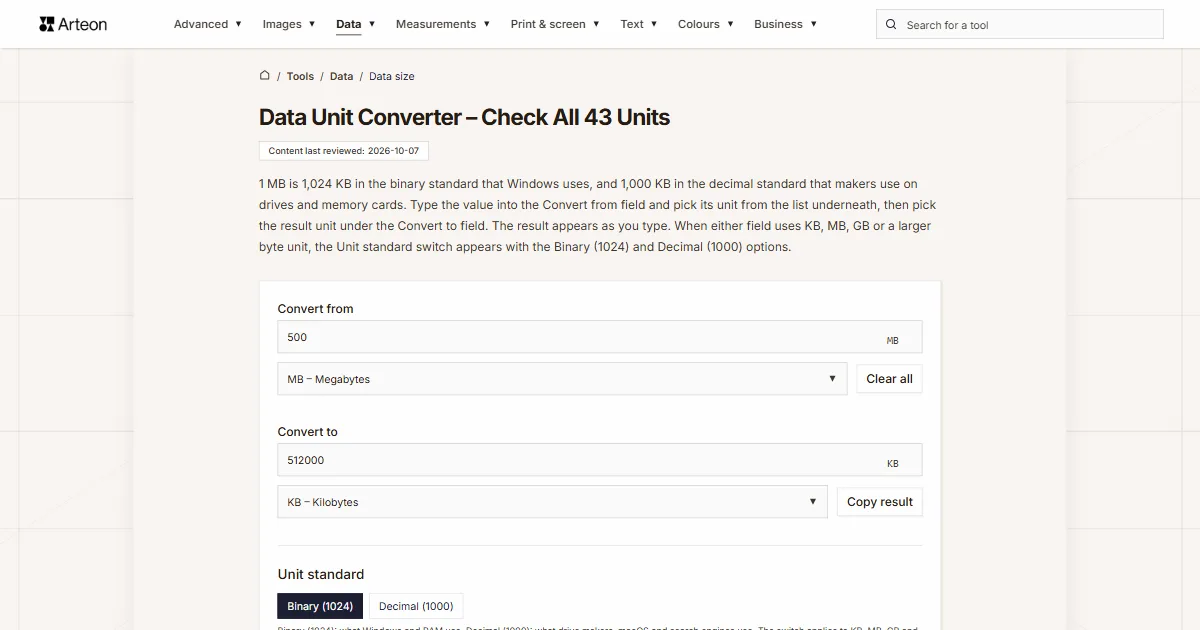
1 MB is 1,024 KB in the binary standard that Windows uses, and 1,000 KB in the decimal standard that makers use on drives and memory cards. Type the value into the Convert from field and pick its unit from the list underneath, then pick the result unit under the Convert to field. The result appears as you type. When either field uses KB, MB, GB or a larger byte unit, the Unit standard switch appears with the Binary (1024) and Decimal (1000) options.
What does a data size converter do?
File sizes, storage capacities and data allowances come in different units. Your phone lists photos in megabytes, your mobile plan counts data in gigabytes, a drive maker states capacity in terabytes and a memory chip’s data sheet uses gigabits. To compare numbers like these, you need them in the same unit, and that is what this converter does.
The units in the lists under the fields are split into four groups: Bits, Binary bits, Bytes and Binary bytes. Each one converts to any other. You can also type the value into the Convert to field, and the converter works the other way round. For amounts of data over time, such as Mbps or GB per month, use the data transfer rate converter.
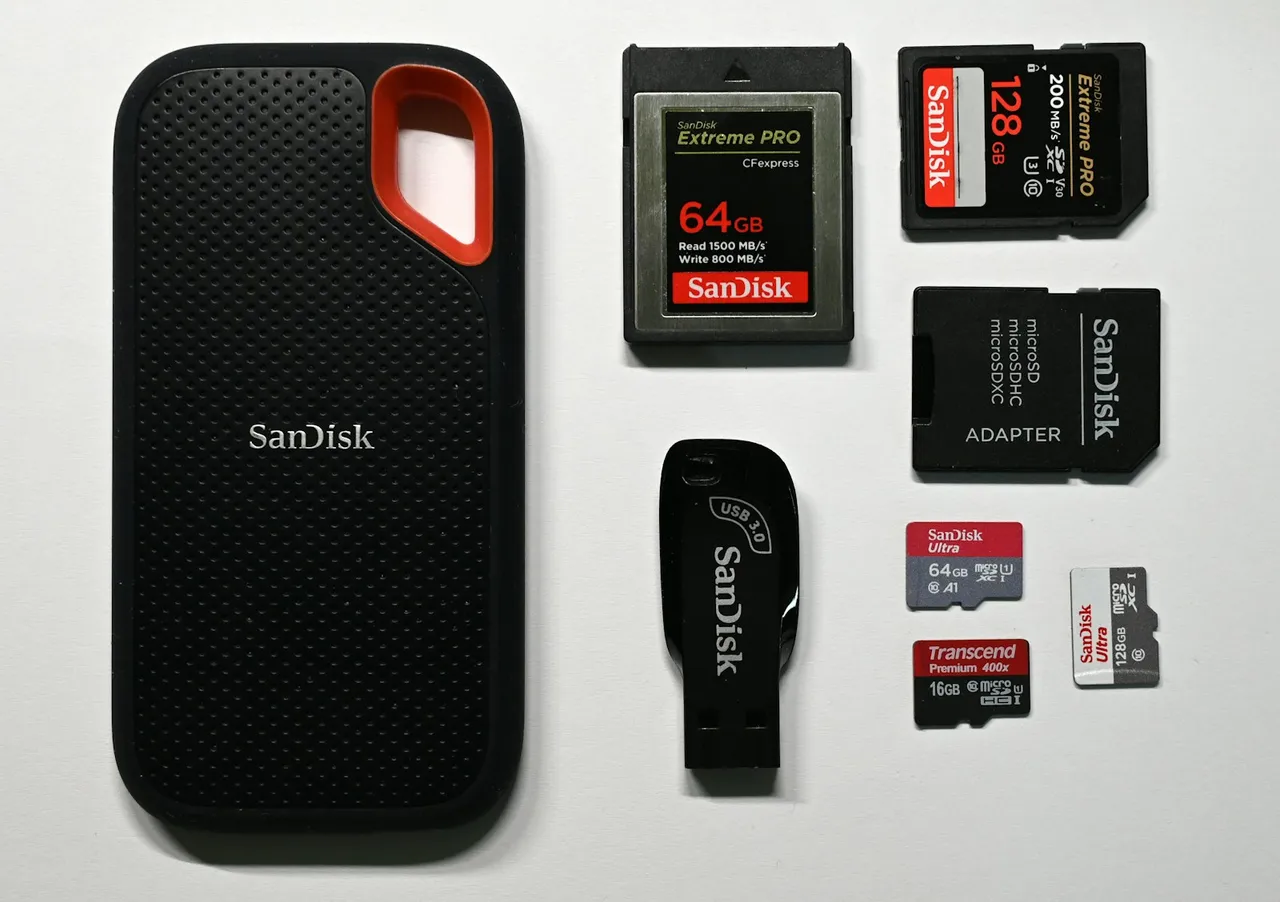
What is the order of data units from smallest to largest?
From smallest to largest, the data units run: bit, nibble, byte (B), kilobyte (KB), megabyte (MB), gigabyte (GB), terabyte (TB), petabyte (PB), exabyte (EB), zettabyte (ZB), yottabyte (YB), ronnabyte (RB) and quettabyte (QB). From the kilobyte upwards, each unit is 1,024 times the one before it in the binary standard, or 1,000 times in the decimal one, so a gigabyte is bigger than a megabyte and a terabyte bigger than a gigabyte. Units with an i in the symbol, such as KiB or TiB, are bigger than their decimal counterparts without the i: a kibibyte sits just above a kilobyte, and a tebibyte just above a terabyte.
Why does my drive show less space than the box says?
Makers of hard drives, flash drives and memory cards state capacity in decimal units. Apple puts it plainly: on its packaging and specifications, 1 GB means 1 billion bytes and 1 TB means 1 trillion bytes[1]. Windows divides the same number of bytes by powers of 1,024 but still labels the result KB, MB, GB and TB[2], so a drive sold as 1 TB shows up as about 931 GB. Nothing is missing: the two simply count differently. After formatting, a little less space is free, because the file system takes up part of the drive[1].
The two ways of counting come from the prefixes. Kilo, mega, giga and tera are SI prefixes and stand for powers of ten. The SI Brochure is explicit: “The SI prefixes refer strictly to powers of 10. They should not be used to indicate powers of 2 (for example, one kilobit represents 1000 bits and not 1024 bits).” For powers of two it lists kibi, mebi, gibi and the rest up to quebi[3]. The first of them, kibi to exbi, were approved by the International Electrotechnical Commission (IEC) in December 1998[4].
The file manager in Mac OS X 10.6 and later versions reports file sizes in decimal units[5]. According to Apple, iOS 10 and earlier and OS X Leopard and earlier counted in binary[1]. Memory is still described in binary terms, so a RAM module labelled 16 GB holds 16 GiB[2].
The Unit standard switch decides how the converter counts the larger byte units, from KB, MB and GB upwards. The Binary (1024) option, selected when the page opens, counts the way Windows and RAM do, and Decimal (1000) counts the way drive labels and macOS do. Units with an i always count in steps of 1,024, and bits from kbit to Qbit always in steps of 1,000, so the switch disappears when neither field uses bytes from KB upwards.
How do you convert data units?
Every conversion takes at most two steps. The first switches between bits and bytes: divide by 8 to go from bits to bytes, multiply by 8 to go back. The second deals with the prefix: each step from K through M, G, T, P and on up to Q is 1,024 in the binary standard and 1,000 in the decimal one. Multiply to get a smaller unit, divide to get a larger one.
For example, how many megabytes are in 2.5 GB? Gigabytes and megabytes are one step apart, so the answer is 2,560 MB in binary and 2,500 MB in decimal. TB to MB is two steps, so you multiply by 1,048,576 or by 1,000,000.
In Excel, the CONVERT function knows the units "bit" and "byte" with decimal prefixes such as "G" and binary prefixes such as "Gi"[6]. =CONVERT(A1,"Gbyte","Mbyte") counts in decimal, and =CONVERT(A1,"Gibyte","Mibyte") in binary, the way Windows does. If your copy of Excel separates arguments with semicolons, use semicolons instead of commas. With very large numbers, Excel keeps only 15 significant digits and turns the rest into zeros[7]. In PowerShell scripts, 1PB gives 1,125,899,906,842,624 straight away, because PowerShell reads the suffixes kb, mb, gb, tb and pb as powers of 1,024[8].
How many bytes are in each data unit?
| Symbol | Unit | Bytes, Binary (1024) | Bytes, Decimal (1000) |
|---|---|---|---|
| bit | Bits | 0.125 B | 0.125 B |
| nibble | Half-bytes | 0.5 B | 0.5 B |
| kbit | Kilobits | 125 B | 125 B |
| Mbit | Megabits | 125,000 B | 125,000 B |
| Gbit | Gigabits | 125,000,000 B | 125,000,000 B |
| Tbit | Terabits | 125,000,000,000 B | 125,000,000,000 B |
| Pbit | Petabits | 125,000,000,000,000 B | 125,000,000,000,000 B |
| Ebit | Exabits | 125,000,000,000,000,000 B | 125,000,000,000,000,000 B |
| Zbit | Zettabits | 125,000,000,000,000,000,000 B | 125,000,000,000,000,000,000 B |
| Ybit | Yottabits | 125,000,000,000,000,000,000,000 B | 125,000,000,000,000,000,000,000 B |
| Rbit | Ronnabits | 125,000,000,000,000,000,000,000,000 B | 125,000,000,000,000,000,000,000,000 B |
| Qbit | Quettabits | 125,000,000,000,000,000,000,000,000,000 B | 125,000,000,000,000,000,000,000,000,000 B |
| Kibit | Kibibits | 128 B | 128 B |
| Mibit | Mebibits | 131,072 B | 131,072 B |
| Gibit | Gibibits | 134,217,728 B | 134,217,728 B |
| Tibit | Tebibits | 137,438,953,472 B | 137,438,953,472 B |
| Pibit | Pebibits | 140,737,488,355,328 B | 140,737,488,355,328 B |
| Eibit | Exbibits | 144,115,188,075,855,872 B | 144,115,188,075,855,872 B |
| Zibit | Zebibits | 147,573,952,589,676,412,928 B | 147,573,952,589,676,412,928 B |
| Yibit | Yobibits | 151,115,727,451,828,646,838,272 B | 151,115,727,451,828,646,838,272 B |
| Ribit | Robibits | 154,742,504,910,672,534,362,390,528 B | 154,742,504,910,672,534,362,390,528 B |
| Qibit | Quebibits | 158,456,325,028,528,675,187,087,900,672 B | 158,456,325,028,528,675,187,087,900,672 B |
| B | Bytes | 1 B | 1 B |
| KB | Kilobytes | 1,024 B | 1,000 B |
| MB | Megabytes | 1,048,576 B | 1,000,000 B |
| GB | Gigabytes | 1,073,741,824 B | 1,000,000,000 B |
| TB | Terabytes | 1,099,511,627,776 B | 1,000,000,000,000 B |
| PB | Petabytes | 1,125,899,906,842,624 B | 1,000,000,000,000,000 B |
| EB | Exabytes | 1,152,921,504,606,846,976 B | 1,000,000,000,000,000,000 B |
| ZB | Zettabytes | 1,180,591,620,717,411,303,424 B | 1,000,000,000,000,000,000,000 B |
| YB | Yottabytes | 1,208,925,819,614,629,174,706,176 B | 1,000,000,000,000,000,000,000,000 B |
| RB | Ronnabytes | 1,237,940,039,285,380,274,899,124,224 B | 1,000,000,000,000,000,000,000,000,000 B |
| QB | Quettabytes | 1,267,650,600,228,229,401,496,703,205,376 B | 1,000,000,000,000,000,000,000,000,000,000 B |
| KiB | Kibibytes | 1,024 B | 1,024 B |
| MiB | Mebibytes | 1,048,576 B | 1,048,576 B |
| GiB | Gibibytes | 1,073,741,824 B | 1,073,741,824 B |
| TiB | Tebibytes | 1,099,511,627,776 B | 1,099,511,627,776 B |
| PiB | Pebibytes | 1,125,899,906,842,624 B | 1,125,899,906,842,624 B |
| EiB | Exbibytes | 1,152,921,504,606,846,976 B | 1,152,921,504,606,846,976 B |
| ZiB | Zebibytes | 1,180,591,620,717,411,303,424 B | 1,180,591,620,717,411,303,424 B |
| YiB | Yobibytes | 1,208,925,819,614,629,174,706,176 B | 1,208,925,819,614,629,174,706,176 B |
| RiB | Robibytes | 1,237,940,039,285,380,274,899,124,224 B | 1,237,940,039,285,380,274,899,124,224 B |
| QiB | Quebibytes | 1,267,650,600,228,229,401,496,703,205,376 B | 1,267,650,600,228,229,401,496,703,205,376 B |
How many megabytes and kilobytes do popular capacities have?
| Capacity | In megabytes | In kilobytes |
|---|---|---|
| 1 GB | 1,024 MB | 1,048,576 KB |
| 2 GB | 2,048 MB | 2,097,152 KB |
| 4 GB | 4,096 MB | 4,194,304 KB |
| 8 GB | 8,192 MB | 8,388,608 KB |
| 16 GB | 16,384 MB | 16,777,216 KB |
| 64 GB | 65,536 MB | 67,108,864 KB |
| 128 GB | 131,072 MB | 134,217,728 KB |
| 512 GB | 524,288 MB | 536,870,912 KB |
| 1 TB | 1,048,576 MB | 1,073,741,824 KB |
| 2 TB | 2,097,152 MB | 2,147,483,648 KB |
What is the labelled capacity in binary units?
| On the label | Bytes | In binary units |
|---|---|---|
| 16 GB | 16,000,000,000 B | 14.90 GiB |
| 32 GB | 32,000,000,000 B | 29.80 GiB |
| 64 GB | 64,000,000,000 B | 59.60 GiB |
| 128 GB | 128,000,000,000 B | 119.21 GiB |
| 256 GB | 256,000,000,000 B | 238.42 GiB |
| 500 GB | 500,000,000,000 B | 465.66 GiB |
| 512 GB | 512,000,000,000 B | 476.84 GiB |
| 1 TB | 1,000,000,000,000 B | 931.32 GiB |
| 2 TB | 2,000,000,000,000 B | 1.82 TiB |
| 4 TB | 4,000,000,000,000 B | 3.64 TiB |
| 8 TB | 8,000,000,000,000 B | 7.28 TiB |
How many MB can you send by email?
| Email service | Attachment limit | KB, Binary (1024) | KB, Decimal (1000) |
|---|---|---|---|
| Gmail, personal account | 25 MB | 25,600 KB | 25,000 KB |
| Outlook.com | 25 MB | 25,600 KB | 25,000 KB |
| Yahoo Mail | 25 MB | 25,600 KB | 25,000 KB |
| iCloud Mail | 20 MB | 20,480 KB | 20,000 KB |
How much storage do Google, iCloud and OneDrive give you?
| Service | Free | Paid plans |
|---|---|---|
| Google Account: Gmail, Drive and Photos | 15 GB[13] | Basic 100 GB, Google AI Plus 2 TB and Google AI Pro 5 TB, each shareable with up to 5 others[13] |
| iCloud | 5 GB[12] | iCloud+ with 50 GB, 200 GB, 2 TB, 6 TB or 12 TB[14] |
| Microsoft account: OneDrive and Outlook.com | 5 GB of cloud storage plus 15 GB of Outlook.com email storage[15] | Microsoft 365 Basic, and 1 TB with Microsoft 365 Personal and Family[15] |
How many photos and how much music and video fit in 1 GB?
| File or recording | Size or bit rate | What 1 GB holds |
|---|---|---|
| JPEG photo from a Canon EOS R50, image size Large (24 MP), quality Fine | about 8.7 MB[16] | 114 photos |
| RAW photo from a Canon EOS R50 | about 27 MB[16] | 37 photos |
| 12 MP ProRAW photo from an iPhone Pro model | about 25 MB[17] | 40 photos |
| 48 MP ProRAW photo from an iPhone Pro model | about 75 MB[17] | 13 photos |
| Music on Spotify, Normal quality | about 96 kbit/s, or 43.2 MB an hour[18] | 23 h 8 min |
| Music on Spotify, High quality | about 160 kbit/s, or 72 MB an hour[18] | 13 h 53 min |
| Music on Spotify, Very high quality (Premium only) | about 320 kbit/s, or 144 MB an hour[18] | 6 h 56 min |
| Video on Netflix, Low setting | up to 0.3 GB an hour[19] | at least 3 h 20 min |
| Video on Netflix, Medium setting | up to 0.7 GB an hour[19] | at least 1 h 25 min |
| Video on Netflix, High setting, HD | up to 3 GB an hour[19] | at least 20 min |
| Video on Netflix, High setting, Ultra HD (4K) | up to 7 GB an hour[19] | at least 8 min |
What entries does this converter accept?
| What you type | Unit under the Convert from field | Result in the Convert to field | How we read it |
|---|---|---|---|
| 1.5 | MB | 1536 KB | The full stop marks the decimal part, so the field reads one and a half megabytes. |
| 1,5 | MB | 1536 KB | A comma before a single digit can only be a decimal comma, as spreadsheets in much of Europe write it, so the result is the same as for 1.5. |
| 1,500 | MB | 1536000 KB | A comma before three digits groups the thousands, so the field reads one thousand five hundred megabytes. Because the same entry means one and a half in many other countries, the line “Read as 1500. If you meant 1.5, type 1.5.” appears under the field. |
| 1 500 | MB | 1536000 KB | The field reads a space as a thousands separator too. |
| 3/4 | MB | 768 KB | The field works out the fraction as three quarters of a megabyte. |
| 2.5 million | MB | 2560000000 KB | The word million multiplies the number, so the field works with 2,500,000 MB. |
| 1.5 TB | TB | 1610612736 KB | A unit from the list typed with the number switches the list under the field to TB, and the line “Your entry gives the unit as TB, so we set this field to TB.” appears under the field. |
| 500 gb | GB | 524288000 KB | The field reads lower-case letters as gigabytes. It picks up a unit typed on the keyboard after a short pause in typing. |
| 8 Gb | Gbit | 976562.5 KB | A capital G with a lower-case b means gigabits, so the list switches to Gbit. |
| 2 GiB | GiB | 2097152 KB | The i marks a binary unit, so the list under the field switches to GiB. |
| 2.34 MB (2,457,600 bytes) | B | 2400 KB | This is how the Properties window in Windows shows a file size. The field takes the exact number of bytes from the brackets and switches the list to B. |
| 1 trillion bytes | B | 976562500 KB | This is how Apple writes a terabyte. The field reads the word trillion as 10¹² and switches the list to B. |
| 4 nibbles | nibble | 0.001953 KB | The field recognises nibble, nybble and half-byte as a unit from the list, so the list under the field switches to nibble. |
What do bit, nibble, kbit, Mbit, Gbit, Tbit and larger bits mean?
Bit (bit)
A bit is a single binary digit, a 0 or a 1, and the basic unit of information. Claude Shannon first used the word in his 1948 paper “A Mathematical Theory of Communication” and credited John Tukey, who had shortened “binary digit” to “bit” in a Bell Labs memo of 9 January 1947[20]. The IEC standard symbol is “bit”, while IEEE 1541 recommended a lower-case “b”, which is easy to confuse with the capital “B” of the byte[20].
Key lengths in cryptography are given in bits: since 2015, the US National Institute of Standards and Technology has recommended RSA keys of at least 2,048 bits[21], which is 256 B. A Full HD image of 1,920 × 1,080 pixels at a colour depth of 24 bits, enough for 16,777,216 colours[22], takes up 49,766,400 bits uncompressed, or 6.2208 MB in the decimal standard.
Nibble
A nibble, also spelled nybble and also called a half-byte or tetrad, is four bits, half of an eight-bit byte[23]. Four bits have 16 possible values, which is exactly one hexadecimal digit, so a byte is usually written as a pair of hex digits, one per nibble[23]. In the converter’s list it appears as nibble – Half-bytes. 1 KB is 2,048 nibbles in the binary standard.
Kilobit (kbit)
A kilobit is a thousand bits. Small memory chips are described in kilobits, and their data sheets often count the kilobit in binary. Microchip describes its 24LC256 EEPROM as “32K x 8 (256 Kbit)”, and its addresses run from 0000 to 7FFF, which covers 32,768 bytes[24]. Those 256 Kbit are therefore 32 KiB, or 262.144 kbit in decimal kilobits. Windows Calculator’s data converter lists Kilobits under the abbreviation Kb, which is easy to misread as KB[25].
Megabit (Mbit)
A megabit is a million bits. The capacity of Super NES cartridges was given in megabits, from 2 to 48 Mbit[26], and today the megabit appears mainly on flash memory chips. Winbond lists its W25Q64JV chip as “64M-bit”, yet its 32,768 pages of 256 bytes add up to 64 × 1,048,576 bits[27], so on a data sheet a megabit is often a mebibit.
64 Mibit is exactly 8 MiB, and the 48 Mbit of the largest Super NES cartridge is 6 MB.
Gigabit (Gbit)
A gigabit is a billion bits. Single RAM chips are rated in gigabits: the DDR4 standard provides for chips of 2, 4, 8 and 16 Gbit[28]. 8 GB is 64 Gbit, so an 8 GB module needs 8 chips of 8 Gbit each.
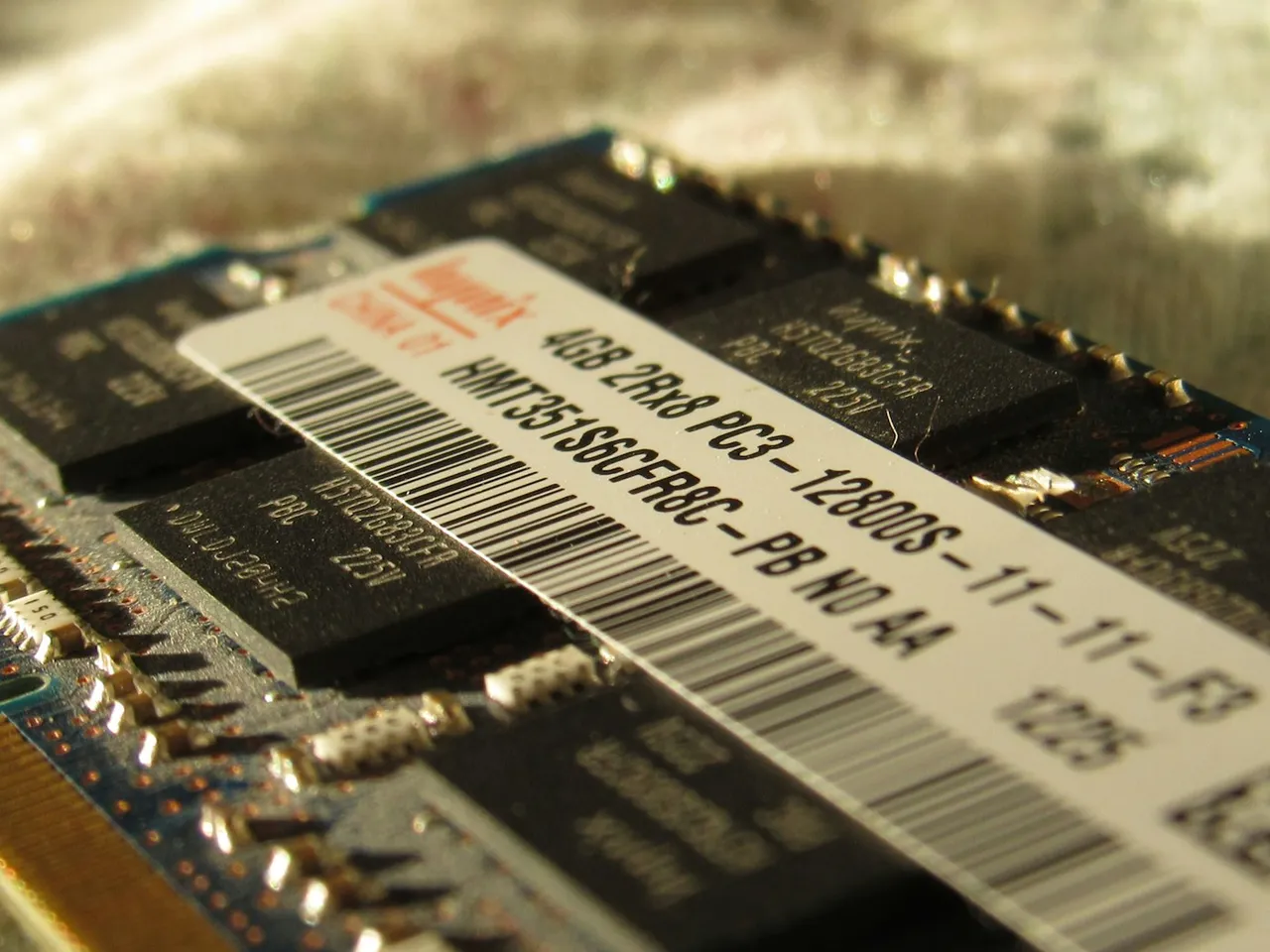
When a chip description says 8Gb, it means 8 gigabits, which is 1 GB.
Terabit (Tbit)
A terabit is a thousand gigabits. Bit counts this large appear in drive reliability figures: Western Digital gives the WD Red Plus fewer than 1 read error per 10¹⁴ bits[29], that is per 100 Tbit, or 12.5 TB of data read.
Petabit (Pbit) and larger bits
The next SI prefixes give the petabit (Pbit), exabit (Ebit), zettabit (Zbit), yottabit (Ybit), ronnabit (Rbit) and quettabit (Qbit), each a thousand times the one before[3]. Turned into bytes, 1 Pbit is 125 TB, 1 Ebit is 125 PB and 1 Qbit is 125 RB. Petabits also turn up in link speeds, as petabits per second, which the data transfer rate converter handles.
What are Kibit, Mibit, Gibit and the larger binary bits?
The kibibit (Kibit), mebibit (Mibit) and gibibit (Gibit) count bits in powers of two: each step of the prefix is 1,024[4]. The list goes on with the tebibit (Tibit), pebibit (Pibit), exbibit (Eibit), zebibit (Zibit), yobibit (Yibit), robibit (Ribit) and quebibit (Qibit). You rarely see them under these names, because the memory industry still uses K, M and G in the binary sense for memory sizes, as the JEDEC standards body acknowledges in its dictionary[2]. In Excel you write them as "kibit", "Mibit" or "Gibit"[6].
1 Gibit is 1.073742 Gbit, so mixing up gibibits and gigabits puts the result 7.4% out. 1 Mibit is 1.048576 Mbit, and 1 Kibit is 1.024 kbit. The gap grows with every prefix, so 1 Qibit is already 1.267651 Qbit.
What do B, KB, MB, GB, TB, PB, EB, ZB, YB, RB and QB mean?
Byte (B)
A byte is eight bits, and eight bits make 256 different patterns of zeros and ones, so one byte stores a number from 0 to 255[30]. The word first appeared in 1956, in Werner Buchholz’s documents for the IBM Stretch computer[31], spelt with a y so that it would not be mistaken for bit[30].
How many bytes a piece of text takes depends on its encoding. In UTF-8, a character takes 1 to 4 bytes: the letters of the English alphabet take 1 byte each, while é or ñ take 2, because they fall in the range that the standard writes with two bytes[32]. Network standards sometimes call the byte an octet, and the standard for the Internet Protocol gives an address as four octets[33].
Kilobyte (KB)
The kilobyte is 1,000 bytes in the decimal standard and 1,024 in the binary one. Small amounts of memory are counted in kilobytes: the ATmega328P microcontroller on an Arduino Uno has 1,024 bytes of EEPROM, which keeps its data when the power is off[34].
Kilobytes also decide how much space a file takes on the disk. The default cluster size in the NTFS file system is 4 KB[35], and NTFS allocates space to files in multiples of the cluster size[36]. A 5,000-byte file is slightly larger than one cluster, so it takes up two, which is 8,192 B.
Megabyte (MB)
A megabyte is 1,000 kilobytes, or 1,024 in the binary standard. When you create a new volume in Disk Management, Windows asks for its size in megabytes[37]. An 80-minute CD-R holds 737,280,000 bytes, or 703.125 MiB[38], which is 737.28 MB in the decimal standard.
The two meanings of the megabyte can even get mixed. A floppy disk labelled 1.44 MB holds 1,474,560 bytes, because its makers used a megabyte of 1,000 × 1,024 bytes[39]. In the purely decimal standard that is 1.47456 MB, and in the binary one 1.40625 MB.
Gigabyte (GB)
A gigabyte is 1,000 megabytes, or 1,024 in the binary standard. Game sizes are given in gigabytes: on Steam, Forza Horizon 5 from Playground Games needs 110 GB of available space[40]. A well-known limit comes from the FAT32 file system, which allows a single file of no more than 4 GiB minus 1 byte[41], that is 4,294,967,295 bytes. In gigabytes as Windows counts them, that is almost exactly 4 GB, while in decimal gigabytes it is about 4.29 GB.
A single-layer DVD holds 4.7 GB and a dual-layer one 8.5 GB[42]. A Blu-ray disc holds 25 GB per layer, or 50 GB with two layers[43]. In binary units, the 4.7 GB of a DVD is about 4.38 GiB. The GB to MB converter turns gigabytes into megabytes.
Terabyte (TB)
A terabyte is 1,000 gigabytes, or 1,024 in the binary standard. Drive capacities are given in terabytes, and an old limit still matters here. The MBR partition table can address at most 2³² sectors of 512 bytes, which is 2,199,023,255,552 bytes[44]. Microsoft calls this limit “2 TB” but counts in powers of two, so on a drive label it corresponds to about 2.2 TB. On a 3 TB or 4 TB disk with an MBR partition table, Windows can only use the first 2 TiB, so the disk has to be converted to the GPT partition style[44].
The IDEMA standard sets the number of sectors on a drive: for a 4 TB drive with 512-byte sectors it gives 7,814,037,168 sectors, which is 4,000,787,030,016 bytes[45]. In binary units that is 3.64 TiB. The TB to TiB converter turns terabytes into tebibytes.
Petabyte (PB)
A petabyte is 1,000 terabytes. Research data centres work in petabytes. JASMIN, the environmental science facility run by STFC in the UK, has about 60 PB of online storage for the CEDA Archive and project work, and about 90 PB of tape storage[46]. ARCHER2, the UK national supercomputer, has three work file systems of 3.4 PB each[47], which comes to 10,200 TB.
An LTO-9 cartridge holds 18 TB uncompressed[48], so a decimal petabyte needs 56 cartridges. An NTFS volume can be as large as 8 PB on Windows 10 version 1709 and later and Windows Server 2019 and later, with a cluster size of 2,048 KB[35]. The PB to TB converter handles petabytes too.
Exabyte (EB)
An exabyte is 1,000 petabytes, or a quintillion bytes on the short scale used in English[49]. The word billion itself has changed meaning in the UK: until the 1970s it could mean a million million there, and in December 1974 the Prime Minister told Parliament that billion was now used internationally to mean 1,000 million[50]. National mobile data totals now run into exabytes. CTIA reports that Americans used 159.3 trillion megabytes of wireless data in 2025[51], which is 159.3 EB. In the UK, Ofcom counted 1,257 petabytes of mobile data a month in 2025[52], or 1.257 EB.
Zettabyte (ZB)
A zettabyte is 1,000 exabytes, a sextillion bytes[49]. The prefix zetta is fairly new: the General Conference on Weights and Measures added it to the SI in 1991, along with yotta[53]. A ZFS file system can store up to 256 quadrillion zettabytes[54].
Yottabyte (YB)
A yottabyte is 1,000 zettabytes, a septillion bytes. On the long scale used in much of continental Europe, the same number is a quadrillion, while an English quadrillion is only 10¹⁵[49].
Ronnabyte (RB) and quettabyte (QB)
In 2022, at its 27th meeting, the General Conference on Weights and Measures added two prefixes to the SI: ronna (R) for 10²⁷ and quetta (Q) for 10³⁰[55]. Among its reasons, the resolution names the needs of data science, which will soon express quantities of digital information beyond 10²⁴, and the wish to act before unofficial prefix names caught on[55]. A ronnabyte is therefore 1,000 yottabytes, and a quettabyte 1,000 ronnabytes. 1 QB is 1,000,000 YB.
What are KiB, MiB, GiB, TiB, PiB, EiB, ZiB, YiB, RiB and QiB?
These units count bytes in powers of two, with each step of the prefix worth 1,024[4]. The gap to the decimal unit widens with every step: 1 KiB is 1.024 KB, 1 GiB is 1.073742 GB, 1 TiB is 1.099512 TB, 1 PiB is 1.1259 PB and 1 QiB is already 1.267651 QB.
Kibibyte (KiB)
Older hard drives use 512-byte sectors, while Advanced Format drives use sectors of 4,096 bytes[56], exactly 4 KiB. The df and du commands from GNU Coreutils report sizes in blocks of 1,024 bytes by default, which is 1 KiB[57].
Mebibyte (MiB)
Mebibytes turn up in server and container settings. The Kubernetes documentation says that 129M and 123Mi represent roughly the same amount of memory[58]. Capital letters matter there: “400m” means 0.4 bytes, because a lower-case m stands for milli, and whoever typed it probably wanted 400Mi or 400M[58]. 123 MiB is 128.974848 MB.
Gibibyte (GiB)
Cloud services often size virtual disks in gibibytes. On Amazon Web Services, a gp3 volume can be anywhere from 1 GiB to 64 TiB[59]. 100 GiB is 107.374182 GB, so such a disk holds more than the number alone suggests. The GiB to GB converter converts in both directions.
Tebibyte (TiB)
A Synology NAS shows a smaller drive size in Storage Manager, under HDD/SSD or Drives, than the drive maker states, because its file system counts in binary[60]. Microsoft gives NTFS a limit of 16 TB with a 4 KB cluster[35], which is 2³² − 1 clusters of 4,096 bytes, just 4 KiB short of 16 TiB. 16 TiB is 17.592186 TB.
Pebibyte (PiB)
In Azure NetApp Files, Microsoft offers large volumes of up to 1 PiB, or 2 PiB by special request, and extra-large volumes of up to 7.2 PiB with cool access enabled[61]. 1 PiB is 1,125.899907 TB. On Linux, df -h reports sizes in powers of 1,024, so its letters K, M, G, T and P stand for kibibytes through to pebibytes[62].
Exbibyte (EiB)
A processor with 64-bit memory addresses can directly address 2⁶⁴ bytes of memory[63], which is exactly 16 EiB. In decimal exabytes, that is 18.446744 EB.
Zebibyte (ZiB)
The GPT partition table can address disks of up to 8 ZiB with 512-byte sectors, and up to 64 ZiB with 4,096-byte sectors[64]. 8 ZiB is 9.444733 ZB.
Yobibyte (YiB), robibyte (RiB) and quebibyte (QiB)
The yobibyte is 1,024 zebibytes. The next binary prefixes, robi (Ri) for 2⁹⁰ and quebi (Qi) for 2¹⁰⁰, were adopted by the IEC in 2025[2]. A robibyte is therefore 1,024 yobibytes, and the quebibyte, the largest unit in the converter’s list, holds 1,267,650,600,228,229,401,496,703,205,376 bytes.
Sources
- How storage capacity is measured on Apple devices — Apple
- Binary prefix — Wikipedia
- The International System of Units (SI), 9th edition — Bureau International des Poids et Mesures
- Prefixes for binary multiples — National Institute of Standards and Technology
- Gigabyte — Wikipedia
- CONVERT function — Microsoft
- Keeping leading zeros and large numbers — Microsoft
- about_Numeric_Literals — Microsoft
- Send attachments with your Gmail message — Google
- Sending limits in Outlook.com — Microsoft
- Message size limits in Yahoo Mail — Yahoo
- Mailbox size and message sending limits in iCloud — Apple
- Plans & Pricing to Upgrade Your Cloud Storage — Google
- iCloud+ plans and pricing — Apple
- Microsoft storage FAQ — Microsoft
- Product Manual: EOS R50: Specifications — Canon
- About Apple ProRAW — Apple
- Audio quality — Spotify
- How to control how much data Netflix uses — Netflix
- Bit — Wikipedia
- Key size — Wikipedia
- Color depth — Wikipedia
- Nibble — Wikipedia
- 24AA256/24LC256/24FC256 Data Sheet — Microchip Technology
- Windows Calculator source code (UnitConverterDataLoader.cs) — Microsoft
- Super Nintendo Entertainment System Game Pak — Wikipedia
- W25Q64JV data sheet, revision J, 27 March 2018 — Winbond
- DDR4 SDRAM — Wikipedia
- Product Brief: WD Red Plus — Western Digital
- Byte — Wikipedia
- Timeline of the IBM Stretch/Harvest Era (1956–1961) — Computer History Museum
- RFC 3629: UTF-8, a transformation format of ISO 10646 — RFC Editor
- RFC 791: Internet Protocol — RFC Editor
- EEPROM Library — Arduino
- NTFS overview — Microsoft
- Correct disk space problems on NTFS volumes — Microsoft
- Disk Management in Windows — Microsoft
- CD-R — Wikipedia
- Megabyte — Wikipedia
- Forza Horizon 5, system requirements — Steam
- File Allocation Table — Wikipedia
- DVD — Wikipedia
- Blu-ray — Wikipedia
- Windows support for hard disks exceeding 2 TB — Microsoft
- LBA1-03 LBA Count for Disk Drives Standard — IDEMA
- JASMIN — STFC RAL Space
- Data management and transfer — ARCHER2
- Linear Tape-Open — Wikipedia
- Long and short scales — Wikipedia
- “Billion” (Definition), HC Deb 20 December 1974 vol 883 cc711-2W — UK Parliament, Hansard
- 2026 Annual Survey Highlights — CTIA
- Brits devour data at record levels as mobile networks race to improve 5G — Ofcom
- Resolution 4 of the 19th CGPM (1991) — Bureau International des Poids et Mesures
- ZFS — Wikipedia
- Resolution 3 of the 27th CGPM (2022): On the extension of the range of SI prefixes — Bureau International des Poids et Mesures
- Advanced Format — Wikipedia
- Block size, GNU Coreutils — Free Software Foundation
- Resource Management for Pods and Containers — The Kubernetes Authors
- Amazon EBS General Purpose SSD volumes — Amazon Web Services
- Why does my drive size appear smaller on Synology storage system? — Synology
- Understand large volumes in Azure NetApp Files — Microsoft
- df(1) – Linux manual page — man7.org
- 64-bit computing — Wikipedia
- GUID Partition Table — Wikipedia
- Kilobyte — Wikipedia
- MSFT_Disk class — Microsoft
- lsblk(8) – Linux manual page — man7.org
- The Java Language Specification, chapter 4.2 — Oracle
Every figure in the tables was computed from the unit definitions and checked arithmetically before publication. Historical values and the names of local units come from the sources listed above.
Content last reviewed: · written and checked by the Arteon team
Frequently asked questions about data units
Why is a byte 8 bits?
Mostly through history. Early computers stored characters in 4-bit and 6-bit codes, and in 1963 ASCII extended a character to 7 bits[30]. The IBM Stretch, delivered to Los Alamos in April 1961, was the first computer to use 8-bit bytes[31]. They became the norm with the widely used IBM System/360, which stored characters in the 8-bit EBCDIC code, and in the 1970s with 8-bit microprocessors such as the Intel 8080[30]. Eight is also a handy power of two, and a byte splits into two 4-bit nibbles, each of which is exactly one hexadecimal digit[30].
Should I write kB or KB?
The internationally recommended symbol for the kilobyte is kB, with a lower-case k as in km or kg, while the binary meaning of 1,024 bytes usually goes with KB and a capital K[65]. In practice, Windows writes KB for 1,024 bytes, and so does this converter, whose Unit standard switch decides which meaning applies.
How do I find the exact capacity of a drive in bytes?
In Windows, the PowerShell command (Get-Disk -Number 0).Size reads the Size property of disk number 0, which gives its size in bytes[66]. On Linux, lsblk with the -b option prints the full number of bytes instead of rounded units[67]. Type that number into a field set to B, and the converter will show it in any other unit.
Have a question or a suggestion?
If you spot a mistake in a table or have an idea for the converter, write to us.