Learn how to handle photos, files, units and colours yourself
Each guide explains one real task step by step, such as editing a photo, converting a file or checking a unit, and points you to the free tool that does the work in your browser.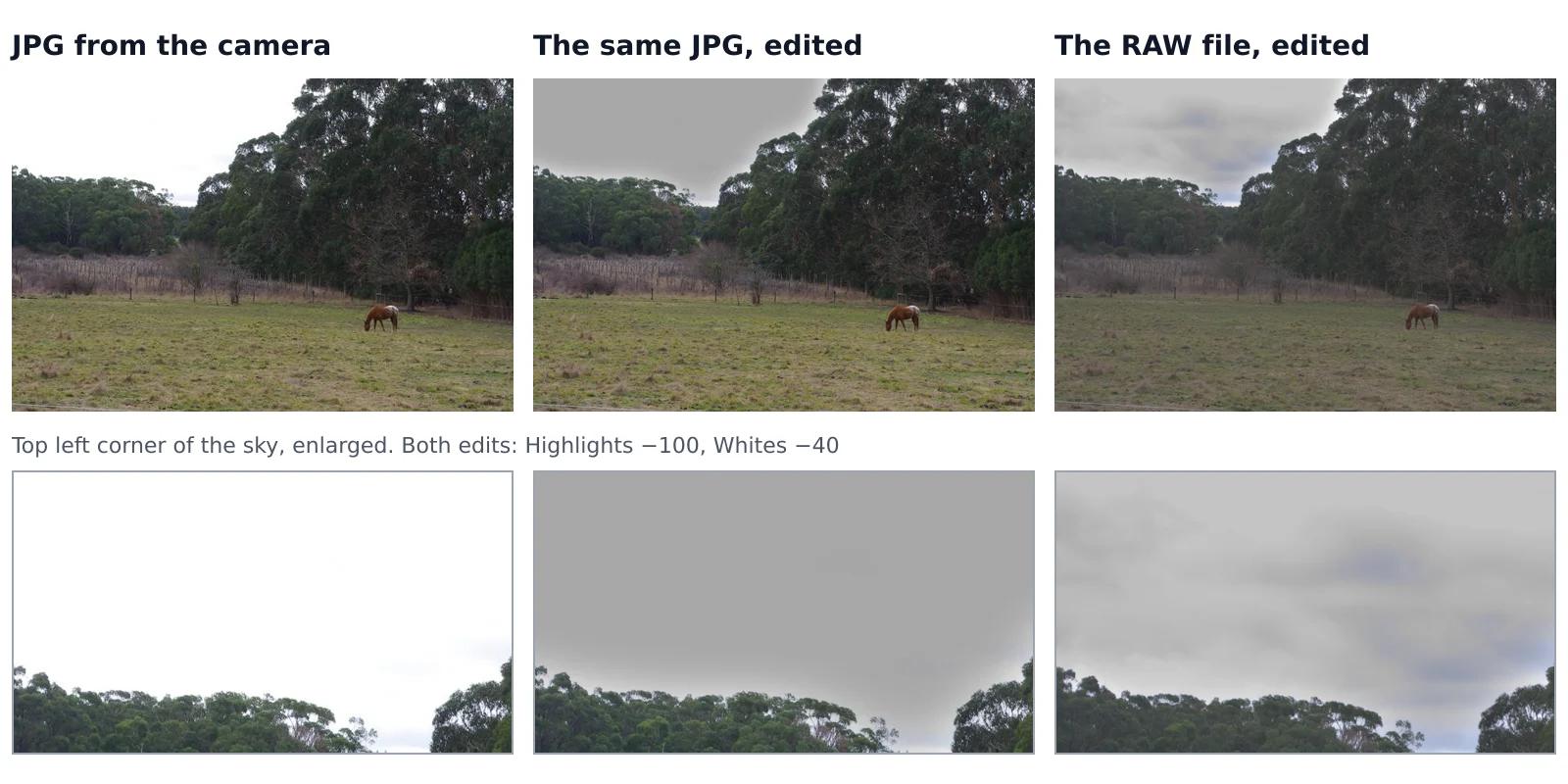 6 min read
Can you fix an overexposed photo? What RAW gets back and JPG doesn’t
A sky that came out pure white looks the same whether you shot JPG or RAW, but it isn’t the same. In a JPG, the camera has already thrown away everything brighter than white. A RAW file often keeps some of it, and an editor can bring it back. We tested this on one shot that the camera saved both as a RAW file and as a JPG, with the same sliders on both.Read the guide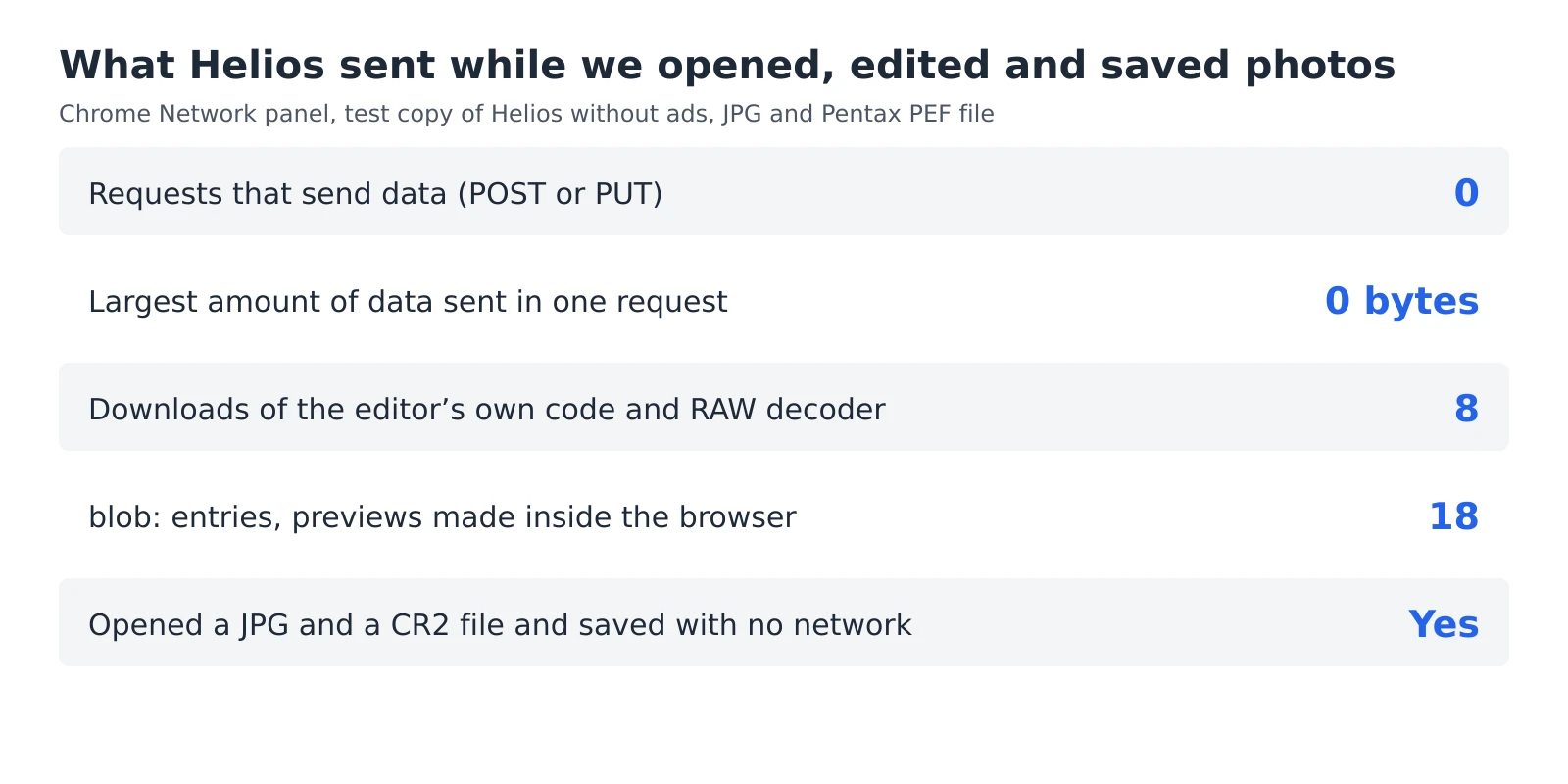 6 min read
How to check whether a photo editor uploads your photos
An editor can say that your photos stay private, but you don’t have to take its word for it. Every browser has a built-in list of everything a web page sends and receives, and a second test needs nothing more than switching off your Wi-Fi. Together they take five minutes and work with any editor that runs in a browser, including ours.Read the guide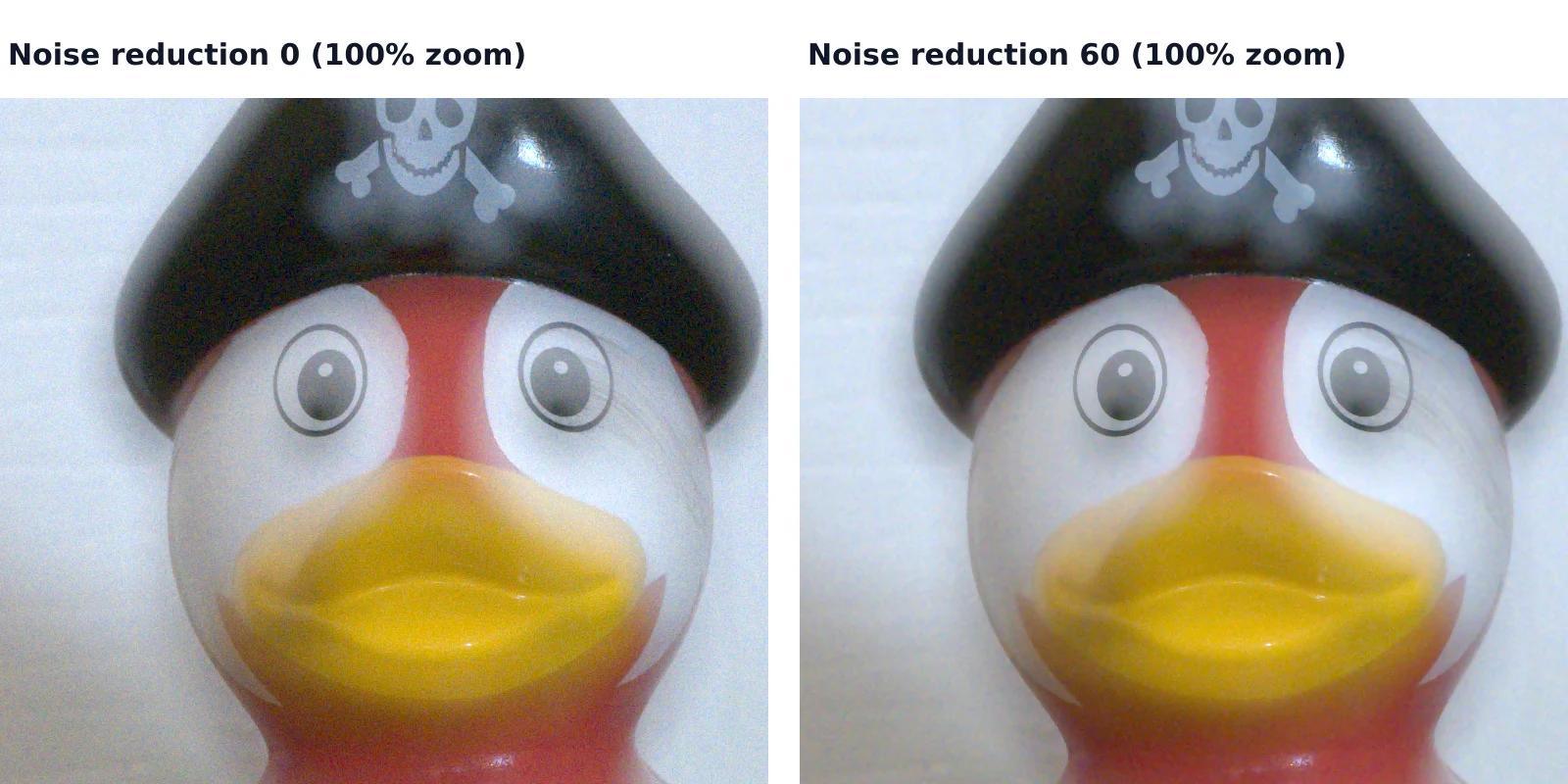 7 min read
How to reduce noise in a photo without AI
A photo taken indoors or at dusk often looks fine on the phone screen and grainy on a computer. That grain is noise, and you can reduce it without any AI tool or subscription, with filters that photo editors have used for years. They work well up to a point, and we measured that point on a real photo taken at ISO 6400.Read the guide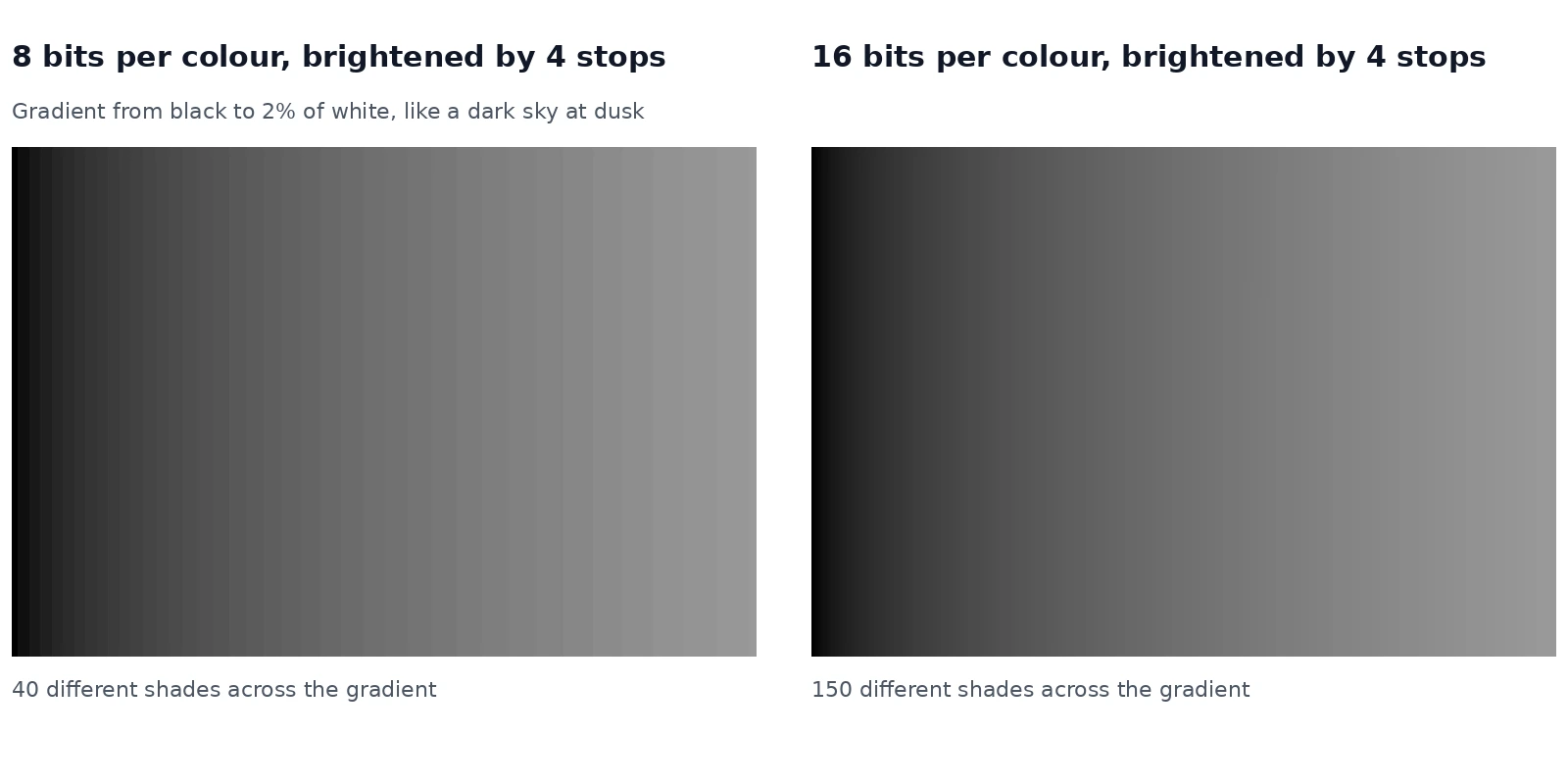 6 min read
Why brightening a photo causes stripes, and when RAW prevents them
When you brighten a dark photo a lot, a smooth sky or shadow can break into visible steps. This is called banding. Whether you get it depends on how many shades the file holds, and on something easy to overlook: the natural noise in a real photo often hides it. We measured both.Read the guide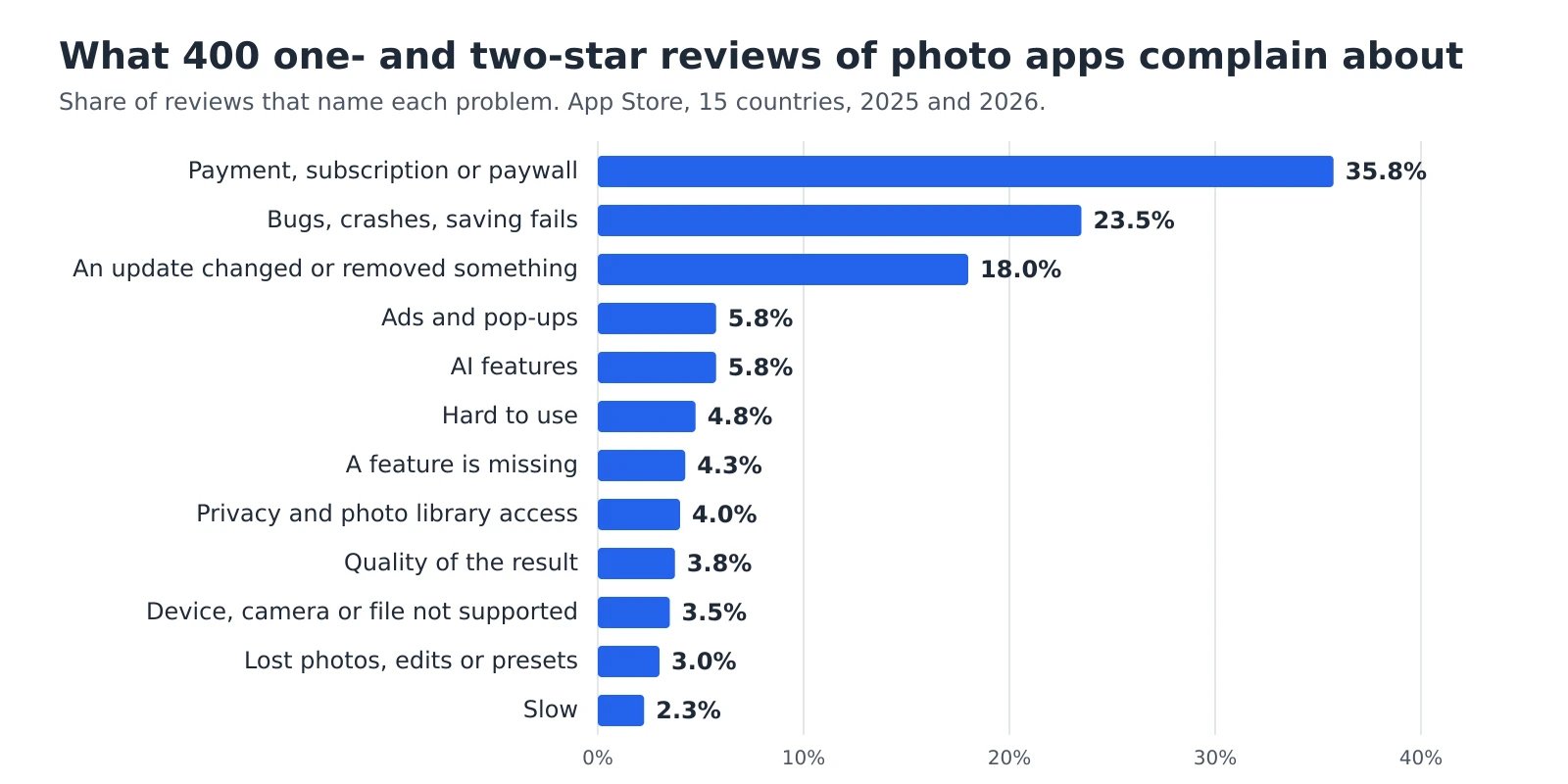 8 min read
Why people give photo editing apps one star: we read 400 reviews
Before choosing a photo editor, it helps to know what goes wrong for the people who already use one. We collected 32,150 App Store reviews of 14 popular photo editing apps from 15 countries and read 400 of the one- and two-star reviews written in 2025 and 2026, one by one. More than a third of them are about money, and some describe being asked to pay only after the editing was already done.Read the guide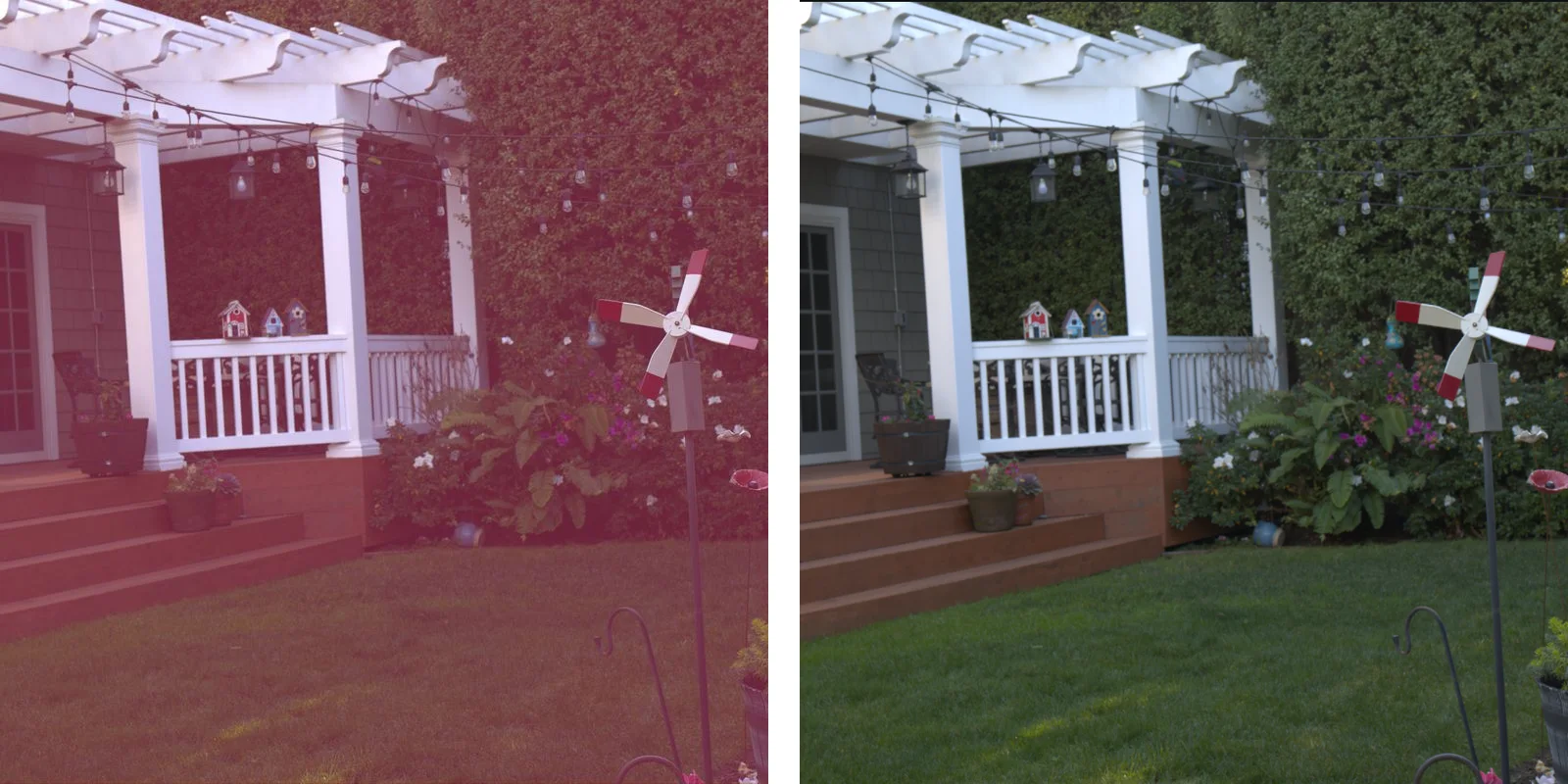 7 min read
Why RAW files from a new camera won’t open or look wrong
You buy a new camera, shoot in RAW, and your editor refuses the files or shows them with strange colours. The camera isn’t broken and neither are the files. Every new model needs its own support in the program that develops RAW files, and that support arrives some time after the camera goes on sale. We ran into this ourselves in November 2026, when files from several new cameras opened wrongly in our own editor.Read the guide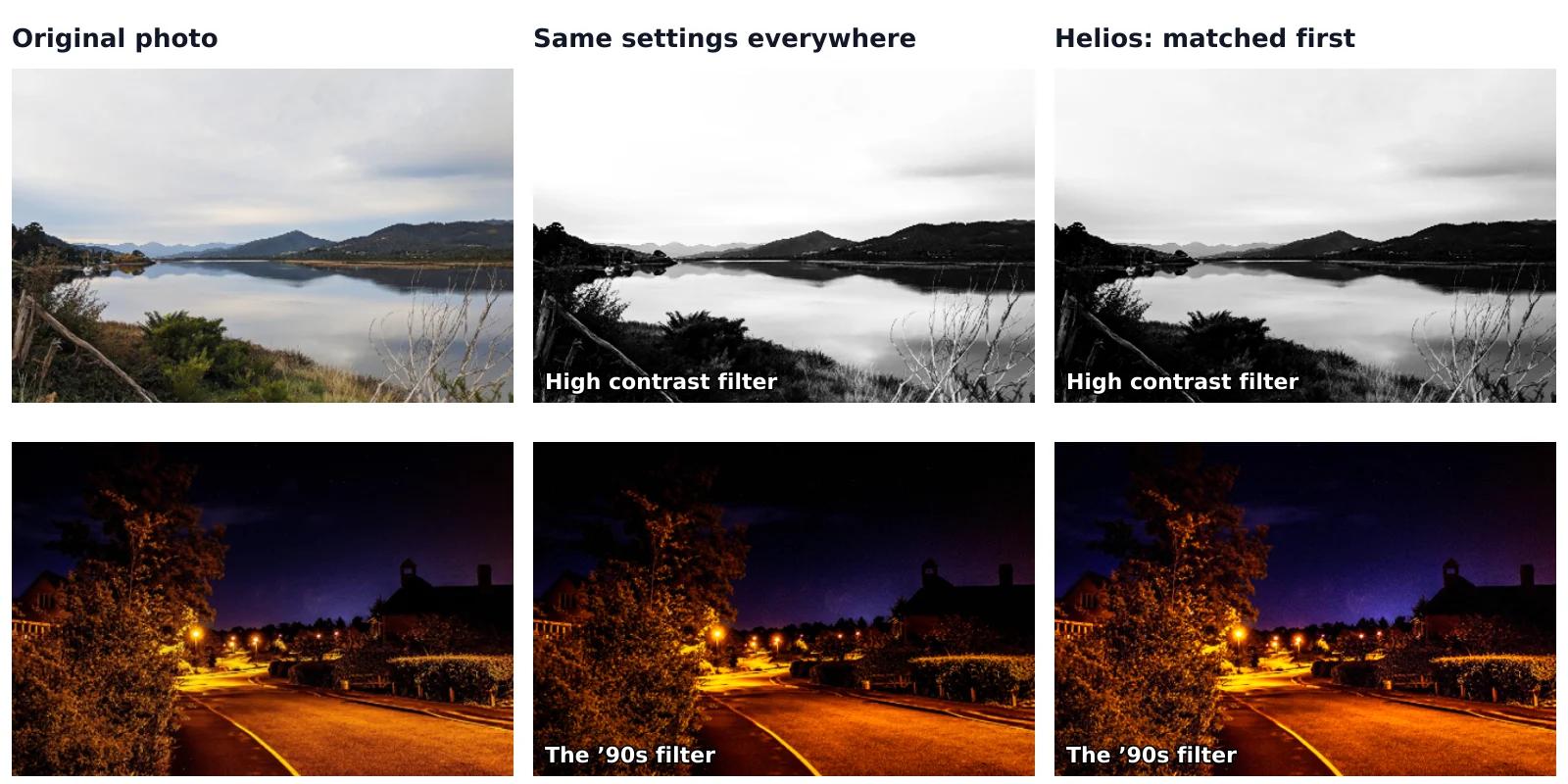 7 min read
Why the same filter looks different on every photo
You apply a filter that looked great in the sample, and on your own photo the sky turns white or the shadows go black. The filter isn’t broken. It changes your photo by the same amount, starting from wherever that photo already is, and every photo starts somewhere else. We measured all 100 filters of our editor on 7 very different photos to see how big that difference is and what a filter can do about it.Read the guide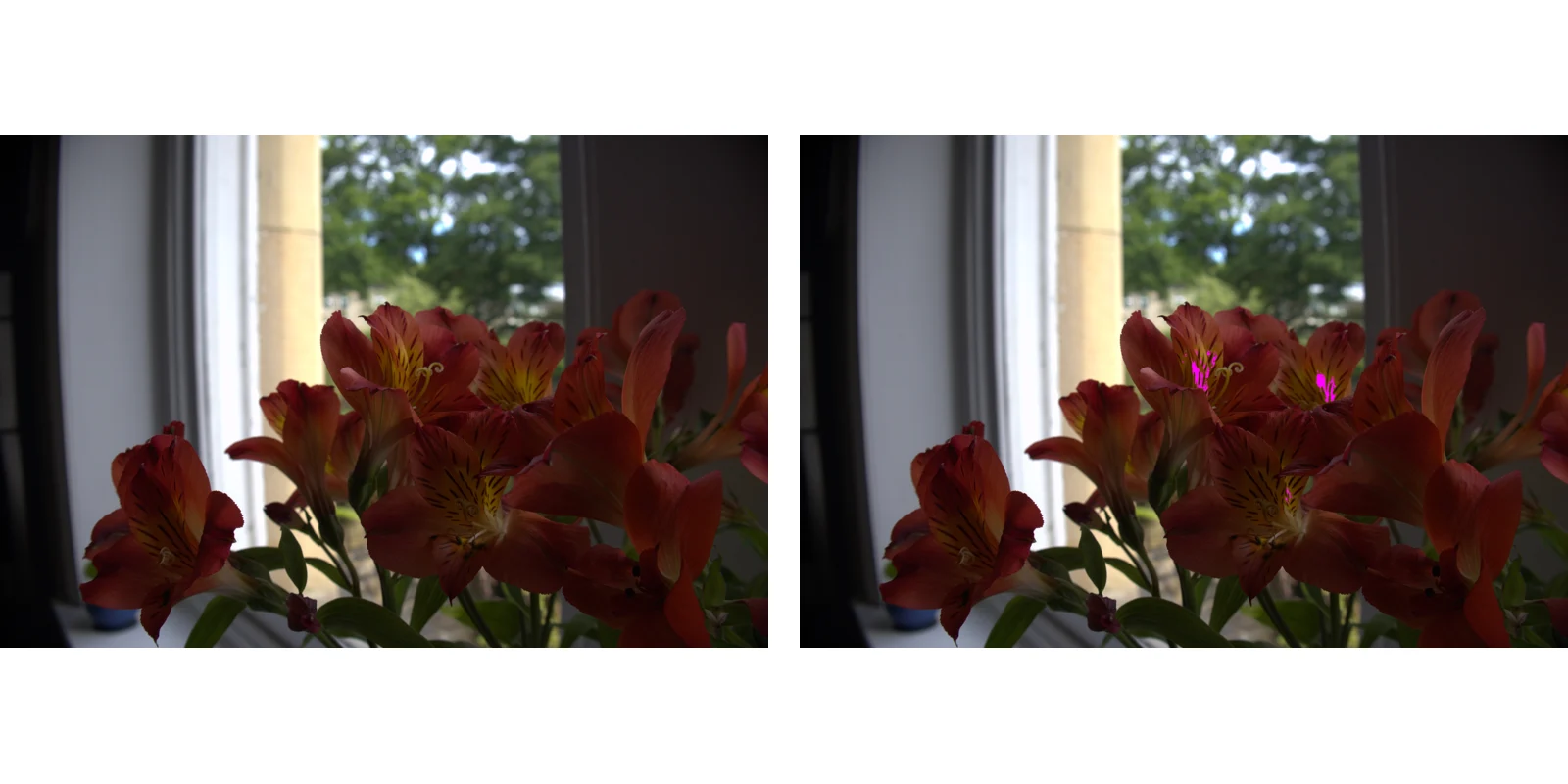 7 min read
Why your photo looks different after you save it
You spend ten minutes on a photo, save it, open the file, and the colours look duller, the image darker or the grain stronger than in the editor. Usually the file is fine and the difference comes from one of five things: the colour space, an HDR photo, the scaled-down preview, compression or the screen you view it on. Each has a simple test and a fix.Read the guide 6 min read
Why your work in a browser editor can disappear, and how to keep it
A photo editor or design tool that runs in your browser often saves your work by itself, without a Save button. That work stays in your browser on your device, and the browser can delete it: when you clear its data, when you close a private window, when the disk runs low and, in Safari, after 7 days of browsing without a visit to that website. Here’s when each of these happens and how to make sure your edits survive.Read the guide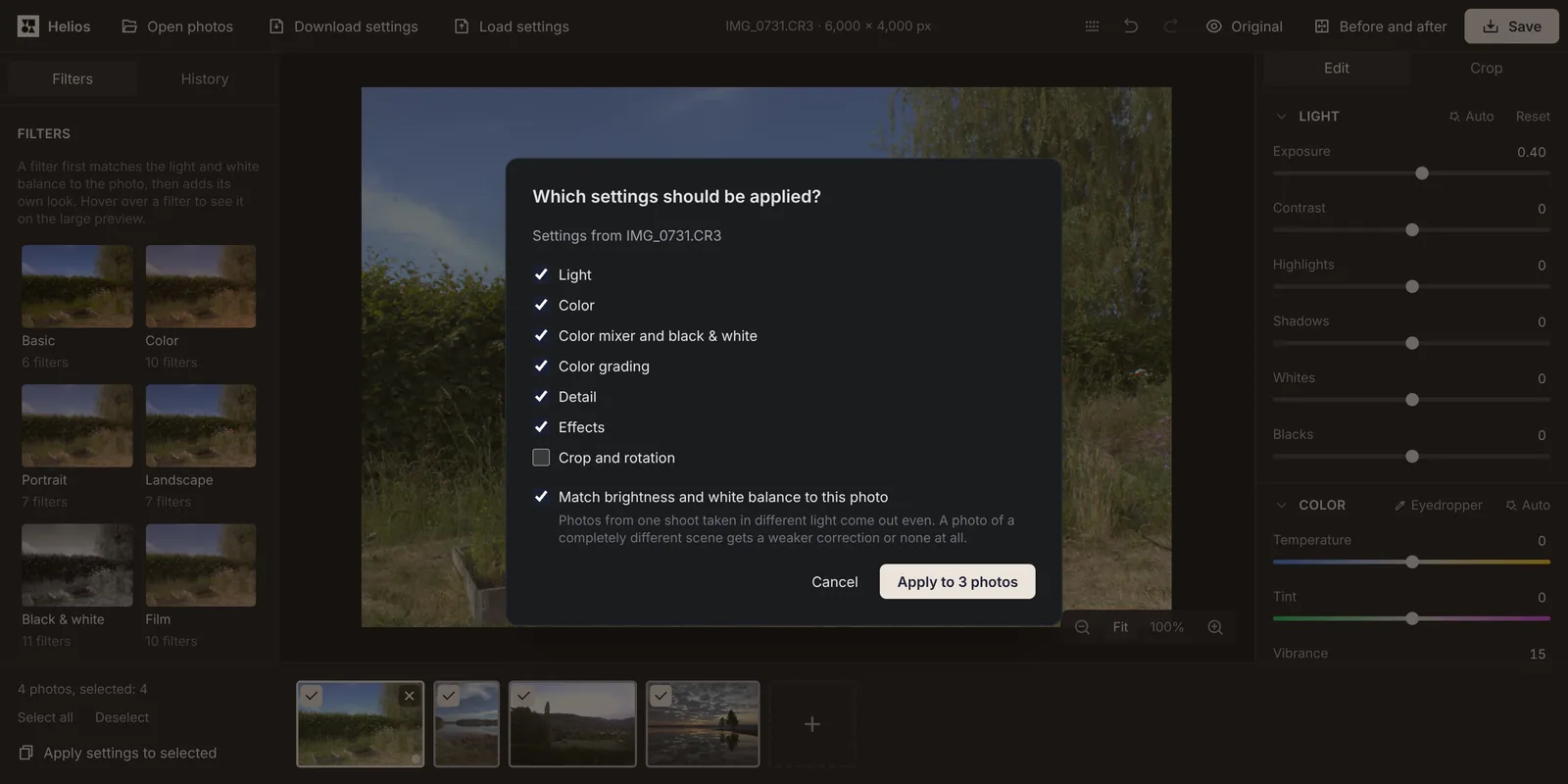 7 min read
How to batch edit photos: apply the same edits to many photos at once
After a wedding, a holiday or a product shoot you often have dozens of photos taken in the same light, and every one of them needs the same fix. You can edit one of them, copy its settings to the rest and save the whole set at once, for free and in your browser.Read the guide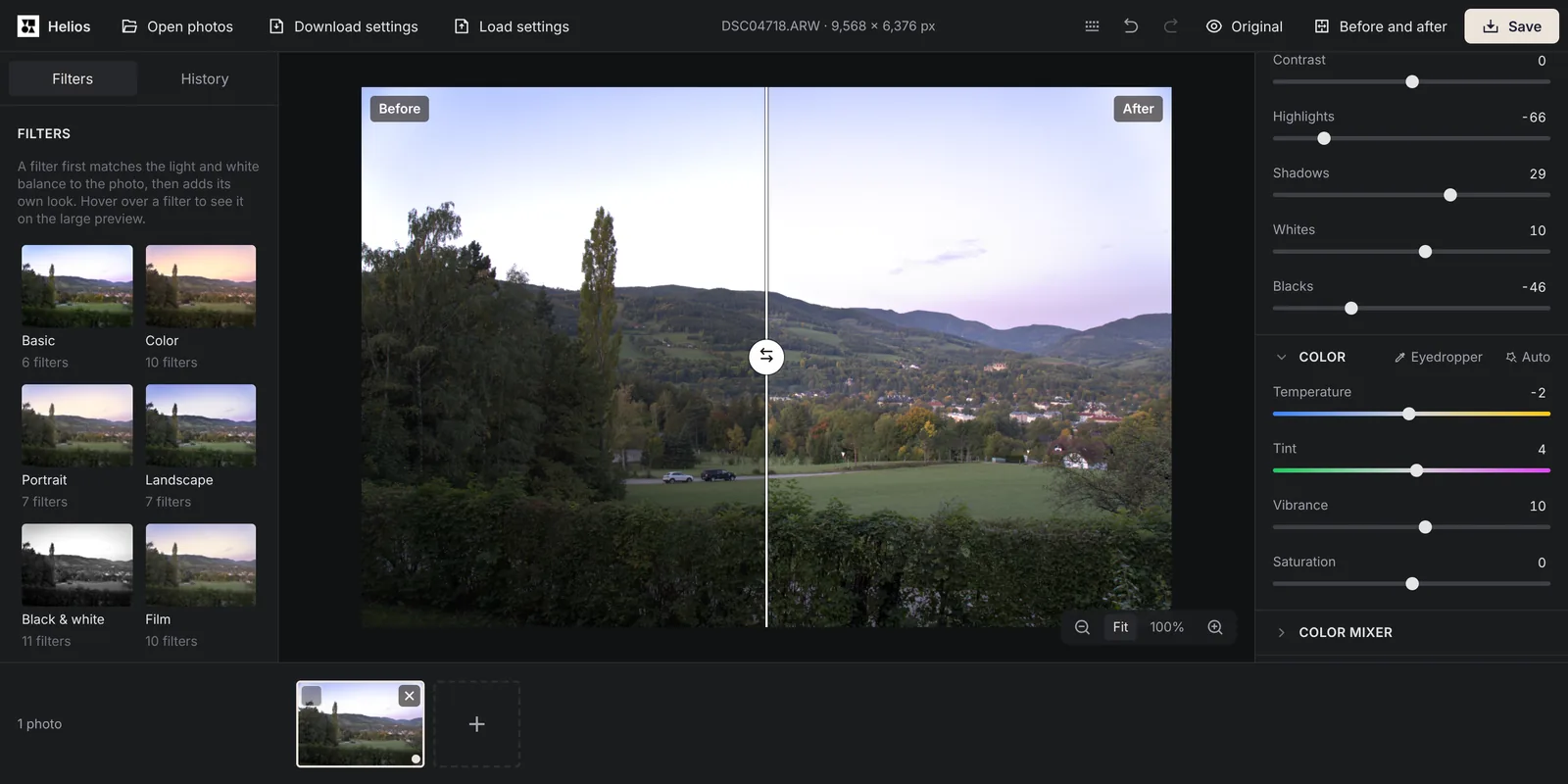 7 min read
How to convert RAW to JPG for free: CR3, NEF, ARW and DNG
Your camera saves RAW files that many apps, websites and photo labs won’t accept. To share or print those photos, you turn each file into a JPG, and you can do it for free in your browser, for one photo or a whole memory card, without installing anything.Read the guide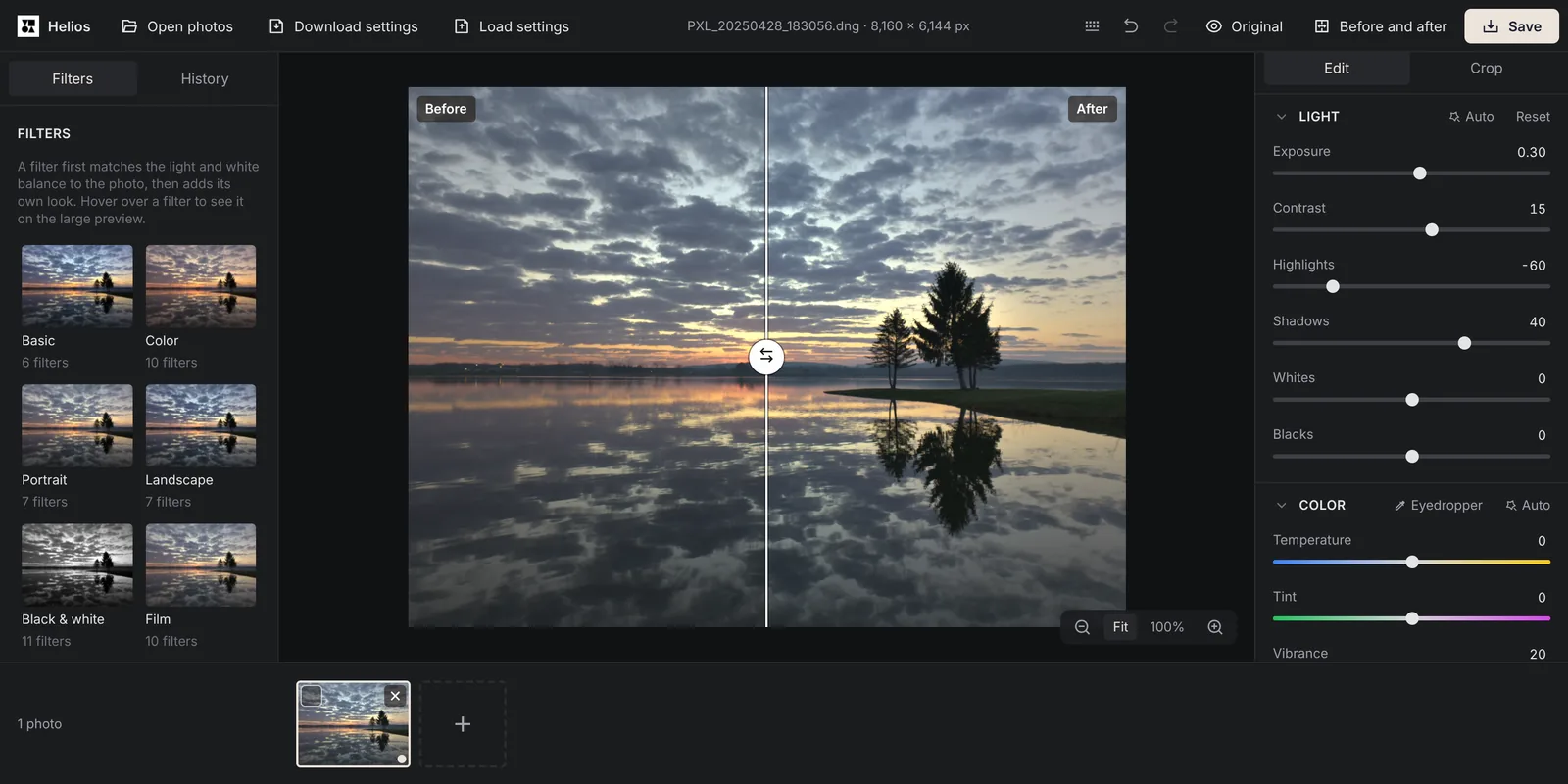 8 min read
How to edit RAW photos for free, step by step
A RAW file lets you fix things that a JPG can’t: a sky that came out too bright, the wrong white balance or a face lost in shadow. You don’t need a paid program for it. This guide shows the order of edits that works for most RAW photos, using a free editor that runs in your browser.Read the guide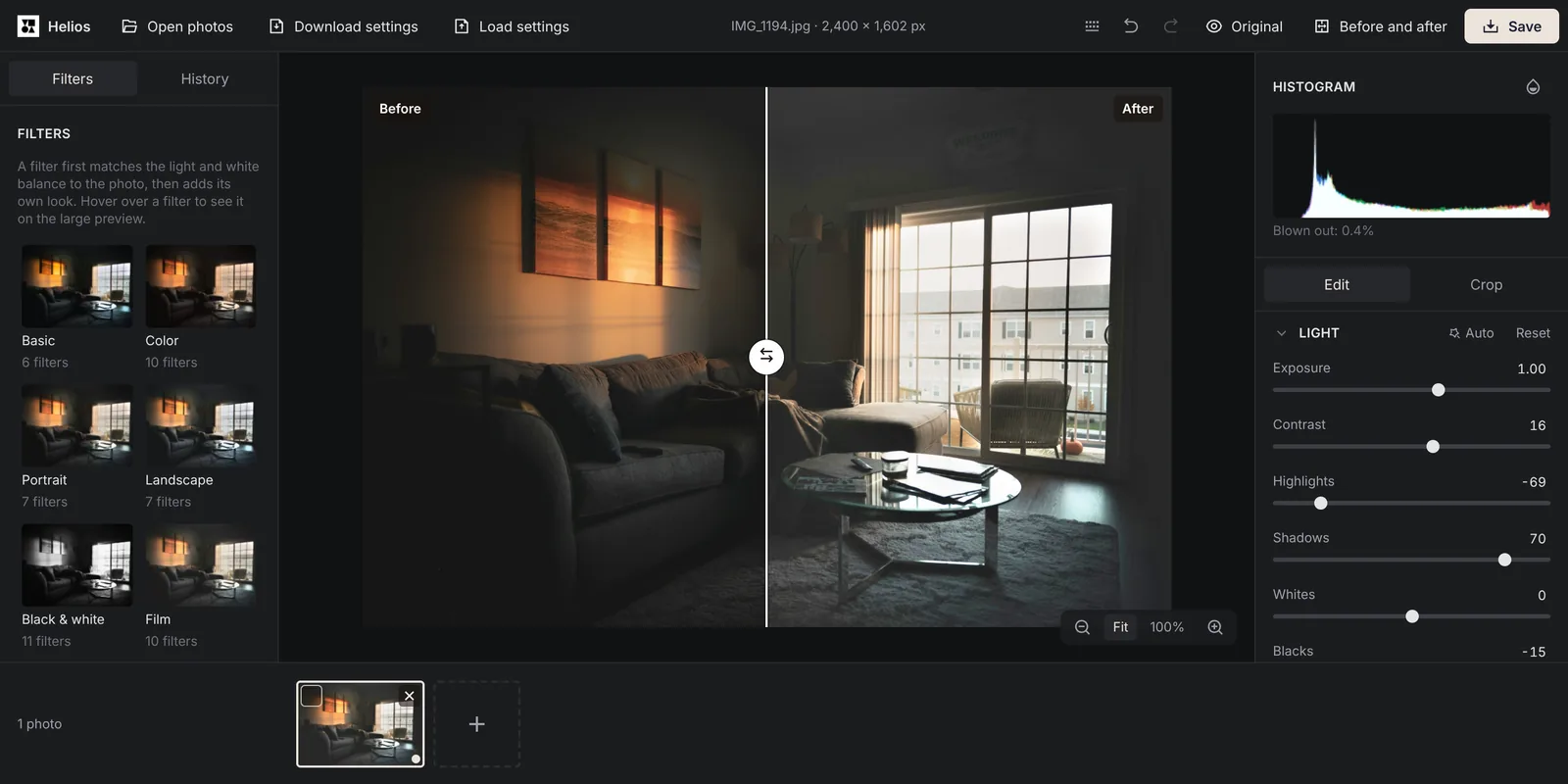 7 min read
How to fix a dark photo: brighten an underexposed picture for free
A photo can come out too dark even when the scene looked bright to you: a room in front of a sunny window, a face against the sky or a party in the evening. Most of these photos can be saved in a few clicks, and the right slider depends on what exactly is too dark.Read the guide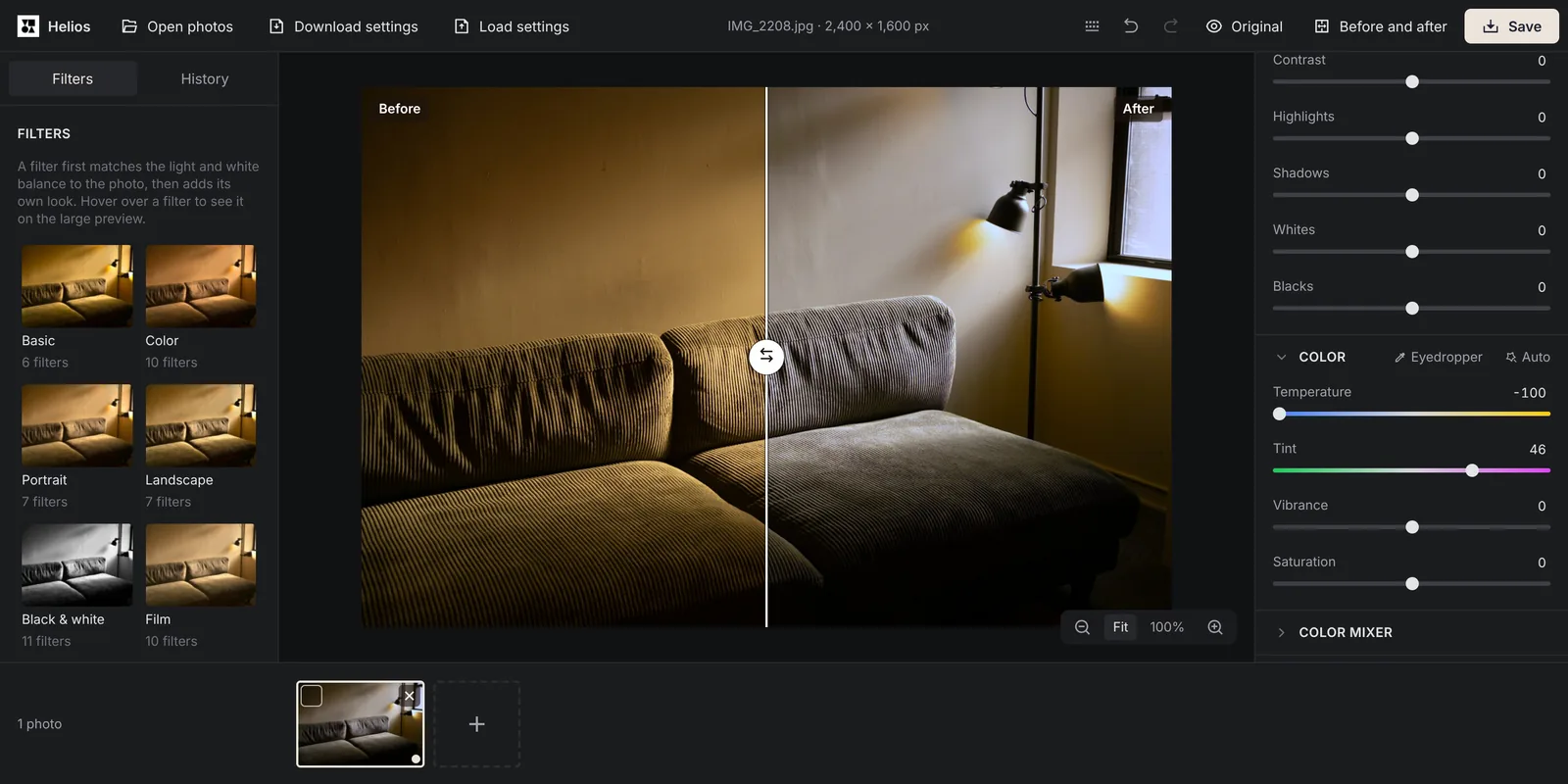 7 min read
How to remove a yellow tint from a photo and fix the white balance
Photos taken indoors in the evening often come out yellow or orange, and photos taken in the shade come out blue. The tint comes from the colour of the light, and you can remove it in a few seconds by showing the editor something that should be white.Read the guide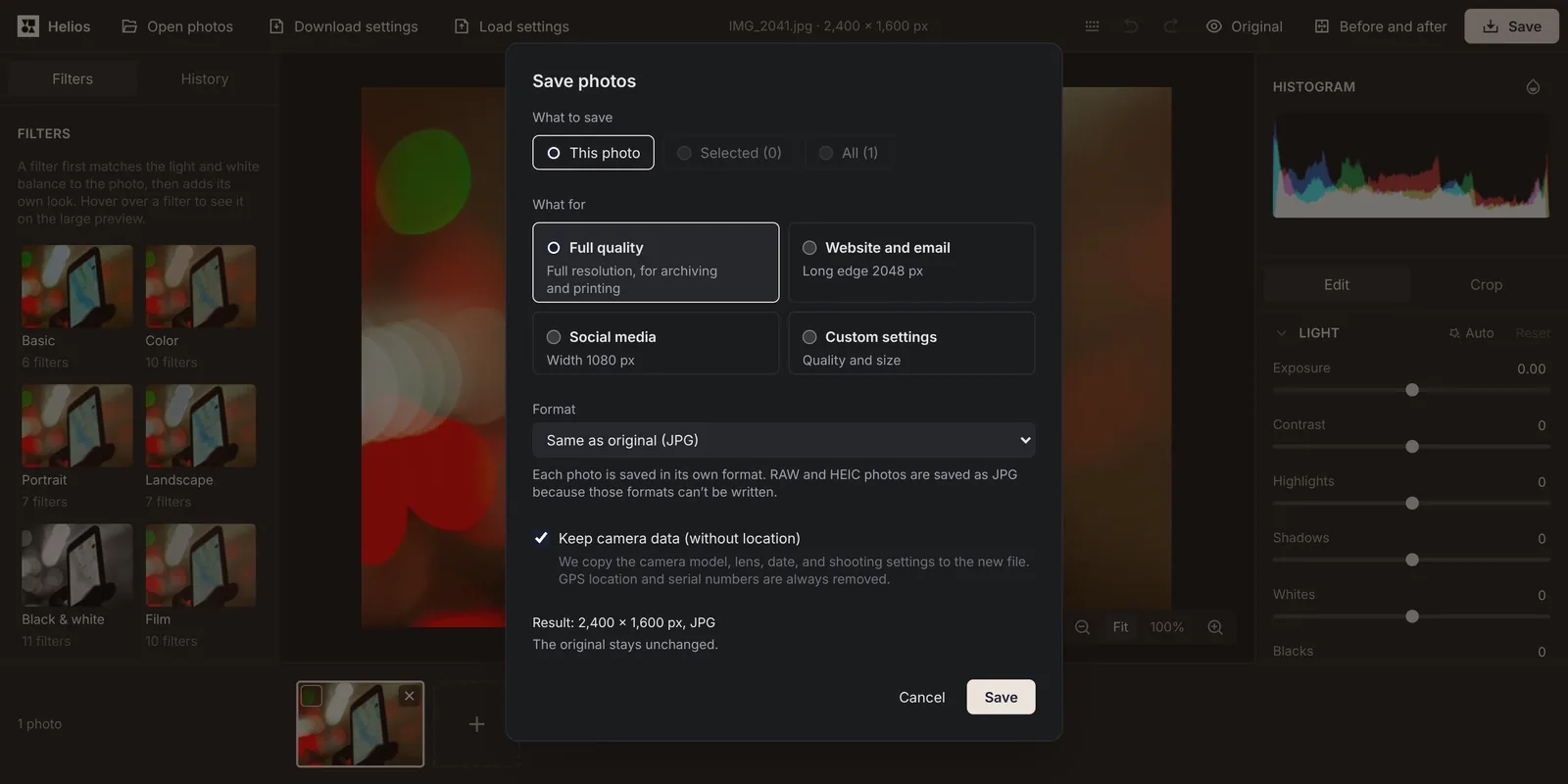 7 min read
How to remove the location and other hidden data from a photo
A photo from a phone usually carries more than the picture: the exact place it was taken, the date and time and the model of the device. Anyone who gets the original file can read this data. Before you send a photo of your home, your child or something you’re selling, you can remove the location in a minute, without uploading the photo anywhere.Read the guide