Update of 23 September 2026: 24 weight converters, HSL colour tools and new text calculators
This batch adds 24 weight converters in eight languages, four colour converters built around HSL and five tools for working with text. It also brings a rebuilt editor in the email signature generator, a privacy policy rewritten in seven languages, fixes for what the converter fields accept and much, much more. See the details of the 23 September 2026 update.
New tools: 33 converters and calculators
The Weight subcategory in Measurements now has 38 separate tools, each in eight languages. The 14 pages that were already live are joined by 24 new ones, which close the metric scale from the microgram to the tonne, the English one from the grain to the long ton, and the carat used for gemstones. Colour conversion grows from four tools to eight. Text analysis had two tools in every language and now has up to seven, because which of them a language gets depends on whether the rule behind the number has a source for that language. Every new page has tables, answers to the questions people actually ask, a list of sources and facts that differ from market to market. Some of them also do things a plain calculator does not: a Ton type switch changes the calculation between the metric tonne, the short ton and the long ton, an Ounce type switch does the same for the trade ounce and the troy ounce, and the field takes the British two-part weight as a fraction. Below you will find all the new tools and what waits on their pages.
Metric weight units
- The grams to micrograms converter covers the six-zero step between the two units and shows what 0.0001 g on a balance display comes to in micrograms.
- The micrograms to grams converter puts the units from the nanogram to the kilogram in one table, so you can see where a value sits on the whole scale.
- The milligrams to micrograms converter explains how µg, mcg, ug and the older γ differ, and why a label may carry any of them for the same amount.
- The micrograms to milligrams converter converts the daily values that supplement labels give in micrograms.
- The kilograms to micrograms converter works across nine orders of magnitude and explains what a concentration written as mcg/kg means.
- The micrograms to kilograms converter also answers a question that catches people out when they copy a figure from a foreign document: whether 1,000,000,000 is called a billion or a milliard, and which languages use which.
- The kilograms to milligrams converter shows how much substance a content limit in mg/kg allows in a given mass.
- The milligrams to kilograms converter reads a laboratory report for you: what 1 mg/kg is in ppm, ppb and per cent.
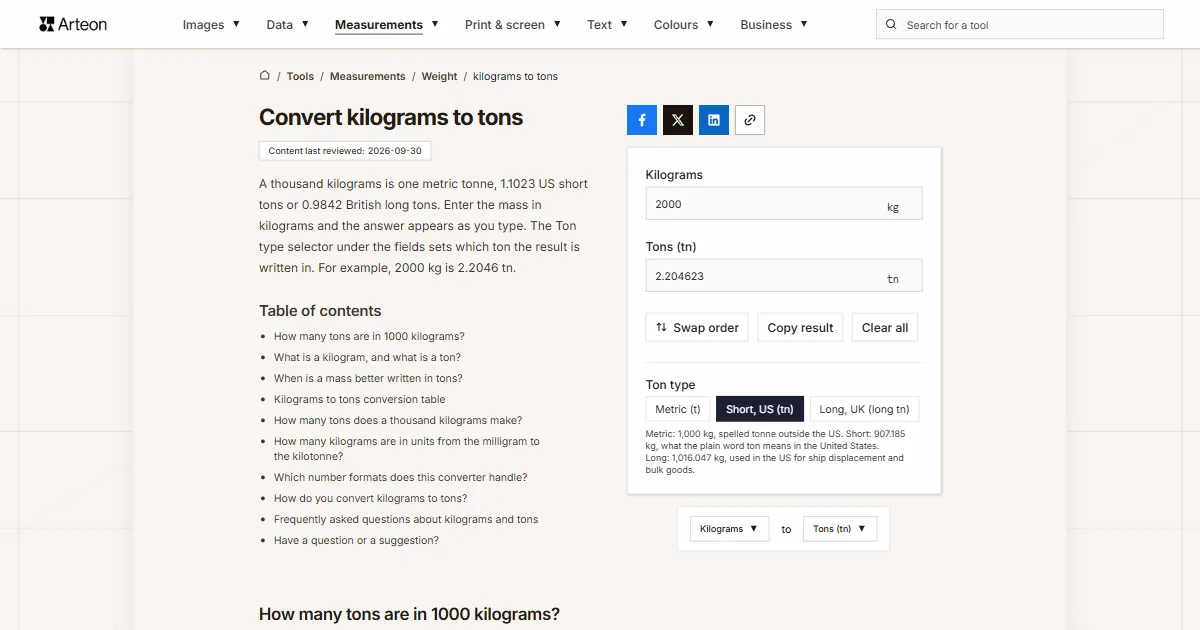
- The kilograms to tons converter has the Ton type switch and a table of every unit built on the kilogram, from the milligram to the kilotonne.
- The tons to kilograms converter starts from the question you usually have first: which ton is on your document, and where each one is used.
- The grams to tons converter has a table running from 100 g to a billion grams, and counts how many items of a given weight make up one ton.
- The tons to grams converter gives the exact gram figure for each of the three tons and explains the assay ton, a unit whose whole point is that the milligrams of metal you weigh out give the troy ounces per short ton directly.
English units and the stone
- The grams to pounds converter converts a newborn's weight into pounds and ounces, and lists how many pounds are in a kilogram for each kind of pound.
- The pounds to grams converter takes the pounds and ounces printed on a US label and shows what a pound weighed in different countries and systems.
- The pounds to stone converter turns a decimal result into the British two-unit notation and puts the professional boxing limits in both notations side by side.
- The stone to pounds converter answers which pound stands behind the result and lists the nine pounds used in different countries and eras.
- The milligrams to ounces converter gives seven decimal places, because a single milligram is 0.0000353 of an ounce and four places would show a zero. It also converts the milligram figures on an American supplement label.
- The ounces to milligrams converter explains the measures an ounce divides into and what the other ounces weigh, and points you to the right tool when your figure is a fluid ounce, which measures volume rather than mass.
- The ounces to tons converter is built for the figures in mining and central bank reports, which arrive in millions of troy ounces. One million troy ounces is 31.1 metric tonnes.
- The tons to ounces converter works the other way and answers how many troy ounces are in a ton of gold.
Gemstones and ammunition
- The carats to grams converter separates the two meanings of the word: mass for a stone, and alloy purity for gold. It also shows how much room one carat takes up in different stones, because at equal weight an emerald is about 30 per cent larger than a diamond.
- The grams to carats converter lists what the units of the gemstone and pearl trade are worth in carats, and what carat step a scale of a given resolution can actually show.
- The grams to grains converter explains why European ammunition is described in grams and American ammunition in grains, and gives the grain value of each English unit of mass.
- The grains to grams converter converts the bullet weights printed on a box and shows what a grain weighed in the older systems of measurement.
Colour: four converters for HSL
HSL describes a colour by hue, saturation and lightness, which makes it the notation to reach for when you need a lighter or a less saturated version of the same colour. From RGB numbers that is hard to work out; in HSL you change one value.
- The HEX to HSL converter has a table of the named CSS colours with their HEX codes and HSL values, and explains how HSL differs from HSB and from the 0–255 scale of the Colors dialog in Office.
- The HSL to HEX converter shows how to build lighter and darker shades of one colour and what HEX codes hues 30 degrees apart produce.
- The HSL to RGB converter takes the hue in degrees, gradians, radians or turns, so 0.25turn gives the same colour as 90°.
- The RGB to HSL converter reads channels written as percentages or as fractions from 0 to 1, and carries opacity across, so rgba(59, 130, 246, 0.5) comes back as hsla with 0.5 at the end.
Text: five calculators
These tools rest on the rules of a language rather than on a conversion factor, so a language gets them one at a time, when the rule behind the number has a source. Three of the five are in all eight languages; the other two are in fewer, because the rule they count by has to be verified for each language separately.
- The Flesch Reading Ease score gives the score and the Flesch-Kincaid grade level as you type, in all eight languages. Flesch tuned his weights to English, so each language version uses the coefficient published for that language and shows what the English formula would have given instead. The page also compares the result with the one Microsoft Word shows and explains where the two part ways.
- The case converter has five modes and follows the conventions of the language it runs in, in all eight: APA minor words in English, nouns that keep their capital in German, the capital ẞ that the German rules have listed first since 2024, and accented capitals in French. It also explains why Excel’s PROPER function gives a different result.
- The reading time calculator uses reading speeds from Marc Brysbaert’s meta-analysis of 190 studies with 18,573 participants: 236 words per minute read silently and 190 read aloud for English, with the figure for every other language taken from the same table. It is in all eight languages, and it explains why Medium shows a different time for the same text.
- The Gunning fog index counts complex words the way Gunning defined them, leaving out proper nouns, compounds of short words and verbs that reach three syllables only through an -ed or -es ending. It also gives the scores Gunning measured in the magazines of his day, which is what the numbers were calibrated against. It is in Polish, English, Spanish, French and Italian. Czech is not among them: nobody has measured where the complex-word threshold falls in Czech, and borrowing the English number would turn a guess into a score.
- The syllable counter existed only in Polish and joins Spanish, French, Portuguese, Italian and Czech. English and German are deliberately missing, because there the count follows pronunciation rather than spelling: the German endings -ie and -ion are one syllable in Industrie and two in Familie, and a dictionary settles it, not a rule. Both languages still count syllables inside the readability scores, where nothing has to be shown on screen.
New features
Unit converters
- A Ton type switch on every ton page changes the calculation between the metric tonne of 1,000 kg, the short ton of 2,000 pounds and the long ton of 2,240. The suffix beside the result changes with it, so the unit behind the number stays visible. The gap is not a detail: a long ton is exactly 12 per cent heavier than a short one, which on a 25-ton shipment is 2,721 kilograms.
- An Ounce type switch does the same for the trade ounce of 28.349523125 g and the troy ounce of 31.1034768 g, and the suffix changes from oz to oz t. One hundred grams is 3.5274 trade ounces but 3.2151 troy ounces, and precious metals are always quoted in the second.
- A Pound type switch separates the international pound of 453.59237 g from the metric pound of 500 g, which is what the word means in everyday German and French and what Colombian law defines.
- The stone and pound fields take the British two-part weight as a fraction, because a pound is a fourteenth of a stone. Type 11 4/14 for 11 st 4 lb and you get 71.67 kilograms.
- A number pasted together with a unit written with a slash converts. The field used to strip the letters before it saw the slash, so “100 Mb/s” stayed in it as “100 /” and gave nothing at all, with no message. On the Mbps to MB/s converter that paste now gives 12.5 MB/s, and “1 Gb/s” in the same field gives 1000 Mbps instead of 1 — a result that used to be a thousand times too small with nothing on screen to say so.
- Single-character fractions read as fractions. A “½” copied from a recipe or a data sheet used to be dropped silently, so “6½” arrived at the parser as 6 and the converter answered for six. It now reads as 6 1/2.
- The typographic minus works like an ordinary one outside scientific notation as well, so “−40” gives −40 instead of an empty result.
- The feet and inches field takes unit symbols, so 5 ft 10 in and 5 feet 10 inches do the same thing as 5'10", and a bare 10 in is ten inches rather than ten feet.
Number base converters
- The decimal to binary converter and the decimal to hex converter take digits grouped the way people and programs write them: with spaces (1 000), underscores (1_000_000), apostrophes (1'000'000) and repeated commas or points (1,000,000 and 1.000.000).
- Prefixes copied out of code work: 0b1010 and 0B1010 in the binary field, 0xFF and #FF in the hex field.
- Bytes grouped the way a debugger prints them convert as one number: “1010 1010” gives 170 and “DE AD BE EF” gives 3735928559.
- Numbers of any length keep every digit. Sixty ones in binary give 1152921504606846975, and FFFFFFFFFFFFFFFF gives 18446744073709551615.
- Digits typed on an Arabic, Persian or Thai keyboard are read as digits on every page, and the invisible direction marks that travel with text copied from a right-to-left document are ignored.
Date and time
- The date to Unix timestamp converter takes a date written with slashes and the year at the end, read as day, month, year, on the Polish, German, Spanish, French, Portuguese, Italian and Czech pages: 14/11/2023 22:13:20 gives 1700000000. That is the short date format those languages use. The English page still leaves it unread, because 11/12/2023 is 12 November in the United States and 11 December in Britain.
- The same field takes the Czech way of writing a date, with spaces after the points: 14. 11. 2023 22:13.
- The Unix timestamp converter reads a timestamp written in Arabic-Indic digits, with or without a fraction of a second.
Base64 and images
- The Base64 to image converter takes a data address pasted together with the code you copied it from: a stylesheet line with background-image: url("data:image/png;base64,…"), a bare url(…) without quotes, an src="data:…" attribute, a whole img tag and a JSON field. Every one of those used to be answered with “Invalid Base64 string — this is not an image.”
- It also takes the URL and filename alphabet from RFC 4648, which uses - and _ in place of + and / and drops the padding. Until now the page told you to swap the characters by hand in an editor first.
- The image to Base64 converter recognises an image by the first bytes of the file rather than by what the browser calls it, for PNG, JPEG, GIF, WebP, AVIF, HEIC, BMP, ICO, TIFF and SVG. A screenshot saved without an extension, a PNG saved as image.txt and a JPG downloaded as “download” all convert now; each of them used to be told it was not an image file.
- The address in the result carries the type of the image that was actually recognised, so pasting it into an img tag shows the picture.
- A file name keeps everything before the extension. A macOS screenshot called “Screenshot 2026-09-17 at 10.15.32” downloads as “Screenshot 2026-09-17 at 10.15.32-base64.txt”; the “.32” used to be dropped as though it were an extension.
Data format converters
- The CSV to JSON converter picks the separator by looking at several rows rather than only the first, so a semicolon file whose header holds a comma inside a quoted name is split correctly. A first line of sep=; sets the separator and stays out of the result, where it used to become an empty field of its own.
- A quotation mark inside an unquoted value is now an ordinary character, so Monitor 15" LG,500 gives two fields. It used to open a quoted field that never closed, and the rest of the file landed in one value.
- A repeated column name gets a number: tel, tel, tel gives tel, tel_2 and tel_3. Each repeat used to overwrite the one before it, leaving only the last value.
- A file added through the link that is not saved in UTF-8 is read in the Windows code page of the language of the page, so a CSV exported from a Polish or Czech Windows keeps its Ł and its ř. Every character outside ASCII used to turn into a replacement mark. The same applies to JSON, YAML, Markdown and HTML files added to the other converters.
- The JSON to CSV converter, the JSON to XML converter and the JSON to YAML converter write numbers into the result exactly as the JSON had them. 12345678901234567890 stays whole, where it used to come back as 12345678901234567000, and 1.0 stays 1.0 instead of collapsing to 1.
- The YAML to JSON converter leaves a date as the text written in the file, as the YAML 1.2 core schema the pages promise. “2024-01-15” stays “2024-01-15” instead of becoming a UTC timestamp, which also means a Hijri date such as 1448-03-15 is no longer read as a Gregorian year 1448.
- A !!binary value stays as Base64 text instead of turning into an object of numbered bytes, and a document written as ~ or null gives null rather than an empty object.
- The XML to JSON converter no longer rejects a valid document that has a blank line or spaces before the declaration, which is what happens when you copy one out of an editor.
Markdown and HTML
- The Markdown to HTML converter handles footnotes the way GitHub does. A reference and its definition produce a numbered link and a footnote list at the end of the result, with the heading in the language of the page. The reference used to come out as a link whose address was the text of the footnote, and the footnote itself disappeared.
- A document with lists or quotes nested more than 200 deep now gets a message within about 30 milliseconds. Two thousand nested lists used to hold the tab for more than 15 seconds.
- The HTML to Markdown converter keeps text that the page shows as a tag or an entity as text. <b> comes out escaped instead of turning the rest of the document bold, and © stays as the four characters rather than becoming the © sign.
- x<sup>2</sup> and CO<sub>2</sub> keep their tags instead of flattening to x2 and CO2.
- Text copied from Google Docs keeps its formatting. Bold, italic and strikethrough written as inline styles now give **, * and ~~; bold used to vanish and the paragraphs picked up stray ** lines above and below.
- An HTML file added to the converter is read in the encoding declared in its own meta tag, the way a browser reads it, so a file saved in a legacy code page shows the right letters whichever language page you are on.
QR codes and email signatures
- The QR code generator puts a domain with non-ASCII letters into the code in Punycode, so bäckerei-müller.de/speisekarte becomes an address a camera opens as a link. Left in Unicode, the widely used ZXing library treats such an address as plain text.
- A WhatsApp link gets the number in the form WhatsApp requires: wa.me/+966 50 123 4567 becomes wa.me/966501234567. The plus sign and the encoded spaces used to stay in the code.
- Invisible direction marks in text copied from a right-to-left page are ignored in the address, phone, email and business card fields. A phone number carrying one used to be rejected as missing, and in a business card it disappeared without a word.
- The same fix reaches the email signature generator, where a phone number, address or profile copied from such a page now produces a working link.
Favicon generator
- The favicon generator takes WebP, AVIF, GIF, BMP and ICO alongside PNG, JPG and SVG. Every format was checked in Chromium and Firefox the same way the tool reads it. HEIC is still refused, because neither browser decodes it.
- It recognises the format from the first bytes too, so a PNG saved without an extension or as a .txt file produces icons instead of a message about an unsupported format.
- An animated GIF gives icons made from its first frame, and a favicon.ico used as the source is read from its largest layer.
Text tools
- The readability calculators work while you type and show the parts the score is built from, not just the result: syllables per word, the formula in use and, for the fog index, the share of complex words. That is what tells you whether to split a sentence or replace a word.
- The reading time calculator has an Enter word count button for when you already know the length and do not want to paste the text, and a custom pace field for a speed you have measured yourself.
- The word and character counter ends a sentence at any character Unicode marks as a sentence terminator, not only at a full stop, a question mark and an exclamation mark. Text in Arabic, Devanagari, Chinese and Japanese is counted correctly now, and two such marks in a row count as one ending.
Fixed bugs
Three entries the converter field used to answer with a wrong number
We ran a probe of every kind of entry a person might paste into a converter field. Three of them came back with a number that looked perfectly plausible and was not, with nothing on screen to say anything had gone wrong.
- A value with its unit attached. Typing 2.5 yd gave 25. The field strips letters, but it decided whether a separator meant a decimal point or a thousands group before doing so, and the letters of the unit made “5yd” look like a group of three digits. The letters now go first: 2.5 yd is 2.5, while 1,500 yd is still 1500.
- A length written out in words. “5 feet and 10 inches” reached the parser as “5 10” and was glued into 510 feet. A space between digits can only group thousands, so a group that does not fit that pattern now leaves the field empty instead of inventing a number. Spaced thousands such as 1 609 and 1 234 567 work as before.
- Scientific notation. 1×10⁻⁶ lost its multiplication sign and its exponent and came back as 110. It now gives 0.000001, and 6.5e-7 reads correctly too.
Number base converters answered from the start of the entry
- An entry that was not a whole number from beginning to end returned a result built from its opening characters. 3.7 gave 3, 1,000 and 1.000 gave 1, 12abc gave 12, 0x1F gave 0 and 1e3 gave 1 — each one looking like a valid answer. Entries like these now leave the result empty.
- Negative numbers of −4,294,967,296 and below came back wrong: −5000000000 gave −101010000001011111001000000000 in binary instead of −100101010000001011111001000000000.
- Integers above 9,007,199,254,740,992 lost their last digits. FFFFFFFFFFFFFFFF gave 18446744073709552000 instead of 18446744073709551615, and 9007199254740993 lost the one at the end of its binary form.
Files and entries that were refused although they were valid
- An empty file of 0 bytes in the image to Base64 converter produced a result address with no data in it, ready to copy and download. It now says the image could not be read, and a failed file clears the previous result instead of leaving another image's code under the message.
- A column named __proto__ in a CSV file disappeared from the record without a trace. It is an ordinary column now, with its value where it belongs.
- A JSON to YAML result could come back in a form the converter could not read again: text starting with three dots and a space turned into a line that ends a YAML document, so "... 19" came back as the number 19.
Transparent backgrounds were rendering as solid colour
- Inline code in the text of a tool page — a phone link, a hex code, a file name — had black text on a black background, so it could not be read at all. Every other half-transparent surface was opaque too: the dimming behind a dialog, the tint on a highlighted card, the hairline borders between rows.
- The cause sat two steps away from the page. A plugin that puts our CSS into ordered layers was dropping the @supports rules nested inside selectors, and that is exactly where Tailwind keeps the modern version of a transparent colour. The browser was left with the fallback, which is the solid colour. The same fault also cost the layout its container widths and the placeholder text in form fields its lighter grey.
- The fix is a plugin of our own that lifts those rules out before the layers are built. It runs on both sites and no content had to change. A test reproduces the fault without the plugin and checks that with it the modern colour sits after the fallback, that nothing else is removed and that the container keeps its widths.
Other fixes
- The image editor sets a Facebook page cover to 851 × 315 px, the size Facebook's own help gives today, instead of 820 × 312. The numbers in the preset labels now come from the same table as the sizes the editor applies, so a label cannot show one size and set another.
- The description of the colour palette generator in the menu, in the search and on the tool cards said it creates 9 palettes. It creates 17, and that is what all eight languages say now.
- The contents heading on every privacy policy, including the English one, was in Polish, and the back-to-top button was announced to screen readers in Polish. Both follow the language of the page now.
- On twelve French data-size converters the field beside the unit switch showed the English symbol next to the French one, so the page for Ko to Mo read “Ko” in one field and “MB” in the other.
- The consent sentence in the contact form ran the link into the next word: “I have read the Privacy Policyand I agree to the processing…”. The space is back in every language where the sentence continues after the link.
New content on tool pages
Photographs on the pages
- Sixty-one photographs joined the catalogue. Every new tool page carries one, and 25 pages that were already live gained one: the pixel and DPI converters, the typographic unit converters, the CSV, JSON and YAML converters, the QR code generator, the email signature generator, the Lorem ipsum generator and the word and character counter.
- The caption under each picture says what it shows and ties it to the conversion, so it carries information instead of filling space. Under the two cast iron weights on the kilograms to tons page it reads that the 2 kg and the 1 kg weight add up to 3 kilograms, which is 0.003 tonnes. Each caption is written separately in all eight languages.
- Every caption names the source. The pictures are our own or come from Unsplash.
We also read the new pages sentence by sentence in all eight languages. That turned up claims that were wrong rather than merely clumsy, and they are worth naming.
Numbers that did not hold up
- Six pages described the Planck constant as expressed in joules per second. That is the watt, a unit of power. The constant is in joule seconds.
- Eight pages said the pre-1959 pound differed from today's by about six ten-millionths of a kilogram, repeating a figure from Wikipedia. The arithmetic on the two defined values gives six hundredths of a milligram, ten times less, which matches what NIST states as about one part in ten million.
- An answer converting 147.3 million troy ounces gave 4,582.79 tonnes. That is what 147.34 million ounces weigh; 147.3 million is 4,581.54 tonnes.
- The troy pound was described as a fifth lighter than the trade pound. It is 17.7 per cent lighter, and the same page gave the correct 21 per cent for the difference the other way round.
- A Czech page compared the historical Czech stone with the British one and called it roughly double. The two figures on the same page work out at 1.6 times.
- Portuguese pages gave three different masses for the arrátel: 459, 458 and 457.8 grams. Two of them are right, for two different periods, and the page now says which.
- A French page put the end of the transitional French measures in 1839. The law is from 4 July 1837 and took effect on 1 January 1840, which a sister page had right all along.
Units and symbols
- Pages on kilograms and tons offered “long tn” as the abbreviation you would meet in a document from abroad, while their own sister pages said, correctly, that no standard assigns the long ton a symbol. NIST Handbook 44 requires “tn” for the short ton and writes the long ton out in full; the pages now say both that and what our own result field marks it with.
- The names of the spreadsheet function arguments were translated on four pages instead of copied from the maker's documentation. Microsoft gives CONVERTER(Núm, De_unidade, Para_unidade) in Portuguese, CONVERTI(num; da_misura; a_misura) in Italian, CONVERT(číslo; z; do) in Czech and UMWANDELN(Zahl; Von_Maßeinheit; In_Maßeinheit) in German, and that is what more than forty other pages in each of those languages already said.
- Two Portuguese pages said Google Sheets calls the function CONVERT. The Google help page in Portuguese is titled CONVERTER (CONVERT).
- A French page attributed the barleycorn, a third of an inch, to the French pouce. It is an English unit and the page now says so.
Claims about flags and colours
- The French page for the palette generator attributed liberty, equality and fraternity to the three stripes of the tricolour. The French presidency gives a different account: white came from the monarchy, blue and red are the colours of Paris, and the Revolution brought the three together.
- The Czech page said the blue wedge of the flag stands for Moravia and Slovakia. That reading belongs to Czechoslovakia; since 1993 the wedge is read as Moravia, and the white and red come from the arms of the Kingdom of Bohemia.
- The Portuguese page said the green and yellow of the Brazilian flag mean natural wealth and gold. They come from the royal houses of Bragança and Habsburg; the other reading is popular rather than original, and the page now says so.
- The Italian page stated the theological virtues as the meaning of the tricolour. Sources place that reading in the Napoleonic period, and the sentence now carries that framing. The Portuguese meanings were left alone, because a commission actually fixed them in 1911.
- The English palette page introduced a list of colour associations with the claim that research in marketing and UX consistently shows measurable effects. It has no such backing, and the list is now presented as what design practice leans on. The same page gave the colour blindness figure without the population it belongs to; it is up to 8 per cent of men of Northern European descent, which is how our own contrast checker has always put it.
- Yves Klein's blue was described as patented in 1960. He deposited it at the French patent office under a Soleau envelope; French law does not let anyone own a colour, so the filing covered the pigment and the binder together.
- A French page said body weight in Quebec is given in kilograms. The Usito dictionary, published by the Université de Sherbrooke, illustrates the local habit with a description reading 5 pi 2 po, 120 lb.
Content that left the pages
- Photo requirements for identity documents left the pixel and DPI converters in all eight languages: the passport and ID rows in the format tables, the step built around them, the questions about how many pixels a passport photo has and the government sources behind them. The tables lead with print sizes and business cards now. A requirement of that kind changes by decree, and converting 35 by 45 millimetres at 300 DPI does not depend on knowing it.
- Paragraphs about national accessibility law left the rem to pixels and points to pixels converters, together with their sources. What stays is the part a reader can act on: where that size threshold falls in the unit you happen to be working in.
- The XML and JSON converters no longer describe national e-invoicing systems and tax office document formats. In their place is an example anyone can check: XML as the format of a sitemap, with a question about whether the converter will open a sitemap.xml file and what the result needs before it can serve as one.
- Tables of permitted vehicle weights left the ton and pound pages in all eight languages, together with the questions and footnotes that served them. They came from road regulations, they change with every amendment, and converting 80,000 pounds into 40 short tons does not need them.
- Statements that a unit is forbidden in trade left the French and Italian pages. What a unit is stays: the quintal is a hundred kilograms, it is outside the list of legal units, and it is still in everyday use in farming.
- A press recommendation from a public authority left a Spanish page. The definition from the same authority stays, because Colombian law does define the pound as 500 grams.
- A statutory salt limit left a Portuguese page, while the World Health Organization threshold and the reference intake from the EU labelling regulation stayed.
Language
- A German verb was missing its prefix in 21 places, which in German reads like a sentence cut in half. The catalogue had the same form written correctly 341 times, so it was not a choice of style.
- Portuguese gave the gram the wrong gender in 27 places across two passes. The unit is masculine; the feminine word means grass.
- Five Italian words were missing their final accent, which turns a future tense into a form that does not exist, and one “e” stood where “è” belonged.
- A Portuguese sentence had lost its verb altogether, and a Czech page called a two-word measure a word of its own.
- Lists of the sixteen member states of the firearms proof commission were sorted by the wrong alphabet in Spanish, Italian and Czech.
- A French sentence used a turn of phrase that does not exist in French, and a Polish page used a metaphor we do not write.
Claims we could not source
- The Lorem ipsum generator called its paragraph the most used and the most widespread, and its table the most frequent words. Nobody counts that, so the paragraph is the classic one now and the table shows selected words. The page also said Word inserts the standard Lorem ipsum paragraph; what =lorem() inserts begins with Lorem ipsum dolor sit amet, consectetuer adipiscing elit and differs from the classic text.
- The meta title and description counter had a heading reading The most common problems and solutions. It is Problems and solutions now. The Polish page gained the separate title limit that Allegro applies, 12 to 75 characters, with a link to the word and character counter.
- The pixels to centimetres converter said modern phone screens most often report a device pixel ratio above 2. MDN says often, and that is what the pages say now.
- A heading on the pixels to em converter asked where em beats rem and promised two places, while the section described three. It asks where to use em and where rem, and says three.
Text that was quietly going out of date
- The About page opened with a count of our tools. The number aged with every release, this one included, so the sentence no longer carries one.
- The home page asked which languages the tools come in and answered with a number. It asks whether the tools are available in other languages now and answers without one, saying instead that each version is fitted to its country, so the examples, units and standards come from local practice.
A new editor in the email signature generator
The email signature generator has a rebuilt editor. The wording stayed as it was; what changed is where things sit and how much you have to read before the first field. The page describing the tool was rewritten to match, in all eight languages.
Layout
- The form and the preview stand side by side at every desktop width, including a 1280 px window with ads down both sides. At that width the preview used to sit below the whole form, which meant scrolling back up to see what a change had done. The preview, with the Copy signature (Gmail / Outlook) button, stays in view while you scroll the form, and a wide signature is scaled down to fit the column.
- Seven tabs in two rows became seven collapsible sections with the same names, each on its own card, in the order you work in them: Details, Appearance, Social media, Buttons, Disclaimer, Text style, Spacing. Details is open to start with, and you can have several open at once.
- Every action lives on the preview card: the main copy button, then Copy HTML code and Download as HTML in one style, and below a line Export settings, Import settings and Restore defaults. They used to sit in a separate row under the editor with a paragraph of explanation.
- The form carries less text. Explanations under fields and at the head of sections are gone, as are hints that only repeated the label above them, such as Enter your job title under Job title. Hints that add something, like the country code in a phone number, stayed. Picking a layout moved from a card above the editor into the Appearance section, as thumbnails of the signature filled with your own details.
An empty form, and copying
- The form starts empty and each field shows an example in grey instead of an instruction. The examples are written for each language with local details. Until now the fields came filled with a sample person, which was easy to copy along with your own details without noticing.
- The preview shows only what you have entered, and an empty form shows a line saying the signature will appear here once you fill your details in. That closes two faults of the earlier draft: turning icons on showed a LinkedIn icon nobody had entered, and the first letter you typed swapped the sample for a nearly empty signature, which looked like losing everything.
- The copy button is no longer disabled. Without a name or an email, clicking it opens the Details section, puts the cursor in the empty field and shows the message saying what is still missing.
- After copying, three paste steps appear under the preview with a Gmail and Outlook switch. Change the signature afterwards and a reminder tells you to copy it again.
Fields and settings
- Accent, text and background colour each have the browser colour square next to a field for the hex code, which takes #1d4ed8, the short #14c and a code written without the hash. Five ready swatches sit beside the accent colour.
- Social profiles are added with buttons that name the service rather than twelve empty fields, each profile has a remove button, and the order changes by dragging the handle or by the arrows on it. The signature follows that order, and so do the browser and the settings file.
- The signature border is four checkboxes, Left, Right, Top and Bottom, instead of a Full and None pair, and text sizes are shown in pixels. The disclaimer starts empty with an Insert sample disclaimer button, and the separating line appears only above a disclaimer or formal details. The preview background switches between a sun and a moon icon.
Spanish and Czech now speak to the reader informally
Spanish pages address the reader as tú and Czech pages use tykání, the way Polish and English pages already did. Until now the text of a page was mostly informal while the interface, the dictionary, the tool descriptions in the menu, the fixed pages and some tool pages were formal, so one screen spoke to the reader in two voices at once. German, French and Portuguese stay formal, and Italian is unchanged.
- Czech: 107 content and interface files, the dictionary, the About, contact and privacy pages, every tool description in the menu and the field hints in the unit converters. Drag your JPG files here and Set the quality now read as one person speaking to another, and the sentence about your files never leaving your device uses the informal possessive.
- Czech sentences in the past tense and the conditional carry gender in the informal register, which would force us to guess who is reading. They were rewritten in the present or the future instead, which is both correct and shorter.
- What did not change in Czech: the questions in the FAQ, where the reader is speaking to us, the polite capital forms shown as examples on the case converter page, and a quotation from the Czech Language Institute.
- Spanish: the dictionary, the About, contact and privacy pages, the interface of ten tools, the text of the palette generator, the contrast checker, the colour extractor, the Lorem ipsum generator and the meta counter, the template shared by 23 image converters and 13 tool descriptions in the menu.
- While we were there: Czech interface text in the palette generator was written without diacritics, and so were nine tool descriptions. The palette card titles match the interface labels one for one now.
- Screenshots were generated again wherever the change shows at the top of a page: 91 Czech tools and 9 Spanish ones.
The privacy policy rewritten in seven languages
The privacy policy of the tools site was rewritten in English, German, Spanish, French, Portuguese, Italian and Czech to match the Polish version, which is the one we write first. The version date on each of them now reads 23 September 2026. The French page had been showing Spanish text and the Czech one was written without diacritics; both are corrected with the rewrite.
- A new section, second from the top, says what happens to your files. The tools work in your browser, so a photo dropped into a converter, text pasted into the counter and a number typed into a unit converter stay on your device. The section also names the consequence that is easy to miss: we cannot recover a file you have closed, because we never had it.
- Vercel Web Analytics and Vercel Speed Insights use no cookies. Web Analytics recognises a single visit by a hash built from the request, and that hash is deleted after 24 hours.
- Retention is given per item: Google Analytics 4 for the period set there and no longer than 14 months, contact form messages up to 12 months after the correspondence ends, server logs as a rule up to 12 months.
- Consent is collected and stored by Google Privacy and Messaging, a certified platform working with version 2.3 of the IAB Transparency and Consent Framework. The site has no banner of its own. Visitors from the European Economic Area, the United Kingdom and Switzerland see the window on their first visit, visitors from US states with privacy laws see a message that follows the rules of their state and answers Global Privacy Control signals, and elsewhere Google shows no window. Wherever it appeared, the Cookie settings button in the footer opens it again.
Design changes
- The link above the field in the CSV, JSON, XML, YAML, Markdown and HTML converters now reads Add JSON file rather than Upload JSON file, in every language. The file never leaves your device, so “upload” described something the tool does not do.
- The image colour extractor uses the same wording in its message about an unsupported file and in the empty panel.
- The favicon generator lists all eight accepted formats under the Add base image field and in the message about an unsupported file. Clicking Generate with no image now says to add one, without repeating the format list in brackets.
- The tip under the quality slider in the image editor says only that a lower value means a smaller file and weaker quality. The sentence recommending 70–85% for social media had no source, and in Spanish, French and Italian it was displaying as “7085 %”.
- The hint under the date field in the date to Unix timestamp converter shows the format that language actually uses, 14/11/2023 22:13 in Spanish, French, Portuguese and Italian, instead of the one with points.
- The section with a tinted background is gone from tool content. Its 59 appearances across seven tools — the colour palette generator, the contrast checker, the colour extractor, the meta length counter, the favicon generator, the image editor and the email signature generator — are ordinary sections now, with the same text. The frame told the reader nothing.
- News moved to English only, at /news. The Polish list and its one post redirect there permanently, and the link left the Polish footer.
More news
Update of 6 November 2026: ten new languages, Helios and print and screen converters
Published:
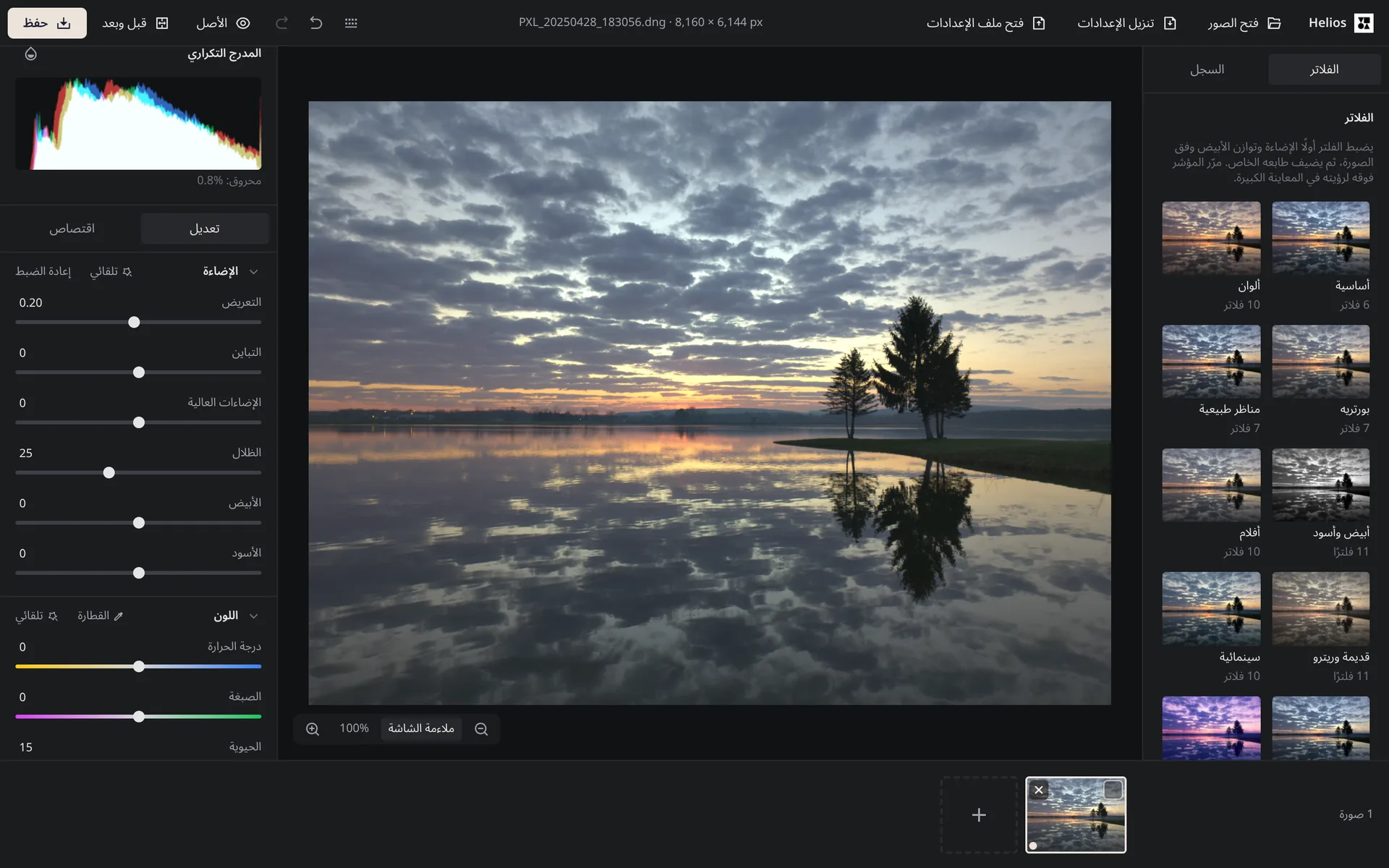
Arteon tools now work in 18 languages. This update adds Arabic, Indonesian, Turkish, Greek, Ukrainian, Romanian, Thai, Japanese, Vietnamese and Hindi, each with the Helios photo editor and part of the Print and screen category. The Helios guide now explains how your work is saved in the browser, and the privacy policy describes it in every language. See the details of the 6 November 2026 update.
Read the full post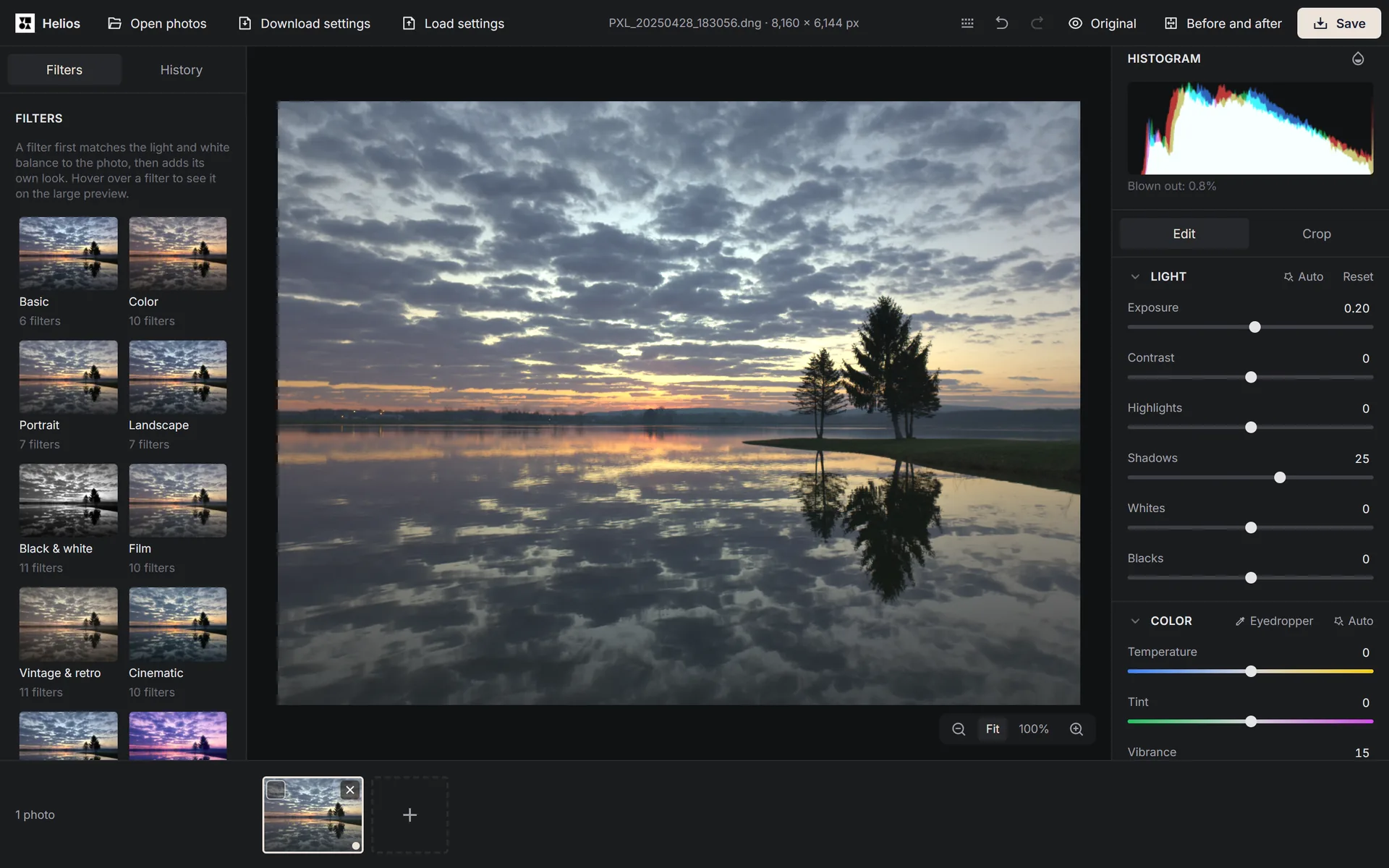
Update of 7 October 2026: Helios photo editor and ten unit converters
Published:
This release adds Helios, a free photo and RAW editor that works in your browser and never sends your photos to a server. Every subcategory with unit converters also gets its own converter on the subcategory page, from 16 units for pixels and DPI to 302 for length, in all eight languages. Converter fields now give a message instead of a wrong number for words they do not know. With the new subcategory converters, we removed 673 pages for unit pairs that get very little traffic in a given language. See the details of the 7 October 2026 update.
Read the full post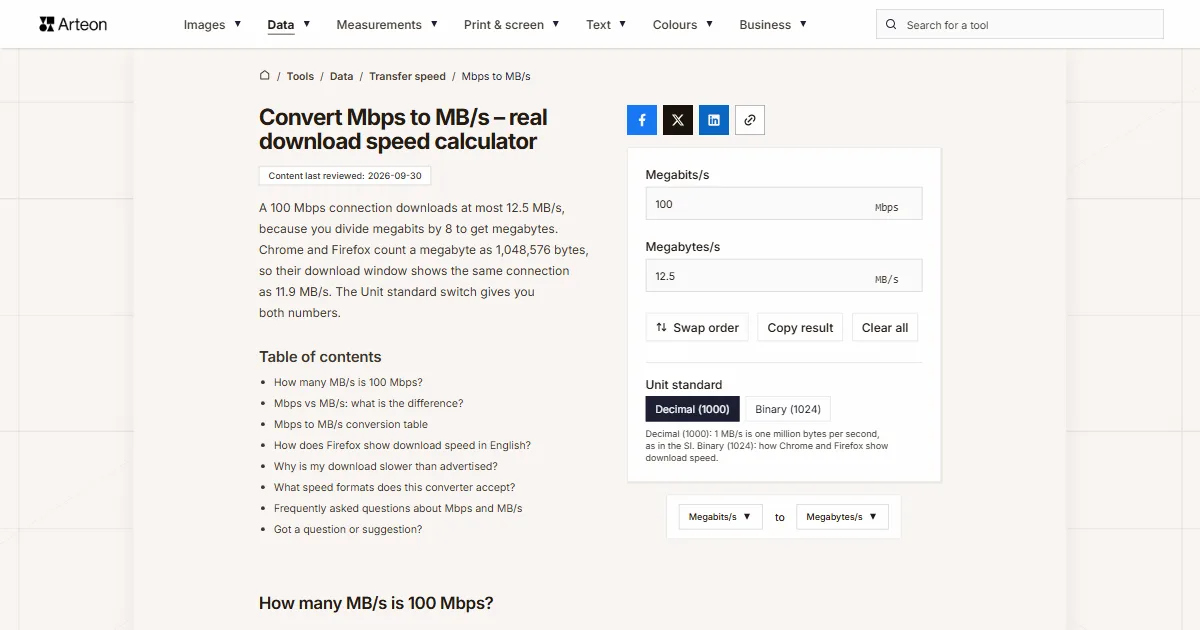
Update of 30 September 2026: transfer speed, pressure and 111 new converters
Published:
This release adds 111 converters, 53 of them in all eight languages. Data gets a Transfer speed subcategory with 11 converters for bits and bytes per second, Measurements gets Pressure, Data size grows by 18 converters and Volume by 48. Converter fields now read far more of what people paste, from 5 ft 3 in to 56k and 400GE, and a long list of entries that used to give a wrong number without a word now gets a clear message. See the details of the 30 September 2026 update.
Read the full post